SIP trunking explained: how it works and why it matters
Your business phone bill lands every month, and a big slice of it pays for copper wires you'll never touch. Old-school phone lines charge you per line, per minute, and extra for long distance. So here's a fair question: why pay for dedicated wires when the same calls can ride the internet you already have? The answer, for a growing number of companies, is SIP trunking.
It connects your phone system to the outside world over a data connection, not a rack of physical lines. (The two terms get mixed up constantly, so it helps to know the difference between SIP and VoIP before you shop.) Small and mid-sized businesses have been quietly moving this way for years, and the savings can be real.
TL;DR:
- SIP trunking sends your phone calls over the internet instead of physical copper lines.
- One SIP trunk carries many calls at once, so you stop paying per line.
- Companies switch to SIP trunking to cut phone costs, add capacity fast, and support remote staff.
- Pricing runs per channel, so size your trunk to your busiest hour, not your average day.
- You'll need steady internet, enough bandwidth, and QoS settings tuned for voice.
- A hosted VoIP phone system gives you these benefits without running trunks yourself.
What is SIP trunking?
SIP trunking is a way to make and receive phone calls over the internet instead of over physical phone lines. "SIP" stands for Session Initiation Protocol, the open standard that starts, manages, and ends voice, video, and messaging sessions.
Picture a SIP trunk as a virtual bundle of phone lines. It does the same job an old line does, connecting your business to callers everywhere, but it runs as software over your internet link. If you've read about a virtual phone number, it's the same shift: hardware becomes a service you configure, not a box you wire.
A "trunk" is just the pipe between your phone system (your PBX) and the phone network. Instead of a physical trunk made of copper, a SIP trunk is a logical connection carried over IP. (Wondering about the handsets themselves? Our desk phones guide covers which ones survive the UK's 2027 switch off and which need an adapter.)
You'll also hear SIP trunking called a PSTN replacement. The PSTN (public switched telephone network) is the global web of copper lines and switches that carried calls for a century. SIP trunking replaces your on-ramp to it. Your calls still reach any phone on earth, they just leave your building as data.
How does SIP trunking work?
A SIP trunk turns your voice into data packets, sends them across the internet to a provider, and the provider hands them off to the public phone network. The call sounds normal on both ends. The difference is what happens behind the scenes.
Here's the old way:
Your PBX → copper lines → phone company → the person you're calling
- You rent dedicated lines from a carrier.
- Each line handles one call at a time.
- Adding capacity means ordering hardware and waiting.
Here's SIP trunking:
Your PBX → internet connection → SIP provider → the person you're calling
- It rides the internet you already pay for.
- One trunk carries many calls at once.
- Capacity changes with a few clicks, not a work order.
See the difference? One path is bolted to the ground. The other is software you can resize on demand.
Why businesses are switching to SIP trunking
The short version: money, speed, and flexibility. SIP trunking cuts recurring line fees, adds capacity in minutes, and frees your team to work from anywhere with a connection.
Marcus runs a 12-person insurance agency in Ohio. His old setup billed him for eight copper lines, and half sat idle most days. During open-enrollment season, though, calls overflowed and clients hit busy signals. Sound familiar? He was paying for too much capacity most of the year and not enough when it counted. Moving to SIP trunking let him pay for a pool of channels he could flex up and down.
Real cost savings
| Cost type | Traditional lines | SIP trunking |
|---|---|---|
| Monthly line fees | $30-50 per line | $15-25 per channel |
| Long distance | Per-minute charges | Often bundled |
| International | Premium rates | Much lower |
| Adding capacity | Install fees, delays | Near-instant |
In our own work helping teams move off copper, the phone bill usually drops by a third or more once idle lines go away. We won't promise a magic number, since your result depends on call volume and your current contract. But the pattern holds up again and again.
Scale up and down fast
Need more capacity for a product launch or a holiday rush? Add channels through your provider's portal, then scale back when things quiet down. No installers, no new wiring, no three-week wait.
Ready for remote work
Any device with internet becomes a business phone. Staff take calls from home, a coffee shop, or the road, all on your business number. For a deeper look at how this compares to older setups, see our guide on cloud vs on-premise phone systems.
Built-in continuity
If your main connection drops, calls can reroute to a backup line or straight to mobile phones. Physical lines don't bend like that. One cut cable and you're dark.
SIP trunking vs traditional phone lines
SIP trunking beats traditional business phone lines on cost, setup speed, and flexibility. Copper wins exactly one category: it keeps working when your internet goes down.
| Factor | Traditional PRI/PSTN | SIP trunking |
|---|---|---|
| Connection | Physical copper | Internet (IP) |
| Calls per line | One | Many per trunk |
| Setup time | Days to weeks | Minutes to hours |
| Scaling | Order new lines | Adjust in a portal |
| Remote work | Hard | Built in |
| Monthly cost | Higher, fixed | Lower, flexible |
Why does this matter for a small business? Because you stop paying for capacity you don't use, and you stop waiting weeks every time you grow. Our full VoIP vs traditional lines breakdown goes deeper on the trade-offs.
How much does SIP trunking cost?
Most SIP trunking providers charge per channel per month: roughly $15-25 for unlimited calling plans, or a smaller channel fee plus per-minute rates on metered plans. Taxes and number fees come on top.
Two pricing models dominate, and picking the wrong one is the easiest way to overpay.
Unlimited (per-channel) plans. You pay a flat monthly price for each channel, with calling minutes bundled in. Costs stay predictable, which makes this the right pick for steady or heavy call volume.
Metered plans. You pay a lower channel fee plus a per-minute rate for the calls you place. If your team only makes a handful of outbound calls a day, metered usually wins.
Then come the line items that never make the pricing page. Each phone number (a DID, in trunk-speak) rents for a few dollars a month. Porting your existing numbers often carries a one-time fee. Regulatory charges, E911 fees, and taxes stack on top of everything else. None of these are big alone, but together they pad the bill, so ask for a full quote with taxes and fees before you sign anything.
How many SIP channels do you need?
A common starting point is one channel for every two or three employees. Call-heavy teams, like support desks or dispatch lines, need closer to one channel per person.
Each channel carries one live call. Buy ten channels and an eleventh caller hears a busy signal or rolls to voicemail. So size for your busiest hour, not your average day. Pull a month of call logs and find the peak.
We can't hand you an exact channel count without seeing those logs, and honestly, neither can any provider worth trusting. The good news? Guessing low is cheap to fix. Adding channels takes minutes, so start lean and grow when the data says so.
Is SIP trunking right for your business?
SIP trunking fits most businesses with a stable internet connection, but it's not for everyone. If your internet is shaky or you have strict rules about line types, weigh it carefully.
Good fit if you:
- Have reliable internet with room to spare
- Want to cut phone costs
- Support remote or hybrid staff
- Need capacity that flexes with demand
- Plan to retire aging phone hardware
Think twice if you:
- Have unreliable internet or low bandwidth
- Sit in an area with frequent power cuts and no backup
- Face rules that require specific legacy line types
Honestly? For most small teams under 20 people, running your own SIP trunks and PBX is overkill. A hosted phone system gives you the same call quality with none of the plumbing. More on that below.
What do you need to set up SIP trunking?
You need three things: enough internet bandwidth, network settings that put voice first, and a phone system that speaks SIP. Get those right and call quality holds up.
Bandwidth matters, but steadiness matters more. Low latency and low jitter beat raw speed every time.
| Internet speed | Rough call capacity |
|---|---|
| 25 Mbps | 20-30 concurrent calls |
| 50 Mbps | 50-60 concurrent calls |
| 100 Mbps | 100+ concurrent calls |
Set Quality of Service (QoS). Tell your network to give voice packets priority over email and downloads. That single step prevents most choppy-call complaints.
Check your equipment. SIP trunks work with IP PBX systems, cloud-hosted PBX, softphones, and older PBX gear paired with a gateway.
On security, solid providers encrypt call setup with TLS and the audio itself with SRTP, so traffic stays protected in transit. If you work in a regulated field, ask about compliance and encryption up front before you sign anything.
How to switch to SIP trunking
Switching is a five-step process: audit what you have, pick a provider, test, port your numbers, then cut over. Take it in order and you avoid downtime.
- Audit your current setup. List your lines, monthly costs, and peak call volume.
- Pick a provider. Compare pricing, reliability, support, and features. Our roundup of the best VoIP phone systems for small business is a good starting point.
- Test before you commit. Run a pilot on a few numbers and check call quality on real calls.
- Port your numbers. Move your existing business numbers so customers notice nothing.
- Cut over and retire old lines. Confirm everything works, then cancel the copper.
One more note on timing. According to the U.S. FCC, carriers are being cleared to retire old copper networks as the country moves to IP-based calling. So this shift isn't optional forever. The old lines are going away, and the businesses that plan the move get to do it calmly instead of in a panic.
Common SIP trunking mistakes to avoid
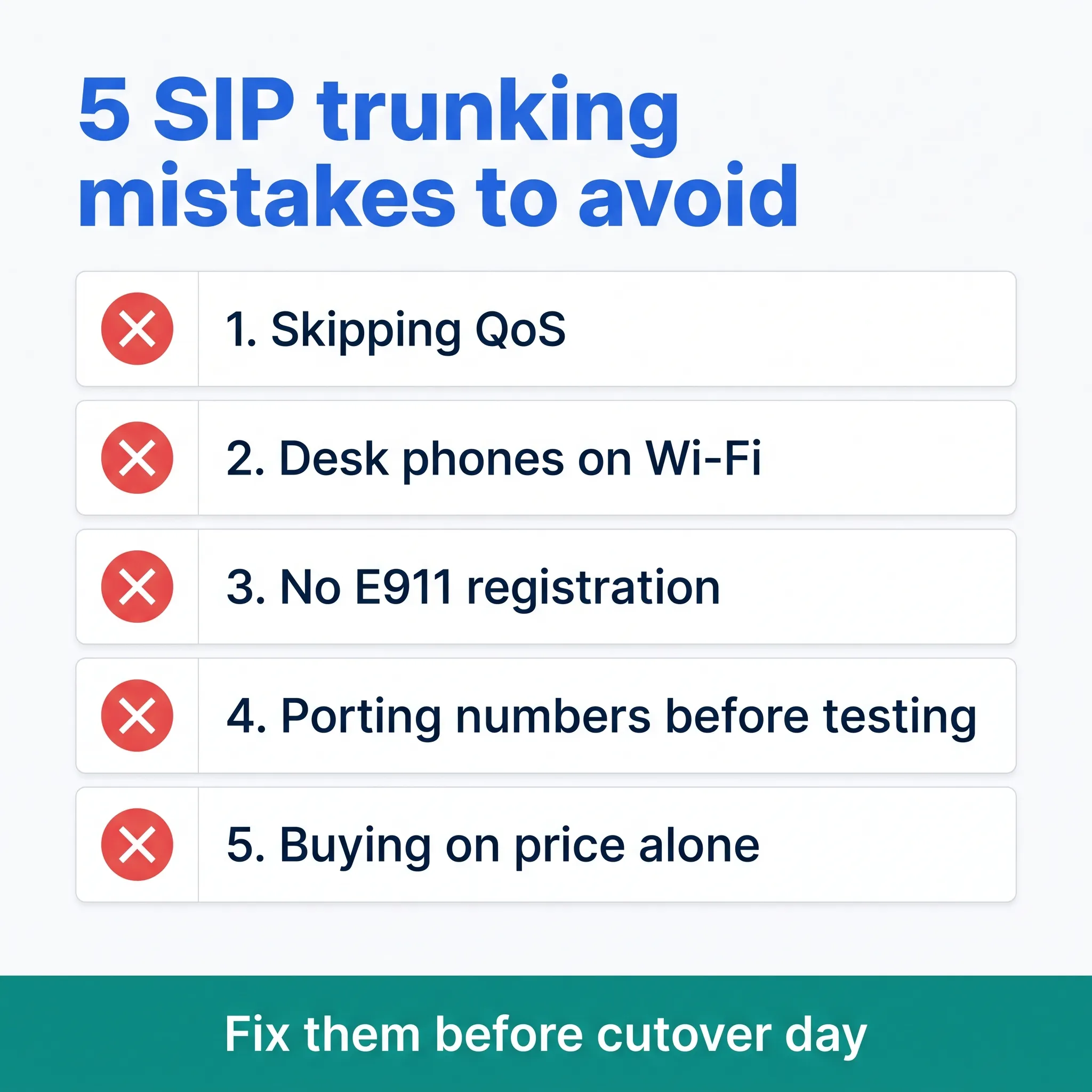
Five mistakes cause most failed SIP trunking rollouts: skipping QoS, running phones on Wi-Fi, forgetting E911 registration, porting numbers before testing, and buying on price alone.
Stan, a sales ops manager, moved his company's 30-person team onto SIP trunks last spring. The pilot went great. Then week one hit, and every afternoon around 2 p.m., calls turned choppy. The trunk wasn't the problem. Cloud backups were flooding the office's upload bandwidth, and no QoS rule existed to hold them back. One router change ended a week of complaints.
His story covers the first mistake. Here's the full list:
- Skipping QoS. Voice packets have to jump the queue ahead of file syncs and video streams. Set it once and most call-quality tickets never happen.
- Running desk phones on Wi-Fi. Wireless is fine for browsing and rough on real-time audio. Wire the phones, or at least the busiest ones.
- Forgetting E911 registration. A copper line reports your address automatically. A SIP trunk doesn't, so register your street address with your provider and update it every time you move.
- Porting numbers before testing. Once your main number moves, every customer call rides the new trunk, ready or not. Pilot on fresh numbers first, then port.
- Buying on price alone. The cheapest trunk gets expensive the first time calls drop during your busiest week and support takes two days to reply.
None of these are hard to avoid. They just have to be on the checklist before cutover day, not after.
SIP trunking or hosted VoIP: which should you choose?
Choose SIP trunking if you own a PBX and have IT help to run it. Choose a hosted VoIP phone system if you'd rather a provider run the whole stack for you.
| Question | SIP trunking | Hosted VoIP |
|---|---|---|
| Who runs the phone system? | You do | The provider does |
| Upfront hardware | PBX plus network prep | Little to none |
| IT skills needed | Yes | Not really |
| Best fit | Teams with a PBX worth keeping | Teams that want calling as a service |
The honest test is your hardware. A capable PBX bought in the last few years? SIP trunking extends its life and keeps that investment working. Starting from scratch? Hosted skips the whole layer: no trunk sizing, no gateway in a closet, no QoS homework on your plate.
There's a middle case too. Some businesses run SIP trunks at headquarters and hosted seats for remote staff. That works, but it doubles the systems you manage, and in our experience most small teams end up regretting the extra moving parts.
A simpler path than raw SIP trunking
If you landed on the hosted side of that decision, you don't have to buy trunks, wire them to a PBX, and babysit QoS settings. A hosted business phone system handles all of it for you: no trunk sizing, no gateway in a closet, no QoS homework.
dialnote is an AI business phone system with no per-user pricing. AI voice agents answer calls, capture leads, and book meetings 24/7 on the Team plan. It delivers the SIP trunking payoff, lower costs, fast scaling, and calling to 90+ countries, without a trunk or PBX for you to run.
So, is SIP trunking worth it? For most growing businesses, yes. The only real question left is whether you manage the trunks yourself or let a hosted system carry the weight.
Skip the trunks, keep the savings
10-day free trial, no credit card needed.
Frequently asked questions
VoIP is the broad technology of sending calls over the internet. SIP trunking is one way to use it: a virtual line that connects your own PBX to the public phone network. Hosted VoIP skips the PBX and runs everything in the cloud for you.
A single SIP trunk can carry dozens or even hundreds of calls at once. Capacity depends on how many channels you buy, and each channel handles one live call. Most providers let you add or remove channels in minutes.
Yes. Number porting moves your existing numbers to the new provider, so customers keep dialing the same number they always have. Porting usually takes one to four weeks, and your old line stays live until the move completes.
No. SIP trunks work with IP desk phones, softphone apps on computers and mobiles, and even older PBX hardware paired with a gateway. If your current gear speaks SIP, you can probably keep it.
Yes, but you have to register your street address with your provider (E911). Copper lines carried location info automatically; SIP trunks don't. Update the registered address every time your office moves.
Plan on roughly 100 Kbps per concurrent call with the common G.711 codec, including overhead. Steadiness matters more than raw speed: low latency and low jitter keep calls clear even on modest connections.

Written by
Lancelot Dsouza
Chief Marketing Officer, SmartReach.io
Lancelot Dsouza is the Chief Marketing Officer at SmartReach.io, where he built the Marketing, Sales, and Customer Success verticals from the ground up. With over 25 years of experience spanning digital marketing, business development, and strategic...
Lancelot Dsouza is the Chief Marketing Officer at SmartReach.io, where he built the Marketing, Sales, and Customer Success verticals from the ground up. With over 25 years of experience spanning digital marketing, business development, and strategic...
Related Articles

How to Get a Business Phone Number Without a Landline
Learn how to get a business phone number without a landline in under 30 minutes. Compare VoIP, virtual, and mobile options for small businesses.

What Is a Virtual Phone Number? A Complete Guide
Learn what a virtual phone number is, how it works, what it costs, and how to get one in minutes. See why businesses save up to 75% on phone costs.

VoIP Cost Savings: How to Cut Phone Bills by 50%
Discover how VoIP cost savings can cut your phone bills in half. Learn the real numbers, hidden costs to avoid, and steps to switch your business phones.
