Best Vonage Alternatives for Small Teams, Priced Out
Mike Torres runs a six-person HVAC company on Vonage. The base plan looked cheap when he signed up. Then a billing dispute made him want every call recorded.
The office wanted a shared inbox for texts, and he wanted something to pick up when the whole crew was up on a roof. Each of those was a separate line on the invoice, and the AI piece came back as "talk to sales."
That's why most people search for Vonage alternatives. Vonage isn't a bad phone system. It's a big, reliable one, now owned by Ericsson. But its plans are built as a ladder: a low seat price, then add-ons for the things small teams actually use.
This guide prices that ladder for a real team, then prices ten Vonage alternatives the same way. Every number is the monthly bill for 10 people who want 100 calls a month answered by AI.
TL;DR:
- Vonage Premium is $20.99/user/month on an annual agreement at 1 to 4 seats ($19.59 at 5 to 19), as of October 2026. Add reported prices for automatic recording ($49.99/mo) and a shared inbox ($9.99/mo), and 10 people pay about $256/month before any AI answering, which Vonage sells by quote.
- The best Vonage alternative for most small teams is dialnote, an AI business phone system priced per account, not per user. Team is $49/month for unlimited users with an AI voice agent, and AI calls start at $25/month for 65 with the AI call pack.
- RingCentral is the closest like-for-like swap for feature depth, Nextiva for support, and Dialpad for AI notes on the entry plan.
- On a budget, look at Zoom Phone from $10/user metered, Quo from $15/user, or Google Voice from $10/user if you already pay for Google Workspace.
- Stay on Vonage if you build on its APIs, need desk phones in many offices, or run 50+ seats at its volume prices.
Jump to: quick comparison · why teams leave · the list · 10-person cost · who should stay
Quick comparison: 10 Vonage alternatives
| Alternative | Starting price* | AI answering | 10 people + 100 AI calls/mo | Best for |
|---|---|---|---|---|
| dialnote | $49/mo for unlimited users | AI voice agent on Team; $25/mo for 65 AI calls, or $0.49/min | About $99/mo | Small teams that want answering and one flat bill |
| RingCentral | $20/user/mo | AI Receptionist, $39/mo for 100 min | About $314/mo | The deepest feature set with public prices |
| Nextiva | $15/user/mo, 12-mo term | XBert from $99/mo | About $249/mo | Teams that rank support first |
| Dialpad | $15/user/mo | Transcription included; answering agents by quote | $150/mo plus a quote | AI notes and summaries per dollar |
| Quo (formerly OpenPhone) | $15/user/mo | Sona: 10 free calls, then packs | About $199/mo | Small teams that text a lot |
| Zoom Phone | $10/user/mo metered | Virtual Agent Receptionist, $29.99/mo for 100 min | $190/mo plus unpublished overage | Offices already on Zoom |
| Ooma Office | $19.95/user/mo, no contract | AI Receptionist from $49.99/mo for 100 min | About $249/mo plus unpublished overage | Small offices that want desk phones |
| Aircall | $30/user/mo, 3-seat min | AI Voice Agent, $0.49/min after 50 free | About $398/mo | Support teams that live in a CRM |
| 8x8 | About $24/user/mo (estimate) | Contact-center AI, own quote | About $240/mo plus a quote | Multi-country contact centers |
| Google Voice | $10/user/mo plus Workspace | None built in | $200/mo plus Workspace, no AI | Teams already on Google Workspace |
| Vonage (reference) | $20.99/user/mo, annual | AI Virtual Assistant, quote only | About $256/mo plus a quote | Developers and multi-office desk-phone fleets |
*Annual billing where offered, except Ooma (monthly, no contract) and dialnote (monthly price shown; annual is $39/month). Prices checked October 2026 and they change often. The cost column assumes 100 AI-answered calls a month at about 2.5 minutes each (250 AI minutes) and each vendor's cheapest path to AI answering. Vonage's row adds reported prices for automatic recording and a shared inbox; 8x8 is a buyer-guide estimate; Google Voice uses Standard, the cheapest plan with an auto attendant.
Why do teams leave Vonage?
Most teams leave Vonage over the add-on stack and the contract, not call quality. The core calling is solid, and Vonage has been selling business VoIP for two decades. The friction shows up on the invoice and at renewal.
The ladder has three rungs, then a shelf of extras. Vonage Business Communications comes in Mobile, Premium, and Advanced. As of October 2026, the annual-agreement prices at 1 to 4 seats are $13.99, $20.99, and $27.99 per user. Month to month, they're $19.99, $29.99, and $39.99.
Mobile is app-only, with calling, texting, and a virtual receptionist. Premium adds desk phones, video meetings, team messaging, and the App Center's CRM integrations. Advanced adds on-demand recording (15 hours a month) and voicemail transcription.
Then come the extras. Buyer guides report automatic call recording at $49.99 a month, a unified shared inbox at $9.99, and call queues at $14.99 each. Vonage's own feature pages don't list those prices, so treat them as reported, not published. Some guides put the $49.99 on toll-free numbers instead of recording, which tells you how hard the stack is to read.
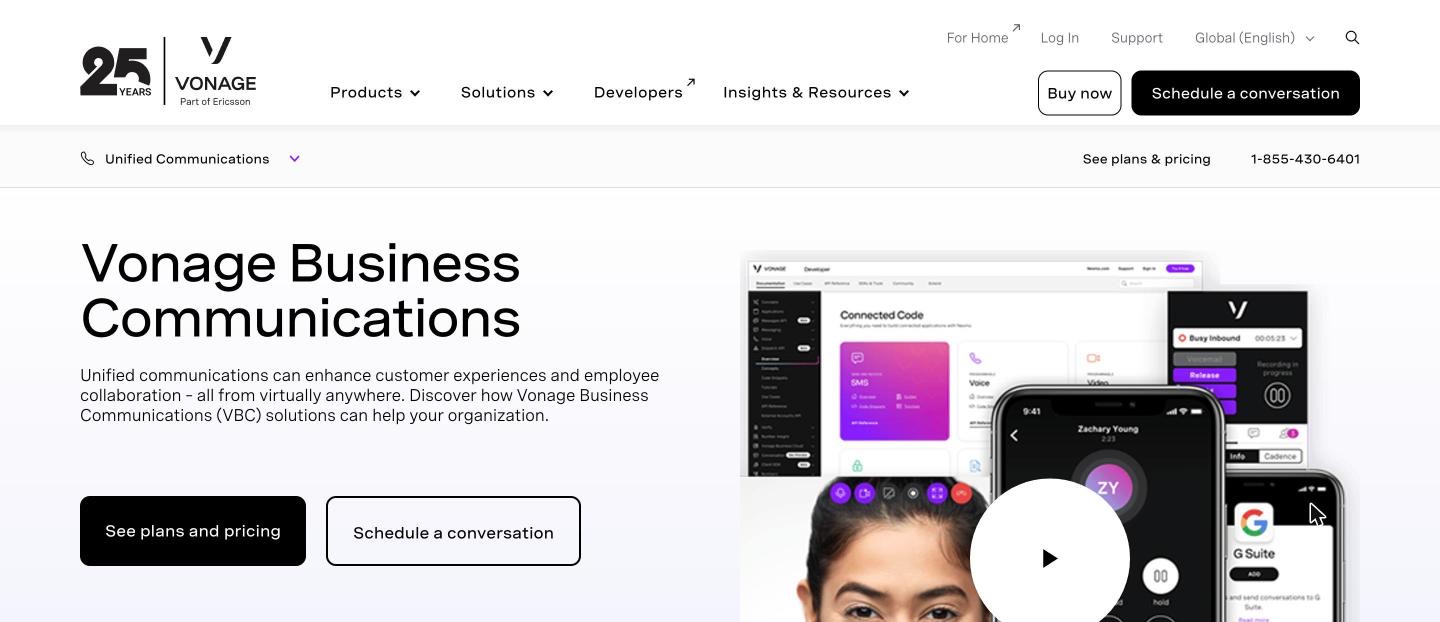
The annual price is a promotion. The annual rates are exactly 30% below the monthly ones, and Vonage labels that discount a promo running through December 31, 2026. It covers seat charges only, not add-ons. Vonage hasn't said what annual pricing looks like after that date.
If you sign now, ask what your second-year rate will be, in writing. Would you sign a lease without knowing year two's rent?
Annual agreements are hard to leave. Annual plans are a one-year contract, and Vonage's terms say early termination fees can run up to the total price of the contract. Month-to-month plans have no termination fee, but no refunds either.
Cancellation has a history here. In 2022 the Federal Trade Commission ordered Vonage to pay $100 million in refunds over hard-to-cancel subscriptions and junk fees. Recent reviews still mention phone-only cancellation and charges after a cancel request. That's mostly the residential side's legacy, but it's why "cancel Vonage Business" is a real search.
The AI is sold separately. Vonage's AI Virtual Assistant answers and routes calls, but it's scoped and quoted by the sales team. One buyer guide reports quotes from around $200 a month. For a small team that wants after-hours coverage, that's a second sales cycle for one feature.
The owner's focus is the API business. Ericsson bought Vonage in 2022 for about $6.2 billion, mainly for its communications APIs, and has since written down much of that value. The business phone product is still sold and supported. We're honestly not sure how much it'll change over the next few years.
What to look for in a Vonage alternative
The best Vonage business alternatives put the features you'd add on Vonage into the plan, publish an AI answering price, and don't lock you into a year you can't leave.
Price the stack, not the seat. List the extras you pay Vonage for today: recording, a shared inbox, queues, the CRM link, toll-free numbers. Then check which ones each alternative includes. A $15 seat with three add-ons can cost more than a $25 seat without them.
Separate AI that listens from AI that answers. Transcripts and summaries are useful, and many plans include them now. An agent that picks up live calls, asks your questions, and books a job is a different product, priced differently. Our roundup of AI receptionist software explains the split.
Read the term before the price. Is the rate you're quoted tied to a 12-month agreement? What does leaving early cost? A month-to-month plan at a slightly higher rate can be the cheaper bet if your team size is changing.
Check the hardware. Vonage supports desk phones on Premium and up. Several alternatives here are app-only, so if your front desk needs a handset, filter on that first.
The 10 best Vonage alternatives
These are the Vonage competitors small teams shortlist most: the flat-rate option first, then the per-user suites closest to Vonage, then the budget and specialist picks. Each entry covers what you get, what it costs, how the AI works, and what changes if you're coming from Vonage.
1. dialnote: best Vonage alternative for small teams
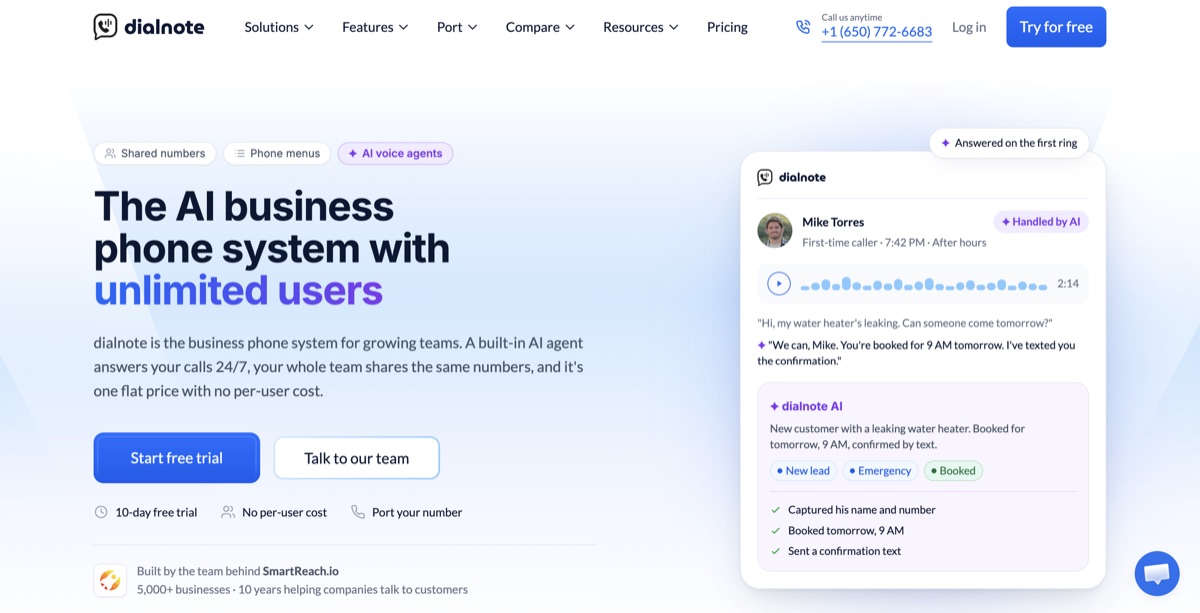
dialnote is the AI business phone system priced for your whole team: shared numbers, call routing, branded AI voice agents that answer, qualify, and book, and automatic CRM sync, all included, with no per-user cost.
Where Vonage prices each person and then each feature, dialnote prices the account. The Team plan is $49 a month whether five people log in or twenty-five, and most of Vonage's add-ons are already in it.
What you get on Team ($49/month): unlimited users, two phone numbers, 700 calling minutes a month pooled across the team, and 750 included text segments in the US and Canada. Every call is recorded automatically and gets an AI transcript and summary.
There's also a shared team inbox for calls and texts, a phone menu (IVR) with business-hours routing, voicemail transcripts, transfers, group calling, and HubSpot sync. Everyone works from the iOS, Android, and web apps.
How the AI works: Team includes one AI voice agent with its own knowledge base. You tell it the details to collect from callers (name, address, job type, how urgent it is), and it asks and logs the answers. On the call it can book a meeting through Calendly or Cal.com, check your calendar, send an SMS, or transfer to a teammate. When the call ends, the details sync to your CRM.
AI calls cost $25 a month for 65 calls with the AI call pack, or $0.49 a minute from your wallet beyond that. Team also adds a $5 wallet credit each month. You choose which calls reach the AI in the phone menu, so it can take only after-hours or overflow calls.
| Solo1 user, 1 number, 250 minutes; no AI agent | $19/mo |
| TeamUnlimited users, 1 AI agent, recording, team inbox, 700 pooled minutes | $49/mo |
| Business5 AI agents, 14 AI languages, Slack, Salesforce and Pipedrive | $99/mo |
| ProCall queueing, AI call tags, AI call evaluation | $199/mo |
Per account, not per user. Monthly prices; annual billing saves 20% (Team is $39/mo annual). AI call pack $25/mo for 65 calls on Team and up, or $0.49/min. As of October 2026.
Moving up: Business ($99) adds five AI agents, AI in 14 languages, Slack alerts for incoming calls and texts, Salesforce and Pipedrive sync, and API access. Pro ($199) adds call queueing, AI call tags, and AI call evaluation.
Pros
- Recording and a team inbox are in the plan, not add-ons
- Adding a hire doesn't change the bill
- A published price for AI answering that books and transfers
- Month to month, with no annual agreement required
- Number porting from Vonage is free in the US and Canada
Cons
- No desk phones yet: it runs on the mobile and web apps
- Team pools 700 domestic minutes across the account, while Vonage includes unlimited domestic calling
- Call queueing needs Pro ($199/mo), and Salesforce needs Business
- Numbers in the US, Canada, UK, India, and France only
- A smaller review base than Vonage (4.0 on G2 as of October 2026)
Price your team on dialnote
10-day free trial, no credit card needed.
Coming from Vonage: you swap per-user seats and add-ons for one flat bill, and you give up desk phones and unlimited domestic minutes. Check last month's call log: if the team talks well over 700 minutes combined, extra minutes draw from the wallet. Keep Vonage live until the Vonage number port finishes.
Best for: teams of 3 to 30 that pay Vonage for add-ons, not for desk phones or APIs. See the full dialnote vs Vonage comparison.
2. RingCentral: best feature depth
RingCentral is what Vonage would look like with fewer add-ons and more included. It bundles voice, video, team messaging, SMS, and fax in one app, with one of the largest integration catalogs in the category.
What you get: Core is $20 per user on annual billing ($30 monthly) with unlimited US and Canada calling, business SMS, a multi-level phone menu, and video. Advanced is $25 annual ($35 monthly) and adds automatic call recording and CRM integrations like Salesforce. That's the feature Vonage charges $49.99 for, built into a $25 seat.
How the AI works: the AI Receptionist is a $39 monthly add-on per account with 100 minutes, then about $0.50 a minute. It answers, routes by intent, and handles common questions. RingCentral also sells AI notes and summaries.
| CoreAnnual ($30 monthly); calling, SMS, phone menu, video | $20/user/mo |
| AdvancedAnnual ($35 monthly); auto recording, CRM integrations | $25/user/mo |
| AI ReceptionistPer account, 100 minutes, then about $0.50/min | $39/mo |
Per-user pricing; international calling is an add-on. As of October 2026.
Pros
- Automatic recording included on Advanced
- A published AI receptionist price
- Desk phones to rent or buy
- Hundreds of integrations and strong admin tools
Cons
- Seats, AI add-on, and AI overage stack into three meters
- Texting volume needs an add-on on Core
- More setup than a five-person team needs
- Renewal pricing draws complaints in reviews
Coming from Vonage: the closest like-for-like move. You keep desk phones and a full UC suite, and recording stops being an add-on if you choose Advanced.
Best for: teams of 20 or more that want Vonage's breadth with fewer extras. Our RingCentral alternatives guide covers its own weak spots.
3. Nextiva: best support reputation
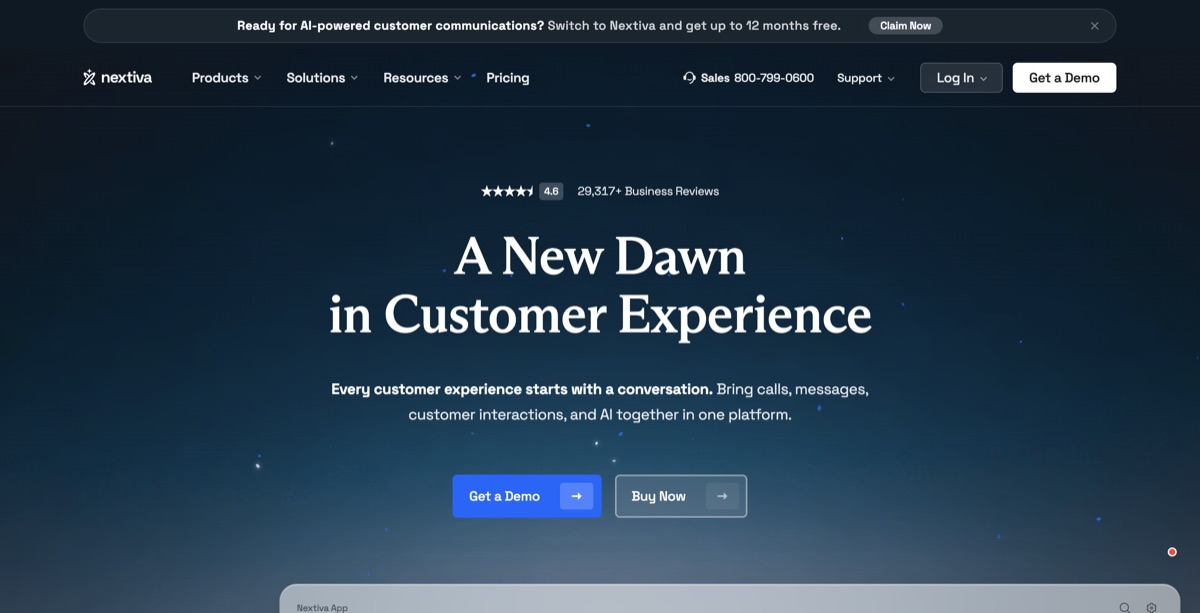
Nextiva sells business phone service to small and mid-sized companies, and its name rests on support that answers. It reshuffled its plans recently, so older reviews quote tiers that no longer exist.
What you get: Core is $15 per user annual ($23 monthly) for calling and voicemail. Engage is $25 annual ($50 monthly) and is the plan most teams pick. Scale is $75 annual and holds AI transcription and summaries. Every plan has a 12-month minimum term, and CRM integrations are a paid add-on.
How the AI works: XBert, Nextiva's AI agent, starts at $99 a month for about 100 resolutions, then $0.99 per conversation. It works with any tier.
| CoreAnnual ($23 monthly); calling and voicemail | $15/user/mo |
| EngageAnnual ($50 monthly); the most common plan | $25/user/mo |
| XBert AI agentAbout 100 resolutions, then $0.99 each | From $99/mo |
12-month minimum term on every plan; CRM integrations cost extra. As of October 2026.
Pros
- Support with a strong reputation
- Low $15 entry seat
- A published starting price for its AI agent
- Desk phones supported
Cons
- 12-month minimum on every plan
- CRM integrations are an add-on at every tier
- AI transcription needs the $75 Scale plan
- XBert's per-conversation overage adds up
Coming from Vonage: if support was the reason you're leaving, Nextiva fixes that. But a 12-month minimum is still a contract, so read the renewal terms as closely as you read Vonage's.
Best for: teams that want a vendor who picks up the phone. Our Nextiva alternatives guide prices the rest of its field.
4. Dialpad: best AI notes on the entry plan
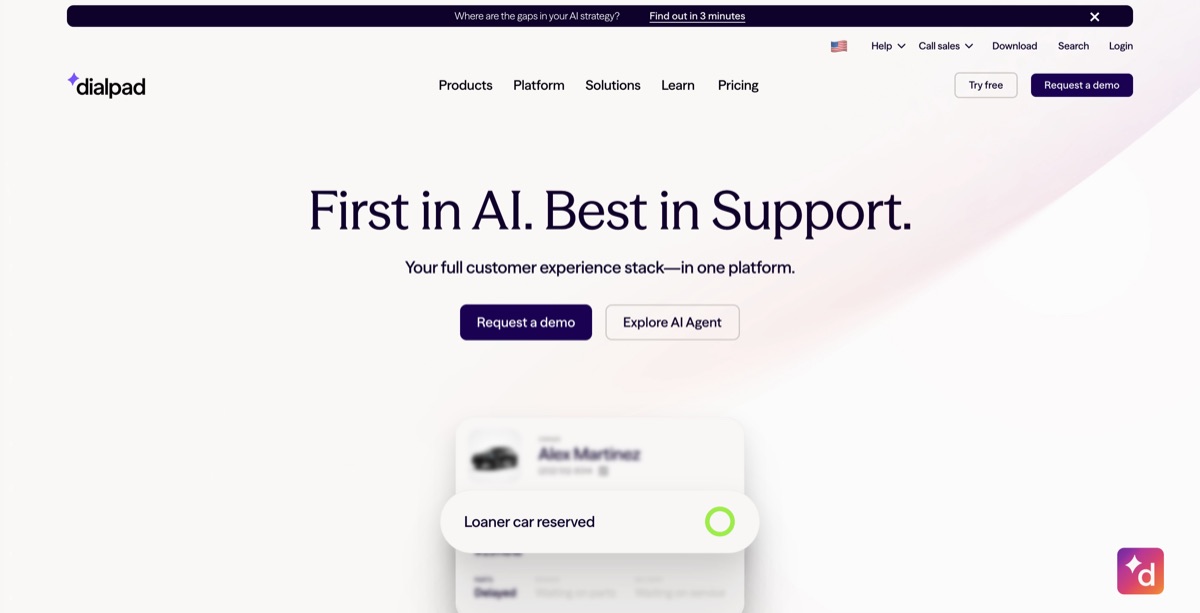
Dialpad was built around AI from day one. Where Vonage keeps voicemail transcription for Advanced, Dialpad puts live call transcription and AI summaries on its cheapest plan.
What you get: Standard is $15 per user annual ($27 monthly) with calling, SMS, video, real-time transcription, and AI summaries. Pro is $25 per user with a 3-user minimum and adds CRM integrations like Salesforce and HubSpot. The auto attendant can route callers by what they say.
How the AI works: the included AI listens and writes: transcripts, summaries, action items. Agents that answer calls on their own exist, but they're priced by quote, just like Vonage's.
| StandardAnnual ($27 monthly); transcription and AI summaries | $15/user/mo |
| ProAnnual, 3-user minimum; CRM integrations | $25/user/mo |
| AI answering agentsSold through sales | Quote |
Per-user pricing; international calling is metered. As of October 2026.
Pros
- AI transcripts and summaries on the entry plan
- Spoken-choice routing on the auto attendant
- Clean, fast app
- Desk phones supported
Cons
- AI answering agents are quote-only
- CRM integrations need Pro and its 3-user minimum
- Monthly billing nearly doubles the Standard price
- Reviewers report dropped transfers
Coming from Vonage: you get better AI notes for less per seat. If you need an AI that answers rather than one that takes notes, you're back to a quote.
Best for: teams whose idea of AI is notes and coaching on every call.
5. Quo (formerly OpenPhone): best for texting-heavy teams
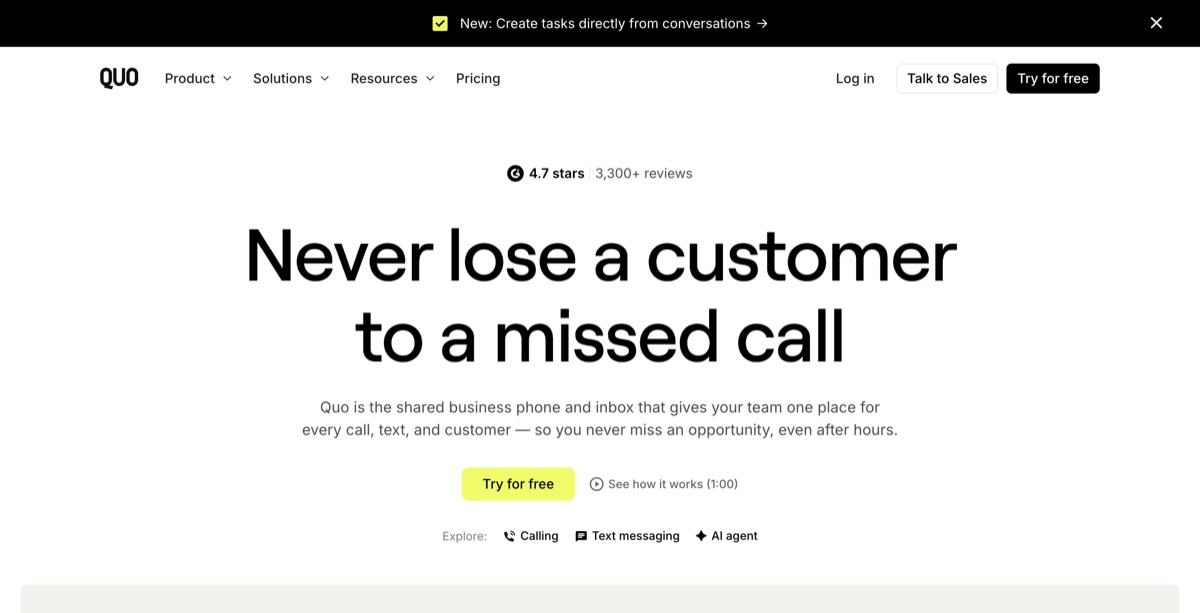
Quo is OpenPhone after its 2026 rebrand. It's built around shared numbers and a team inbox where calls and texts sit together, which is exactly what Vonage sells as a $9.99 add-on.
What you get: Starter is $15 per user annual ($19 monthly) with calling, texting, shared numbers, and voicemail. Business is $23 annual ($33 monthly) and adds HubSpot and Salesforce plus AI call summaries.
How the AI works: Sona, Quo's AI agent, answers calls on every plan. You get 10 AI-handled calls a month free, then credit packs: $25 for 40 calls or $49 for 100. Sona is best at taking messages and answering common questions.
| StarterAnnual ($19 monthly); 10 free Sona calls a month | $15/user/mo |
| BusinessAnnual ($33 monthly); HubSpot, Salesforce | $23/user/mo |
| Sona packs40 AI-handled calls; $49 for 100 | From $25/mo |
Per-user pricing. As of October 2026.
Pros
- A shared inbox in every plan
- AI answering on every plan in small doses
- Clear public pricing for seats and AI
- Fast self-serve setup
Cons
- Per-user pricing grows with every hire
- CRM integrations need Business
- Sona leans toward message-taking over booking
- No desk-phone focus
Coming from Vonage: a much simpler product. You lose desk phones and video breadth, and you gain an app most teams learn in a day. The OpenPhone vs Vonage comparison goes feature by feature.
Best for: small teams that text customers as often as they call.
6. Zoom Phone: cheapest for light callers
Zoom Phone is the calling add-on to Zoom's meetings platform. If your team already runs on Zoom, it puts calls, meetings, and chat in one app and one admin console.
What you get: the metered plan is $10 per user with outbound calls billed by the minute. US & Canada Unlimited is $16 per user annual ($18 monthly). The Pro Plus bundle ($20.50 annual) adds Zoom Workplace and its AI Companion.
How the AI works: AI Companion summaries come with the bundle, not the standalone plans. For answering, the Virtual Agent Receptionist is $29.99 a month for 100 minutes. Zoom doesn't publish the overage rate.

| MeteredOutbound calls billed per minute | $10/user/mo |
| US & Canada UnlimitedAnnual ($18 monthly) | $16/user/mo |
| Virtual Agent Receptionist100 minutes; overage not published | $29.99/mo |
Per-user pricing. As of October 2026.
Pros
- The lowest entry price on this list
- One app for meetings, chat, and calls
- Reliable core calling
- A published AI receptionist entry price
Cons
- AI receptionist overage isn't published
- AI Companion needs the bundle
- Fewer phone features than Vonage Premium
- Phone is a sidecar to the meetings product
Coming from Vonage: if you already pay for Zoom, this is often the cheapest switch. Expect a smaller integration catalog.
Best for: offices that already live in Zoom.
7. Ooma Office: best for small offices with desk phones
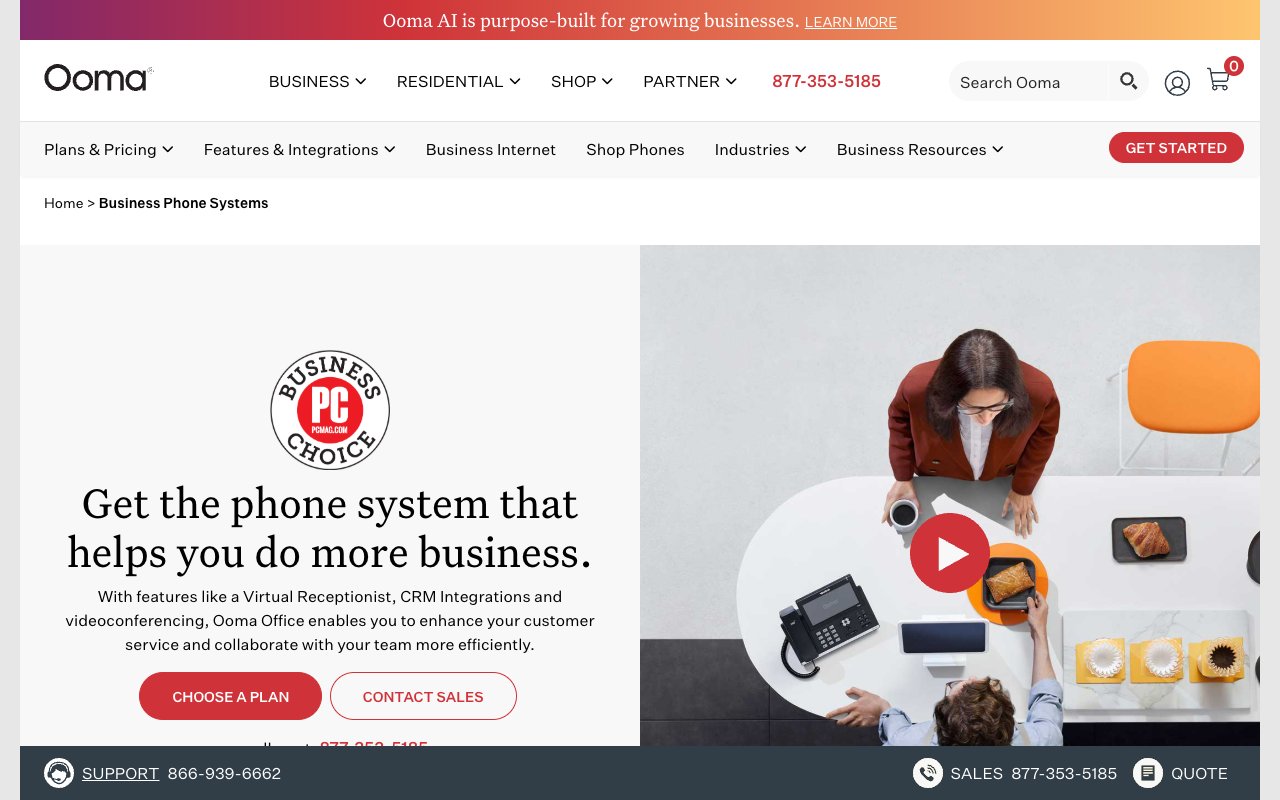
Ooma Office is the other small-office VoIP name people compare with Vonage. It's month to month with no contract, and it sells the desk phones too.
What you get: Essentials ($19.95 per user) includes calling to the US, Canada, Mexico, and Puerto Rico, a virtual receptionist, and the mobile app. Pro ($24.95) adds the desktop app, call recording, and texting. Pro Plus ($29.95) adds CRM integration, call queueing, and hot desking. Number porting is free.
How the AI works: since May 2026, Ooma sells two AI add-ons that work on any plan. The AI Answering Service starts at $14.99 per license with 40 minutes, and the AI Receptionist (in beta) starts at $49.99 with 100 minutes. Overage rates aren't published.
| EssentialsNo contract; virtual receptionist, mobile app | $19.95/user/mo |
| ProDesktop app, call recording, texting | $24.95/user/mo |
| Pro PlusCRM integration, call queueing, hot desking | $29.95/user/mo |
| AI ReceptionistBeta, 100 minutes; overage not published | From $49.99/mo |
Per-user pricing, billed monthly; taxes and fees extra. As of October 2026.
Pros
- Month to month, no contract
- Desk phones from the same vendor
- Published AI add-on prices
- Free number porting
Cons
- Recording needs Pro and CRM needs Pro Plus
- Texting allowances are per account, not per user
- AI overage rates aren't published
- Taxes and fees aren't shown up front
Coming from Vonage: the easiest swap if you want to keep handsets and drop the annual agreement. You trade Vonage's video and developer tools for a simpler office phone.
Best for: small offices where a handset at the front desk isn't optional.
8. Aircall: best for CRM-centric support teams
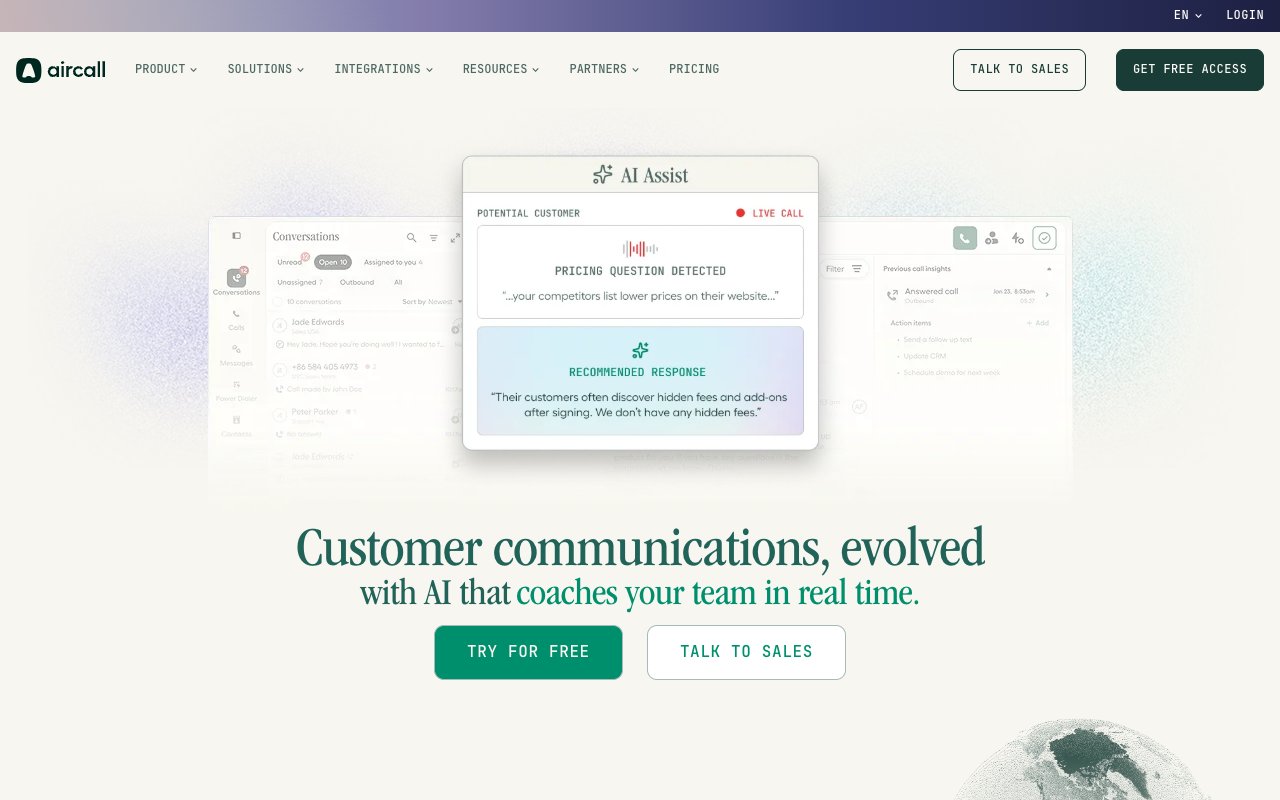
Aircall is a cloud phone system for sales and support teams that work inside a CRM or helpdesk. Its 250+ integrations are why most teams choose it.
What you get: Essentials is $30 per license annual ($40 monthly) with a 3-license minimum and SMS included. Professional is $50 annual ($70 monthly) and adds AI Assist and deeper analytics.
How the AI works: AI Assist on Professional writes summaries and transcripts. For answering, the AI Voice Agent costs $0.49 a minute after 50 free minutes.
| EssentialsAnnual ($40 monthly), 3-license minimum | $30/license/mo |
| ProfessionalAnnual ($70 monthly); AI Assist, analytics | $50/license/mo |
| AI Voice AgentAfter 50 free minutes | $0.49/min |
Per-license pricing. As of October 2026.
Pros
- Deep CRM and helpdesk integrations
- A published AI agent rate
- Built for support and sales floors
- Stable desktop app
Cons
- The 3-license minimum sets a $90 floor
- AI summaries need Professional
- The most expensive path on this list at 10 people
- Weak fit for a mostly mobile team
Coming from Vonage: a good fit if you used Vonage mostly as a support line tied to a CRM. You'll pay more per seat, and you'll want the Professional tier for AI notes.
Best for: support teams that log every call in a CRM.
9. 8x8: best for multi-country contact centers
8x8 is the other enterprise-leaning platform on most Vonage shortlists. It combines voice, video, and a contact center, with unlimited calling to dozens of countries on its higher tiers.
What you get: 8x8 stopped publishing prices in 2023. Buyer guides put X2 at about $24 per user on annual billing ($28 monthly) and X4 at about $44. X4 is where the broad international calling bundle lives.
How the AI works: 8x8 Work includes AI post-call transcription. AI agents that answer calls belong to its contact-center line, on their own quote.
| X2 (estimate)Annual; buyer-guide estimate | About $24/user/mo |
| X4 (estimate)Annual; wider international calling | About $44/user/mo |
| AI answeringContact-center product | Quote |
8x8 is quote-only; figures are buyer-guide estimates, not published prices. As of October 2026.
Pros
- Included calling to many countries on X4
- Phone and contact center on one platform
- Desk phones across plans
- Enterprise admin and analytics
Cons
- No public prices
- AI answering is a separate quote
- Built for larger teams than most Vonage switchers
- Support complaints from smaller customers
Coming from Vonage: only worth it if international calling or a contact center is the reason you're shopping. Our 8x8 alternatives guide covers what its own customers switch to.
Best for: contact centers with heavy calling across many countries.
10. Google Voice: best for teams already on Google Workspace
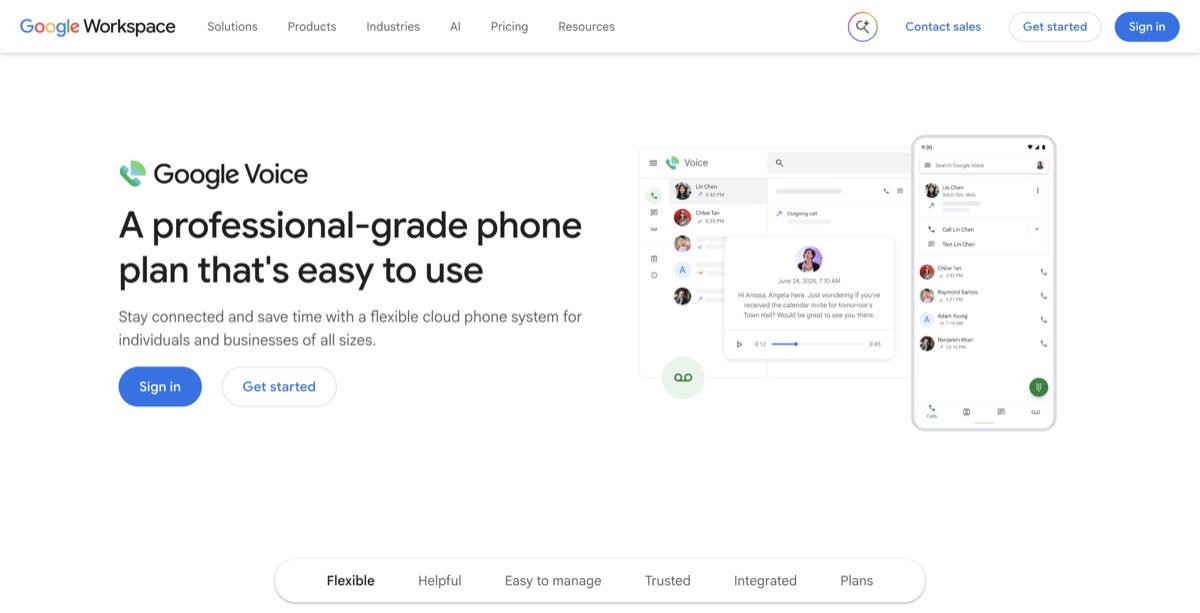
Google Voice is Google's business phone add-on for Workspace. If your team already pays for Workspace, it's the simplest line you can add, and calls, voicemail, and texts sit in the same admin console as your email.
What you get: Starter ($10 per user) covers up to 10 users but has no auto attendant and no desk phones. Standard ($20) adds the auto attendant, ring groups, and desk phone support. Premier ($30) adds automatic call recording and international locations. Every plan needs a Google Workspace subscription on top.
How the AI works: there's no AI answering built in. Voicemail transcription is included.
| StarterUp to 10 users; no auto attendant or desk phones | $10/user/mo |
| StandardAuto attendant, ring groups, desk phones | $20/user/mo |
| PremierAutomatic call recording, international locations | $30/user/mo |
Per-user pricing; Google Workspace required on every plan. As of October 2026.
Pros
- Simple if you already run on Workspace
- Desk phones on Standard and up
- No add-on stack to price
- Reliable calling
Cons
- No AI answering
- Workspace is an extra per-user cost
- Automatic recording needs Premier ($30)
- Thin integrations outside Google
Coming from Vonage: Standard at $20 is close to Vonage Premium's seat price, and recording on Premier ($30) is in the plan rather than a $49.99 add-on. You give up AI answering and the CRM App Center.
Best for: Workspace teams who want calling in the same admin console and don't need AI to answer.
What does a 10-person team pay with AI answering?
At 100 AI-answered calls a month, the published options run from about $99 to $398 for 10 people, and Vonage lands near $256 before its AI quote. Here's the math, at 250 AI minutes (100 calls of about 2.5 minutes):
- dialnote: the $49 Team plan, plus two AI call packs ($50, room for 130 calls): about $99.
- Zoom Phone: Unlimited at $160, plus the $29.99 receptionist for 100 minutes: about $190, plus 150 minutes at an unpublished rate.
- Quo: Starter at $150, plus a $49 Sona pack for 100 calls: about $199.
- Nextiva: Core at $150, plus XBert from $99: about $249.
- Ooma Office: Essentials at $199.50, plus the $49.99 AI Receptionist for 100 minutes: about $249, plus unpublished overage.
- Vonage: Premium at $195.90, plus $49.99 recording and $9.99 shared inbox: about $256, plus an AI quote.
- RingCentral: Core at $200, plus the $39 AI Receptionist, plus 150 minutes at about $0.50: about $314.
- Aircall: Essentials at $300, plus 200 minutes at $0.49 after the free 50: about $398.
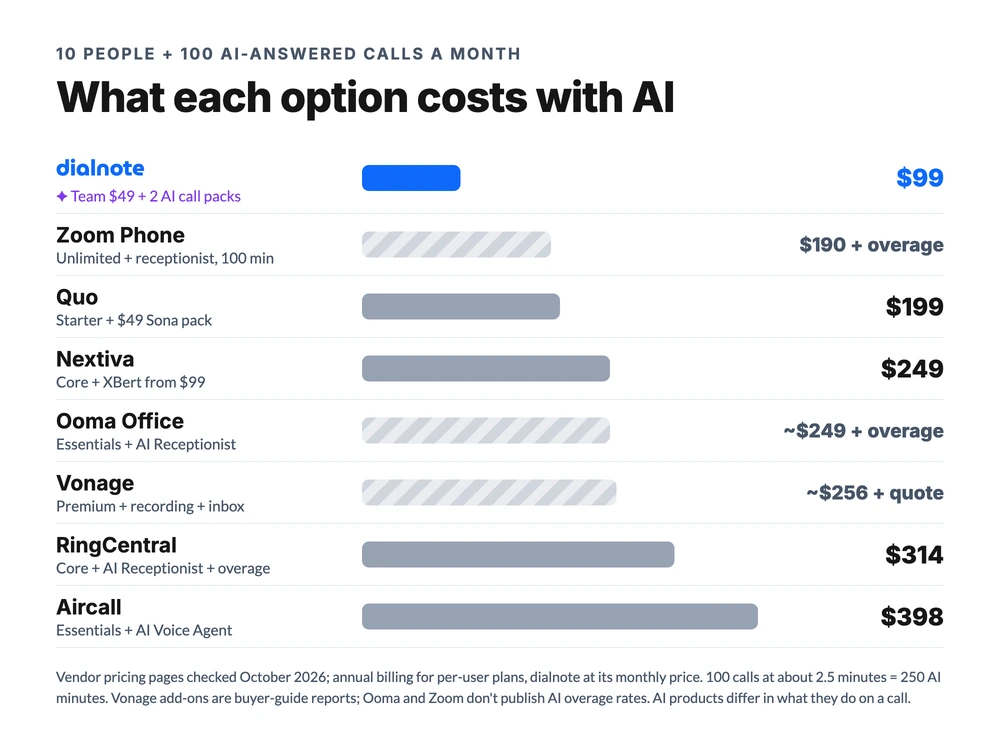
Two honest caveats. These AI products don't do the same job: Quo's Sona leans toward taking messages, while RingCentral's receptionist and dialnote's agent can book and transfer.
And the flat plan pools 700 domestic minutes across the account. A team that talks more than 70 minutes per person a month pays per minute for the rest, while Vonage includes unlimited domestic calling. Pull your call log before you trust any chart, ours included.
Where the flat rate wins, and where it loses
Is a flat plan always cheaper than Vonage? No. It wins past a crossover point, and that point depends on which Vonage tier you'd buy:
| Against | Vonage seat price (1-4 seats, annual) | Flat $49 plan is cheaper from | Below that |
|---|---|---|---|
| Vonage Mobile | $13.99/user | 4 users ($55.96 vs $49) | 1-3 users pay less on Mobile |
| Vonage Premium | $20.99/user | 3 users ($62.97 vs $49) | 1-2 users pay less on Premium |
| Vonage Advanced | $27.99/user | 2 users ($55.98 vs $49) | A solo user pays less |
| Vonage Premium, monthly | $29.99/user | 2 users ($59.98 vs $49) | A solo user pays less |
| Premium + recording + inbox | $20.99/user + $59.98 | Any size | Never cheaper on price |
So for one or two people who just need a line, Vonage Mobile is the cheaper phone. Once you'd pay for recording and a shared inbox, the add-ons alone cost more than the whole flat plan.
Three teams, priced end to end
Per-user plans win at one or two people, and the flat plan wins for small teams that want recording and AI. Big desk-phone fleets and API builders should stay on Vonage. Rates as of October 2026, annual billing for per-user plans.
The 2-person design studio: Vonage Mobile or Quo
Two partners, light calling, no real need for AI answering. Vonage Mobile runs $27.98 a month, Zoom Phone metered $20, and Quo Starter $30 with 10 AI-answered calls included. The flat $49 plan costs more than any of them.
The pick: stay on Vonage Mobile if it's working, or Quo if you text clients. At this size a seat price is the bargain.
Mike's 6-person HVAC company: flat rate wins
Back to Mike. Six people, all in the field, about 60 after-hours calls a month from people with a dead AC unit and a credit card. On Vonage Premium he pays $117.54 in seats, plus $49.99 for recording and $9.99 for the shared inbox: about $178 a month, and he still hasn't seen the AI quote.
On the flat plan, it's $49 plus one AI call pack ($25 for 65 calls): about $74. The AI agent picks up after hours, asks for the address and the problem, books the visit through Cal.com, and texts the customer a confirmation.
The pick: dialnote. It's about $104 a month less than his Vonage stack, and the answering is already in the bill. The trade-off is that his crew uses the mobile app, not desk phones, which suits a field team anyway.
The 40-seat, three-office firm on desk phones: stay on Vonage
Forty people across three offices, a handset on every desk, and a developer who built a text-alert flow on Vonage's APIs. Premium at the 20-to-99 rate is $17.49 a seat, or about $700 a month. RingCentral Advanced would run about $1,000.
The pick: stay on Vonage, or price RingCentral if you want recording included. An app-only system without desk phones is the wrong tool for this office.
Who should stay on Vonage?
Stay on Vonage if you build on its communications APIs, run desk phones across several offices, or have enough seats for its 20-to-99 volume pricing. Those are real strengths, and most of the alternatives here don't match all three.
- API builders: Vonage is one of the largest communications API platforms anywhere. If your team codes custom calling, texting, or verification flows, that's hard to replace.
- Desk-phone fleets: Premium supports certified desk phones, video, and team messaging in one plan.
- Larger teams: at 20 to 99 seats, Premium drops to $17.49, which narrows the gap with the flat-rate options for teams that don't need AI.
Our strong opinion: a five-person team shouldn't need a spreadsheet to work out what its phone bill will be. If you're on Vonage today, check your next renewal date and get the second-year rate in writing before December 31.
How to switch away from Vonage
Plan on two to four weeks, most of it waiting on the number port.
- Find your agreement's end date. Annual plans carry early termination fees, so time the switch to your renewal if you can.
- List what you pay for. Pull a recent invoice and note every add-on, plus last month's minutes and after-hours call volume.
- Trial the replacement on a new number. Run it next to Vonage for a week.
- Port your numbers. It takes about 1 to 3 weeks, and the new provider files the request. Don't cancel first, or you can lose the number.
- Cancel Vonage Business in writing after the port completes. Ask for a written confirmation, since reviewers report charges after phone cancellations.
Before any of that, run your own numbers on the pricing page. It takes two minutes, and it's the version of this comparison that matches your team exactly.
Frequently asked questions
For larger offices with desk phones, or teams building on Vonage's APIs, yes. For a small team that wants recording, a shared inbox, and AI answering, the add-ons push 10 seats past $250/month before AI, so a flat or bundled plan usually costs less (October 2026).
Zoom Phone ($10/user metered), Quo ($15/user), Nextiva Core ($15/user), and Dialpad Standard ($15/user) all start below Vonage Premium's $20.99. dialnote's Team plan is $49/month for unlimited users, so it's cheaper than Vonage from three users up.
RingCentral has the deeper feature set, a published AI Receptionist ($39/mo for 100 minutes), and automatic recording on Advanced. Vonage is a bit cheaper per seat at 5 to 99 users and stronger for developers. Neither is cheap for small teams once AI is added.
Ericsson, the Swedish telecom equipment maker, completed its purchase of Vonage on July 21, 2022, for about $6.2 billion. Vonage still sells its business phone plans under its own name as part of Ericsson.
Yes. Business numbers port to a new provider in about 1 to 3 weeks, and the new provider files the request. Keep Vonage active until the port finishes, and check your agreement's end date first, since annual plans carry early termination fees.

Written by
Akhilesh Betanamudi
Co-Founder, SmartReach.io
Akhilesh Betanamudi is a technology entrepreneur and engineer with over 12 years of experience in hardware engineering, SaaS, and business communications. As Co-Founder of SmartReach.io - a sales engagement platform for startups and enterprises, he h...
Akhilesh Betanamudi is a technology entrepreneur and engineer with over 12 years of experience in hardware engineering, SaaS, and business communications. As Co-Founder of SmartReach.io - a sales engagement platform for startups and enterprises, he h...
Related Articles
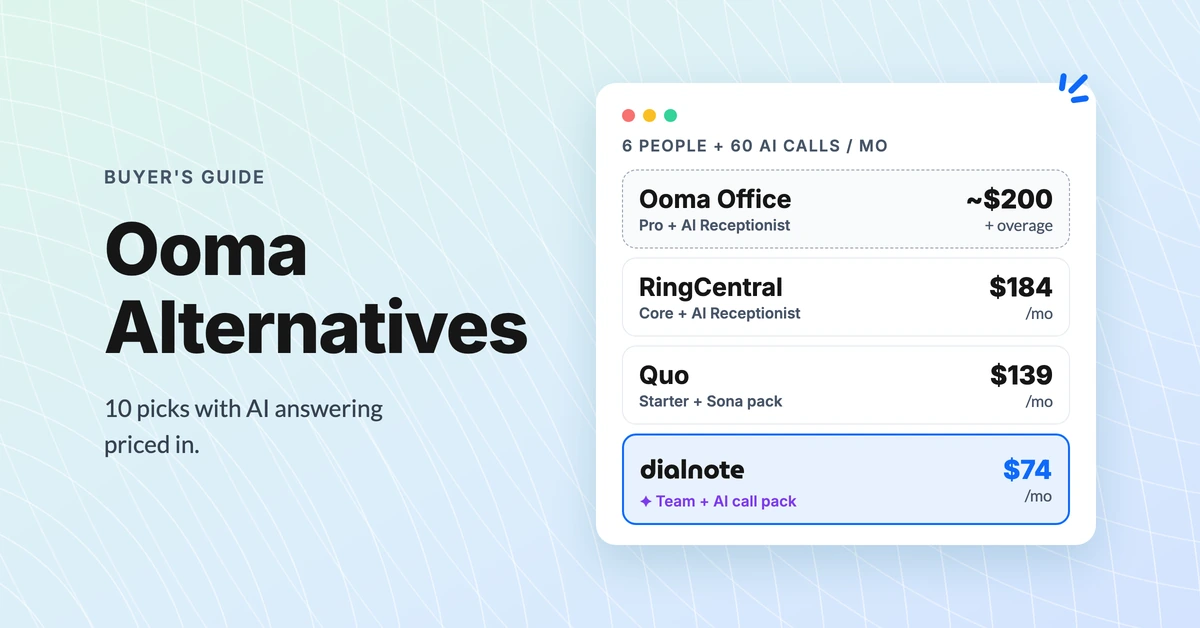
Ooma Alternatives: 10 Picks With AI Answering Priced In
Compare 10 Ooma alternatives by true team cost with AI answering, see which keep desk phones, and find out when staying on Ooma Office makes sense.
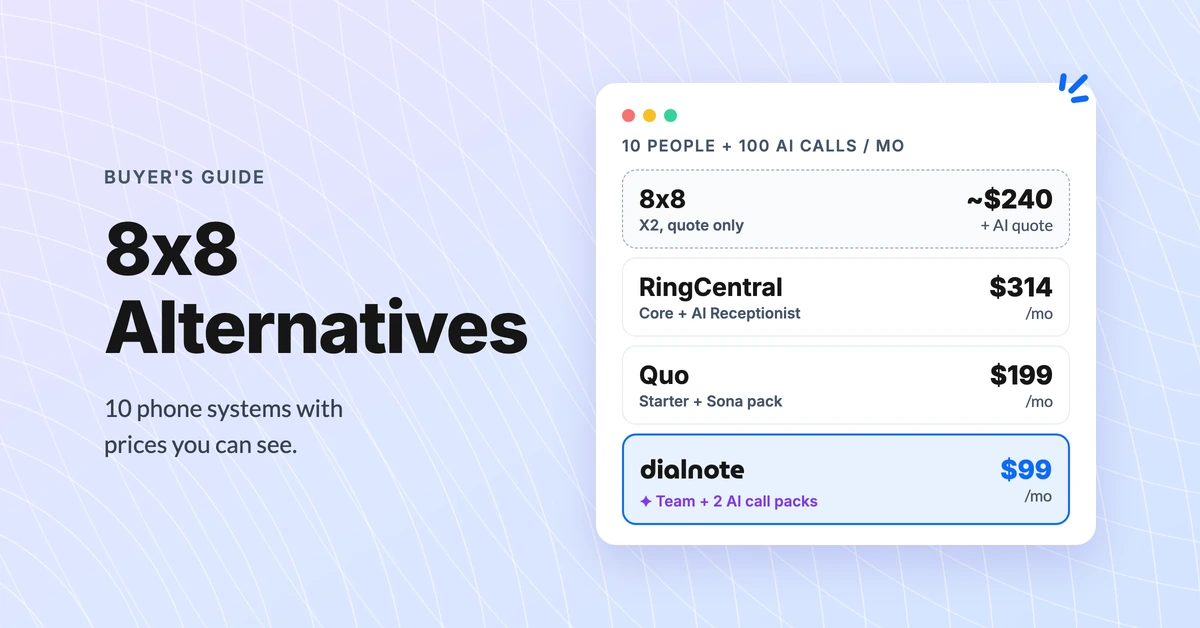
8x8 Alternatives: 10 Phone Systems With Public Prices
Compare 10 8x8 alternatives on real 10-person cost with AI answering. 8x8 quotes its price on a sales call; these publish theirs (October 2026).
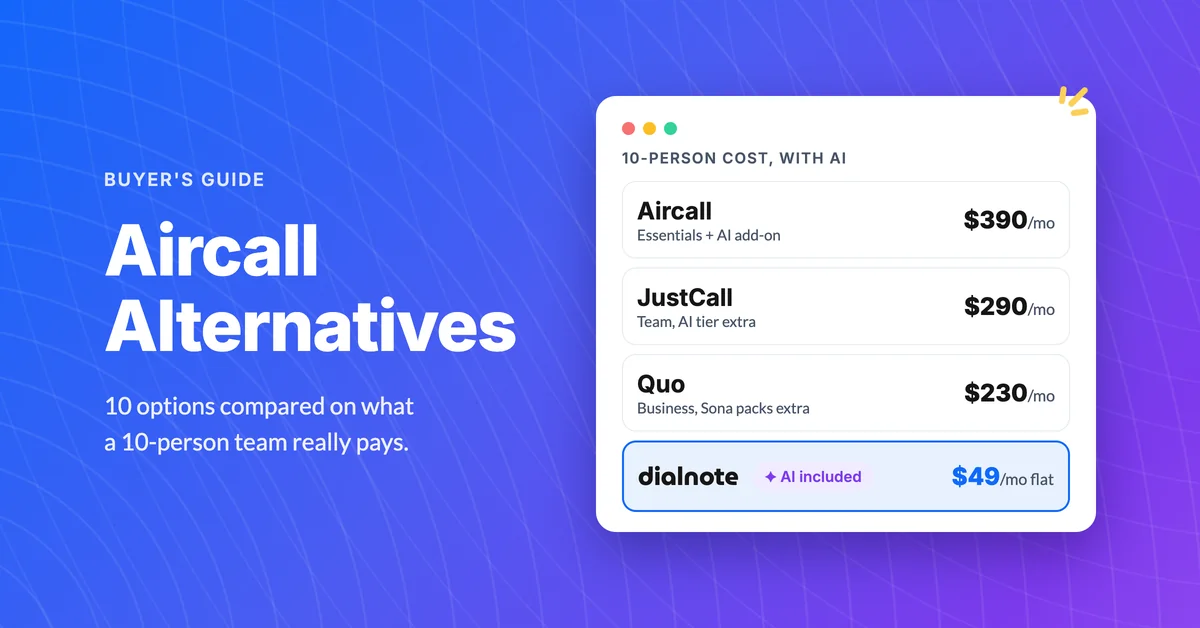
10 Best Aircall Alternatives With AI Included
Aircall runs $30/user with a 3-seat minimum and AI as a $9 add-on. Compare 10 Aircall alternatives on real 10-person cost, September 2026 pricing.
