10 Best Nextiva Alternatives for 2026 (Cloud-First)
Nextiva built its name selling phone systems the old way: per-seat plans, an annual agreement, a sales-assisted setup, and a box of desk phones on your doorstep. That model made sense in 2015. In 2026, it's exactly why so many owners are searching for Nextiva alternatives.
Elena runs a six-person property management company on Nextiva Engage. Her renewal notice landed 22% higher than last year once the regulatory fees were counted, the AI receptionist she asked about turned out to be a paid add-on with no listed price, and the six desk phones she bought in 2021 mostly sit dark because her team answers everything on mobile. She's paying for hardware nobody touches and seats that got more expensive while she slept. Sound familiar?
The good news: the market has moved. Business calling is now software, AI answering is a standard feature instead of a sales-call mystery, and several strong Nextiva alternatives publish every price on a public page. We compared the 10 best options with pricing verified in August 2026, plus a straight answer to the question behind the question: do you still need desk phones at all?
TL;DR:
- The best Nextiva alternatives either charge one flat rate (dialnote) or a lower per-seat price with published AI costs (Quo, Zoom Phone, Dialpad), so your bill stops creeping at renewal.
- dialnote is our top pick: $49/mo flat for unlimited users with the AI receptionist included at a published $0.49/min, while Nextiva's XBert AI is a sales-gated add-on reported around $99/mo.
- Business calling is going cloud-first. Gartner expects traditional telephony spend to fall about 40% by 2029, and most tools here run on the phones and laptops you already own.
- Still want handsets? Ooma, RingCentral, Vonage, and 8x8 support IP desk phones. The rest are app-first, and that's where the market is heading.
- You can port your Nextiva number to any provider on this list in 1 to 3 weeks.
Quick comparison: the 10 best Nextiva alternatives
Here's the snapshot before we go deep on each option.
| Alternative | Best for | Starting price* | AI answering | Desk phones? |
|---|---|---|---|---|
| dialnote | Best overall, flat rate | $49/mo flat, unlimited users | Included; $0.49/min + free credits | App-first, none needed |
| RingCentral | Enterprise integrations | $20/user/mo | AIR add-on from $39/mo | Yes, sells and rents |
| Quo (was OpenPhone) | Texting-first teams | $15/user/mo | Sona included; 10 free calls/mo | App-first |
| Dialpad | Built-in AI notes | $15/user/mo | AI agents, quote only | Yes, supported |
| Zoom Phone | Cheapest per seat | $10.50/user/mo | None (summaries only) | Yes, hardware program |
| Ooma Office | Desk-phone holdouts | $19.95/user/mo | Add-on from $49.99/mo | Yes, analog + IP |
| Vonage | Multi-location businesses | $13.99/line/mo | AI Virtual Assistant add-on | Yes, on Premium+ |
| Google Voice | Google Workspace users | $10/user/mo (+ Workspace) | None | Limited |
| GoTo Connect | Phone + meetings bundle | Quote only (~$26/user) | Unpriced add-on | Yes, supported |
| 8x8 | International calling | Quote only (~$24+/user) | Contact-center add-on | Yes, supported |
| Nextiva (reference) | What you're leaving | $15/user/mo annual | XBert add-on, reported ~$99/mo | Yes, sells hardware |
*Annual billing where offered; prices verified August 2026 from vendor pricing pages and shift often, so check before you buy. Ratings discussed per tool below.
Why are people looking for a Nextiva alternative?
The short answer: renewal creep, a big annual-vs-monthly gap, AI that costs extra with no published price, and a platform that's grown heavier than most small teams need. Nextiva's core product is genuinely capable, and its support reputation is real (4.5 stars on G2 across 3,600+ reviews, with fast phone answers a consistent theme). The pricing model is the problem.
Start with the math. Core is $15/user/mo on annual billing but $23 month to month. Engage doubles from $25 annual to $50 monthly, one of the biggest annual-vs-monthly gaps in the industry. So the advertised price only exists inside a 12-month agreement, and regulatory recovery and E911 fees add roughly 20 to 40% on top of any of it. Reviewers report fees rising mid-contract, and the billing line items are a recurring complaint theme at renewal time.
Then there's the AI. XBert, Nextiva's AI receptionist, is an add-on on every plan with no published price. Third-party reporting puts it around $99/mo for 100 conversations, then about $0.99 per extra conversation, but you can't confirm any of that without a sales call. What does that renewal actually buy you, if the one feature that answers calls when you can't is a second, unpriced bill?
And there's the weight. Nextiva has rebuilt itself into a full customer experience suite: phone, SMS, chat, social inboxes, chatbots. That's great for a support department. For a six-person business that needs calls answered, routed, and logged, it's a lot of platform to configure, and multi-week setups show up often in reviews, next to app glitches like missed-call notifications that don't fire.
Do you still need desk phones for a business phone system?
For most teams in 2026, no. A cloud phone system runs your business number as software: calls ring apps on the smartphones and laptops your team already owns, the same number works from the office, a job site, or a kitchen table, and features like AI answering, transcripts, and CRM sync live in the service instead of in a box on your desk.
This isn't a prediction anymore; it's the direction of the whole industry. According to Gartner, traditional telephony spend is expected to fall about 40% by 2029 as companies cut desk lines, and it projects around 70% of organizations will run their calling through cloud platforms by 2028. Meanwhile the cloud telephony market itself is projected to reach $44 billion in 2026, growing over 17% a year. So why are we still bolting handsets to desks?
Honestly? For most small businesses, buying new desk phones in 2026 is buying furniture. A handset runs $80 to $300, needs a powered network port, does one thing, and can't answer a call for you at 7pm. The AI receptionist that can only exists in the cloud.
That said, the honest exception is the shared physical space. A retail counter, a workshop wall, a front desk where whoever's standing there picks up: those still justify a handset, and it's why Ooma, RingCentral, Vonage, and 8x8 keep supporting IP phones (usually as a bring-your-own device you plug into the new service). Just buy hardware because a specific spot needs it, not because a phone company's sales flow put it in your cart. For the deeper trade-offs, our cloud-based vs on-premise phone system guide walks through the full comparison.
We're not sure how fast the last desk phones disappear; even Gartner walked its 90% cloud-calling prediction back to 70%. But the direction isn't in question, and paying per-seat prices to keep hardware idle is the worst of both worlds.
What to look for in a Nextiva alternative
Four filters separate a real upgrade from a sideways move.
Published AI answering prices. An AI receptionist is the single most useful thing a small-business phone gained in a decade, and it's where vendors hide the ball. dialnote publishes its rate ($0.49/min with free credits), Quo publishes Sona's bundles, and RingCentral lists AIR from $39/mo. Nextiva, GoTo, Dialpad, and 8x8 all send you to sales.
Flat pricing beats per seat once you pass a few people. Per-user plans feel cheap at two seats and sting at eight. We ran the numbers above: Nextiva Engage for six people lands between $300 and $550 with AI and fees, while a flat-rate plan holds still as you hire.
Month-to-month freedom. Nextiva's good prices live inside a 12-month agreement, and reviewers describe renewal surprises. Several alternatives here (dialnote, Ooma, Zoom Phone) run month to month with no contract, which keeps the power on your side of the table.
Software-first, hardware-optional. Pick a system built for apps that lets you plug in an IP handset where a counter genuinely needs one. That's the reverse of the old model, where the hardware came first and the software felt bolted on.
The 10 best Nextiva alternatives in 2026
The first eight publish their prices. The last two are capable platforms that make you book a sales call to see a number, and we've said so plainly.
1. dialnote: best overall Nextiva alternative
dialnote flips both halves of the Nextiva model. Pricing is flat instead of per seat: the $49 Team plan covers unlimited users, so the bill doesn't move when you hire. And the AI receptionist is included instead of sold as an unpriced add-on, at a published $0.49/min with free credits every month.
The AI answers 24/7, asks the qualifying questions you set, captures caller details, books meetings through Calendly or Cal.com, sends texts, and transfers urgent calls to a teammate. It speaks 14 languages. Phone menus route calls before the AI ever picks up, so sales can ring your cell while after-hours and overflow go to the agent, and calling covers 90+ countries. There's no hardware to buy: it runs on the phones and laptops your team already carries.
| SoloPhone system only, no AI | $19/mo |
| TeamUnlimited users; AI receptionist + phone menus, most popular | $49/mo |
| BusinessUnlimited users; advanced routing | $99/mo |
| AI voice usageMetered, free credits included each month | $0.49/min |
Flat monthly pricing, no per-user fees and no annual contract. 10-day free trial, no credit card. As of August 2026.
Pros
- One flat $49 plan covers unlimited users, so hiring never raises your phone bill
- AI receptionist and phone menus are included at a published rate, not a $99 mystery add-on
- Books via Calendly or Cal.com, transfers to teammates, sends SMS, and answers in 14 languages
- No contract, no hardware, and a 10-day free trial without a credit card
Cons
- AI usage is metered at $0.49/min beyond the free credits (phone menus keep that in check)
- No video meetings or webinars, it's a phone system first
- A newer name than Nextiva, built for small and mid-size teams rather than enterprise contact centers
Ready to stop paying by the call?
10-day free trial, no credit card needed.
What users say: Teams leaving per-seat platforms mention the same two things: the bill stopped moving when they hired, and after-hours calls finally come back as a transcript, a booked meeting, and a text instead of a voicemail. The G2 rating sits at 4.5 stars.
Best for: Small teams leaving Nextiva that want one predictable bill and the phone answered. See the full dialnote vs Nextiva head-to-head, and dialnote will move your Nextiva number over for you.
2. RingCentral: best for enterprise integrations (and desk phones)
RingCentral is the closest like-for-like swap: another big all-in-one platform, but with a deeper integration catalog (300+) and published AI pricing. Its AI Receptionist (AIR) is a real multilingual answering agent from $39/mo as an add-on, and it sells and rents desk phones if your office genuinely wants them.
The trade-off is that you inherit the same enterprise billing style you're trying to leave: annual contracts for the good rates, fees on top, and metered AI minutes. We broke down the whole picture in our best RingCentral alternatives guide, and the RingCentral vs Nextiva comparison covers this exact matchup.
| CoreAnnual billing ($30 monthly) | $20/user/mo |
| AdvancedAnnual ($35 monthly); CRM integrations start here | $25/user/mo |
| UltraAnnual ($45 monthly) | $35/user/mo |
| AI Receptionist (AIR)$49 standalone incl. 100 min, then $0.50/min | From $39/mo |
Taxes, cost-recovery, and E911 fees land on top, and reported invoices run 10-30% above sticker. As of August 2026.
Pros
- Deepest feature set and integration catalog of any option here
- AIR has a published price and books appointments in multiple languages
- Full desk phone program if your space needs handsets
Cons
- Same enterprise billing pattern as Nextiva: contracts, fees, and metered AI on top of seats
- Reported invoices land 10-30% above the advertised rate
- Oversized for teams that mostly make and take phone calls
What users say: A solid 4.2 on G2 for reliability and breadth. The loudest complaints are about money, not features: first bills above the quote and AI minutes that are hard to forecast.
Best for: Teams of 20+ that need deep integrations and will trade billing complexity for platform depth.
3. Quo (formerly OpenPhone): best for teams that live in text
If you've seen OpenPhone recommended as a Nextiva alternative, this is the same product: OpenPhone rebranded to Quo in 2026. It treats your business number like a shared inbox: calls and texts sit in one thread, numbers are shared across teammates, and the Sona AI agent answers missed calls, takes messages, and texts callers booking links. Every plan includes about 10 AI-answered calls a month, with paid bundles from $25/mo after that.
It's also the best-reviewed product on this list, and a pure software-first system: no desk phones, no hardware program, by design. We covered it in depth in our OpenPhone alternatives guide.
| StarterAnnual ($19 monthly); includes Sona starter credits | $15/user/mo |
| BusinessAnnual ($33 monthly); phone menus, HubSpot + Salesforce | $23/user/mo |
| ScaleAnnual ($47 monthly); AI call tags, priority support | $35/user/mo |
| Sona credit packsBeyond the ~10 included AI calls/mo | $25-$199/mo |
Per-user pricing. Extra numbers $5/mo. 7-day trial. As of August 2026.
Pros
- Highest-rated tool on this list (4.7 on G2 across 3,300+ reviews)
- Shared numbers and threaded calls + texts feel like a team inbox, not a PBX
- Sona is included on every tier with published overage pricing
Cons
- Per-user pricing stacks as you grow, and phone menus start on the $23 Business tier
- Support is ticket-heavy below the top plan
- 10 included AI calls a month is a taste, not coverage
What users say: Reviewers love the setup speed and the shared-inbox model. The recurring gripes are support response times and call quality on weak cellular signal.
Best for: Teams of one to ten that text customers as much as they call and want AI answering included in small doses.
4. Dialpad: best built-in AI on every call
Dialpad bakes AI into every seat: live transcription, AI call summaries, and coaching cues are included even on the $15 plan, which undercuts Nextiva Core with more AI attached. The apps feel modern, and teams in Google Workspace or Microsoft 365 slot right in.
The catch mirrors Nextiva's: the AI that actually answers calls end to end is quote-only. Our best Dialpad alternatives guide covers the full picture.
| StandardAnnual ($27 monthly); transcription + AI summaries included | $15/user/mo |
| ProAnnual ($35 monthly); 3-license minimum, CRM integrations | $25/user/mo |
| Enterprise100-license minimum | Custom |
| AI agentsAutonomous answering, credit-based | Quote only |
Watch the extras: reported ~$4-5/user/mo admin fees, SMS overages, extra numbers $5-15/mo. As of August 2026.
Pros
- AI transcription and summaries on every tier at no extra cost
- Clean, modern apps that need almost no training
- $15 entry undercuts Nextiva Core with more AI included
Cons
- AI answering has no published price, same problem as XBert
- CRM integrations need the Pro tier and its 3-license minimum
- Reported fees and metered texting push real cost above sticker
What users say: At 4.4 on G2 across 4,100+ reviews, the AI notes and interface earn steady praise. Complaints center on transcription accuracy with accents and cost creep from add-ons.
Best for: Teams that want call intelligence on every conversation and will negotiate the answering piece with sales.
5. Zoom Phone: cheapest per-seat entry
Zoom Phone bolts a full cloud phone system onto the meetings app your team already knows, at the lowest credible per-seat price here. Auto-attendant, recording, and AI Companion summaries are included, and a separate hardware program covers certified desk phones from Poly, Yealink, and Cisco if you want them.
Just know that nothing in Zoom Phone answers calls for you: there's no AI receptionist at any price.
| US & Canada MeteredOutbound calls billed ~$0.03/min | $10.50/user/mo |
| US & Canada UnlimitedUnlimited domestic calling | $16/user/mo |
| Global SelectDirect numbers across 40+ countries | ~$20+/user/mo |
| Workplace bundlesFull Zoom Meetings + Phone together | ~$21-27/user/mo |
Zoom raised standalone Phone prices in 2026. Toll-free numbers and Power Pack analytics cost extra. As of August 2026.
Pros
- Cheap per-seat entry with auto-attendant and recording included
- AI Companion summaries and voicemail triage come free on paid plans
- One familiar app for meetings and calls, plus a certified desk phone program
Cons
- No AI receptionist: missed calls still end in voicemail
- Standalone Phone includes only basic Meetings; full video needs a bundle
- Thin support access on lower tiers
What users say: 4.6 on G2 across 2,600+ reviews, scoring on ease and value. Complaints focus on reaching support and extras quietly inflating the bill. See our RingCentral vs Zoom Phone breakdown for how it stacks against the big platforms.
Best for: Teams already paying for Zoom that want calling in the same app for a few dollars more per seat.
6. Ooma Office: best for desk-phone holdouts
Ooma Office is the pick if you read the desk phone section above and thought "that's still us." It's built for retail counters, front desks, and workshops: analog and IP phones keep working, setup is famously simple, and every plan is month to month with no contract, which is the exact opposite of Nextiva's 12-month agreement.
The AI story is thinner: an AI Receptionist add-on launched in May 2026 at $49.99/mo per license with 100 minutes included.
| EssentialsVirtual receptionist menus, ring groups, a free toll-free number | $19.95/user/mo |
| ProAdds desktop app, call recording, texting | $24.95/user/mo |
| Pro PlusCRM integrations, call queues, AI transcripts | $29.95/user/mo |
| AI ReceptionistAdd-on per license, 100 minutes included | From $49.99/mo |
True month-to-month, no contracts, but taxes and regulatory fees land on top. As of August 2026.
Pros
- No contract at all: every plan is month to month
- Works with analog and IP desk phones, with well-reviewed live support
- Auto-attendant menus included on the cheapest tier
Cons
- AI answering is a $49.99+ add-on, and AI transcripts need Pro Plus
- The desktop app is paywalled to Pro, and the dashboard feels dated
- Reviewers note scaling pains past ~15 seats
What users say: A 4.6 on G2 from a smaller review base, with simplicity and support as the consistent wins. Complaints target the aging dashboard and weak spam blocking.
Best for: Brick-and-mortar businesses that genuinely need handsets and refuse to sign a contract.
7. Vonage: best for multi-location businesses
Vonage Business Communications is one of the oldest names in VoIP, with a 99.999% uptime claim and a plan lineup that scales across offices. Desk phones are supported from the Premium tier up, and its app ecosystem covers CRM integrations and an AI Virtual Assistant add-on for call handling.
Read the invoice math first. Advertised prices are per line, annual billing drops them to $13.99 to $27.99, and reported real costs run well above sticker once regulatory fees and add-ons pile on.
| MobileAnnual ($19.99 monthly); apps only, no desk phones | $13.99/line/mo |
| PremiumAnnual ($29.99 monthly); IP desk phone support, auto-attendant | $20.99/line/mo |
| AdvancedAnnual ($39.99 monthly); recording, visual voicemail | $27.99/line/mo |
| AI Virtual AssistantConversational call handling, priced with sales | Add-on |
Per-line pricing by team size. Reported real costs run 50-100% above advertised base once fees and add-ons count. As of August 2026.
Pros
- 99.999% uptime claim and a mature, stable network
- Desk phone support and paging fit offices and multi-site retail
- Scales cleanly across locations with a large integration catalog
Cons
- Fees and add-ons push real invoices far above the advertised line price
- AI answering is an add-on priced with sales, not published
- The apps and admin portal feel a generation older than Quo or Dialpad
What users say: Around 4.3 on G2. Reliability earns credit; the recurring themes are billing surprises and a dated interface.
Best for: Multi-location businesses that want a proven network with desk phones in some offices and apps in others.
8. Google Voice: cheapest for Google Workspace users
Google Voice is the minimalist option: clean apps, Google-grade reliability, and the lowest entry price here. Business use on your own domain effectively requires Google Workspace, so the realistic floor is about $17/user, and the feature ceiling is low: no AI receptionist, no CRM integrations, and desk phone support limited to a short list of certified Poly devices.
| StarterUp to 10 users, US only; no auto-attendant | $10/user/mo |
| StandardAuto-attendant, ring groups, on-demand recording | $20/user/mo |
| PremierAutomatic recording, advanced reporting, international | $30/user/mo |
Requires Google Workspace (from $7/user/mo) for business use on your own domain. As of August 2026.
Pros
- Cheapest credible entry point, with setup in minutes and no hardware
- Native fit with Gmail, Calendar, and Meet, plus strong spam filtering
- Easy number porting in and out
Cons
- No AI receptionist on any tier: missed calls end in voicemail
- The $10 Starter plan has no auto-attendant at all
- Thin support and few integrations outside Google
What users say: 4.1 on G2, mostly from small businesses praising the simplicity and price. Complaints start when teams grow past what it offers.
Best for: Solos and tiny teams already paying for Workspace that need a reliable number, not a phone system.
The quote-gated tier: strong platforms, hidden prices
The last two are systems we'd still shortlist, but neither publishes a price anymore. You'll sit through a sales call to learn what you'd pay, and we can't tell you what quote you'll get. The figures below are third-party reporting, nothing more.
9. GoTo Connect: best phone and meetings bundle
GoTo Connect pairs a deeply customizable phone system (the visual dial-plan editor is genuinely great) with the GoTo Meeting heritage, so phone, video, and chat come standard, and IP desk phones are supported. Its AI Receptionist add-on answers and routes around the clock, but neither the plans nor the AI carry a public price in 2026: the most recent reported list prices put Phone System around $26/user/mo.
| Phone SystemThird-party estimates ~$26/user/mo | Quote only |
| Connect CXEstimates ~$34/user/mo; adds CX tools | Quote only |
| AI Receptionist add-onIncluded only in the top CX Complete bundle | Quote only |
GoTo's pricing page shows no dollar amounts; figures are reported list prices from mid-2026 guides. As of August 2026.
Pros
- Unlimited auto attendants, dial plans, and ring groups on every plan
- Phone + video + chat standard, with desk phone support
- Solid 4.4 on G2 across 1,400+ reviews
Cons
- Zero pricing transparency: plans and the AI add-on both need a sales call
- Call quality wobbles are the most common review theme
- Users report cancellation is difficult
What users say: Admins like running it without an IT department. The sales-gated pricing is called out in reviews as a reason buyers shortlisted elsewhere.
Best for: Teams that want phone and meetings from one vendor and don't mind negotiating.
10. 8x8: best for international calling
8x8 is the international specialist: its plans bundle unlimited calling to 14 or 48 countries, which no one else on this list matches at the price. It supports desk phones, spans UC and contact center in one platform, and stopped publishing prices in 2024; third-party estimates put seats around $24 to $44/user/mo.
| X2Estimates ~$24/user/mo; unlimited calling to 14 countries | Quote only |
| X4Estimates ~$44/user/mo; unlimited to 48 countries, analytics | Quote only |
| Contact center tiersAI and agent tooling priced with sales | Quote only |
8x8 removed public pricing; estimates are third-party reporting. As of August 2026.
Pros
- Unmatched bundled international calling (14 to 48 countries)
- UC and contact center on one platform with desk phone support
- Strong uptime record and global infrastructure
Cons
- No public pricing since 2024, so budgeting starts with a sales call
- AI answering lives in the contact-center product, priced with sales
- Admin experience is dated, and the 4.2 G2 rating trails the leaders here
What users say: International teams praise the calling bundles and reliability. Complaints target the admin portal and the opaque buying process.
Best for: Teams calling overseas daily, where the bundled international minutes pay for the sales-call hassle.
How to choose the right Nextiva alternative
Start with the desk phone question, because it splits the list cleanly. If no specific counter or front desk needs a handset, go software-first (dialnote, Quo, Zoom Phone, Dialpad) and stop paying for hardware thinking. If a shared space genuinely needs one, Ooma, RingCentral, Vonage, and 8x8 all support IP phones you can bring along.
Then match the pick to your pain:
You want one flat bill and the phone answered: dialnote. $49/mo for unlimited users, AI receptionist included at a published rate, no contract.
You want maximum integrations and can handle enterprise billing: RingCentral.
Your team texts more than it calls: Quo.
You want AI notes on every call: Dialpad, if you'll negotiate the answering piece.
Lowest per-seat price: Zoom Phone, if voicemail after hours is acceptable.
Desk phones without a contract: Ooma Office.
Multiple offices: Vonage. Mostly international calls: 8x8. Phone + meetings from one vendor: GoTo Connect.
Whichever way you lean, run the same test: call the trial number after hours and ask a tricky question about your own services. The difference between a phone system that answers and one that forwards stops being abstract in about ninety seconds. Then put the winner's real total (seats + AI + fees) next to your Nextiva renewal and our pricing page.
Can you keep your Nextiva number when you switch?
Yes. Number porting is your legal right in the US, so your Nextiva numbers move to any provider on this list. The port takes 1 to 3 weeks, your new provider files the paperwork, and callers never notice the change.
Two tips. First, don't cancel Nextiva until the port completes; cancelling early can strand the number. Second, if you're inside a 12-month agreement, check your renewal date now: Nextiva agreements auto-renew, and starting a port a few weeks before renewal beats discovering you've re-committed for a year. Our porting from Nextiva guide walks through the exact steps.
The bottom line
Nextiva grew up in the era when a business phone system meant hardware, contracts, and a sales rep for every question. It's still a capable platform with genuinely good support. But you're paying per seat for a customer experience suite, the AI receptionist is an unpriced add-on, and the desk phones it shipped you are gathering dust while your team answers everything on mobile.
The market has picked a direction: calling is software, AI answering is a standard feature with a public price, and hardware is optional. The alternatives split cleanly along that line. Hardware-friendly platforms (Ooma, RingCentral, Vonage, 8x8) keep the handsets alive. Software-first systems (Quo, Zoom Phone, Dialpad) drop the hardware and the contracts. And dialnote goes furthest: one flat $49 bill for unlimited users, an AI receptionist included at a published $0.49/min, and phone menus that keep the meter under your control.
If Elena's dusty desk phones and 22% renewal sounded familiar, start a free 10-day trial of dialnote, no credit card needed, and put your Nextiva renewal quote next to a bill that doesn't grow when you do.
Frequently asked questions
For most small teams, dialnote. The $49 plan covers unlimited users at one flat price and includes an AI receptionist that answers 24/7 at $0.49/min with free credits. Nextiva sells its XBert AI answering as an add-on reported around $99/mo, on top of per-seat plans.
Some do. Ooma, RingCentral, Vonage, 8x8, and GoTo Connect all support IP desk phones. But most modern systems, including dialnote, Quo, and Zoom Phone, run as apps on the phones and laptops you already own, so you don't need to buy handsets at all.
Per seat, Zoom Phone starts at $10.50/user and Google Voice at $10/user (plus Workspace). For a team, dialnote's $49 flat plan with unlimited users is usually cheaper once you pass three people, since Nextiva's per-seat pricing plus 20-40% in fees grows with every hire.
Yes. Number porting is your legal right in the US, and every provider on this list can move your Nextiva numbers over. The port takes 1 to 3 weeks and your new provider handles the paperwork. Don't cancel Nextiva until the port completes.
Yes. XBert, Nextiva's AI receptionist, is a sales-gated add-on on every plan. Third-party reporting puts it around $99/mo for 100 conversations, then about $0.99 per extra conversation, but Nextiva doesn't publish the price, so you'll need a sales call to confirm.

Written by
Akhilesh Betanamudi
Co-Founder, SmartReach.io
Akhilesh Betanamudi is a technology entrepreneur and engineer with over 12 years of experience in hardware engineering, SaaS, and business communications. As Co-Founder of SmartReach.io - a sales engagement platform for startups and enterprises, he h...
Akhilesh Betanamudi is a technology entrepreneur and engineer with over 12 years of experience in hardware engineering, SaaS, and business communications. As Co-Founder of SmartReach.io - a sales engagement platform for startups and enterprises, he h...
Related Articles
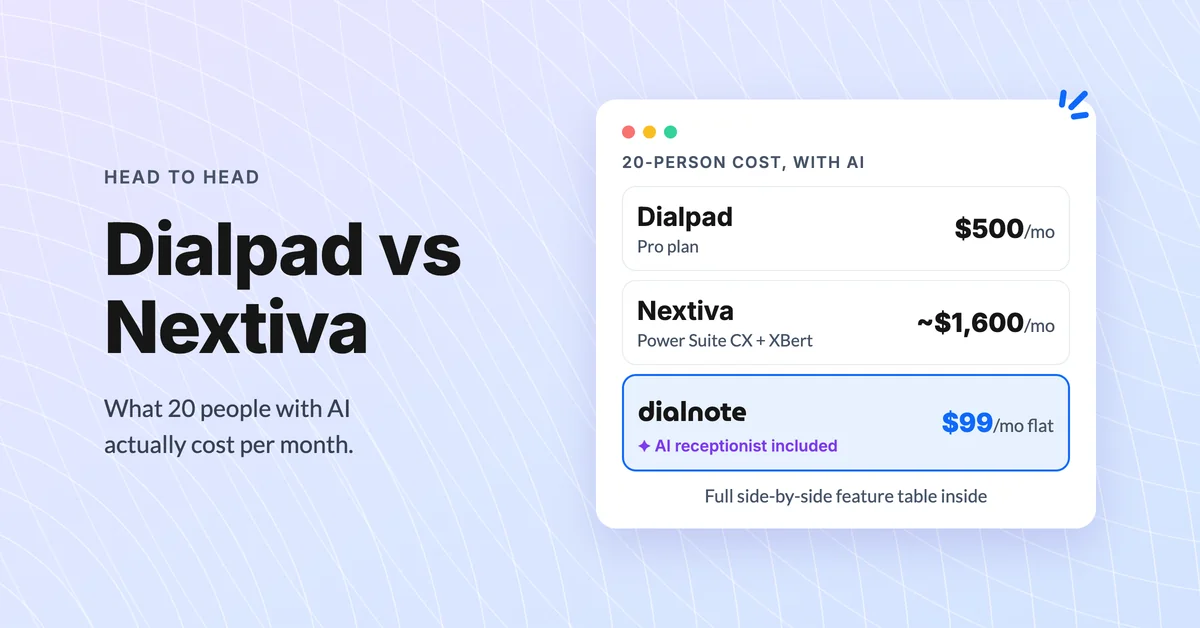
Dialpad vs Nextiva: Which Phone System Wins?
Compare Dialpad vs Nextiva on pricing, AI features, and real-world limits. Discover which business phone system fits your team best in 2026.
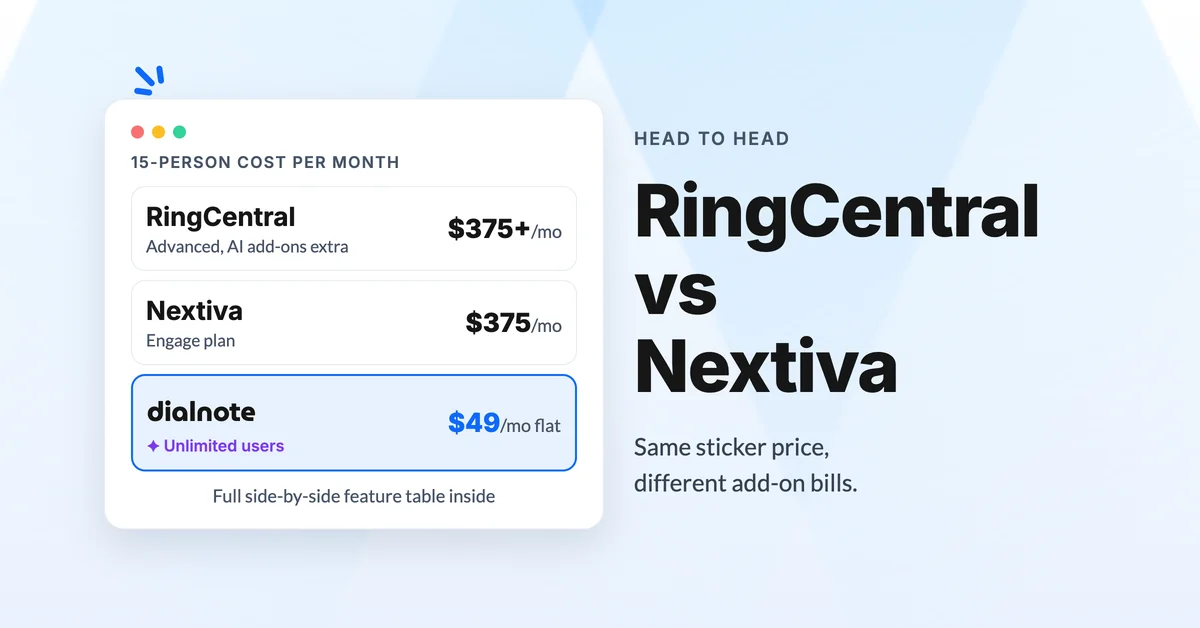
RingCentral vs Nextiva for Business Phone Systems
Compare RingCentral vs Nextiva on pricing, AI features, and user reviews. See why dialnote is the smarter choice for modern teams.
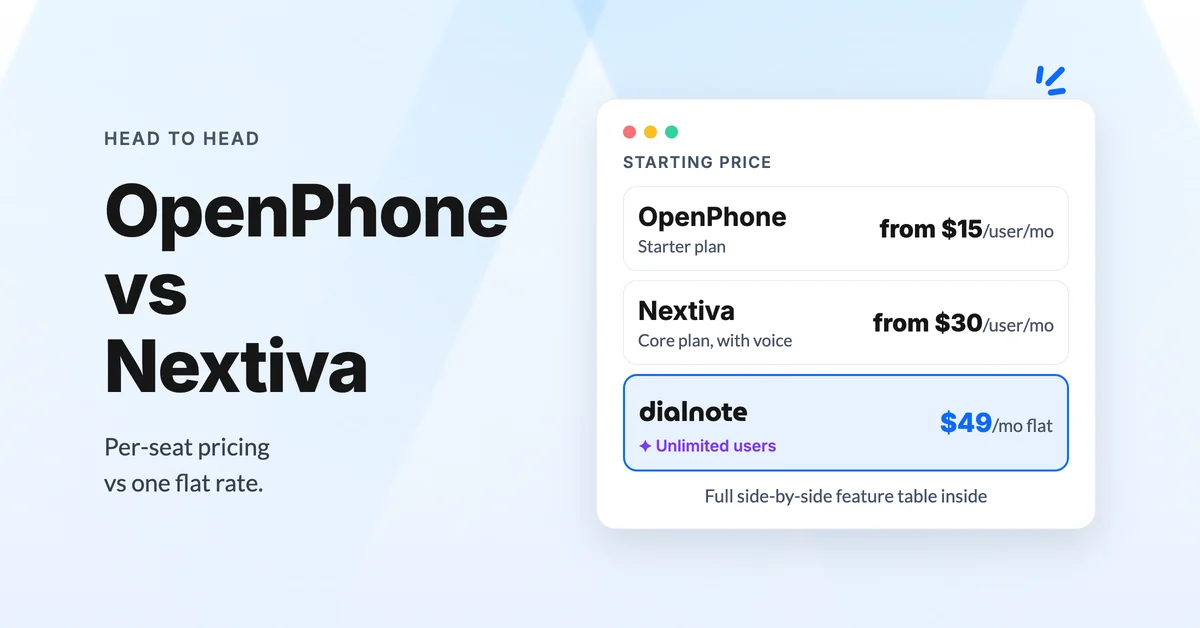
OpenPhone vs Nextiva: Which Is Better in 2026?
Compare OpenPhone vs Nextiva on pricing, AI features, and real user feedback. See how dialnote stacks up as a smarter alternative.
