Ooma Alternatives: 10 Picks With AI Answering Priced In
Marcus runs a six-person plumbing company, and his Ooma Office bill pays for a base station on a shelf in a shop nobody sits in. The desk phone rings in an empty room while he's under a sink and his four techs are on jobs across town. Last month a caller with a burst pipe hung up after six rings and called the next plumber. That was a $2,200 job.
That's the gap behind a lot of searches for Ooma alternatives. Ooma Office is solid, honest phone service for offices built around a front desk. It gets harder to justify when your team lives on mobile phones and needs someone (or something) to answer when nobody can.
This guide prices ten Ooma alternatives for a 6-person team that wants about 60 calls a month answered by AI, and it says plainly which ones still support desk phones. (Looking to replace an Ooma Telo at home? That's a different market. This guide covers Ooma Office for businesses.)
TL;DR:
- Ooma Office costs $19.95 to $29.95 per user a month with no contract. Texting starts on Pro, CRM sync on Pro Plus, and AI answering is a per-license add-on from $14.99 or $49.99 (as of October 2026).
- For a mobile-first team that wants AI answering, the best Ooma alternative is dialnote, an AI business phone system priced per account. Team is $49/month for unlimited users, and AI calls start at $25/month for 65 with the AI call pack. It has no desk phone support yet.
- For desk phones, pick RingCentral for depth, Nextiva for support, Vonage for a familiar tier ladder, Zoom Phone if you already run on Zoom, or Aircall if every call lives in a CRM.
- On a budget, Quo suits texting-heavy teams and Grasshopper suits a solo second line.
- Stay on Ooma if you want handsets at a front desk, unlimited North American calling, and month-to-month billing.
Jump to: quick comparison · why teams leave · the list · 6-person cost · who should stay
Quick comparison: 10 Ooma alternatives
| Alternative | Starting price* | AI answering | 6 people + 60 AI calls/mo | Best for |
|---|---|---|---|---|
| dialnote | $49/mo for unlimited users | AI voice agent on Team; $25/mo for 65 AI calls, or $0.49/min | About $74/mo | Mobile-first teams that want answering and a flat bill |
| RingCentral | $20/user/mo | AI Receptionist, $39/mo for 100 min | About $184/mo | Growing teams that want depth and desk phones |
| Nextiva | $15/user/mo, 12-mo term | XBert from $99/mo | About $189/mo | Teams that rank support first |
| Quo (formerly OpenPhone) | $15/user/mo | Sona: 10 free calls, then packs | About $139/mo | Texting-heavy small teams |
| Vonage | $13.99/user/mo (Mobile) | Not on published plans | About $118/mo on Premium, no AI | Desk-phone offices that like tiers |
| Dialpad | $15/user/mo | Transcription included; answering by quote | $90/mo plus a quote | AI notes on every call |
| Zoom Phone | $10/user/mo metered | Virtual Agent Receptionist, $29.99/mo for 100 min | About $126/mo plus unpublished overage | Offices already on Zoom |
| Grasshopper | $14/mo per account | None | $55/mo, no AI | A second line for a solo owner |
| Google Voice | $10/user/mo plus Workspace | None built in | $120/mo plus Workspace, no AI | Teams already paying for Google Workspace |
| Aircall | $30/user/mo, 3-seat min | AI Voice Agent, 50 min included, then $0.49/min | About $229/mo | Support teams that work inside a CRM |
| Ooma Office (reference) | $19.95/user/mo | AI Receptionist from $49.99/license, 100 min | About $200/mo on Pro, plus unpublished overage | Small offices with desk phones |
*Annual billing where offered, except Ooma (monthly, no contract) and dialnote (shown at the monthly price; annual is $39/month). Prices checked on vendor pages October 7-16, 2026, and they change often. The cost column assumes 60 AI-answered calls a month at about 2.5 minutes each (150 AI minutes) and each vendor's cheapest path to AI answering. Zoom Phone's cost uses its $16 US & Canada Unlimited plan, Vonage's uses Premium at the 5-19 seat rate, and Google Voice's uses Standard.
Why are businesses looking for Ooma alternatives?
Most teams leave Ooma over what's locked behind tiers and add-ons, not over call quality. Ooma's core calling is reliable, and PC Magazine readers have rated it highly for years. The friction shows up as soon as you need more than a dial tone.
Texting starts two steps up. Ooma's Essentials plan ($19.95) has no texting and no desktop app. Pro ($24.95) adds texting, but caps it at 250 messages a month for the whole account. Pro Plus ($29.95) raises that to 1,000.
That cap is shared, so every new hire shrinks everyone's slice. What happens when your seventh person starts texting customers too? For a business where customers text more than they call, that's a real ceiling.
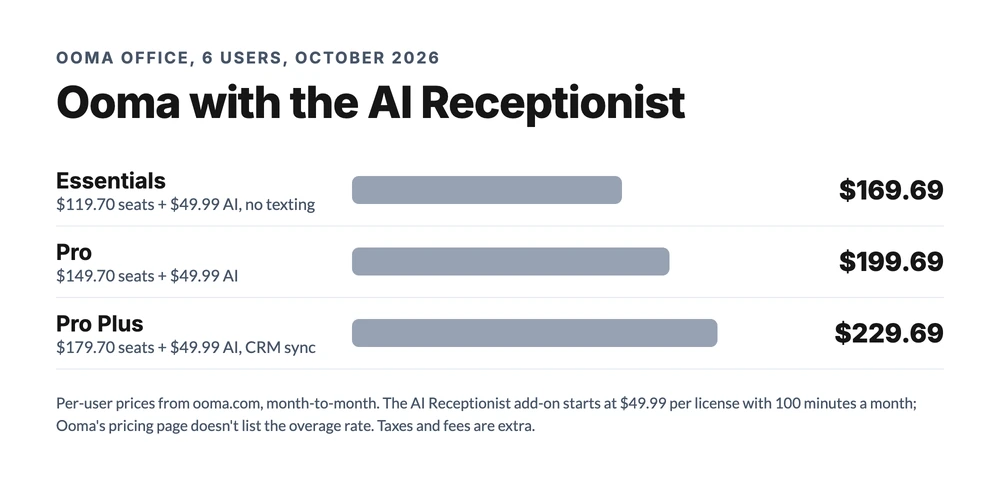
CRM sync and call queues need the top tier. CRM integration, call queuing, team chat, and AI transcriptions all live on Pro Plus. A 6-person team that wants calls logged against customer records pays $179.70 a month before any AI.
AI answering is a second meter. According to Ooma's May 12, 2026 announcement, it now sells two AI add-ons, per license, on any plan. The AI Answering Service starts at $14.99 with 40 minutes a month and handles common questions and messages. The AI Receptionist starts at $49.99 with 100 minutes and can route calls and book appointments.
The overage rate isn't on Ooma's pricing page, so a busy month is hard to budget. That's why plenty of owners start shopping for an Ooma AI receptionist alternative instead of adding a license.
Hardware and fees add up. Ooma is built around handsets, a base station, and the office network. It's a modern take on the traditional phone line, not a mobile-first system. Taxes and regulatory fees are extra and vary by location, and extra numbers are $9.95 a month.
Reviews on Trustpilot and G2 often mention a first bill higher than the advertised price. Cancellation complaints come up too.
What to look for in an Ooma Office alternative
The best Ooma Office alternatives answer three questions clearly: do they support your desk phones, what does AI answering really cost, and does texting come with the plan?
Decide on desk phones first. This is the filter that matters most for Ooma buyers. Are your people at a counter all day, or are they in trucks, on job sites, and at home? If handsets are non-negotiable, the app-only picks on this list are out before you look at price (each entry says whether it supports desk phones).
Price AI answering, not AI notes. Plenty of vendors sell "AI" that writes up calls after they happen. That's useful, but it doesn't pick up the phone. AI answering takes live calls, asks your questions, and books or routes. Our guide to AI receptionist software separates the two.
Check where texting lives. Ooma's SMS caps are per account. Look for a plan where texting comes included and doesn't shrink as your team grows.
Read the term. Ooma is month-to-month. Some alternatives assume an annual contract to hit their advertised price. If you're leaving Ooma partly for flexibility, don't sign a 12-month term by accident.
The 10 best Ooma Office alternatives
These are the Ooma competitors small teams shortlist most often: the flat-rate option first, then the desk-phone suites, then the app-first and budget picks. Each entry covers what you get, what it costs, how its AI works, and what changes if you're coming from Ooma.
1. dialnote: best Ooma alternative for mobile-first teams
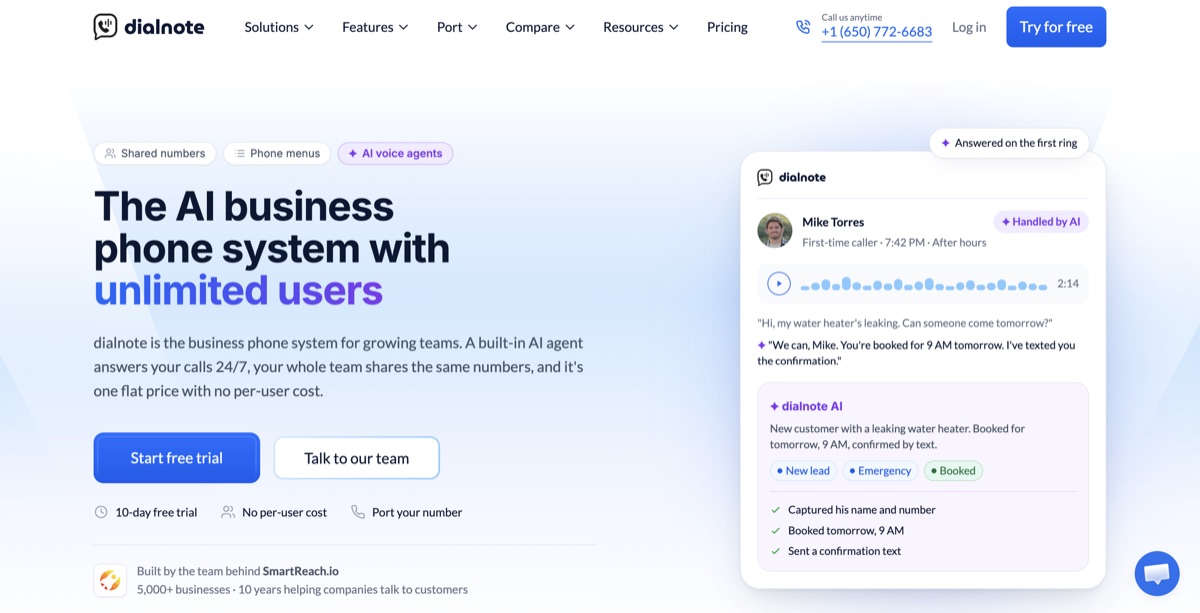
dialnote is the AI business phone system priced for your whole team: shared numbers, call routing, branded AI voice agents that answer, qualify, and book, and automatic CRM sync, all included, with no per-user cost.
The difference from Ooma is the pricing unit. Ooma charges per user, so each new tech raises the bill. dialnote charges per account: the Team plan is $49 a month whether three people use it or twenty.
What you get on Team ($49/month): unlimited users, two phone numbers, 700 calling minutes a month pooled across the team, and 750 included text segments in the US and Canada. Calls are recorded automatically, and every call gets an AI transcript and summary.
You also get a phone menu (IVR) with business-hours routing, voicemail transcripts, call transfers, shared contacts and notes, and scheduled texts and auto-replies. Everyone works from the iOS, Android, and web apps, and calls go out on the business number, not a personal cell.
How the AI works: Team includes one AI voice agent with its own knowledge base. You list the details you want from each caller (name, address, job type, how urgent it is), and the agent asks for them and logs the answers. During the call it can book a meeting through Calendly or Cal.com, check your calendar, send an SMS, or transfer to a teammate. After the call, the details sync to HubSpot.
AI calls cost $25 a month for 65 calls with the AI call pack, and you can stack packs as volume grows. Calls beyond the pack bill at $0.49 a minute from your wallet, which gets a $5 credit each month. The phone menu decides which calls reach the AI, so you can send it only after-hours or overflow calls.
| Solo1 user, 1 number, 250 minutes; no AI agent | $19/mo |
| TeamUnlimited users, 1 AI agent, phone menu, 700 pooled minutes | $49/mo |
| Business5 AI agents, 14 AI languages, Salesforce and Pipedrive, API | $99/mo |
| ProCall queueing, AI call tags, AI call evaluation | $199/mo |
Per account, not per user. Monthly prices; annual billing saves 20% (Team is $39/mo annual). AI call pack $25/mo for 65 calls on Team and up, or $0.49/min. As of October 2026.
Moving up: Business ($99) adds five AI agents, AI in 14 languages, and Salesforce and Pipedrive sync. It also adds Slack alerts for incoming calls and texts, API access, webhooks, and live chat support. Pro ($199) adds call queueing, AI call tags, and AI call evaluation.
Pros
- One flat price for the whole team, including texting
- AI that answers live calls and books, priced on the page
- AI transcripts and summaries on every call
- Free number porting in the US and Canada
- Month-to-month, with no contract
Cons
- No desk phones yet: it runs on the mobile and web apps
- Team pools 700 domestic minutes, while Ooma includes unlimited North American calling
- Call queueing starts on Pro ($199/mo)
- Numbers available in the US, Canada, UK, India, and France only
- A smaller review base than Ooma (4.0 on G2)
Price your team on dialnote
10-day free trial, no credit card needed.
Coming from Ooma: you trade desk phones and unlimited calling for a flat bill, included texting, and an AI agent that answers. If your team talks well over 700 minutes a month combined, check the overage first. If anyone works from a handset at a counter all day, this isn't your switch.
Best for: teams of 3 to 25 that work from their phones, miss calls on the job, and want answering solved in the same plan.
2. RingCentral: best for growing teams that keep desk phones
RingCentral is the deepest suite on this list: voice, video, team messaging, SMS, and fax in one app, with one of the largest integration catalogs in business phone. It also supports a long list of desk phones, so it's the natural step up from Ooma for an office that's growing.
What you get: Core ($20 per user, annual) covers unlimited US and Canada calling, business SMS, a multi-level phone menu, video meetings, and team messaging. Advanced ($25 annual, $35 monthly) adds automatic call recording, CRM integrations such as Salesforce and Zendesk, and more admin control. You can rent or buy desk phones through RingCentral.
How the AI works: the AI Receptionist is a $39 monthly add-on per account. It covers 100 minutes, then bills about $0.50 a minute. It answers calls, routes them by what the caller says, and handles common questions.
| CoreAnnual billing; calling, SMS, phone menu, video | $20/user/mo |
| AdvancedAnnual ($35 monthly); auto recording, CRM integrations | $25/user/mo |
| AI ReceptionistPer account, 100 minutes, then about $0.50/min | $39/mo |
Per-user pricing; international calling is an add-on. As of October 2026.
Pros
- Desk phones to rent or buy
- A real AI receptionist with a published overage rate
- Texting included from the entry plan
- Hundreds of integrations
Cons
- Seats, the AI add-on, and AI overage are three separate meters
- Advertised prices assume annual billing
- More setup than a small office needs
- Renewal terms draw complaints in reviews
Coming from Ooma: you keep your handsets (if they're on RingCentral's supported list) and gain texting on the entry plan and an AI receptionist with a published overage. You lose Ooma's month-to-month simplicity unless you pay the higher monthly rate.
Best for: offices of 10 or more that want to keep desk phones and add depth. Our RingCentral alternatives guide covers the other side of that choice.
3. Nextiva: best support reputation
Nextiva sells business phone service to small and mid-sized companies and is known for support that picks up. It supports desk phones on every plan, which makes it one of the most direct Ooma replacements.
What you get: Core ($15 per user annual, $23 monthly) covers calling, voicemail, and the basics. Engage ($25 annual, $50 monthly) is where most teams land. Scale ($75 annual) is where AI transcription and call summaries live. Every plan carries a 12-month minimum term.
How the AI works: XBert is Nextiva's AI agent. It starts at $99 a month for about 100 conversations, then $0.99 per conversation. You can add it to any tier.
| CoreAnnual ($23 monthly); calling and voicemail | $15/user/mo |
| EngageAnnual ($50 monthly); the most common plan | $25/user/mo |
| ScaleAnnual; AI transcription and call summaries | $75/user/mo |
| XBert AI agentAbout 100 conversations, then $0.99 each | From $99/mo |
12-month minimum term on every plan; CRM integrations are an extra add-on. As of October 2026.
Pros
- Support with a strong reputation
- Desk phones on every plan
- Low entry seat price
- Published starting price for its AI agent
Cons
- 12-month minimum term, unlike Ooma
- CRM integrations cost extra at every tier
- AI transcription needs the $75 Scale plan
- XBert's per-conversation overage adds up
Coming from Ooma: if support was your complaint, Nextiva is the most direct fix, and your handsets may carry over. The trade is the contract. Ooma never asked you for 12 months.
Best for: offices that want desk phones and a vendor that answers its own phone. The Nextiva alternatives guide prices the rest of its field.
4. Quo (formerly OpenPhone): best for texting-heavy teams
Quo is OpenPhone after its 2026 rebrand. It's an app-first phone system built around shared numbers and a team inbox where calls and texts sit side by side. It's the most direct fix for Ooma's texting caps, but it doesn't support desk phones.
What you get: Starter ($15 per user annual, $19 monthly) covers calling, texting, shared numbers, and voicemail. Business ($23 annual, $33 monthly) adds HubSpot and Salesforce integrations and AI call summaries. Scale ($35 annual, $47 monthly) adds AI call tags and priority support.
How the AI works: Sona, Quo's AI agent, answers calls on every plan. You get 10 AI-handled calls a month free. After that you buy packs: $25 for 40 calls, $49 for 100, $99 for 250, or $199 for 600. Sona is strongest at taking messages, answering common questions, and texting a follow-up link.
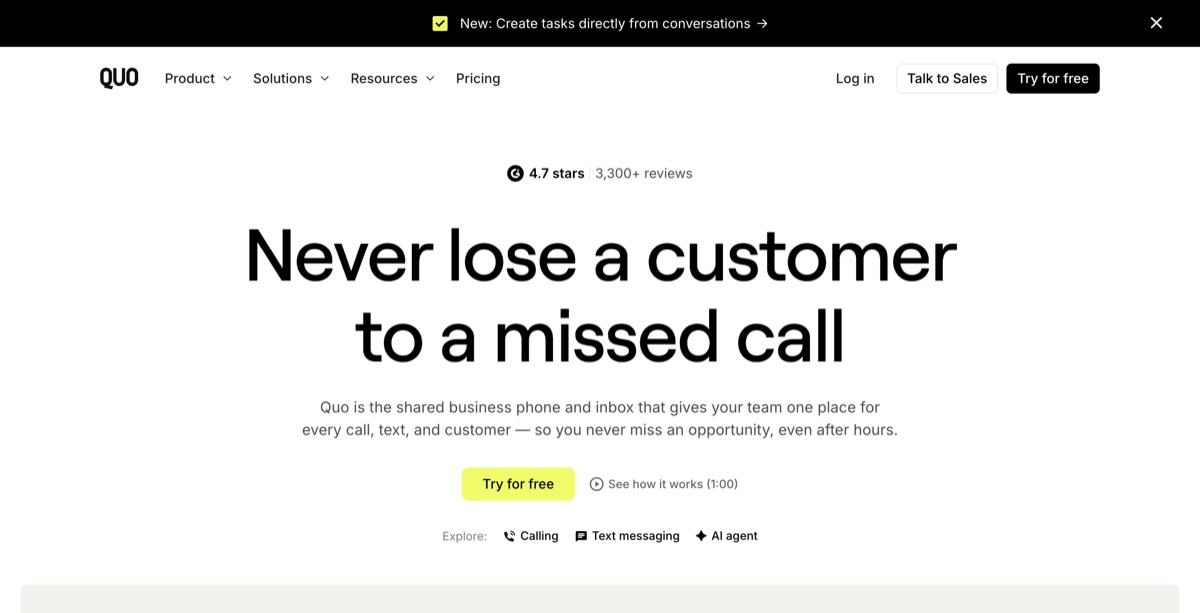
| StarterAnnual ($19 monthly); 10 free Sona calls a month | $15/user/mo |
| BusinessAnnual ($33 monthly); HubSpot, Salesforce | $23/user/mo |
| ScaleAnnual ($47 monthly); AI call tags | $35/user/mo |
| Sona packs40 to 600 AI-handled calls | $25-199/mo |
Per-user pricing. As of October 2026.
Pros
- Texting built in from the entry plan
- AI answering on every plan in small doses
- Clear public pricing for seats and AI
- Fast self-serve setup
Cons
- No desk phones
- Per-user pricing grows with every hire
- CRM integrations need the Business tier
- Sona leans toward message-taking more than booking
Coming from Ooma: expect your texting problem to go away and your desk phones to go with it. The OpenPhone vs Ooma comparison covers this matchup line by line.
Best for: small teams that text customers as much as they call them.
5. Vonage: best tier ladder with desk phones
Vonage is a long-running business VoIP provider, now part of Ericsson. Its structure feels a lot like Ooma's: three tiers, with features added as you climb, and desk phones supported from the middle tier up.
What you get: Mobile ($13.99 per user, annual, 1 to 4 seats) is the app-only entry tier with a virtual receptionist. Premium ($20.99) adds desk phones, video meetings, team messaging, and CRM integrations through its App Center. Advanced ($27.99) adds on-demand call recording and visual voicemail with transcription.
Prices drop with seat count: Premium is $19.59 per user at 5 to 19 seats. The advertised rates assume a one-year agreement, and month to month Premium runs $27.99 to $29.99.
How the AI works: there's no AI answering on the published business phone plans. Vonage sells AI tools through its communications APIs and sales team.
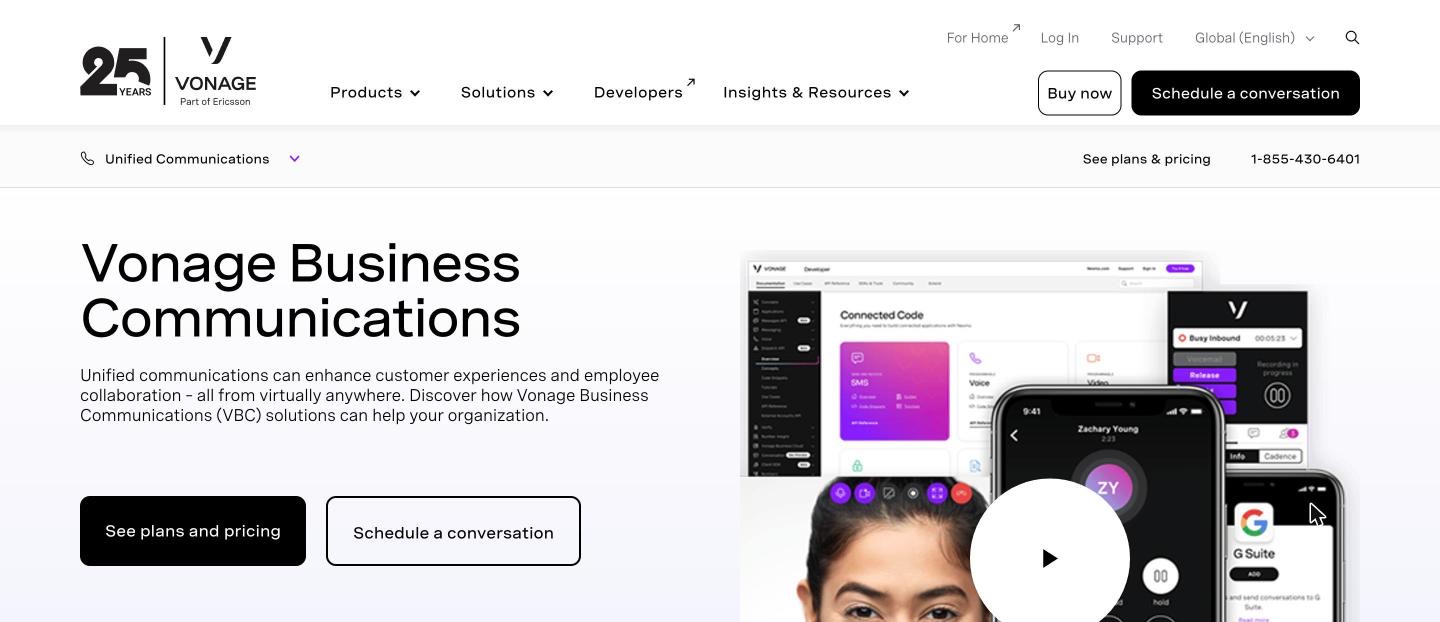
| MobileAnnual, 1-4 seats ($19.99 monthly); app only | $13.99/user/mo |
| PremiumAnnual, 1-4 seats ($29.99 monthly); desk phones, CRM | $20.99/user/mo |
| AdvancedAnnual, 1-4 seats ($39.99 monthly); call recording | $27.99/user/mo |
Per-user pricing; advertised rates assume a one-year agreement. As of October 2026.
Pros
- Desk phones on Premium and up
- Volume discounts as seat count rises
- CRM integrations on Premium
- Long track record in business VoIP
Cons
- No AI answering on the published plans
- Annual agreement to get the advertised price
- Call recording needs Advanced
- Monthly pricing is about 40% higher
Coming from Ooma: Vonage is the least disruptive switch if you like a tier ladder and want to keep desk phones. You won't gain AI answering, and you'll likely trade month-to-month billing for a contract.
Best for: desk-phone offices that want a familiar ladder with CRM links on the middle tier.
6. Dialpad: best included AI transcription
Dialpad was built around AI from the start. Where Ooma puts AI transcription on its top tier, Dialpad puts live transcription and AI summaries on the cheapest plan, and it supports desk phones.
What you get: Standard ($15 per user, annual) includes calling, SMS, video, real-time transcription, and AI call summaries. Pro ($25 per user, 3-user minimum) adds CRM integrations such as Salesforce and HubSpot. The auto attendant can route callers by what they say.
How the AI works: the included AI listens and writes: transcripts, summaries, and action items. Autonomous AI agents that answer calls exist, but they're priced by quote.
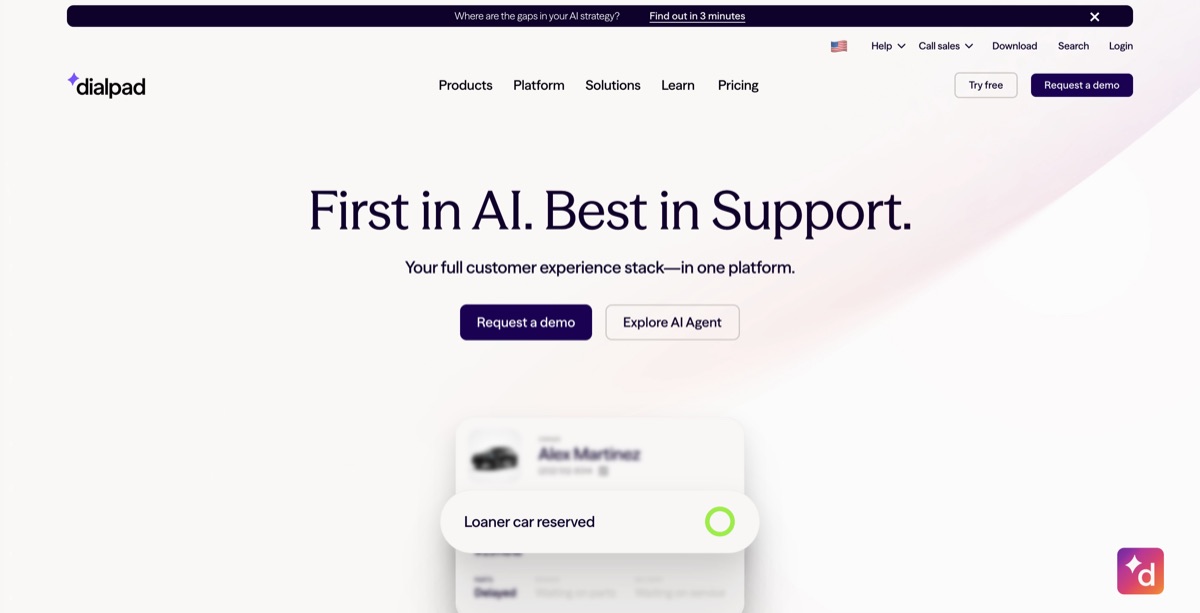
| StandardAnnual; transcription and AI summaries included | $15/user/mo |
| ProAnnual, 3-user minimum; CRM integrations | $25/user/mo |
| AI answering agentsSold through sales | Quote |
Per-user pricing; international calling is metered. As of October 2026.
Pros
- AI transcription and summaries on the entry plan
- Texting included
- Desk phones supported
- Clean, fast app
Cons
- AI answering agents are quote-only
- CRM integrations need Pro and its 3-user minimum
- Toll-free numbers cost extra
- Reviewers report dropped transfers
Coming from Ooma: you get AI notes and texting at a lower seat price than Ooma's Pro Plus. If what you wanted was an AI that answers, you're back to a sales call.
Best for: teams whose "AI" means notes and coaching on every call.
7. Zoom Phone: best for offices already on Zoom
Zoom Phone is the calling add-on to Zoom's meetings platform. If your team already lives in Zoom, calls, meetings, and chat sit in one app. It supports a wide range of desk phones.
What you get: the metered plan is $10 per user, with outbound calls billed by the minute. US & Canada Unlimited is $16 per user annual ($18 monthly) and includes unlimited domestic calling, voicemail, and SMS. The Pro Plus bundle ($20.50 per user, annual) adds Zoom Workplace and its AI Companion.
How the AI works: Zoom's Virtual Agent Receptionist is $29.99 a month for 100 minutes. Zoom doesn't publish the overage rate. AI Companion (summaries and voicemail help) comes with the bundle, not the standalone phone plans.

| MeteredOutbound calls billed per minute | $10/user/mo |
| US & Canada UnlimitedAnnual ($18 monthly) | $16/user/mo |
| Virtual Agent Receptionist100 minutes; overage not published | $29.99/mo |
Per-user pricing. As of October 2026.
Pros
- Lowest entry seat price
- One app for meetings, chat, and calls
- Desk phones supported
- Published entry price for its AI receptionist
Cons
- AI receptionist overage isn't published
- AI Companion needs the bundle
- Phone is a sidecar to the meetings product
- Shared SMS needs an add-on
Coming from Ooma: if you already pay for Zoom, this is often the cheapest switch that keeps desk phones. Like Ooma, its AI receptionist has a published entry price and an unpublished overage.
Best for: offices that already run their meetings on Zoom.
8. Grasshopper: best second line for a solo owner
Grasshopper is a virtual phone system that adds a business number to the cell you already carry. It's priced per account, not per user, and it's the simplest way to stop handing out a personal number. It doesn't support desk phones.
What you get: True Solo ($14 a month, annual) is one number and one extension. Solo Plus ($25) adds up to three extensions, and Small Business ($55) covers four numbers and unlimited extensions. You get call forwarding, voicemail transcription, business texting, and a basic phone menu.
How the AI works: it doesn't. Grasshopper has no AI answering, no integrations, and no API.
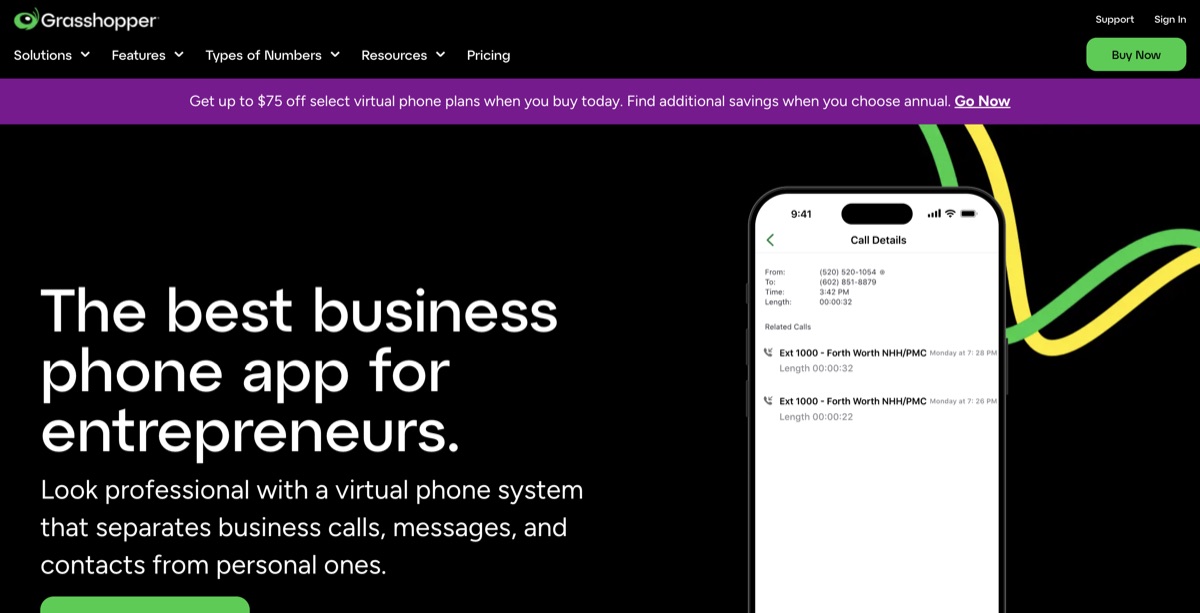
| True SoloAnnual; 1 number, 1 extension | $14/mo |
| Solo PlusAnnual; up to 3 extensions | $25/mo |
| Small BusinessAnnual; 4 numbers, unlimited extensions | $55/mo |
Per-account pricing, shown at annual rates. As of October 2026.
Pros
- Cheapest way to get a business number
- Per-account pricing
- Texting included
- Setup in minutes
Cons
- No AI answering
- No integrations or API
- No desk phones
- Forwarded calls use your cell plan's minutes
Coming from Ooma: this is a step down in features, not a sideways move. It makes sense only if Ooma was more phone system than you needed. It's the right tool for one person, not a team.
Best for: a solo owner who wants a business number on their cell and nothing else.
9. Google Voice: best for Google Workspace teams
Google Voice is Google's business phone add-on for Workspace. If your team already pays for Workspace, it's the lowest-friction phone line you can add, and the Standard plan supports certified desk phones.
What you get: Starter ($10 per user) covers up to 10 users but has no auto attendant and no desk phones. Standard ($20) adds the auto attendant, ring groups, and desk phone support. Premier ($30) adds automatic call recording and international locations. Every plan needs a Google Workspace subscription on top.
How the AI works: there's no AI answering built in. Voicemail transcription is included.
| StarterUp to 10 users; no auto attendant or desk phones | $10/user/mo |
| StandardAuto attendant, ring groups, desk phones | $20/user/mo |
| PremierAutomatic call recording, international locations | $30/user/mo |
Per-user pricing; Google Workspace required on every plan. As of October 2026.
Pros
- Simple if you already run on Workspace
- Desk phones on Standard and up
- Clean, familiar apps
- Reliable calling
Cons
- No AI answering
- Workspace is an extra per-user cost
- Automatic recording needs Premier
- Thin integrations outside Google
Coming from Ooma: you'll keep a desk phone option on Standard and drop the separate vendor if you're a Workspace shop. You'll lose a phone menu on the entry plan, since Starter has no auto attendant.
Best for: teams already paying for Google Workspace who want calling in the same admin console.
10. Aircall: best for teams that work inside a CRM
Aircall is a cloud phone system for sales and support teams that log every call in a CRM or helpdesk. It lists 250+ integrations, and it supports desk phones, so it's a real option for an Ooma office that has outgrown basic calling.
What you get: Essentials is $30 per license on annual billing ($40 monthly), with a 3-license minimum. It includes IVR, call recording, SMS, and the integrations. Professional ($50 per license, annual) adds advanced analytics, smart routing, and AI conversation intelligence.
How the AI works: both plans include 50 AI Voice Agent minutes a month. The agent answers calls, asks your intake questions, and books appointments. Past the included minutes it's $0.49 a minute, or as low as $0.19 in prepaid bundles.
| EssentialsAnnual ($40 monthly), 3-license minimum | $30/license/mo |
| ProfessionalAnnual; analytics, smart routing, AI insights | $50/license/mo |
| AI Voice AgentAfter 50 included minutes; bundles from $0.19/min | $0.49/min |
Per-license pricing. As of October 2026.
Pros
- Published AI agent rate, with minutes included
- 250+ CRM and helpdesk integrations
- Desk phones supported
- Built for busy support and sales lines
Cons
- The 3-license minimum sets a $90 floor
- Highest seat price on this list
- No unlimited North American calling like Ooma's
- More than a small office usually needs
Coming from Ooma: you keep the desk phones and gain an AI agent with a clear per-minute price. The seat price is about the same as Ooma Pro Plus, but with a 3-seat minimum, so it only makes sense if the CRM links matter.
Best for: support teams that log every call in a CRM and want AI answering on the same bill.
What does a 6-person team pay with AI answering?
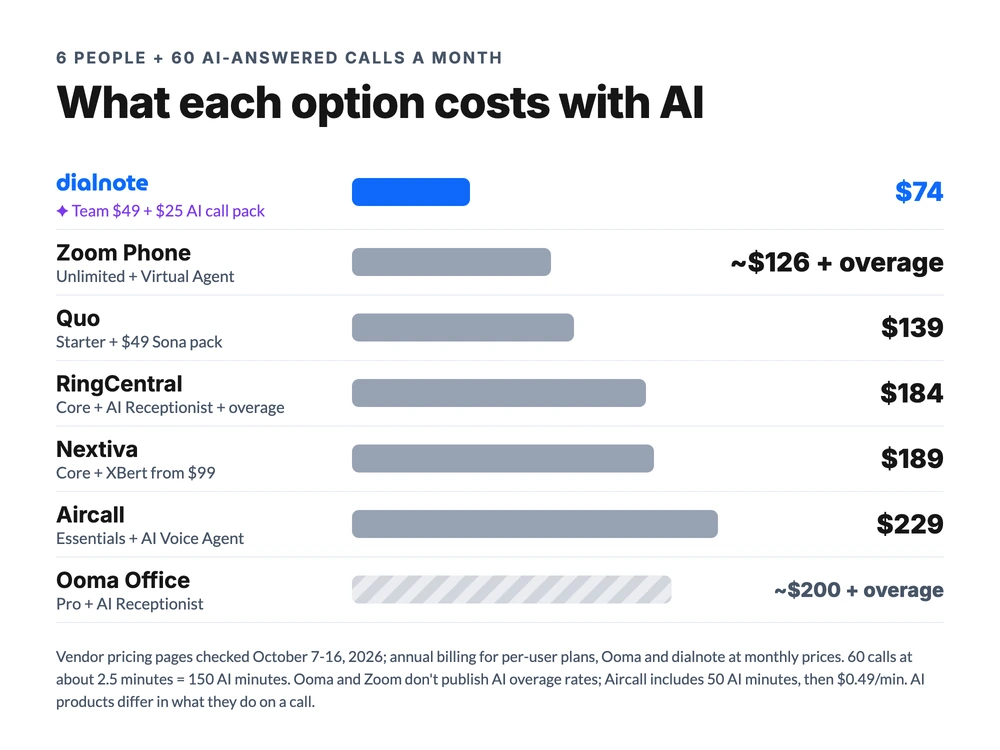
At 60 AI-answered calls a month, the options with published AI prices range from about $74 to $229 for six people, and Ooma sits near $200 on Pro before overage. Here's the math, at 150 AI minutes (60 calls of about 2.5 minutes):
- dialnote: $49 Team plan plus one AI call pack ($25, room for 65 calls): about $74.
- Zoom Phone: US & Canada Unlimited at $96, plus the $29.99 Virtual Agent Receptionist for 100 minutes: about $126, plus 50 minutes of unpublished overage.
- Quo: Starter at $90, plus 10 free Sona calls and a $49 pack for 100 more: about $139.
- RingCentral: Core at $120, plus the $39 AI Receptionist for 100 minutes, plus 50 minutes at about $0.50: about $184.
- Nextiva: Core at $90, plus XBert from $99: about $189.
- Aircall: Essentials at $180, plus 100 minutes at $0.49 after the 50 included: about $229.
- Ooma Office: Pro at $149.70, plus the $49.99 AI Receptionist for 100 minutes: $199.69, plus 50 minutes of unpublished overage.
Two honest caveats. First, these AI products don't all do the same job. Quo's Sona leans toward message-taking. RingCentral's AI Receptionist, Aircall's AI Voice Agent, Ooma's AI Receptionist, and the $49 flat plan's agent can route and book.
Second, the flat plan pools 700 domestic minutes across the account, while Ooma includes unlimited calling to the US, Canada, Mexico, and Puerto Rico. A 6-person team that talks more than about 115 minutes per person a month pays for the rest from the wallet. Pull last month's call log before you trust any chart, ours included.
Is anything cheaper than Ooma?
Yes, from about two or three users up. Here's where dialnote's $49 Team plan overtakes each seat price:
| Against | Seat price | Flat plan is cheaper from | Below that |
|---|---|---|---|
| Ooma Essentials | $19.95/user | 3 users ($59.85 vs $49) | 1-2 users pay less on Ooma |
| Ooma Pro | $24.95/user | 2 users ($49.90 vs $49, a near tie) | A solo user pays less on Ooma |
| Ooma Pro Plus | $29.95/user | 2 users ($59.90 vs $49) | A solo user pays less on Ooma |
| Aircall Essentials | $30/user, 3-seat min | Any team size (the 3-seat floor is $90 vs $49) | No team size pays less |
| RingCentral Core | $20/user | 3 users ($60 vs $49) | 1-2 users pay less |
| Quo Starter, Nextiva Core, Dialpad Standard | $15/user | 4 users ($60 vs $49) | 1-3 users pay less |
| Zoom Phone metered | $10/user | 5 users ($50 vs $49) | 1-4 users pay less |
So what's cheaper than Ooma for a two-person office that just wants a dial tone? Honestly, not much. Ooma Essentials at $39.90 is hard to beat for an office that keeps its handsets. The gap opens once you add texting, a third person, or AI answering.
Three offices, priced end to end
Ooma still wins for small desk-phone offices, the flat plan wins for mobile-first teams from about three people, and a busy front desk that wants AI should look at RingCentral. Rates as of October 2026, annual billing for per-user plans.
The 2-person office with desk phones: stay on Ooma
A two-person insurance office, a handset on each desk, light calling, no real need for AI answering. Ooma Essentials costs $39.90 a month with unlimited North American calling and a free toll-free number. Grasshopper's Solo Plus is $25 but drops the desk phones.
The pick: stay on Ooma. It's doing the job, the price is fair at this size, and nothing here beats it on handsets plus a low bill.
Marcus's 6-person plumbing crew: flat rate wins
Back to Marcus. Six people, four of them in trucks all day, and about 60 calls a month that nobody can pick up in time. On Ooma Pro with the AI Receptionist that's $199.69 plus overage, for a base station nobody uses.
On the flat plan it's about $74. The AI agent answers the burst-pipe call, asks for the address and how bad the leak is, books the job through Cal.com, and texts the caller a confirmation. The call details land in HubSpot afterward.
The pick: dialnote. One flat bill, AI that books, and nothing extra when he hires a fifth tech. The caveat is minutes: if his crew talks well over 700 domestic minutes a month combined, he should price the overage first.
Dana's 8-person clinic front desk: RingCentral, or stay on Ooma
Dana runs the front desk at an 8-person clinic. Two receptionists work from handsets all day, and she wants after-hours calls answered and booked. Desk phones aren't optional, so app-only tools are out.
Ooma Pro Plus with the AI Receptionist runs $289.59 a month for eight users, plus overage. RingCentral Core with its AI Receptionist starts at $199, with a published overage of about $0.50 a minute.
The pick: RingCentral if the AI matters, Ooma if it doesn't. Both keep her handsets. RingCentral's AI costs are easier to predict, while Ooma keeps the month-to-month terms she already has.
Who should stay on Ooma?
Stay on Ooma if your business runs from a front desk, depends on handsets, and calls mostly within North America. Those are its real strengths, and app-first tools on this list can't match the first two at all.
- Desk phones: Ooma sells the handsets and base station and supports them directly, with hot desking on Pro Plus.
- Unlimited North American calling: calls to the US, Canada, Mexico, and Puerto Rico are included on every plan.
- No contract: every plan is month-to-month, which several alternatives here can't say.
Our strong opinion: if nobody on your team sits at a desk, you shouldn't pay for a phone system built around one. Ooma's AI add-ons are a step forward, but pricing them per license with an unpublished overage makes a busy month hard to plan.
We're honestly not sure how Ooma will price AI by this time next year. The add-ons are only months old, and AI answering prices across the category are still moving. If you're happy with Ooma's calling, trial its AI Receptionist for a month and compare the real bill with one alternative before you switch anything.
How to switch from Ooma Office
Plan on two to four weeks, most of it waiting on the number port.
- Pull your last three months of call logs. Note total minutes, after-hours calls, and how many went to voicemail.
- List your hardware. Write down every handset model. If you're keeping desk phones, check each one against your new provider's supported list.
- Trial the alternative on a new number first. Run it next to Ooma for a week.
- Port your numbers. Porting takes about 1 to 3 weeks, and the FCC's guide to number porting explains your rights. Our number porting guide walks through the paperwork.
- Cancel Ooma only after the port completes. Calls keep landing on Ooma until the carrier switch goes through.
Before any of that, run your own numbers on the pricing page. It takes two minutes, and it'll tell you fast whether your team is past the crossover point.
Frequently asked questions
For desk-phone offices, RingCentral and Nextiva are the closest swaps. For mobile-first teams that want AI answering, dialnote is the flat-priced pick: $49/month on Team for unlimited users, with AI calls from $25/month for 65 (as of October 2026).
Yes, for small offices that want desk phones, unlimited calling across North America, and no contract. It's weaker value once you need texting, CRM sync, or AI answering, because those sit on higher tiers or per-license add-ons.
Yes, as a paid add-on since May 2026. Ooma's AI Receptionist starts at $49.99 per license with 100 minutes a month, and a lighter AI Answering Service starts at $14.99 with 40 minutes. Ooma's pricing page doesn't list the overage rate.
Often, yes, if you move to a provider that supports SIP desk phones, such as RingCentral, Nextiva, Vonage, Dialpad, Zoom Phone, or Aircall, and your handsets are on its supported list. App-first systems like Quo and Grasshopper don't support desk phones.
Yes. Business numbers port between providers in about 1 to 3 weeks, and your new provider files the request. Keep Ooma active until the port completes, then cancel, so calls don't drop in between.

Written by
Prateek Bhatt
Co-Founder, SmartReach.io
Prateek Bhatt is a product leader, programmer, and serial entrepreneur with over 12 years of experience building SaaS and AI-powered tools for sales and customer service teams. As Co-Founder of SmartReach.io - a multichannel outreach platform used by...
Prateek Bhatt is a product leader, programmer, and serial entrepreneur with over 12 years of experience building SaaS and AI-powered tools for sales and customer service teams. As Co-Founder of SmartReach.io - a multichannel outreach platform used by...
Related Articles
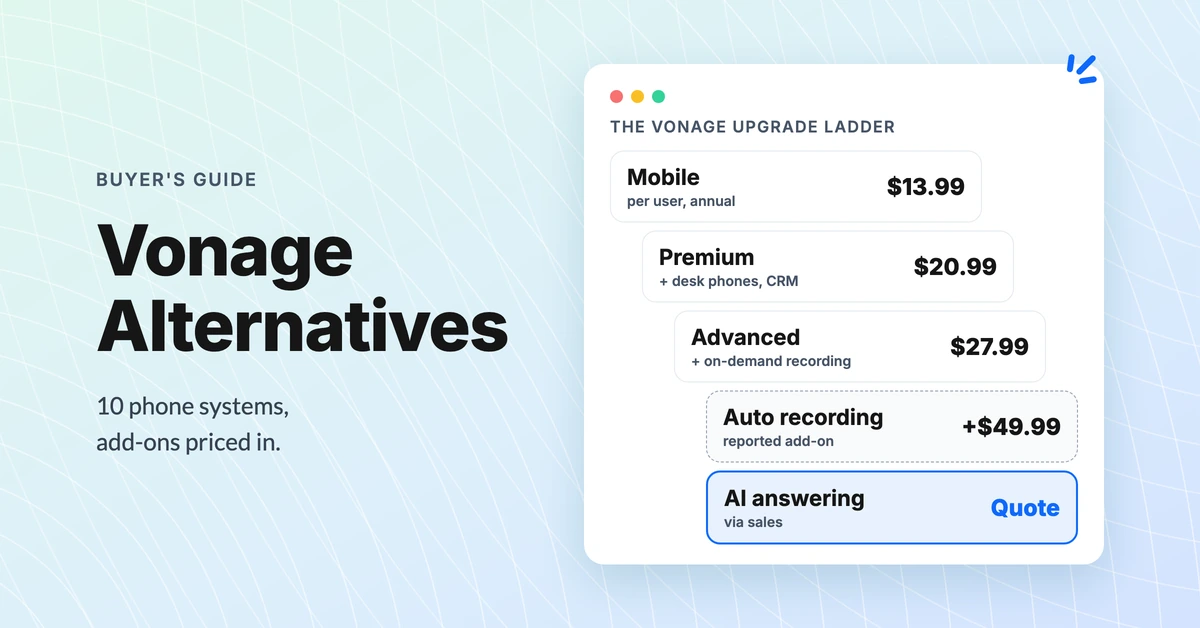
Best Vonage Alternatives for Small Teams, Priced Out
Compare 10 Vonage alternatives on what a 10-person team pays once recording, a shared inbox, and AI answering are added. Prices as of October 2026.
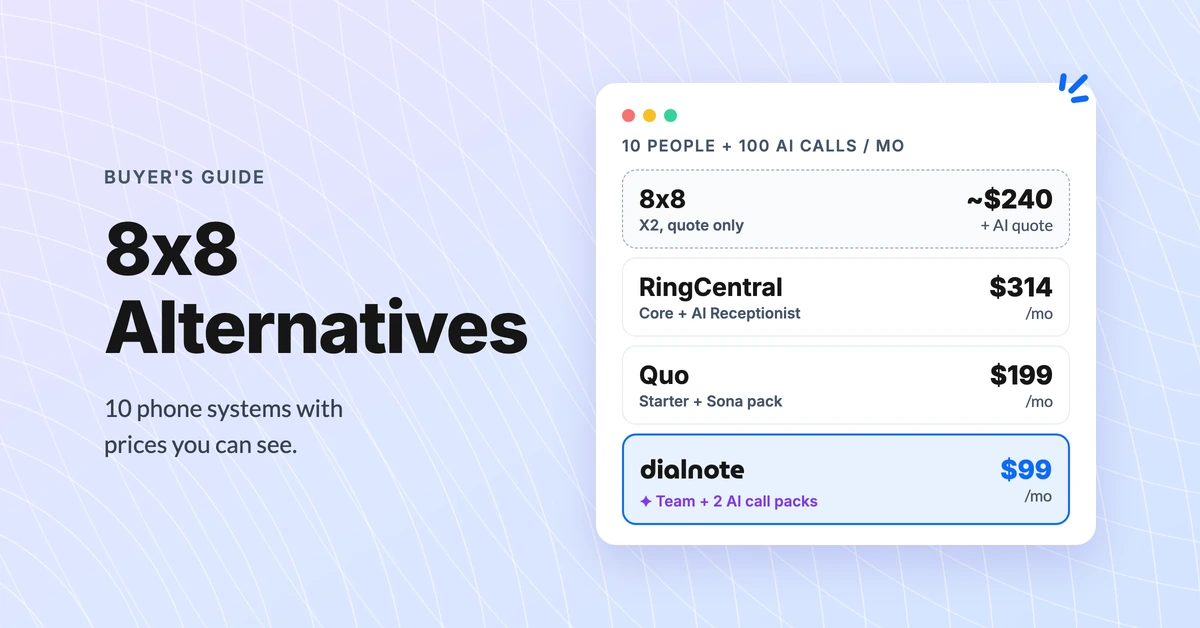
8x8 Alternatives: 10 Phone Systems With Public Prices
Compare 10 8x8 alternatives on real 10-person cost with AI answering. 8x8 quotes its price on a sales call; these publish theirs (October 2026).
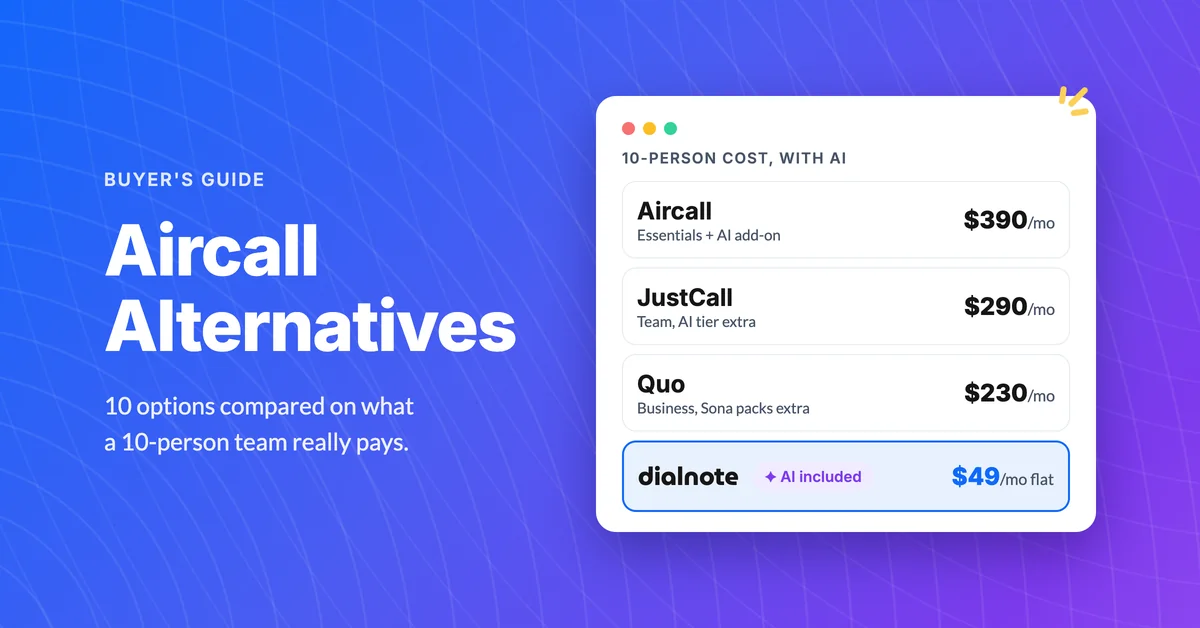
10 Best Aircall Alternatives With AI Included
Aircall runs $30/user with a 3-seat minimum and AI as a $9 add-on. Compare 10 Aircall alternatives on real 10-person cost, September 2026 pricing.
