dialnote: A Business Phone System Built for Scale
"Business phone system" used to mean a desk phone, a couple of extensions, and someone working a switchboard. That's not what scaling teams need now. They need software that picks up calls when nobody's free, transcribes every conversation, routes by department or time of day, and pushes call data into the CRM without anyone copy-pasting notes.
dialnote is built around that brief. It's a cloud-based business phone system with AI voice agents that answer around the clock, AI summaries and transcription on every call, multi-level IVR, call queues, and integrations reaching 5,000+ apps through Zapier and webhooks. Pricing is flat-rate with unlimited users starting at $49/month, so the bill doesn't grow with headcount.
Below is a feature-by-feature breakdown of what dialnote actually covers, written for someone evaluating phone systems against the way their team works day to day.
TL;DR:
- dialnote is a cloud-based business phone system with AI voice agents, transcription on every call, multi-level IVR, call queues, and integrations reaching 5,000+ apps.
- Pricing is flat-rate with unlimited users on the Team, Business, and Pro plans, starting at $49/month, so your bill doesn't grow every time you hire.
- AI voice agents answer calls 24/7, qualify leads, book appointments, and hand off to a human when a call gets complex.
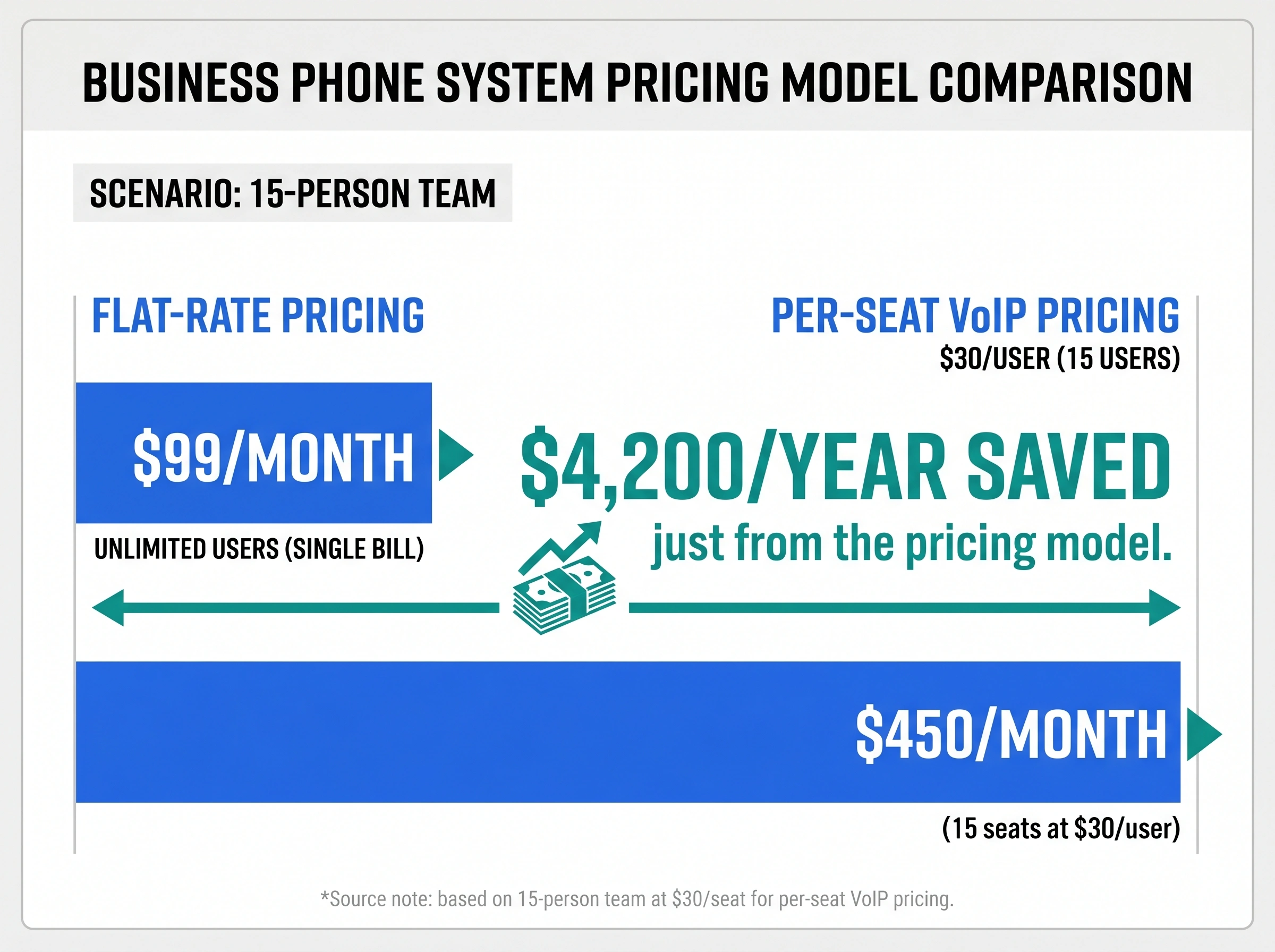
- A 15-person team on the $99/month Business plan pays the same base price as a team of 5, saving roughly $4,212 a year versus per-seat VoIP at $30 per user.
- Every call on the Team plan and above is recorded automatically, which powers the AI summaries, searchable transcripts, and call evaluation.
What dialnote covers as a business phone system
dialnote isn't a single feature dressed up as a product. It's a connected stack:
- AI voice agents: answer inbound calls 24/7, qualify leads, book appointments, hand off to humans
- IVR and call routing: multi-level menus, time-based and availability-based rules (Business plan and above)
- Call queues: hold music, position announcements, queue analytics (Pro plan)
- AI on every call: automatic recording, transcription, and call summaries
- Recording: every call on the Team plan and above is recorded automatically; this powers the AI layer
- Analytics: call volume, team performance, disposition reports, sentiment
- Integrations: native HubSpot, Salesforce, Pipedrive, Calendly, and Cal.com, 5,000+ apps via Zapier, plus a public API and webhooks
- Business SMS: two-way text on all plans
Everything below explains how each piece works and where the limits are.
What can dialnote's AI receptionist actually do?
dialnote's AI receptionist is closer to a trained employee than a phone tree. It picks up from the first ring, talks to the caller, and decides what to do based on what it hears.
Here's the working set:
- 24/7 answering: Picks up every call, day or night, including holidays and weekends. No "all our agents are busy" message.
- Custom branded persona: Name your agent, train it on your tone, and load your business knowledge. It sounds like your company, not a generic assistant. A fully custom branded voice is on the Pro plan.
- Lead qualification: Asks the questions you'd want a junior rep to ask. Captures name, intent, urgency, and any custom fields you define. Scores leads as they come in.
- FAQ answering: Pulls from your knowledge base to answer hours, location, pricing, policies, and anything else you've trained it on. The caller doesn't wait for a callback to find out whether you're open Saturday.
- Appointment booking: Connects to Calendly or Cal.com and books in real time. Callers can schedule, reschedule, or cancel without a human in the loop. Confirmation goes out automatically.
- Smart transfer: Routes to sales, support, or a specific person based on the conversation, not just keypad input. Hands off to a human when the call gets complex.
- Multilingual: Handles calls in 14 languages on the Business and Pro plans. Useful when your customer base isn't all English speakers.
- SMS follow-up: Triggers a text after the call to confirm next steps or send a link.
- Auto CRM update: After the call ends, the call, disposition, and contact details sync to your CRM without anyone touching it.
- Drag-and-drop call flows: You design what the agent does without writing code. Basic setup runs under three minutes.
A real example. A home services company kept losing quote requests after hours because calls dropped to voicemail. Three out of ten leads who didn't get a response called a competitor. After turning on the AI receptionist, plumbing calls routed to the on-call tech and estimate requests went into a follow-up queue with an automatic SMS to the caller. After-hours lead capture doubled in the first month.
Want to hear what it sounds like? dialnote runs an AI receptionist demo on its site that lets you call in and experience the flow before signing up.
A note on what it won't do. The AI isn't going to close a complex deal or handle a nuanced complaint better than a senior rep. The job isn't to replace your team. It's to make sure the easy stuff (which is most calls) gets handled instantly, so your people only see calls that actually need them.
AI voice agents come with the Team plan and above. Team ($49/month) includes 1 agent with 30 AI agent minutes, Business ($99/month) includes 5 agents with 150 AI agent minutes plus 15-language support, and Pro ($199/month) includes 10 agents with 300 AI agent minutes and a custom branded voice.
Multi-level IVR and call routing
IVR (the menu callers hear when they dial in) and call routing are separate features from AI voice agents. You can use one without the other, or combine them. The Call Flow editor and multi-level IVR are part of the Business plan ($99/month) and Pro plan ($199/month).
dialnote's IVR is built with a drag-and-drop call flow editor. No XML, no scripting. You drag a "menu" block, link it to "route to user" or "route to queue," and publish.
What you can build:
- Multi-level menus: Up to three nested levels. "Press 1 for sales" → "Press 1 for new accounts, 2 for renewals" → routed to the right team.
- Custom recordings or text-to-speech: Use your own voiceover or generate one from a script.
- Time-based rules: Different flows for business hours, after hours, and holidays. The same number can hit the team during the day and the AI receptionist at night.
- Availability-based routing: Skip people who are on do-not-disturb, away, or out of office. The call won't sit ringing on someone's vacation phone.
- Ring order: Pick simultaneous (everyone rings at once), sequential (ring person A, then B, then C), or priority-based.
- Fallback routing: If nobody picks up, route to voicemail, the AI receptionist, or a custom recording.
- Scenario toggles: Pre-build alternate flows for holidays or campaign days and flip them on with one click.
- Live preview: Test the full flow before pushing it live.
For day-to-day operations, this means your sales line and support line behave differently, your weekend traffic doesn't fall through, and you don't need an admin to babysit call routing every time someone's PTO hits.
Call queues that don't drop callers
Call queueing is part of the Pro plan ($199/month). When all your agents are on calls, callers go into a queue with hold music and position announcements until someone's free.
The basics:
- Auto-queue when busy: No busy signal, no dropped call. Callers wait.
- Custom hold experience: Record a greeting, upload music, or use text-to-speech. Don't lose the brand on hold.
- Position and wait time: Tell callers where they are in the queue and how long the wait looks. Reduces abandonment.
- Live queue dashboard: See active calls, waiting callers, who's on a call, who's wrapping up, and who's free.
- Sequential distribution: Calls go to the next available agent based on the order you set.
- AI agent overflow: When all humans are tied up, route the overflow to the AI receptionist instead of voicemail. The caller still gets help.
- Voicemail option: Let waiting callers drop into voicemail if they don't want to hold.
- Queue analytics: Abandon rate, average wait time, and per-call hold duration broken down by day, week, or month.
For high-volume inbound teams, this is the difference between callers waiting two minutes and callers calling a competitor.
Call recording, AI summaries, and transcription on every call
This part is worth spelling out clearly.
Every call on the Team plan and above is recorded automatically. AI transcription and call summaries run on top of those recordings, so you get a searchable record of every conversation without flipping any toggles. Voicemails get transcribed too. The Solo plan ($19/month) keeps recording manual since it's built for one-person operations.
That recording is what makes the AI features work. The summary, the searchable transcript, the disposition tagging on Pro, the call evaluation on Pro: all of it depends on the call being captured first.
Strong opinion here. If your team can't have its calls recorded, whether for compliance, internal policy, or any other reason, dialnote isn't the right phone system for you. There's no toggle to turn off recording on a per-call basis on Team and above. It's foundational to how the platform works. Better to know that upfront than discover it after porting numbers in.
For most teams, that's a feature, not a constraint. You stop guessing what was said on a call. New reps learn from real conversations. Disputes get resolved with the actual recording.
Voicemail and missed call handling
Voicemail transcription is on every plan, so your team reads what the caller said in seconds instead of replaying a three-minute audio file. Searchable too, so you can pull up every voicemail mentioning "refund" or a specific product.
Missed calls don't sit in a black hole either. Routing rules can:
- Push the missed call into a queue for callback
- Trigger an SMS follow-up to the number that called
- Log the contact in your CRM automatically (auto CRM update is on every plan)
For teams that handle inbound leads, that last one matters. A missed call still becomes a record in your CRM with the timestamp and number, ready for follow-up before the lead goes cold. If your team is sales-focused, we wrote a full breakdown of how dialnote works as a VoIP phone system for sales.
Analytics and call reporting
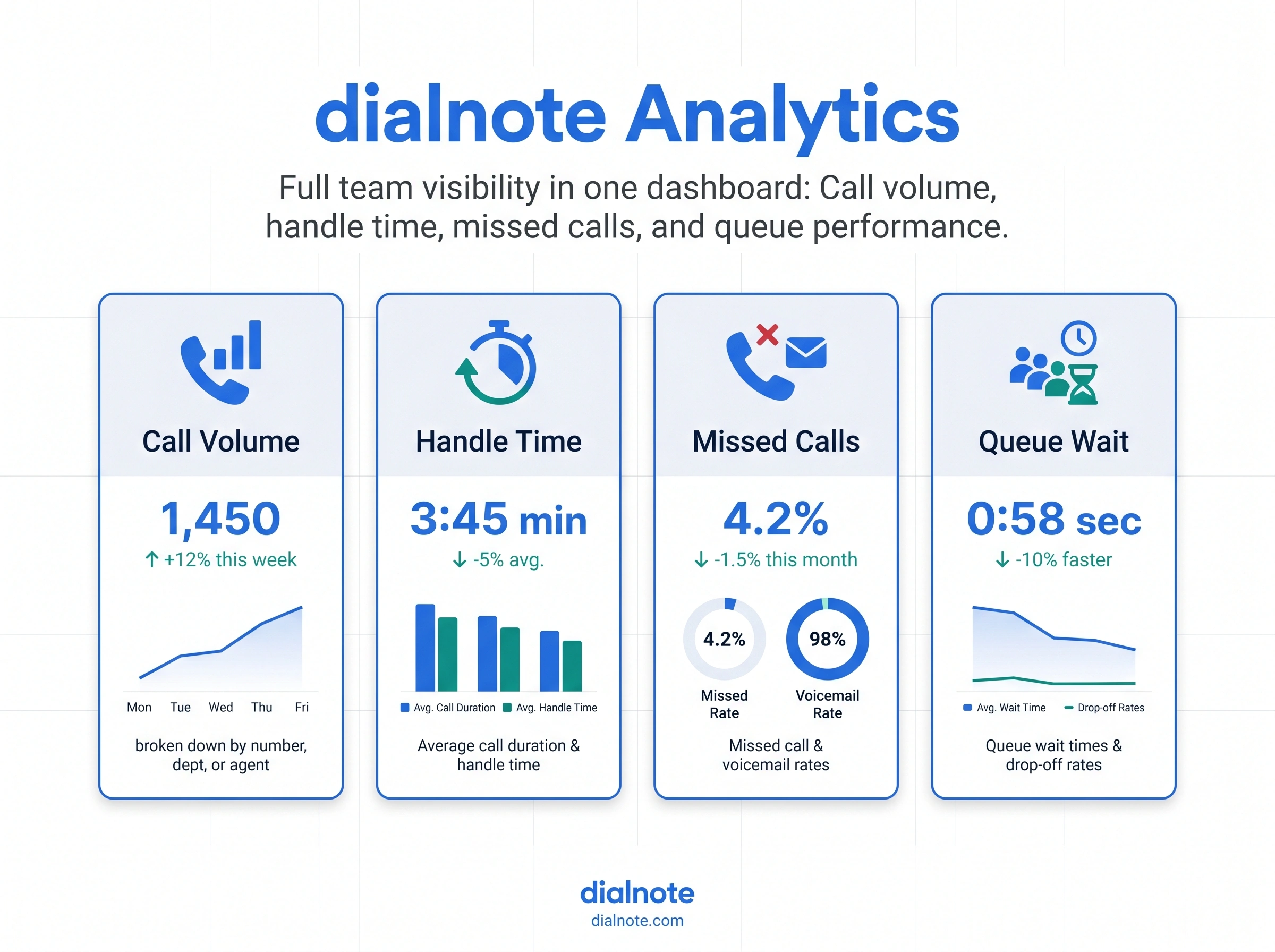
If your team handles calls, you need to see what's actually happening. dialnote's analytics dashboard tracks the metrics that matter for SMB phone operations:
- Call volume by number, department, agent, and hour of day
- Team reports: per-agent volume, handle time, missed calls
- Customer reports: per-contact interaction history
- Disposition reports: outcomes by category (qualified, junk, support, etc.)
- Queue metrics: abandon rate, average wait, hold duration
- Sentiment analysis on conversations
- First call resolution (FCR) tracking
- At-risk customer flagging based on call patterns
- AI summaries and transcripts attached to every call record
A useful detail. dialnote loads sample data into new trial accounts. When you sign up for the free trial, head to the reports section and you'll see a populated analytics view with dummy calls, agent stats, and queue metrics. You don't need to make 200 test calls to know what the dashboards will look like once you're live. They're populated from day one.
Honest take. This isn't a deep contact-center analytics suite, and it shouldn't be for most SMBs. You won't get speech analytics with custom ML modeling or workforce-management features. But you'll see where calls are falling through, who's carrying the load, and which numbers drive the most volume, which is what the people running these teams actually need.
Integrations: 50+ tools across CRM, automation, and more
A business phone system that doesn't talk to your other tools creates manual work. dialnote ships with 50+ integrations and a public API.
Direct integrations break down by category:
| Category | Integrations |
|---|---|
| CRM | HubSpot, Salesforce, Pipedrive, Zoho CRM |
| Helpdesk | Zendesk, Freshdesk, Intercom, Zoho Desk |
| Communication | Slack, Zoom, WhatsApp |
| Field service | Jobber |
| Restaurant and POS | OpenTable, Toast, Square |
| E-commerce | Shopify |
| AI research | Perplexity (real-time research during calls) |
| Automation platforms | Zapier (5,000+ apps), Make.com (2,200+ apps), n8n (400+ apps) |
| Developer | dialnote API, Webhooks |
A few worth flagging. The Calendly and Cal.com integrations let AI agents book meetings mid-call with real availability. Zapier, Make, n8n, and webhooks connect calls to 5,000+ other apps, so recordings, transcripts, and summaries land wherever your team works. Helpdesk connectors (Zendesk, Freshdesk, Intercom) and channels like WhatsApp are on the public roadmap; until they ship, the same workflows run through Zapier.
Beyond direct connectors, the API gives programmatic access to call management, contacts, messaging, analytics, and user admin. Webhooks fire on events like a new call, a new voicemail, or a contact update, so anything you build in-house stays in sync.
If you don't see your tool listed natively, the Zapier and Make.com connectors cover most of what an SMB ever wires into a phone system.
Pro plan: advanced AI capabilities
The Business plan handles what most scaling SMBs need. A handful of capabilities are reserved for the Pro plan at $199/month.
AI call evaluation: Automated scoring for sales and support calls. The system evaluates calls against criteria you define (did the rep follow the script, ask the right questions, handle the objection) and returns a score with feedback. For teams that care about call quality at scale, this replaces a chunk of manual QA work.
AI call tags: After every call, the system applies tags based on what was discussed. Sales call, support escalation, billing question, all auto-categorized without anyone touching the record. Filter logs by tag to spot trends or pull targeted reports.
Disposition codes: Standardized outcome codes that get attached to each call automatically, so reporting and CRM workflows can branch on result instead of free-text notes.
Call queueing: The full queue system with hold experience, position announcements, live dashboard, and queue analytics is part of the Pro plan.
Branded AI voice agent: Build a custom-persona AI voice agent that sounds like your company, not like a generic phone tree. Pro includes 10 AI agents and 300 AI agent minutes per month (Business includes 5 agents and 150 minutes).
How dialnote's business phone system pricing works
A short note on cost, since most teams ask before they ask anything else.
Most cloud phone systems charge $25 to $40 per user, per month. That made sense when phone lines were physical things. It doesn't now. The marginal cost of adding one more user to a cloud platform is close to zero. Per-seat pricing is a billing convenience for vendors, not an honest reflection of what the service costs to run. We run the full business phone system cost math, per-user vs flat rate over three years, in our pricing breakdown.
dialnote is priced by plan, not by user. There are four flat-rate plans on monthly billing, with unlimited users on the Team, Business, and Pro tiers:
| Plan | Monthly price | Users | Included minutes | Wallet | Key features |
|---|---|---|---|---|---|
| Solo | $19/month | 1 | 250 | $3/mo | Manual recording, free number porting, 1 phone number |
| Team | $49/month | Unlimited | 700 | $8/mo | 1 AI agent, automatic recording, knowledge base, API access, 2 numbers |
| Business | $99/month | Unlimited | 1,400 | $15/mo | 5 AI agents, 15-language support, Call Flow, live chat, 3 numbers |
| Pro | $199/month | Unlimited | 2,800 | $30/mo | 10 AI agents, custom voice, call queueing, AI call tags, 5 numbers |
Annual billing knocks roughly 20% off each tier; the figures above are the list monthly-billing prices.
The "wallet" is a monthly credit you can spend on outbound calls or SMS once you've used the included minutes. So a Business plan customer gets 1,400 minutes baked in plus $15 of wallet credit each month before any extra calling charges kick in.
A 15-person team on the Business plan pays $99/month. A competitor charging $30/seat for a comparable feature set bills that same team $450/month, which is about $4,212 more per year, just from the pricing model.
Worth knowing. dialnote, like every VoIP provider, applies fair use limits to "unlimited" calling. US and Canada calls are included for typical business usage within your monthly minute allowance. Calls to 200+ other countries are billed per minute at standard rates and pull from your wallet balance. The Solo plan suits founders and one-person operations; for any team with more than one user, Team is the entry point.
Who builds dialnote?
dialnote comes from the same team behind SmartReach.io, a sales engagement platform used by startups and enterprises alongside tools like Outreach.io, Salesloft, and Lemlist. That background in sales-focused communication tools shows in how dialnote handles call workflows, CRM integration, and lead capture.
This isn't a new company learning business communication on the fly. It's a team that's been building communication tools for over a decade, with real experience in how sales and support teams operate.
Getting started
If your current bill grows every time you hire, the pricing model is the issue, not the platform. A flat-rate modern business phone system fixes that. And the AI features mean you don't need to scale headcount to keep up with call volume.
The first day doesn't need a project plan either. dialnote opens on a Quick Start page that tracks the whole setup and keeps recommending the next task until the line is live:
- Click Get Phone Number and claim a local number in your area code
- Click Make a Call Now and ring your own cell to hear the audio both ways
- Set Business Hours so evening callers reach the AI receptionist instead of dead air
- Click Invite Team Members and add the team, the flat price doesn't move
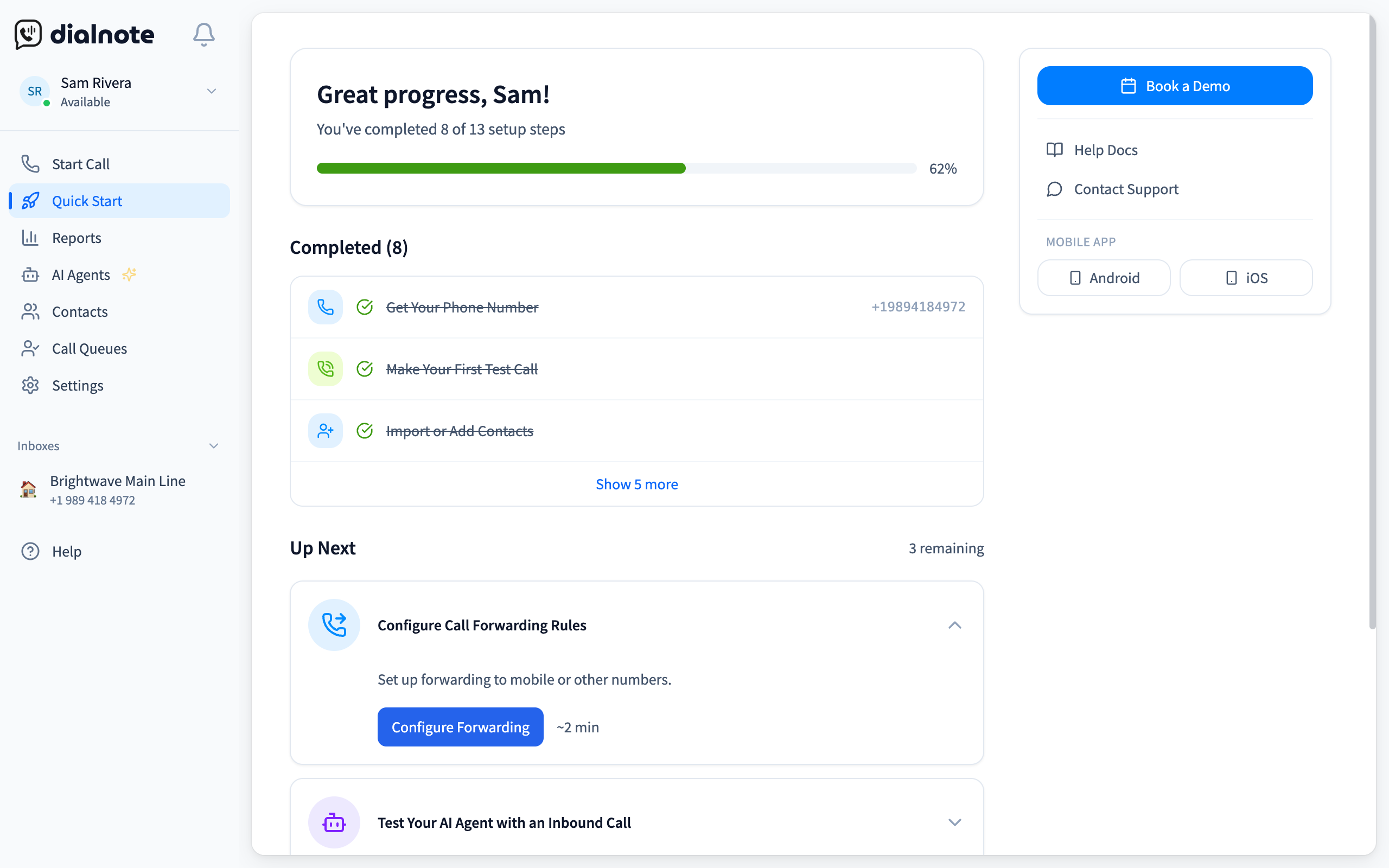
Every task still sitting open on that page is a caller experience you haven't decided yet: open business hours means after-hours callers hit dead air, an unsent invite means one person fields every call. Clear the list before you forward your main number, and the switch happens with nothing left to chance.
You can try dialnote free and see the AI receptionist in action before committing. If you're still weighing options, our breakdown of the best business phone systems covers 10 platforms side by side, our best virtual phone systems for business ranking surfaces the hidden AI per-minute fees most marketing pages skip, and our guide to choosing the right business phone system walks through how to evaluate based on team size and workflow.
For teams focused on what the switch saves, the VoIP cost savings breakdown covers the real numbers.
Clear the Quick Start list on a real account
10-day free trial, no credit card needed.
Frequently asked questions
dialnote has four plans: Solo at $19/month, Team at $49/month, Business at $99/month, and Pro at $199/month. Team, Business, and Pro all include unlimited users, plus included minutes and a monthly wallet allowance.
Team ($49/month) includes 1 AI voice agent and a knowledge base. Business ($99/month) includes 5 AI agents and 14-language support. Pro ($199/month) includes 10 AI agents, custom voice branding, AI call tags, AI call evaluation, and call queueing.
Yes. dialnote is cloud-based with mobile and desktop apps. Your team makes and receives calls using their business number from anywhere with internet. Call routing, voicemail, and analytics work the same wherever your team is.
dialnote integrates natively with HubSpot, Salesforce, Pipedrive, Calendly, and Cal.com, and connects to 5,000+ more apps through Zapier, Make, n8n, webhooks, and a public API.
Most phone systems charge $15 to $40 per user per month, so your bill grows every time you hire. dialnote charges a flat monthly rate for unlimited users on the Team, Business, and Pro plans, so a team of 5 and a team of 50 pay the same base price. AI transcription and AI voice agents are built in.

Written by
Akhilesh Betanamudi
Co-Founder, SmartReach.io
Akhilesh Betanamudi is a technology entrepreneur and engineer with over 12 years of experience in hardware engineering, SaaS, and business communications. As Co-Founder of SmartReach.io - a sales engagement platform for startups and enterprises, he h...
Akhilesh Betanamudi is a technology entrepreneur and engineer with over 12 years of experience in hardware engineering, SaaS, and business communications. As Co-Founder of SmartReach.io - a sales engagement platform for startups and enterprises, he h...
Related Articles
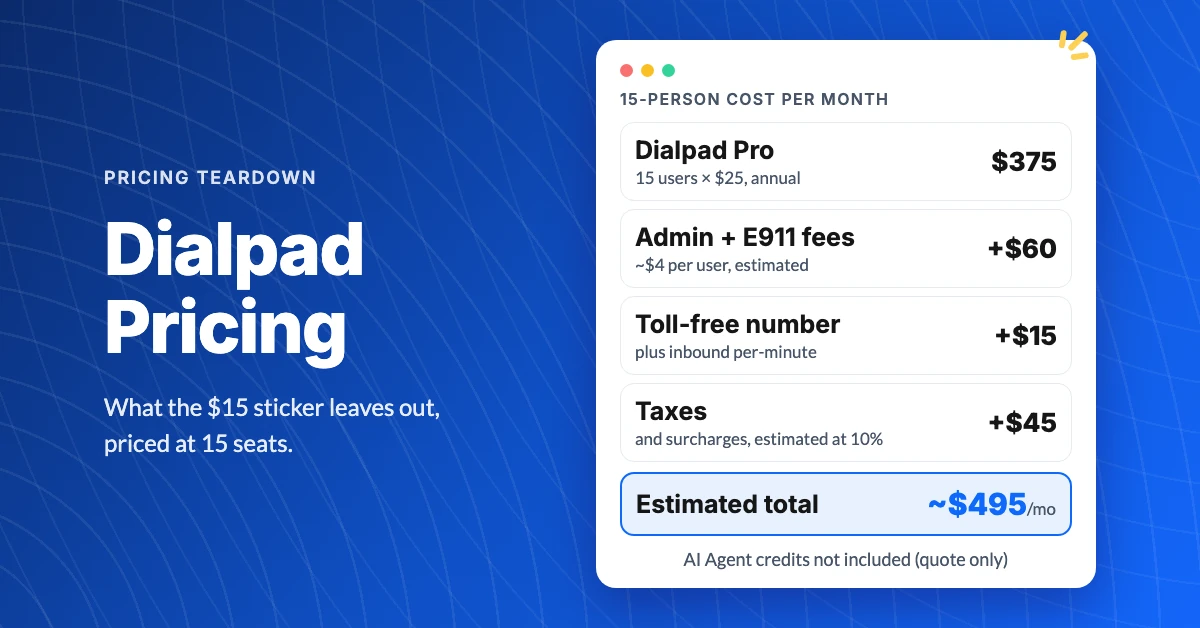
What Does Dialpad Pricing Really Cost a Small Team?
See what Dialpad pricing really costs: $15 to $35 per user, the 3-seat Pro minimum, per-text and admin fees, and real team math at 5, 15 and 30 people.
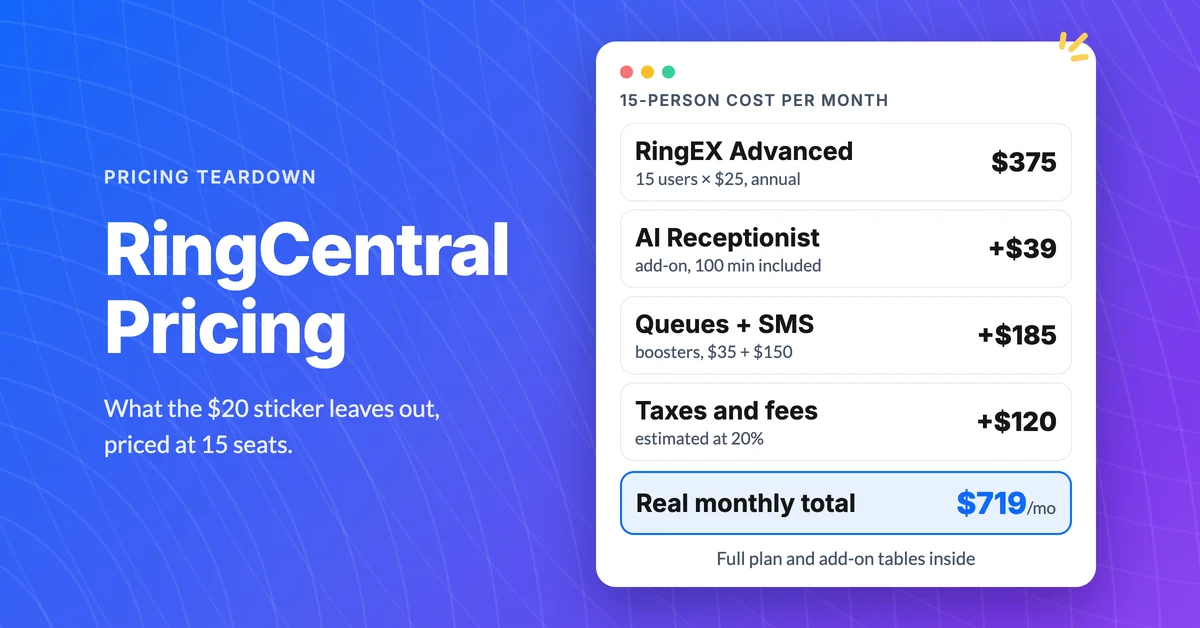
How Much Does RingCentral Really Cost per User?
RingCentral cost per user starts at $20, but add-ons, SMS caps and regulatory fees decide the real bill. See the 15-person math and the flat-rate comparison.
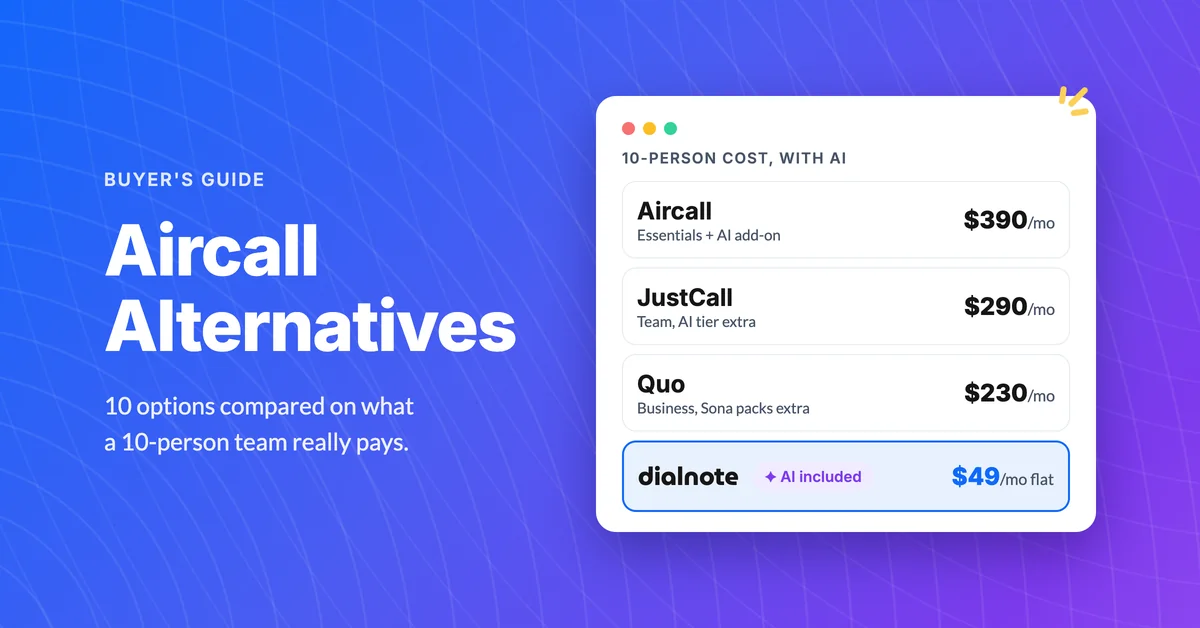
10 Best Aircall Alternatives With AI Included
Aircall runs $30/user with a 3-seat minimum and AI as a $9 add-on. Compare 10 Aircall alternatives on real 10-person cost, September 2026 pricing.
