Best Business Phone Systems: Traditional, VoIP & Cloud
Picking the best business phone systems for your team sounds like a 20-minute decision. Then you get the first invoice after hiring three more people.
Marcus ran a 15-person marketing agency. When he signed up for his VoIP plan three years ago, he had eight employees and a $240/month phone bill. Reasonable. But as the team grew, so did the cost ($30 per seat, per month). By the time he noticed, they were paying $450/month just for calling. No video conferencing. No AI features. No international coverage. Just calls.
After 12+ years building SaaS communication tools, I've heard this story more times than I can count. It's one of the main reasons flat-rate business phone pricing exists, and why it's worth comparing your options carefully before committing. If you're weighing that trade-off head-on, our guide to whether an unlimited seats phone system is worth it runs the per-seat versus flat-rate math.
One thing most comparisons skip: the price you see on a vendor's website is almost always the platform fee, not your total phone bill. We'll cover that before we get to the tools.
This guide breaks down ten solid systems plus two worth knowing, what each one actually does well, and how to choose the right fit based on your team size and workflow. If your team is closer to 5-20 people, our best VoIP phone systems for small teams post zooms in on per-seat math and the hidden AI per-minute fees that hit small teams hardest.
TL;DR:
- The best business phone systems for growing teams use flat-rate pricing: dialnote covers unlimited users from $49/month, while per-seat plans like Zoom Phone or OpenPhone climb every time you hire.
- Advertised prices are usually the platform fee only. Real costs rise once you add AI features, IVR, extra phone numbers, and international calling.
- "Unlimited" calling almost always means US and Canada under a fair use cap. International calls are billed per minute, often $0.01 to $0.12+.
- The per-seat vs flat-rate break-even lands around 5 to 7 users. Below that per-seat can be cheaper; above it, flat-rate usually wins.
- Match the system to your team size and workflow: dialnote for growing teams, Aircall for sales centers, Freshcaller for support, 8x8 for global calling.
What "unlimited calling" actually means
Every provider on this list advertises unlimited calling. Almost none of them mean unlimited everywhere.
"Unlimited" typically covers calls within the US and Canada only. Calls to the UK, Australia, Mexico, India, or anywhere else are billed per minute, usually between $0.01 and $0.12+ per minute depending on the destination. If your team makes regular international calls, that's a separate line item that can easily match or exceed your platform fee.
Even within the US and Canada, most providers apply a fair use clause. "Unlimited" usually means something like 3,000 to 5,000 minutes per user per month before throttling or overage charges kick in. The fine print says "reasonable use for normal business purposes," which isn't a definition.
Phone numbers are also frequently excluded from the advertised price. Most plans include one number. Extra local numbers, toll-free numbers, or international DID numbers run $5–$10/month each.
The bigger issue: many providers separate the platform subscription from the calling plan entirely. You pay one fee for the software (routing, IVR, AI features) and a separate fee for actual calling minutes or a calling plan add-on. The starting prices in advertising almost always reflect platform costs only.
In each tool section below, we've included an estimated cost for a 10-person team that factors in AI features, IVR, and phone numbers, so you're comparing real costs instead of teaser prices.
What makes a business phone system worth using?
A good business phone system does more than send and receive calls. It keeps your team reachable from anywhere, routes customers to the right person, and scales without punishing you for growing.
Here's what actually matters when comparing options:
Pricing model. The difference between per-seat and flat-rate pricing is significant at scale. Per-seat plans look cheap early ($10–$15/user/month for a team of three). At 15 people, that's $150–$225/month for a basic setup. Flat-rate plans charge a fixed monthly fee regardless of team size. If you're planning to hire, that math shifts fast.
Call quality. Everything else falls apart if calls drop or audio cuts out. Any system worth using should guarantee 99.9% uptime and support HD voice quality. Test this during any trial period before committing.
Mobile and desktop apps. Your team isn't always at a desk. A phone system that only works through desk hardware limits where people can work. Cloud-based systems route calls to apps on laptops and smartphones, so your team stays reachable whether they're in the office or working remotely.
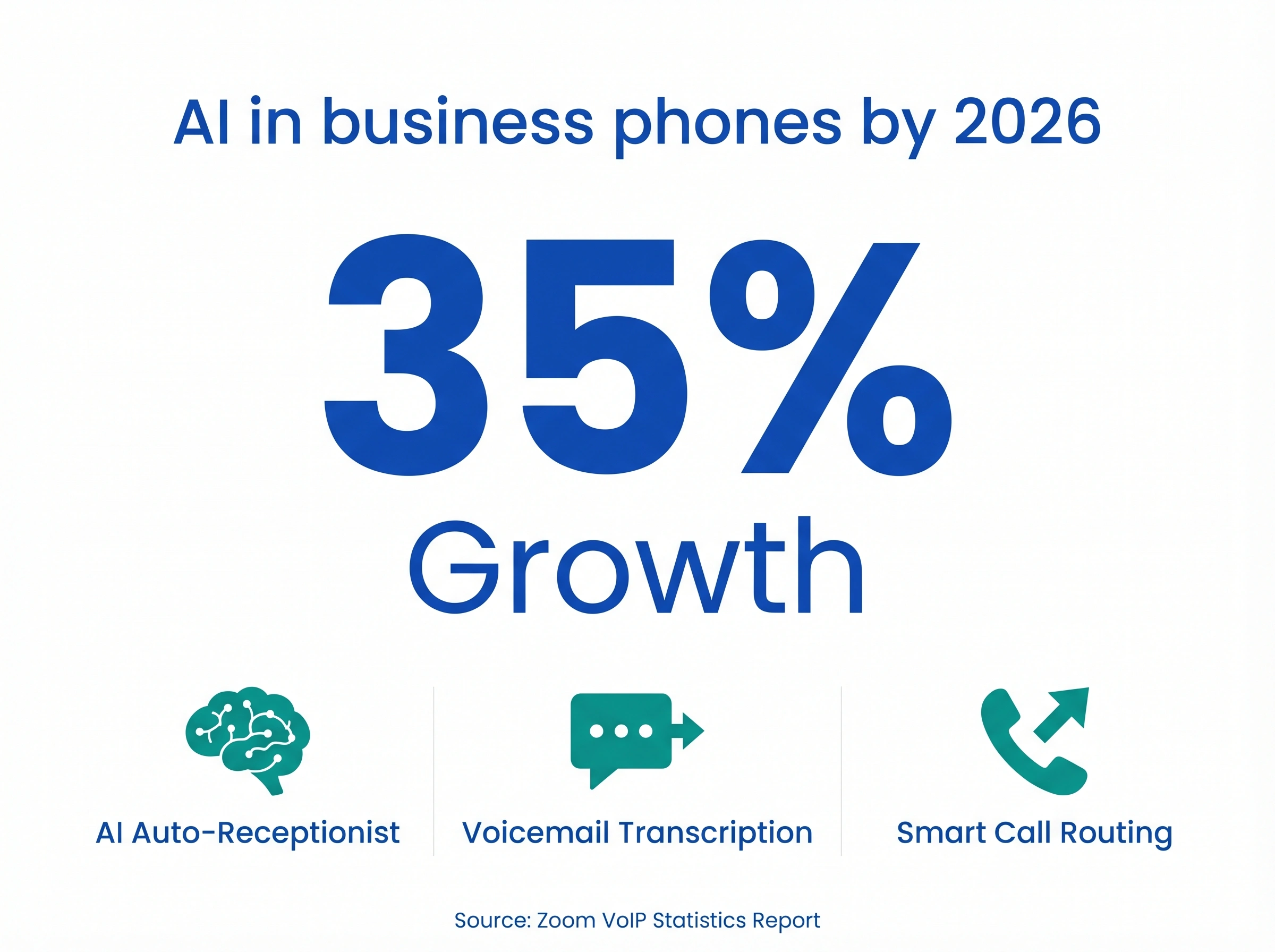
AI features. Auto-receptionist, voicemail transcription, call summaries, and smart routing aren't premium add-ons anymore. The best systems include them in base plans. If a system doesn't offer at least basic AI features now, it's falling behind. According to Zoom's research on VoIP adoption, AI integration in business phone systems is projected to grow by 35% in the next two years, and teams that adopt it early are reporting measurable gains in call handling efficiency.
Integrations. Your phone system should connect to the tools you already use: your CRM, helpdesk, Slack, or project management software. Poor integrations mean manual work, missed context, and team frustration.
International coverage. If you have customers or team members outside your home country, confirm coverage before you buy. Some platforms charge separately for international calls; others include them in base pricing. The difference matters if you're operating across multiple regions.
Total cost, not just the platform fee. Ask vendors explicitly what's included in their "unlimited" plan and what's charged extra. A system advertised at $15/user/month can easily land at $25–35 once you add calling plans, extra numbers, and the tier you actually need for AI and IVR.
Support and reliability. A phone system going down during business hours is a real problem. Check the provider's uptime history and what support channels are available (chat, email, phone) and during which hours.
The right answer isn't always the cheapest plan. It's the plan that fits your team size now and won't become expensive as you scale.
How they compare at a glance
Here's the full picture side by side. Cost estimates reflect a 10-person team with AI features, IVR, and standard phone numbers included:
| System | Pricing model | 10-user estimate (AI + IVR) | "Unlimited" scope | Best for |
|---|---|---|---|---|
| dialnote | Flat rate (unlimited users) | $99/month | US + Canada (fair use), 90+ countries per-min | Growing teams |
| Zoom Phone | Per user | ~$150–200/month | US + Canada | Zoom-first teams |
| Microsoft Teams Phone | Per user (add-on) | ~$200–300/month | US + Canada | Microsoft 365 orgs |
| Allo | Per user | ~$150–200/month (no AI) | US + Canada | Solo/very small teams |
| OpenPhone | Per user | ~$230/month | US + Canada | Early-stage startups |
| Aircall | Per user | ~$300–500/month (tool only) | US + Canada, per-min international | Sales call centers |
| RingCentral | Per user | ~$250/month | US + Canada | Enterprise UCaaS |
| Dialpad | Per user | ~$250/month | US + Canada | AI call coaching |
| 8x8 | Per user | ~$240–440/month | 40+ countries included (X4+) | International calling |
| Freshcaller | Per user | ~$150–250/month + per-min | Per-minute only (no unlimited) | Support/help desk teams |
| Nextiva | Per user | ~$250–300/month | US + Canada | Omnichannel mid-size businesses |
| Vonage | Per user | ~$200–280/month | US + Canada | Flexible VoIP needs |
Note: These are platform costs only. Separate calling plans or per-minute charges apply depending on your call volume and destinations. Prices are approximate and may vary by region or current promotions.
The 10 best business phone systems
These are the systems worth considering right now. Each one has a clear strength. None of them are perfect for every situation. That's exactly why it helps to see them side by side.
1. dialnote: best overall for growing businesses
dialnote takes a different approach from most VoIP providers: flat-rate pricing with unlimited users. No per-seat charges. No cost increase when you hire. (For a head-to-head ranking against the rest of the market, see our best VoIP providers compared and ranked guide.)
dialnote's three pricing plans are $49/month (Team), $99/month (Business), and $199/month (Pro). All three cover unlimited users. The AI receptionist, SMS agent, and call queue are on the Business plan at $99/month. AI call evaluation is Pro-only at $199/month.
The AI receptionist answers inbound calls 24/7, greets callers, and routes them to the right person or department without a human managing it. Call queue management holds callers in line when your team is busy, plays hold music, and routes them to the next available agent automatically. This matters for support-heavy teams and peak-hour call volume where simple forwarding isn't enough.
Call handling goes further than routing. dialnote records calls, transcribes voicemails to text, and generates call summaries automatically. Your team scans what happened on a call in 10 seconds instead of replaying a 4-minute voicemail. That adds up fast when you're managing high call volumes.
Beyond that, dialnote includes:
- IVR (Interactive Voice Response) for multi-level call menus across departments or locations
- Call queue with hold music and automatic routing to the next available agent
- Calling to 90+ countries, with local numbers in the US, Canada, UK, India, and France
- Mobile and desktop apps so your team can take business calls from anywhere using their existing devices
Akhilesh Betanamudi from dialnote noted: "We built dialnote around the idea that growing your team shouldn't mean growing your phone bill. Most VoIP providers still charge per seat because it's profitable for them, not because it's better for you."
Cost for 10 users: $99/month on the Business plan, which includes AI receptionist, call queue, IVR, and unlimited users. Phone numbers are included. Calling to US and Canada is covered under fair use policy; international calls are billed per minute across 90+ countries.
Best for: Teams of 5+, businesses with variable headcount, companies that want AI call handling without paying for an enterprise plan.
Pricing: Starts at $49/month (unlimited users)
2. Zoom Phone: best for teams already on Zoom
If your team uses Zoom for meetings, Zoom Phone is the natural extension. It lives inside the same app, shares your contacts, and uses the interface your team already knows. Setup takes minutes, and the learning curve is nearly zero.
Where Zoom Phone genuinely stands out: you can flip an active call between your phone and desktop mid-conversation without dropping it. For people who move between their desk and conference rooms, that's actually useful. Voicemail transcription, call recording, SMS, and basic analytics are included on standard plans.
The tradeoffs start with cost. The base plan at $10/user/month ($100/month for 10 people) is metered calling, meaning you pay per minute. To get genuinely unlimited US/Canada calling, you need the Unlimited plan at roughly $15/user, pushing a 10-person team to $150/month. Features like IVR, auto-receptionist, and call queues often require higher tiers or add-ons. The AI Companion add-on runs around $2.99/user/month extra for advanced features. By the time you've added those for 10 people, you're closer to $200/month. And you still have per-seat pricing growth to deal with as you hire.
Cost for 10 users: ~$150–200/month (Unlimited plan with AI Companion and IVR). Calling to US/Canada included on Unlimited plan; international calls billed per minute.
Best for: Teams that already live in Zoom and want calling integrated into the same platform.
Pricing: Starts at ~$10/user/month (metered), ~$15/user/month (unlimited US/CA)
3. Microsoft Teams Phone: best for Microsoft 365 users
Teams Phone adds voice calling to your existing Microsoft 365 setup. If your business already uses Microsoft for email, documents, and meetings, the integration is real: same app, same contacts, same calendar.
What makes Teams Phone distinctly strong is compliance and security. For regulated industries (healthcare, finance, legal), Microsoft's built-in data residency controls, e-discovery support, and compliance recording features are hard to match elsewhere. If that matters to your business, it changes the calculation significantly.
The complications: calling doesn't come with the app. You need either a Microsoft Calling Plan (separate per-user monthly cost) or direct routing through a third-party carrier. The setup typically needs IT involvement. For a 10-person team without dedicated IT, getting Teams Phone fully operational can take days, not hours. The AI Copilot add-on is an additional $30/user/month, which adds $300/month for 10 users. That's on top of your M365 subscription and calling plan. It's genuinely expensive once you add it up.
Cost for 10 users: ~$200–300/month (M365 Business Basic + Teams Phone Standard + calling plan). Copilot AI adds another ~$300/month for 10 users if needed. US/Canada calling included in most calling plans.
Best for: Microsoft-heavy organizations with IT resources available for setup and ongoing management, especially in compliance-sensitive industries.
Pricing: Add-on to Microsoft 365 plans; costs vary by calling plan or carrier.
4. Allo: best for very small teams on a tight budget
Allo does a simple job simply: it gives you a business phone number, basic call routing, and a clean mobile app. For a solo founder, a two-person startup, or a freelancer who needs a professional number they can answer from their phone, it works well. Setup is fast (often under 30 minutes) and the interface is clean.
What you don't get: AI call handling, advanced IVR, call queue management, meaningful analytics, or flat-rate pricing. There's no path to scale here. Once your team hits 5+ people, the per-seat cost climbs and the feature gaps become real problems, not minor inconveniences. Allo also doesn't have the CRM integrations or call routing depth of most tools on this list. It's not designed for them.
If you're early-stage and need something operational today, it works. But plan your migration before you need it, not during a growth sprint.
Cost for 10 users: ~$150–200/month (platform only). No meaningful AI features or call queue at any tier. Calling to US/Canada included; international per-minute.
Best for: Freelancers, solo founders, and very small teams that need a professional number fast and cheap.
Pricing: Starts at roughly $15–20/user/month.
5. OpenPhone: best for startups and early-stage teams
OpenPhone is a clean, app-based business phone popular with early-stage startups and small teams who want a professional number fast. Setup is genuinely simple: download the app, pick a number, add your team, and you're calling within minutes.
What makes OpenPhone different from other per-seat options is shared phone numbers. Multiple teammates can call and text from the same business number, which works well for small teams that don't want separate numbers for every person. You can also send saved text snippets from the same interface, which speeds up inbound SMS handling. It's lean by design.
The limitations show up as teams grow. The Business plan at ~$23/user/month ($230/month for 10 people) is required to get IVR, auto-attendant, and AI features. The Starter plan at $15/user doesn't include those. That means "cheap" quickly becomes $230/month once you need actual call routing, and it's still per-seat pricing. A 15-person team on Business pays $345/month for features that dialnote covers at $99/month flat.
Cost for 10 users: ~$230/month (Business plan, required for IVR and AI). Calling to US/Canada included; international per-minute.
Best for: Early-stage startups and small teams (under 10 people) that want shared numbers and a simple, well-designed setup.
Pricing: Starts at ~$15/user/month (Starter), ~$23/user/month (Business)
6. Aircall: best for sales and support call centers
Aircall is a cloud call center platform built for sales and support teams that live on the phone. The feature set is purpose-built for high call volume: power dialer for outbound reps, call queuing with custom routing logic, a real-time activity feed showing every active and waiting call, and call coaching modes (listen, whisper, and barge-in) so managers can assist reps without interrupting the call.
The CRM integrations are the strongest on this list. Aircall connects directly with Salesforce, HubSpot, Zendesk, Intercom, and 100+ other tools. Calls log automatically, contact records update in real time, and agents see caller history before they pick up. For sales and support teams that live inside a CRM, this removes significant manual logging work. It's the feature combination that justifies Aircall's price tag.
That price tag is the honest tradeoff. The Essentials plan at $30/user/month = $300/month for 10 people. The Professional plan with full coaching features is $50/user/month = $500/month for 10 people. Phone numbers are billed separately at ~$6/number/month. International calling is per-minute on top of the platform fee. For a 10-person sales team, you're looking at $300–500/month just for the tool, before adding any calling costs.
Cost for 10 users: ~$300–500/month (tool only). Phone numbers billed at ~$6/number/month extra. Calling costs are billed separately; US/Canada calling plans are available as add-ons.
Best for: Sales teams and support centers with high call volumes and CRM-first workflows.
Pricing: Starts at ~$30/user/month.
7. RingCentral: best for large enterprise UCaaS
RingCentral (now called RingEX) is one of the most established names in business VoIP. It covers calling, video, team messaging, and fax in one platform, with an extensive app marketplace and integrations for almost every major business tool.
What sets RingCentral apart from the rest of this list is depth of coverage at enterprise scale. The visual IVR flow editor, contact center routing with skills-based assignment, video conferencing for up to 200 participants, advanced analytics with custom dashboards, and long-term call recording storage make it the most complete single-vendor option on this list. If you need to manage a 100+ person operation across multiple locations without piecing together separate tools, RingCentral has the infrastructure and uptime track record to support it.
The tradeoffs are cost and complexity. Plans start around $20/user/month (Core) but the AI-powered features are on the Advanced plan at $25/user. For 10 people, that's $250/month. Administration can get complex. Expect IT involvement for custom routing, IVR flows, and integrations beyond the basics. For most small businesses, it's genuinely more system than they need. But for enterprise organizations that want one proven UCaaS platform, it's a serious option.
Cost for 10 users: ~$250/month (Advanced plan with AI features). Phone numbers included. US/Canada calling included in most plans; international per-minute.
Best for: Large enterprises needing a full-featured UCaaS platform with deep integrations and proven uptime.
Pricing: Starts at ~$20/user/month.
8. Dialpad: best for AI-powered call coaching
Dialpad leans harder on AI than most tools on this list, and it delivers. The real-time transcription runs during the call, not after it. As a conversation unfolds, Dialpad flags action items, highlights key topics, and surfaces suggested answers for agents based on what the caller is asking. Managers see live coaching cards on their dashboard while the call is still happening.
What makes Dialpad stand out from similar tools is the analytics layer: talk-to-listen ratio tracking, sentiment scoring across every call, and automatic call scorecards. If you're managing a sales team and want to understand why some reps close more deals, Dialpad gives you data from actual call behavior, not just outcomes. (For a deeper look at what sales teams need from their phone system, see our VoIP phone system for sales guide.) The coaching features are more detailed than most tools at this price point, and the transcription accuracy is genuinely strong.
The practical note: the AI coaching and analytics that make Dialpad worth paying for are on the Pro plan at $25/user. A 10-person team on Pro is $250/month. The Standard plan at $15/user ($150/month for 10) covers basic calling and some AI features, but the real-time coaching dashboards and scoring are a Pro-only feature. Compare that to dialnote at $99/month flat for AI features across unlimited users. If your focus is coaching from call data, Dialpad earns its cost. If you just need AI call handling, there are cheaper paths.
Cost for 10 users: ~$250/month (Pro plan for full AI and analytics). Calling to US/Canada included; international per-minute.
Best for: Sales teams focused on call coaching, performance analytics, and AI-assisted selling.
Pricing: Starts at ~$15/user/month; AI coaching features from ~$25/user/month.
9. 8x8: best for international coverage at scale
8x8 offers direct dial numbers and local calling in 40+ countries, which puts it at the top of the list for businesses with genuine global operations. Unlike most tools where international calling is a per-minute add-on, 8x8's X4 plan and above includes international calling to those regions in the base price.
What that means in practice: if your team regularly calls Europe, APAC, or Latin America, 8x8 can be cheaper overall than a system with a lower platform fee and high per-minute international rates. Run the math against your current international bill before assuming a cheaper per-seat plan is actually saving you money.
The fine print: the X2 plan (basic voice and video) doesn't include international calling. You need the X4 plan to get it. That upgrade significantly changes the per-user cost. For a domestic-only team, 8x8 is more expensive than most options on this list without providing any meaningful advantage. But for teams with real global call volume, the contact center capabilities and built-in international coverage often justify the premium.
Cost for 10 users: ~$240/month (X2, domestic only) or ~$440/month (X4, with international calling to 40+ countries). On X4+, calls to supported countries are included; calls to other destinations are per-minute.
Best for: Businesses with international operations, contact centers managing global customer bases.
Pricing: Starts at ~$15/user/month; international plans from ~$28/user/month.
10. Freshcaller: best for customer support and help desk teams
Freshcaller, part of the Freshworks suite, is purpose-built for inbound support teams. It connects natively to Freshdesk so agents can log, route, and resolve calls without leaving their ticketing system. Call records link directly to customer tickets automatically, which removes a lot of manual work for support teams managing high call volumes.
What Freshcaller does well that others don't: call masking (agents' personal numbers stay private from callers), wait-time announcements so callers know their queue position, and the Freshdesk integration that auto-creates support tickets from inbound calls. For teams already running Freshdesk, adding Freshcaller is the lowest-friction way to bring phone support into that workflow. The free tier is a real way to test before committing to a paid plan.
The important caveat: calling minutes aren't included on any Freshcaller plan, even paid tiers. You buy calling credits separately, billed per minute. This is different from most tools on this list. For a support team taking hundreds of calls per week, the per-minute charges stack up quickly. A team on the $15/user Growth plan might add $100–200/month in calling costs on top of the platform fee. Run the math against your actual call volume before assuming the low per-seat price is cheap.
Cost for 10 users: ~$150–250/month (platform) plus per-minute calling costs. Unlike every other tool on this list, Freshcaller charges per-minute for all calls including domestic US/Canada. High-volume support teams will see this add up significantly.
Best for: Customer support teams using Freshworks, help desks managing structured inbound call queues.
Pricing: Free tier available; paid plans start at ~$15/user/month, plus per-minute calling.
2 more worth knowing
These two didn't make the main list only because the tools above cover most situations well. But if your business lands outside those scenarios, they're worth a close look.
11. Nextiva: best for omnichannel mid-size businesses
Nextiva goes beyond phone calls. Voice, video, SMS, email, and social channels all route through the same platform, so support and sales teams don't jump between tools based on how a customer reaches out. The omnichannel routing is genuinely useful for teams that manage meaningful volume across multiple contact channels and need agents to see a full conversation history regardless of channel.
The Nextiva AI engine (available on Engage plans and above) handles call routing, virtual agents, and customer intent detection. Combined with strong US-based customer support and reliable uptime, Nextiva positions itself as a step up from basic VoIP for businesses growing into more complex communication needs.
The tradeoffs: pricing is per user and higher than most tools on this list at full feature parity. The Core plan at ~$20/user covers calling but not advanced AI or omnichannel routing. You need the Engage plan at ~$30/user ($300/month for 10 people) to get what makes Nextiva actually stand out. Setup is more involved than plug-and-play options like OpenPhone or Allo.
Cost for 10 users: ~$250–300/month (Engage plan with AI and omnichannel features). Phone numbers included. Calling to US/Canada included; international per-minute.
Best for: Mid-size businesses managing multiple contact channels (phone, SMS, email, social) from one platform.
Pricing: Starts at ~$20/user/month (Core), ~$30/user/month (Engage)
12. Vonage: best for flexible VoIP with API access
Vonage (now part of Ericsson) has been in business VoIP for over 20 years. The reliability shows: call quality is consistently strong, and Vonage Business Communications covers calling, SMS, MMS, and video from a single interface. The 50+ integrations cover most common CRM and helpdesk tools.
What sets Vonage apart from newer entrants is the API layer. If your business needs custom call flows, programmatic SMS, or integrations with internal tools that don't have off-the-shelf connectors, Vonage's API platform gives developers direct access to calling and messaging infrastructure. Most businesses won't need this. But if you do, it's a meaningful advantage that no other tool on this list matches cleanly.
The standard business phone plans are straightforward. The Mobile plan ($14/user/month) covers basic calling and SMS. The Premium plan ($20/user/month) adds IVR, video meetings, and CRM integrations, which is what a 10-person team actually needs. Advanced (~$28/user/month) adds call recording and advanced analytics. AI features are more limited here compared to newer AI-first tools like Dialpad or Nextiva, so if AI coaching is the priority, Vonage isn't the first choice.
Cost for 10 users: ~$200/month (Premium plan with IVR and CRM integrations). Calling to US/Canada included; international per-minute.
Best for: Businesses that need reliable VoIP with the option to build custom integrations via API, or teams already in the Vonage communication stack.
Pricing: Mobile ~$14/user/month, Premium ~$20/user/month, Advanced ~$28/user/month
The break-even point for per-seat vs flat-rate is usually around 5–7 users. Below that, per-seat plans can actually be cheaper. Above that, flat-rate pricing wins, often significantly.
A team of 10 on Zoom Phone at $15/user pays $150/month. That same team on dialnote's $99/month Business plan saves $612/year and gets AI features, call queue, and IVR on top of it. Scale to 20 people and the dialnote bill stays flat while the per-seat bill doubles.
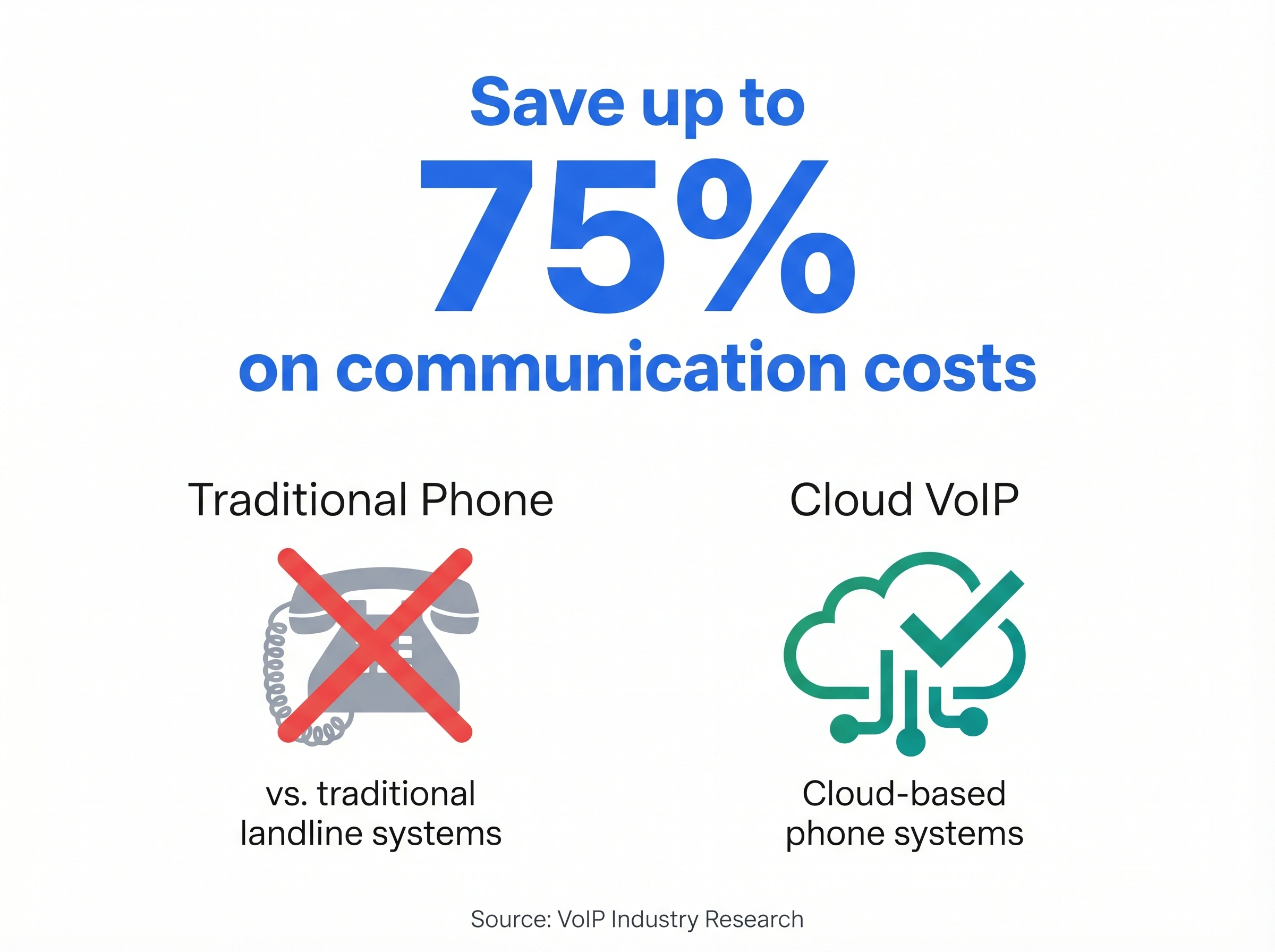
According to market research from multiple VoIP industry analysts, businesses switching from traditional phone systems to cloud VoIP can save up to 75% on communication costs. The gap widens further when you move from per-seat VoIP to a flat-rate model.
Honestly, per-seat pricing is one of the most outdated billing models in business software. It made sense when each desk had a dedicated physical phone line. It doesn't make sense for software running on the internet. But it persists because it's profitable for the providers, not because it serves their customers better.
We're not entirely sure why flat-rate plans haven't become the default yet. But the data makes a clear case. If you're evaluating systems right now, it's worth running the numbers for your expected headcount in 12 months, not just today.
But does it actually make sense to pay per seat anymore? For most teams with more than five people, the answer is no.
One more thing worth checking before you commit: hidden costs. Some systems charge extra for call recording storage, international dialing, IVR setup, or integrations. What looks like $15/user/month can climb to $25–30 once you add the features your team actually needs. Always ask for a full feature list at your expected usage before comparing sticker prices.
Also worth reading if you're still weighing your options: our cloud vs on-premise breakdown covers why the old on-premise vs cloud debate is largely settled, and our guide on automating your phone system gets into what AI call handling actually looks like in practice.
Which business phone system is right for your team?
There's no single right answer, but the decision gets simple when you start with your team size and workflow.
Teams of 5 or more (or growing): Flat-rate pricing makes the most financial sense. dialnote covers unlimited users from day one, so you're not renegotiating your plan every time you hire. The Business plan at $99/month includes AI receptionist, call queue, voicemail transcription, and call summaries. International calling is available across 90+ countries.
Teams that live in Zoom: Zoom Phone removes friction. Your team already knows the interface, contacts sync automatically, and you can flip calls between devices. The per-seat cost is a real consideration as you scale, but for small teams fully committed to Zoom, it's a legitimate choice.
Microsoft-first organizations: Teams Phone is worth evaluating if IT is already managing your Microsoft 365 environment. The compliance features and integration depth are real advantages. It's not a strong choice without dedicated IT support, and the AI Copilot add-on is expensive.
Very small teams or solo founders: Allo gets you operational quickly at low cost. It's a starter solution. Plan your migration before you need it, not after you've already outgrown it.
Early-stage startups on a tight budget: OpenPhone gets you a business number, calling, and shared texting at a reasonable per-seat cost. The Business plan adds IVR when you need it. Plan your migration path before you outgrow it.
Sales and support teams that need call analytics: Aircall is built around call center workflows, with live dashboards, CRM integrations, and call coaching tools baked in. The per-seat cost is higher than most, but the visibility into team performance is worth it if your revenue depends on phone volume.
Enterprise and UCaaS environments: RingCentral covers more ground than most teams will ever use. Phone, video, messaging, fax, and contact center in one platform. If you're running a large, multi-location business and need one vendor for everything, it's a serious option. Expect a longer setup and IT involvement.
Teams that want AI coaching built in: Dialpad's real-time transcription and sentiment analysis during calls is genuinely useful for sales reps and managers. If you want to coach from call data without manual review, it earns its place on the Pro plan.
Businesses with global operations: 8x8 covers 40+ countries with flat-rate international calling on X4 plans. If your team calls across borders regularly, run the numbers against your current international bill before assuming a cheaper per-seat plan is saving you money.
Customer support and help desk teams: Freshcaller fits naturally if you're already using Freshworks. The inbound call management and agent dashboards are purpose-built for support workflows. Just remember that calling minutes are billed separately, so factor that into your cost estimate before committing.
Mid-size businesses managing multiple channels: Nextiva handles voice, SMS, email, and social from one platform. The Engage plan adds AI routing for teams managing mixed inbound volume across channels. More involved to set up, but worth it if you're dealing with real omnichannel volume.
Teams that need VoIP with API flexibility: Vonage is worth considering if you need custom integrations or programmatic call access. The Premium plan covers standard business needs; the API layer is there when you need to go beyond them.
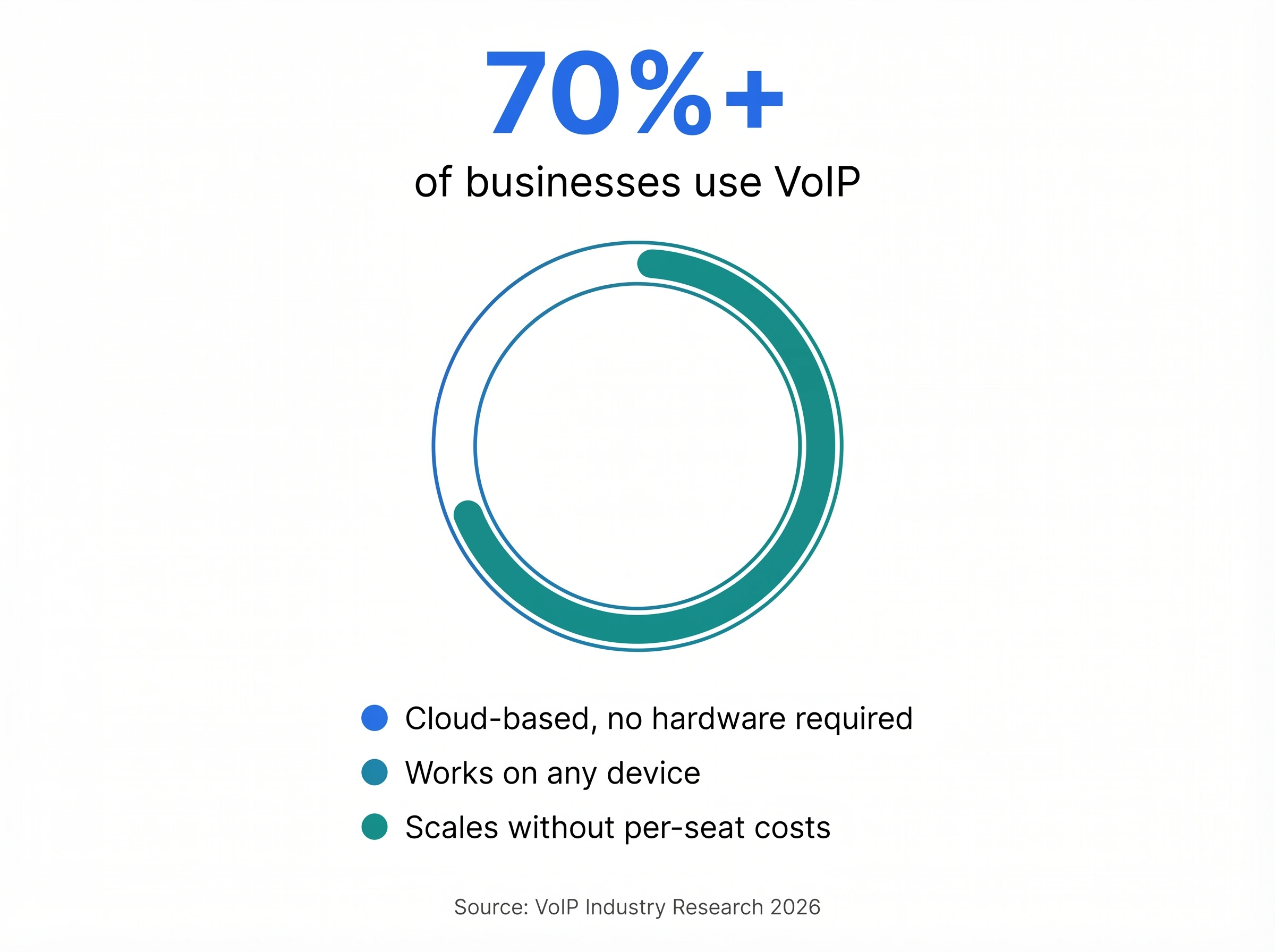
Over 70% of businesses have already integrated VoIP into their communication strategies, according to recent industry data. The question isn't whether to move to a cloud phone system anymore. It's which one fits your situation best.
For a deeper look at the full decision framework, including questions to ask vendors before signing, read our guide to choosing the right business phone system. It covers what to look for in a contract, what red flags to watch for, and which features are actually worth paying for at each stage of growth. And if you want to understand what unlimited-seat pricing actually looks like at scale, the unlimited-seats deep dive walks through the math in detail.
So how do you decide? Start with your team size today. Then think about where you'll be in 12 months. The system that works for a team of 5 right now might not be the best fit for a team of 20 next year. Migrating phone systems mid-growth is a headache you don't want.
The right system grows with you
The best business phone system is one you stop thinking about. Calls connect reliably. Customers reach the right person. Your team works from wherever they are. And your monthly bill doesn't spike every time you make a new hire.
That's the bar worth holding any system to. If your current setup doesn't meet it, or if the per-seat math is starting to add up, it's a good time to compare your options before you're locked into another annual contract.
Want to see what dialnote looks like for your team size? Start a free trial and test it with your real call volume before you commit to anything.
Frequently asked questions
For most small businesses, a flat-rate VoIP system like dialnote offers the best value. You get AI features, call routing, and unlimited users from $49/month with no per-seat charges.
Costs range widely. Per-seat VoIP plans run $10–$30/user/month. Flat-rate plans like dialnote start at $49/month for unlimited users, which is often cheaper for teams of 5 or more.
Yes. Cloud-based VoIP systems work on any device with an internet connection. Your team can take and make calls from their laptops or phones, wherever they are.
VoIP routes calls over the internet instead of phone lines. It's cheaper, easier to manage, and includes features like voicemail transcription and call routing that landlines charge extra for.
No. Most cloud phone systems work through an app on your computer or smartphone. You don't need desk phones or on-site hardware to get started.

Written by
Akhilesh Betanamudi
Co-Founder, SmartReach.io
Akhilesh Betanamudi is a technology entrepreneur and engineer with over 12 years of experience in hardware engineering, SaaS, and business communications. As Co-Founder of SmartReach.io - a sales engagement platform for startups and enterprises, he h...
Akhilesh Betanamudi is a technology entrepreneur and engineer with over 12 years of experience in hardware engineering, SaaS, and business communications. As Co-Founder of SmartReach.io - a sales engagement platform for startups and enterprises, he h...
Related Articles
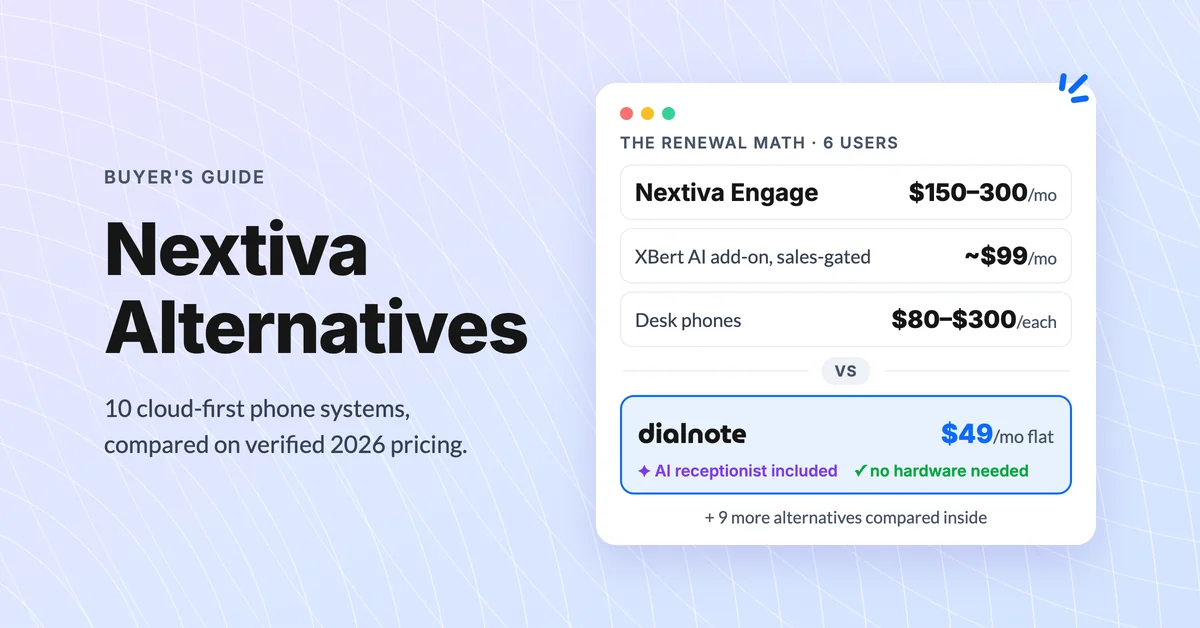
10 Best Nextiva Alternatives for 2026 (Cloud-First)
Compare the 10 best Nextiva alternatives with verified August 2026 pricing, AI answering costs, and desk phone support before you renew.
10 Best RingCentral Alternatives for Small Business
Compare 10 RingCentral alternatives for small business by real per-user cost, AI receptionists, and contract traps before you renew.

Google Voice Alternatives: 7 Picks for Business
Compare 7 Google Voice alternatives built for serious business use by AI features, multi-level IVR, CRM sync, and real per-user costs.
