Cloud Phone System vs On-Premise, Which Is Right for You?
Your phone system shouldn't need its own IT department. But if you've ever managed an on-premise PBX, you know it sometimes feels that way. Between server rooms, maintenance contracts, and emergency repair calls, the "simple office phone" can become anything but simple.
When we started building communication tools at SmartReach, the cloud phone system vs on-premise debate came up constantly. Clients would ask us the same thing: "We've had our PBX for years. Why would we change?" It's a fair question. And the answer isn't always what you'd expect.
Here's the thing. Cloud based phone systems aren't automatically better than on-premise setups. And on-premise PBX isn't automatically outdated. The right choice depends on your team size, budget, technical capacity, and how fast you're growing. Already leaning toward cloud? Our OpenPhone vs RingCentral comparison digs into two of the biggest names side by side. This guide breaks it all down so you can make a decision based on facts, not sales pitches.
TL;DR:
- A cloud phone system runs over the internet and is managed by your provider, while an on-premise PBX lives in your office and your own IT team runs it.
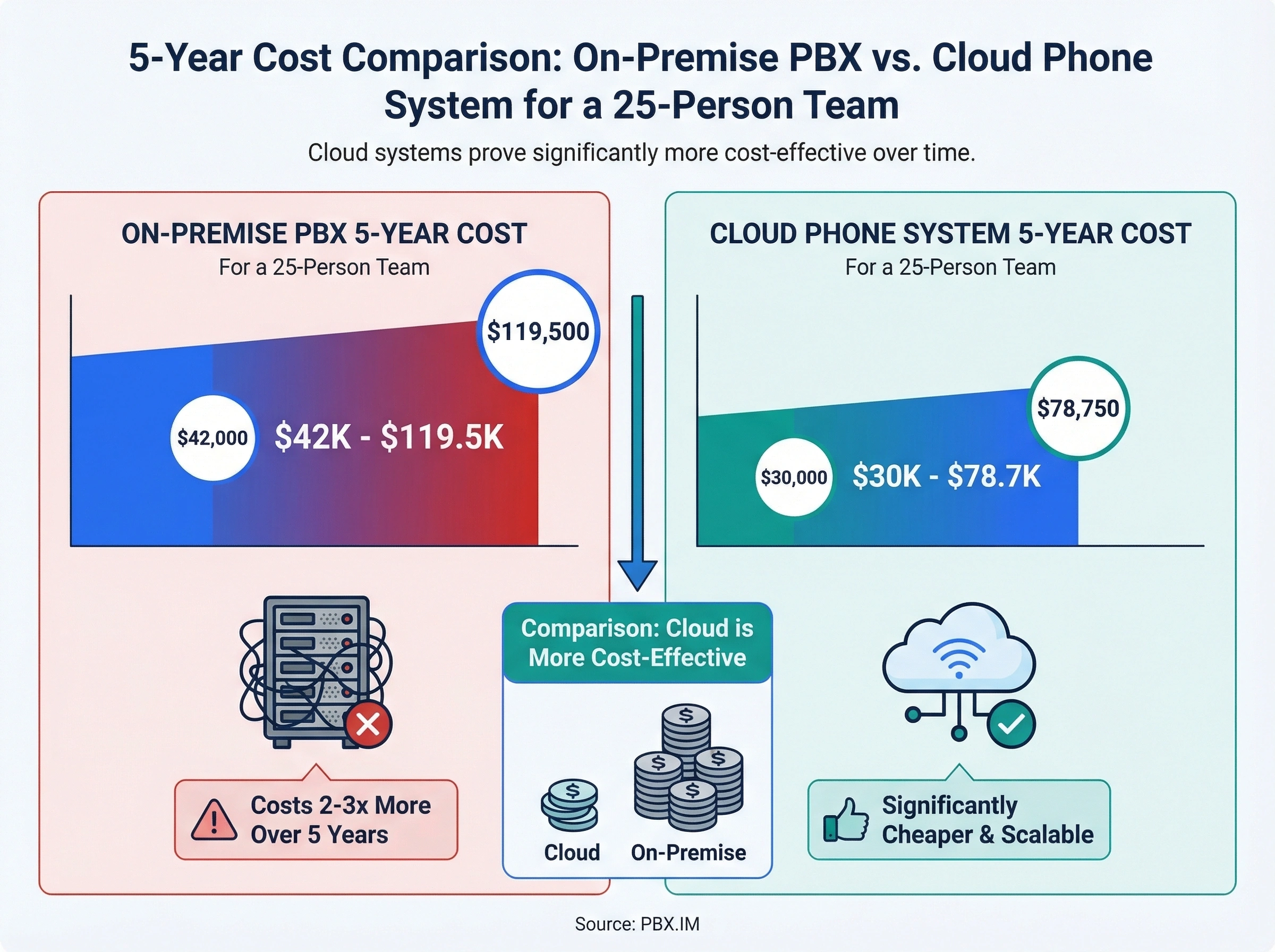
- In the cloud phone system vs on-premise decision, cloud usually wins on total cost for teams under 100 people: about $30K-$78.7K over five years vs $42K-$119.5K for on-premise, with no big upfront hardware spend.
- Cloud is the practical pick for distributed teams, fast growth, and modern features like AI call routing and analytics, since these run natively in the cloud.
- On-premise still makes sense when you need strict on-site data control, have unreliable internet, hold a large existing PBX investment, or already employ dedicated telecom IT staff.
- You can keep your existing business number when moving to cloud, and most providers offer 99.99% uptime with geo-redundant servers for reliability.
What's the real difference between cloud and on-premise phone systems?
A cloud phone system runs over the internet. Your provider hosts all the hardware and software in their data centers, and your team connects through apps on their laptops, desk phones, or smartphones. There's no server closet. No wiring. No on-site equipment to maintain.
An on-premise PBX (Private Branch Exchange) lives inside your office. You buy the hardware, install it on-site, and your IT team manages everything from updates to troubleshooting. All calls route through your own physical infrastructure.
The core difference? Ownership and responsibility.
With cloud, you're renting access to a system someone else manages. With on-premise, you own the whole thing and handle it yourself. That distinction shapes everything from upfront costs to day-to-day operations.
Think of it like renting vs buying a house. Renting gives you flexibility and fewer responsibilities. Buying gives you control, but also means you're fixing the roof when it leaks.
How calls actually work in each system
Cloud systems convert voice into data packets and send them over the internet using VoIP (Voice over Internet Protocol). Your provider's data centers handle call routing, voicemail, recordings, and analytics. You access everything through a web dashboard or mobile app.
On-premise systems use traditional phone lines (PSTN) or SIP trunking to route calls through your own PBX hardware. Worth knowing: the UK's PSTN switches off in January 2027, so copper-fed PBXs need SIP trunks regardless of which side of this comparison you land on. Your IT team configures extensions, manages voicemail servers, and handles any system updates or patches. (If you're picking a cloud phone system for IT and operations teams, the admin model is fundamentally different: one workspace, role-based access, and no SBCs to babysit.)
The technical gap matters because it affects reliability, scalability, and what happens when something goes wrong. If your cloud provider's server goes down, they fix it. If your on-premise PBX fails, that's on your team.
What about hybrid setups?
Some businesses try a middle ground: keeping their on-premise PBX for the main office while adding cloud lines for remote workers. It's technically possible, but it creates complexity. You're now managing two separate systems with different interfaces, different billing, and different support channels.
In our experience building SaaS tools at SmartReach, we've seen hybrid setups work for large enterprises with dedicated telecom teams. For small businesses with 10-50 employees? It's usually more trouble than it's worth. You end up paying for two systems instead of one, and your IT person has to become an expert in both.
But what happens when your team doubles in size next year? With a hybrid setup, you're forced to scale both systems simultaneously. With a pure cloud system, you just add more user licenses (or better yet, pick a plan with unlimited seats so adding users doesn't cost extra). With pure on-premise, you buy more hardware. Hybrid means doing both, which multiplies cost and complexity.
The cost breakdown most vendors won't show you
Cost is usually the first thing people compare. But the sticker price only tells part of the story. Let's break down what you'll actually spend over 3-5 years with each option.
On-premise PBX costs
The upfront investment is where on-premise hits hardest. According to PBX.IM, on-premise systems require $1,000 to $10,000 or more in initial hardware costs, plus $50-200 per extension for installation. Here's what that looks like for a 25-person team:
| Cost Category | Estimated Range |
|---|---|
| PBX hardware (server, switches) | $3,000 - $8,000 |
| Desk phones (25 units) | $2,500 - $7,500 |
| Installation and wiring | $1,500 - $4,000 |
| Annual maintenance contract | $2,000 - $5,000/year |
| IT staff time (ongoing) | $5,000 - $15,000/year |
| Year 1 total | $14,000 - $39,500 |
| 5-year total | $42,000 - $119,500 |
And that doesn't include surprise costs. Hardware failures, emergency technician visits, and software upgrades can add thousands to any given year.
Cloud phone system costs
Cloud systems flip the cost model. Instead of big upfront spending, you pay a predictable monthly fee per user. Most providers charge between $20 and $50 per user per month, and that fee covers hardware, maintenance, updates, and support. Some even offer flat-rate unlimited users pricing so your bill stays the same as your team grows.
For the same 25-person team:
| Cost Category | Estimated Range |
|---|---|
| Monthly subscription (25 users) | $500 - $1,250/month |
| Desk phones (optional) | $0 - $3,750 |
| Setup and training | $0 - $500 |
| Year 1 total | $6,000 - $18,750 |
| 5-year total | $30,000 - $78,750 |
Notice the difference. Cloud starts cheaper and stays more predictable. On-premise can be cheaper long-term if your hardware lasts 7+ years and you have existing IT staff. But most small and mid-sized businesses don't hit that break-even point.
The hidden cost factor
Here's what most comparison articles miss: opportunity cost. Every hour your IT team spends on phone system maintenance is an hour they're not spending on projects that grow the business. Every day your phone system is down for an upgrade is a day your team can't take calls.
Stan, a sales ops manager at a 40-person logistics company, learned this the hard way. His team's on-premise PBX needed a firmware update that was supposed to take two hours. It turned into an eight-hour outage because of a compatibility issue with their SIP trunk provider. That's a full business day where incoming leads went to voicemail. He calculated the cost at roughly $12,000 in lost pipeline.
After that, Stan started seriously looking at cloud alternatives. Not because the on-premise system was bad. It worked fine 99% of the time. But that 1% was expensive.
When does an on-premise system still make sense?
So why would anyone still pick on-premise in 2026? There are legitimate reasons.
You need absolute data control. If you're in healthcare, finance, or government, you might have compliance requirements that dictate where call data lives. Some regulations require that voice recordings stay on servers you physically control. Cloud providers are catching up with compliance certifications, but on-premise gives you direct oversight.
Your internet is unreliable. Cloud phone systems depend on a stable internet connection. If your office is in a rural area with spotty broadband, or if you simply can't afford any downtime on calls, on-premise PBX running on traditional phone lines won't drop calls because of an internet outage.
You have a massive existing investment. If you just spent $50,000 on a PBX system two years ago, ripping it out doesn't make financial sense. You'll want to ride that investment until it approaches end-of-life, then plan a transition.
You have dedicated telecom IT staff. If you already employ people whose job is managing phone infrastructure, the maintenance argument for cloud weakens. Your costs are sunk, and your team has the expertise.
Honestly? For most small and mid-sized businesses, on-premise PBX is overkill. It made sense in 2010 when cloud VoIP was still immature and call quality was hit-or-miss. Today, the gap has closed dramatically.
The "we've always done it this way" trap
There's one more reason businesses stick with on-premise that nobody likes to admit: inertia. The system works. People know how to use it. Changing feels risky.
That's understandable. But "it works" and "it's the best option" aren't the same thing. Your fax machine also works. That doesn't mean it's the best way to send documents.
The real question isn't whether your current system is functional. It's whether it's holding your team back from working the way they need to in 2026 and beyond. If your sales reps can't take calls on their phones when they're visiting clients, that's a limitation. If your team can't see who called while they were in a meeting, that's a missed opportunity. These aren't problems you notice until you see what a modern system can do.
Why are so many businesses moving to cloud phone systems?
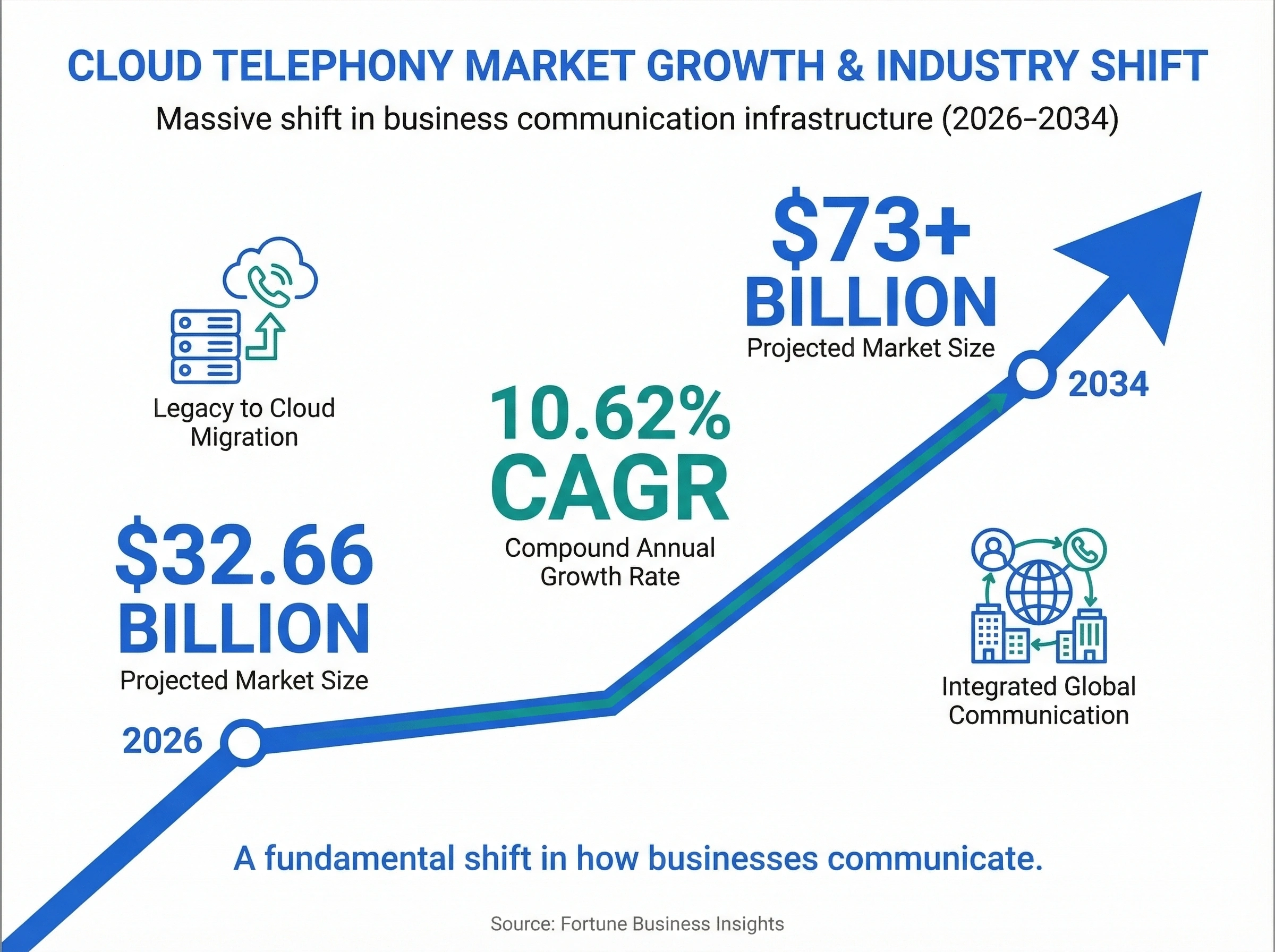
According to Fortune Business Insights, the cloud telephony market is projected to grow from $32.66 billion in 2026 to over $73 billion by 2034, at a compound annual growth rate of 10.62%. That's not a small trend. It's a fundamental shift in how businesses communicate.
Several forces are driving this:
Remote and hybrid work isn't going away
The biggest catalyst for cloud adoption has been distributed teams. When your employees work from home, a co-working space, or a client's office, they need a phone system that follows them. Cloud systems let anyone make and receive calls from their business number using a laptop or smartphone, regardless of location.
On-premise PBX was built for an era when everyone sat in the same building. Making it work for remote employees usually means VPN configurations, softphone licenses, and a lot of IT overhead.
Scalability without hardware
Adding a new team member to a cloud system takes about five minutes. You log into your admin panel, create a user, and assign a number. Done.
Adding a user to an on-premise system might mean buying another desk phone, running new cabling, configuring an extension on the PBX server, and testing the connection. For companies growing quickly, this lag time adds up.
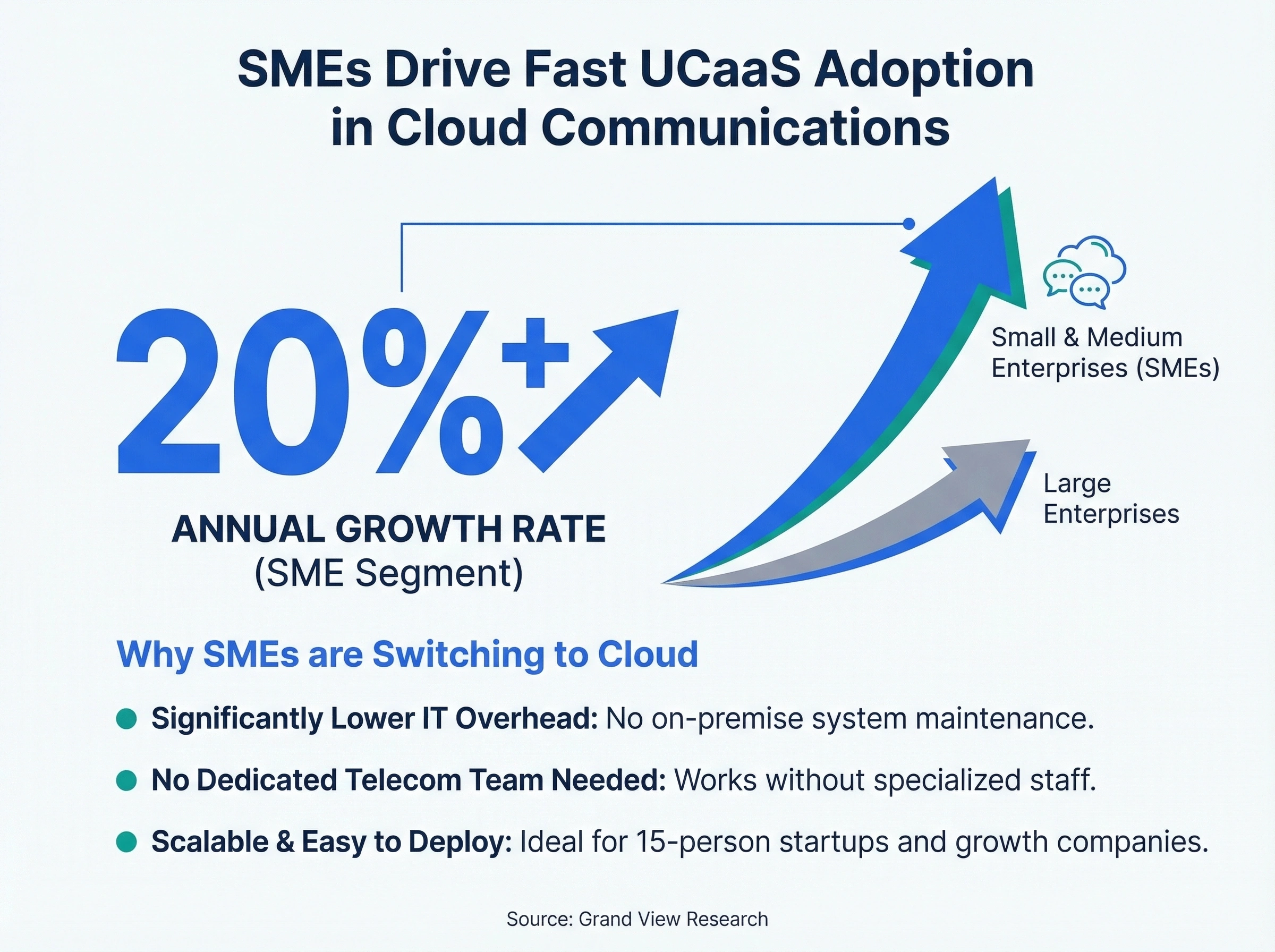
According to Grand View Research, the small and medium enterprise segment of the UCaaS market is growing at over 20% annually, the fastest of any segment. SMEs are driving cloud adoption because they simply can't afford the IT overhead that on-premise systems demand. A 15-person startup doesn't have a dedicated telecom team. They need a phone system that works without one.
AI and automation are cloud-native
Modern phone features like AI call summaries, real-time transcription, automated call routing, and sentiment analysis run in the cloud. They need processing power that a local PBX server simply can't provide.
If you want features like AI-powered call analytics or an AI receptionist that handles calls when your team is busy, you need a cloud platform. These aren't add-ons you can bolt onto a legacy PBX.
Automatic updates and security patches
Cloud providers push updates continuously. You don't need to schedule downtime, hire a technician, or worry about compatibility. Your system is always on the latest version with the newest security patches.
On-premise systems often run outdated firmware because updates are disruptive. And outdated firmware is a security risk.
Business continuity and disaster recovery
What happens to your phones if your office floods, loses power, or catches fire? With on-premise PBX, your phone system goes down with the building. Calls stop. Customers hear a dead line. Your team has no way to communicate until the hardware is repaired or replaced.
Cloud phone systems are geo-redundant by design. Your provider runs servers in multiple data centers across different regions. If one goes down, traffic routes to another automatically. Your team can keep making and receiving calls from their phones and laptops, even if the office is completely inaccessible.
This isn't a hypothetical scenario. After Hurricane Harvey in 2017, businesses with cloud phone systems stayed operational while their offices were flooded. Their teams worked from hotels, family members' homes, or anywhere with internet access. Businesses with on-premise PBX had to wait for the water to recede before they could even assess the damage to their phone systems.
For any business where phone calls generate revenue (sales teams, service companies, medical practices, law firms), the disaster recovery advantage of cloud isn't optional. It's critical.
Integration with modern business tools
Today's businesses run on connected software. Your CRM, helpdesk, project management tools, and communication platform all need to talk to each other. Cloud phone systems are built for this. They offer APIs, pre-built integrations, and webhooks that connect your phone data to everything else you use.
On-premise PBX systems were designed as standalone communication tools. Getting them to share data with your CRM or helpdesk usually involves custom middleware, third-party connectors, or manual workarounds. It's possible, but it's expensive and fragile.
When we built SmartReach as a sales engagement platform, we saw firsthand how much teams struggle with disconnected communication data. Sales reps would make calls all day, then spend another hour logging those calls in the CRM. A cloud phone system that automatically syncs call records, recordings, and notes to your CRM eliminates that busywork entirely.
Head-to-head: cloud vs on-premise across 8 key factors
Let's put them side by side. This comparison covers the factors that matter most when choosing a cloud based phone system vs on premise PBX. If you've already decided on cloud and want to compare specific platforms, our best business phone systems guide covers the top 5 options for 2026. For a deeper look at dialnote's full feature set, see our business phone system features guide.
| Factor | Cloud Phone System | On-Premise PBX |
|---|---|---|
| Upfront cost | Low ($0 - $500 setup) | High ($5,000 - $25,000+) |
| Monthly cost | $20 - $50/user/month | $0 after purchase (but maintenance) |
| Scalability | Add/remove users in minutes | Requires hardware + IT time |
| Remote work | Built-in (apps, softphones) | Requires VPN, extra config |
| Reliability | 99.99% uptime (geo-redundant) | Depends on local hardware/power |
| Maintenance | Provider handles everything | Your IT team handles everything |
| Features | AI, analytics, integrations | Basic calling, voicemail |
| Data control | Provider-hosted (SOC 2, HIPAA) | Fully on-site |
A few things stand out from this comparison.
Cloud wins on flexibility. If your team is growing, distributed, or needs modern features, cloud is the clear choice. You don't need to predict your needs three years out and buy hardware to match.
On-premise wins on control. If data sovereignty is your top priority and you have IT resources to manage infrastructure, on-premise gives you full ownership. But this advantage is shrinking as cloud providers earn more compliance certifications.
Cloud wins on total cost for most businesses. Unless you're running 200+ extensions and have in-house telecom staff, the cloud model is typically cheaper over a 5-year window.
One nuance worth mentioning: call quality. Five years ago, VoIP call quality was a legitimate concern. Choppy audio, delays, and dropped calls were common on slower internet connections. Today, with widespread fiber and 5G availability, that gap is essentially gone. Most cloud providers deliver HD voice quality that matches or beats traditional phone lines. The only exception is locations with genuinely poor internet infrastructure, which brings us back to the on-premise use case for rural or underserved areas.
What about security?
Security is often cited as a reason to stay on-premise. The logic goes: if your data is on your servers, you control who accesses it. That's true in theory, but it assumes your IT team is properly maintaining security.
In practice, many on-premise PBX systems run unpatched software because updates require scheduled downtime. They use default admin passwords because no one bothered to change them. They lack encryption because the hardware predates modern security standards.
Cloud providers, on the other hand, make security their business. They invest millions in SOC 2 compliance, end-to-end encryption, regular penetration testing, and 24/7 security monitoring. That doesn't mean cloud is automatically more secure, but it does mean the "on-premise is safer" argument isn't as clear-cut as it seems.
How to decide what's right for your team
Instead of getting lost in feature comparisons, ask yourself these five questions. They'll point you toward the right choice faster than any vendor pitch.
1. How many locations and remote workers do you have?
If your team works from one office and plans to stay that way, on-premise can work. But if you have multiple locations, remote workers, or plans to hire across different cities, cloud is the practical choice. Running separate PBX systems in each office and trying to connect them is expensive and fragile.
2. What's your IT capacity?
Do you have an IT team that can manage phone infrastructure? Or is your "IT department" the one person who also handles the printer and the Wi-Fi? Cloud systems are managed by the provider. On-premise systems are managed by you. Be honest about your capacity.
3. How fast are you growing?
If you're adding 5-10 people per quarter, the hardware procurement cycle for on-premise becomes a bottleneck. Cloud scales instantly. For stable headcounts, this matters less.
Also consider seasonal fluctuations. Retail businesses might need extra phone lines during holiday seasons. Tax firms need more capacity from January through April. Cloud systems let you add temporary users for a few months and remove them when the rush is over. With on-premise, you'd need to buy hardware that sits idle for eight months of the year. That's money spent on equipment nobody's using.
4. What features do you actually need?
Basic calling and voicemail? Either system handles that. But if you want IVR menus and call routing, CRM integrations, AI-powered analytics, call recording with transcription, or shared team numbers, cloud is where those features live natively.
What matters most to your business right now? If the answer is "just make calls," a well-maintained on-premise system is fine. If the answer involves anything beyond basic telephony, cloud is your path forward.
5. What's your 3-year budget?
Calculate total cost of ownership, not just monthly fees. Include hardware, installation, maintenance, IT time, potential downtime costs, and the features you'd need to add separately with on-premise. The 5-year cost tables earlier in this article give you a starting framework.
The data isn't entirely clear on every scenario since every business has unique infrastructure and staffing situations. But for teams under 100 people without dedicated telecom staff, cloud wins on total cost in nearly every case we've seen.
How dialnote makes the switch to cloud simple
If you've decided that a cloud phone system is the right move, the next question is which provider to pick. We built dialnote specifically for small and growing businesses that want a modern phone system without complexity.
Here's what makes the transition painless:
Port your existing numbers
You don't need to change your business phone number. dialnote handles the number porting process so your customers, vendors, and partners keep reaching you at the same number they already have.
Get set up in minutes, not weeks
There's no hardware to install. No wiring. No server room. Your team downloads the app, logs in, and starts making calls. We've seen teams go from signup to their first call in under 15 minutes.
Built-in AI that works out of the box
dialnote's AI receptionist answers calls when your team can't, takes messages, and routes callers to the right person. Our call analytics give you visibility into call patterns, peak hours, and team performance without needing a data analyst.
Smart call routing without IT help
Set up IVR menus and call routing rules through a simple dashboard. Route calls by department, time of day, or caller location. Change your setup anytime without calling a technician.
Connect your existing tools
dialnote integrates with popular CRMs and business tools so call data flows into your existing workflows. No manual data entry. No switching between tabs.
Affordable for any team size
Check out our pricing plans to see how dialnote compares to what you're spending on your current phone system. Most businesses save 40-60% after switching from on-premise PBX.
Your cloud phone system vs on-premise decision starts here
The cloud based vs on premise phone system debate isn't really about which technology is "better." It's about which one fits your business today and where you're headed tomorrow.
On-premise PBX still has a place for organizations with strict data residency needs, unreliable internet, or heavy existing investments. But for the vast majority of businesses, especially those under 200 employees, cloud phone systems offer lower costs, easier management, better features, and the flexibility to grow without infrastructure headaches.
According to The Business Research Company, the cloud telephony market hit $26.69 billion in 2025 and is growing at over 9% annually. That growth isn't happening by accident. Businesses are making the switch because cloud phone systems solve real problems that on-premise can't keep up with.
If you're still running an on-premise PBX, you don't need to switch tomorrow. But start planning. Hardware ages. Maintenance costs climb. And the longer you wait, the wider the feature gap becomes between what your team is using and what's available.
The businesses that thrive aren't always the ones with the most resources. They're the ones that make smart infrastructure decisions early. Your phone system touches every customer interaction, every sales call, every support ticket. It's worth getting right.
Ready to see what a cloud phone system can do for your team? Try dialnote free and experience the difference yourself.
Frequently asked questions
A cloud phone system runs over the internet and is managed by your provider. An on-premise PBX lives in your office and your IT team handles everything. Cloud means lower upfront costs and easier scaling, while on-premise gives you full data control.
Cloud systems typically cost $20-50 per user per month with little to no setup fees. On-premise PBX requires $5,000-$25,000+ upfront for hardware and installation, plus ongoing maintenance costs of $2,000-$5,000 per year.
Yes, most cloud providers support number porting. You can transfer your existing business phone numbers to the new system so customers keep reaching you at the same number. The process usually takes 1-2 weeks.
Yes, most cloud providers offer 99.99% uptime with geo-redundant servers. If one data center goes down, traffic automatically routes to another. Cloud systems are often more reliable than on-premise because they don't depend on a single location's power and hardware.
On-premise makes sense if you need strict on-site data control for compliance, your internet connection is unreliable, you have a large existing PBX investment, or you already employ dedicated telecom IT staff. For most small and mid-sized businesses, cloud is the better fit.

Written by
Akhilesh Betanamudi
Co-Founder, SmartReach.io
Akhilesh Betanamudi is a technology entrepreneur and engineer with over 12 years of experience in hardware engineering, SaaS, and business communications. As Co-Founder of SmartReach.io - a sales engagement platform for startups and enterprises, he h...
Akhilesh Betanamudi is a technology entrepreneur and engineer with over 12 years of experience in hardware engineering, SaaS, and business communications. As Co-Founder of SmartReach.io - a sales engagement platform for startups and enterprises, he h...
Related Articles
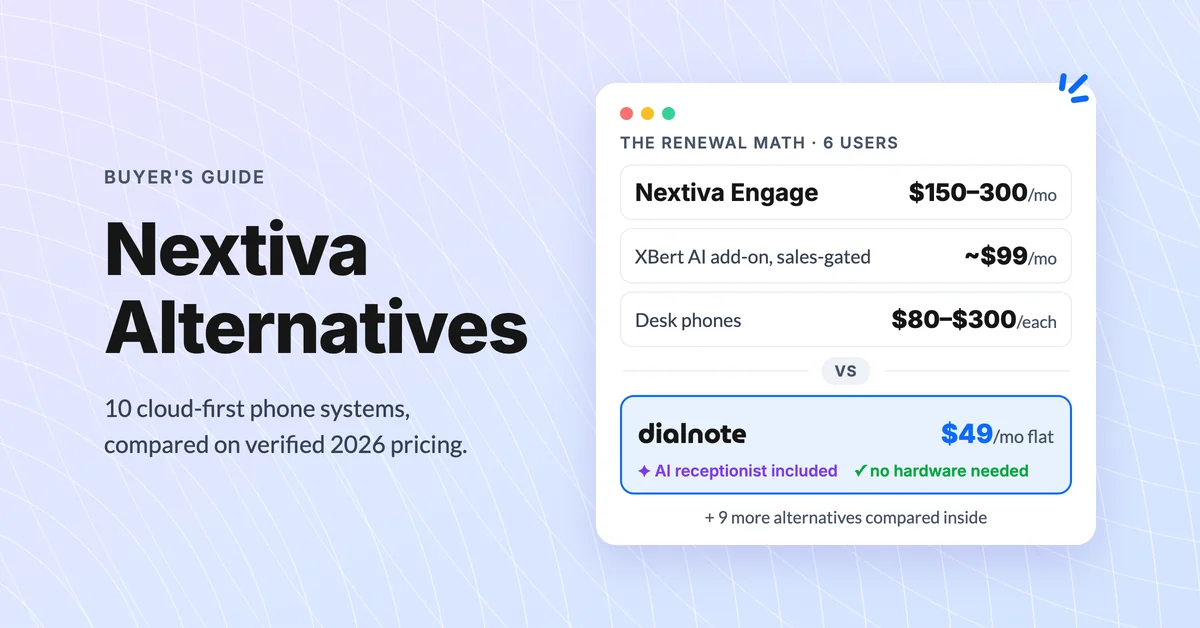
10 Best Nextiva Alternatives for 2026 (Cloud-First)
Compare the 10 best Nextiva alternatives with verified August 2026 pricing, AI answering costs, and desk phone support before you renew.
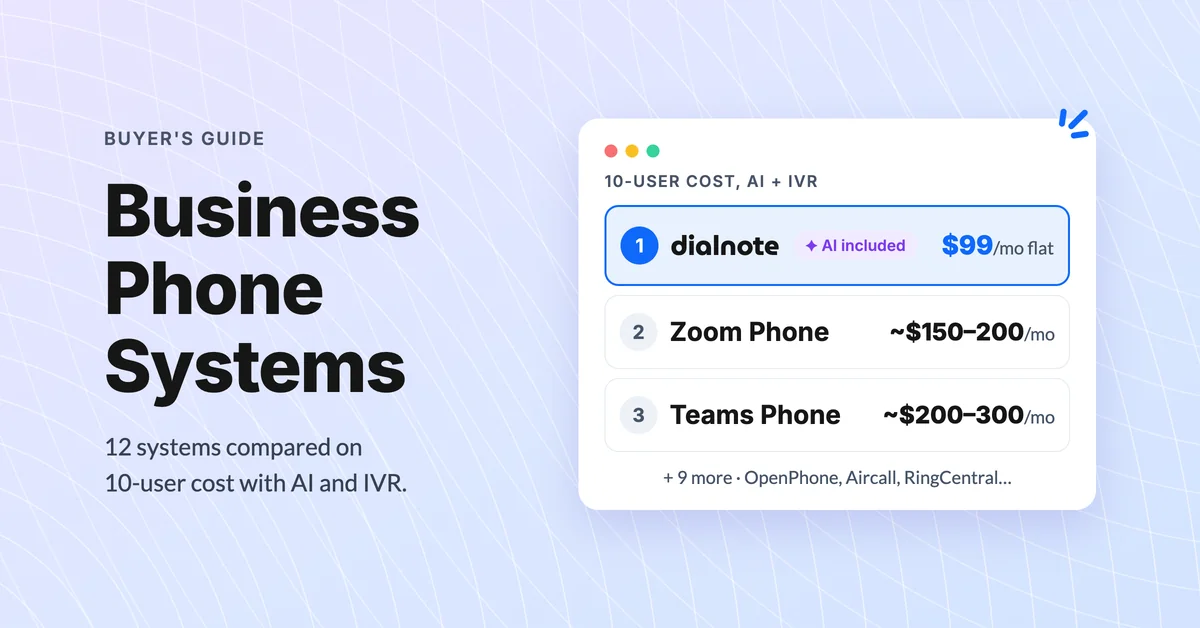
Best Business Phone Systems: Traditional, VoIP & Cloud
Compare the 10 best business phone systems for small business. Find the right VoIP solution for your team size, budget, and features without overpaying.
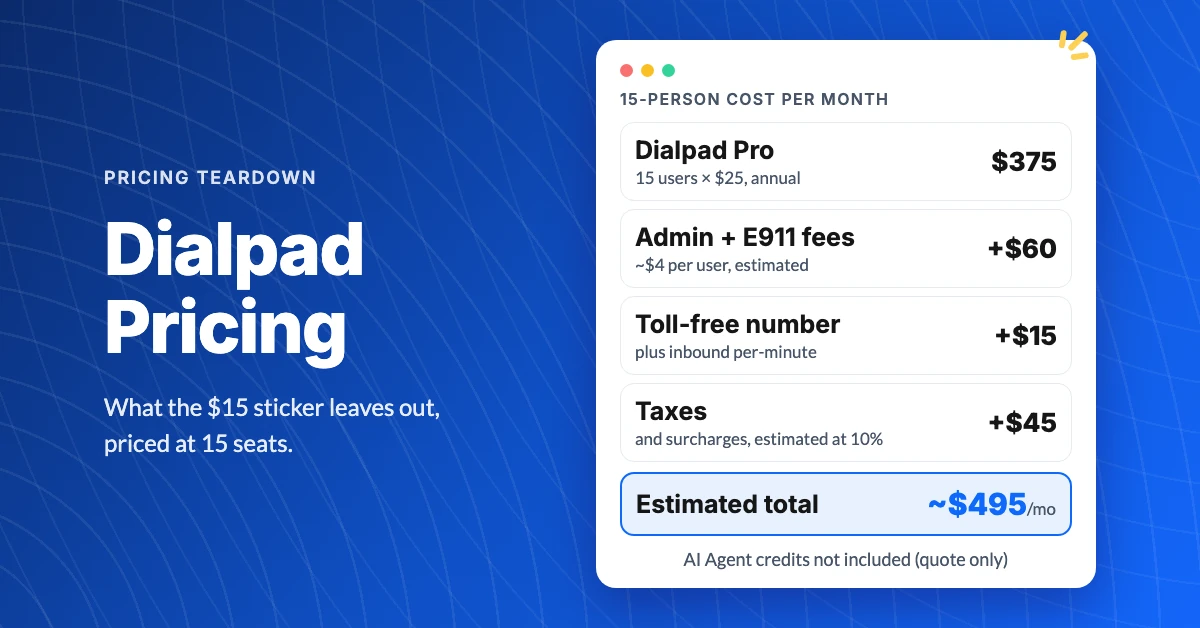
What Does Dialpad Pricing Really Cost a Small Team?
See what Dialpad pricing really costs: $15 to $35 per user, the 3-seat Pro minimum, per-text and admin fees, and real team math at 5, 15 and 30 people.
