Business Phone System with Unlimited Seats Guide
Your phone bill shouldn't go up just because you hired someone new. But that's exactly what happens with most business phone systems. Every new team member means another $25 to $45 tacked onto your monthly bill, and it adds up fast.
A business phone system with unlimited seats flips that model on its head. You pay one price. Your team grows. Your bill stays the same.
Derek runs sales operations at a mid-size logistics company. Last quarter, his team added five new reps. His phone costs jumped $175 a month, not because they needed more features, but simply because each person needed a seat. He started wondering: isn't there a better way to do this?
There is. Flat-rate providers price the whole team into one monthly number, so the bill stays put no matter how many people you add. The rest of this guide shows how that model works and how to pick one without getting burned.
Jump to what matters most:
- Why per-seat pricing gets expensive: with a cost comparison
- Features to look for: so you don't get stuck with a bare-bones system
- How to pick the right system: a step-by-step checklist
What does "unlimited seats" actually mean?
An unlimited seat phone system lets you add as many users as you want without paying extra per person. Your monthly cost stays flat regardless of whether you've got 10 people on the system or 100.
That's different from the way most providers work. The typical model charges $15 to $45 per user, per month. So a team of 20 might pay $500 to $900 monthly just for phone access. Add 10 more people and that number jumps to $750 to $1,350.
With unlimited seats, you're buying the system, not renting individual spots on it. Some providers bundle this into a single flat rate. Others charge per phone line (the actual connections to the outside world) but don't limit how many team members can use those lines.
Here's the key distinction: lines aren't the same as seats. A line is a path for an external call. A seat is a user account. Most businesses don't need every employee making outside calls at the exact same time, so you can often run 30 people on 5 to 10 lines comfortably.
Think of it like a parking garage. You don't need one parking spot for every person who might ever visit the building. You need enough spots for the number of people who'll be there at the same time. Phone lines work the same way.
One thing to keep in mind: even with unlimited seats, most platforms still charge based on usage like minutes or number of lines. So "unlimited seats" means you won't pay per user, but your bill can still vary depending on call volume. Also, providers that advertise "unlimited calling" within the US and Canada typically have fair use policy thresholds. If your team burns through an unusually high volume of minutes, you might hit a cap. This isn't a gotcha, it's standard across the industry. Just read the fine print so you know where the limits are.
This model also makes onboarding smoother. When a new hire starts, you just create their account and assign an extension. No purchase order. No approval chain for another license. No waiting for IT to "free up a seat." They're on the system in minutes.
Why per-seat pricing gets expensive fast
Per-seat pricing sounds reasonable when you've got a small team. Ten people at $30 each? That's $300 a month. Fine.
But what happens when you hire three more people next quarter? And five more after that? Suddenly you're at $540 a month, then $750, and you haven't added a single new feature. You're paying more for the exact same system just because more people are using it.
Per-seat pricing is a tax on growth. There's no other way to put it.
According to the US Chamber of Commerce, small businesses spend between $50 and $100 per line monthly on traditional phone systems. VoIP drops that to $15 to $45 per user, which is better, but the per-seat model still punishes you for growing.

Here's a real comparison:
| Team size | Per-seat ($30/user) | Unlimited (flat $99/mo) |
|---|---|---|
| 5 users | $150/mo | $99/mo |
| 10 users | $300/mo | $99/mo |
| 20 users | $600/mo | $99/mo |
| 50 users | $1,500/mo | $99/mo |
The math speaks for itself. For growing teams, per-seat pricing becomes the single biggest line item in your communications budget. Our business phone system cost guide runs that math over three years, taxes and fees included. If you're picking between platforms right now, our best VoIP phone systems for small teams guide breaks down what each one costs at 10 users including AI receptionist usage.
We've seen this play out with dozens of companies. A business starts small, picks a per-seat provider, and within 18 months, their phone costs have tripled, not because they picked the wrong features, but because they picked the wrong pricing model.
How does an unlimited seat phone system save money?
Unlimited seat phone systems save money in three ways: predictable billing, no penalties for growth, and lower cost per user as you scale.
The most obvious savings come from the flat-rate model itself. If your unlimited plan costs $99 a month and you've got 50 users, that's under $2 per person. A per-seat plan at $30 per user would cost you $1,500 for the same team.
According to Fortune Business Insights, the global VoIP market is growing at over 15% annually, driven largely by small and mid-size businesses looking for more affordable communication tools. That growth is pushing providers to offer more competitive pricing, including unlimited seat models.

But cost isn't just about the monthly bill. Think about the hidden expenses:
- No upgrade surprises. Per-seat plans often force you into higher tiers as you add users
- No seasonal staffing headaches. Bring on temporary workers without changing your plan
- Simpler budgeting. Your phone bill is the same every month regardless of headcount changes
- No "seat management" admin time. IT doesn't have to provision and deprovision accounts constantly
The data isn't entirely clear on exactly how much the average business saves by switching to unlimited seats, since it depends heavily on team size, turnover rate, and which features you actually use. But for teams over 15 people, the math almost always favors a flat-rate model.
There's also a less obvious benefit: reduced admin overhead. With per-seat pricing, someone on your team has to manage licenses. Adding a user. Removing a user. Upgrading a seat when someone needs call recording. It's not a huge task for a team of five, but for a company with 40 people and regular turnover, that license management eats up real time. Unlimited seats make it a non-issue.
What features should you look for?
Not all unlimited seat systems are the same. Some give you unlimited users but skimp on the features that actually matter. Here's what to check before you sign up.
Call management basics
These are non-negotiable. Every business phone system should include call forwarding, routing, and transfer. You'll also want an auto-attendant or IVR so callers can reach the right department without a human operator. Voicemail with transcription saves time because your team can read messages instead of listening to them. And call recording is important for training, compliance, and dispute resolution.
If a provider charges extra for call recording on an "unlimited" plan, that's a red flag. Recording is a baseline feature, not a premium add-on.
Watch out for feature gating too. Many providers advertise their lowest price but lock IVR, call recording, and voicemail transcription behind higher-tier plans. Before you commit, confirm that these basics are included on the plan you're actually signing up for, not just available as an upsell.
Team collaboration tools
Internal extensions should be truly unlimited, not capped at 50 or 100. Your team also needs messaging or chat for quick questions that don't need a phone call. Shared phone numbers let multiple people answer the same line, which is critical for sales and support teams. And presence indicators show who's available before you transfer a call.
These features keep your team connected without relying on a separate app for every function. The fewer tools your people have to juggle, the more they'll actually use them.
Scalability features
Easy user provisioning matters more than people think. Can you add a new hire to the system in under five minutes? Or does it take a support ticket and a two-day wait? The best systems let you set up a new user, assign their extension, and configure their call routing in one sitting.
You'll also want role-based permissions (not everyone needs access to call recordings or admin settings), support for multiple departments with separate routing rules, and ring groups that let a call ring several phones at once.
Mobile and remote access
A mobile app for iOS and Android is essential, not optional. Your team needs to make and receive business calls from their personal phones without giving out their personal numbers. Desktop apps and softphone support let people work from laptops when they're traveling or working from home.
The key test: can a remote employee have the exact same phone experience as someone sitting in the office? If the answer is no, keep looking.
AI and automation
This is where the market is heading fast. AI call summaries save reps 10 to 15 minutes per day by automatically writing up what happened on each call. Automated call tagging organizes conversations by topic, sentiment, or outcome without manual work. Smart call routing uses context (like caller history or time of day) to send calls to the right person.
And AI receptionists handle after-hours calls, overflow during busy periods, and basic inquiries so your human team can focus on the calls that actually need a person.
Honestly? If a phone system doesn't offer some level of AI features in 2026, it's already behind. These aren't future promises anymore. They're table stakes.
Integrations
Your phone system shouldn't live in a vacuum. Look for native integrations with the tools your team already uses: CRMs like HubSpot and Salesforce, industry-specific platforms like Shopify, Jobber, or ServiceTitan, and helpdesk tools like Zendesk and Freshdesk.
Pay attention to whether these are native, built-in integrations or if the provider only connects through Zapier. Native integrations sync data automatically and reliably. Zapier-only connections add another subscription cost and can break when either side updates their API.
If you're comparing systems side by side, we wrote a detailed breakdown in our guide to choosing the right business phone system that covers evaluation criteria.
Who benefits most from unlimited seat business phone systems?
Companies with growing teams, seasonal fluctuations, or distributed workforces get the most out of unlimited seats. But it's not limited to big organizations.
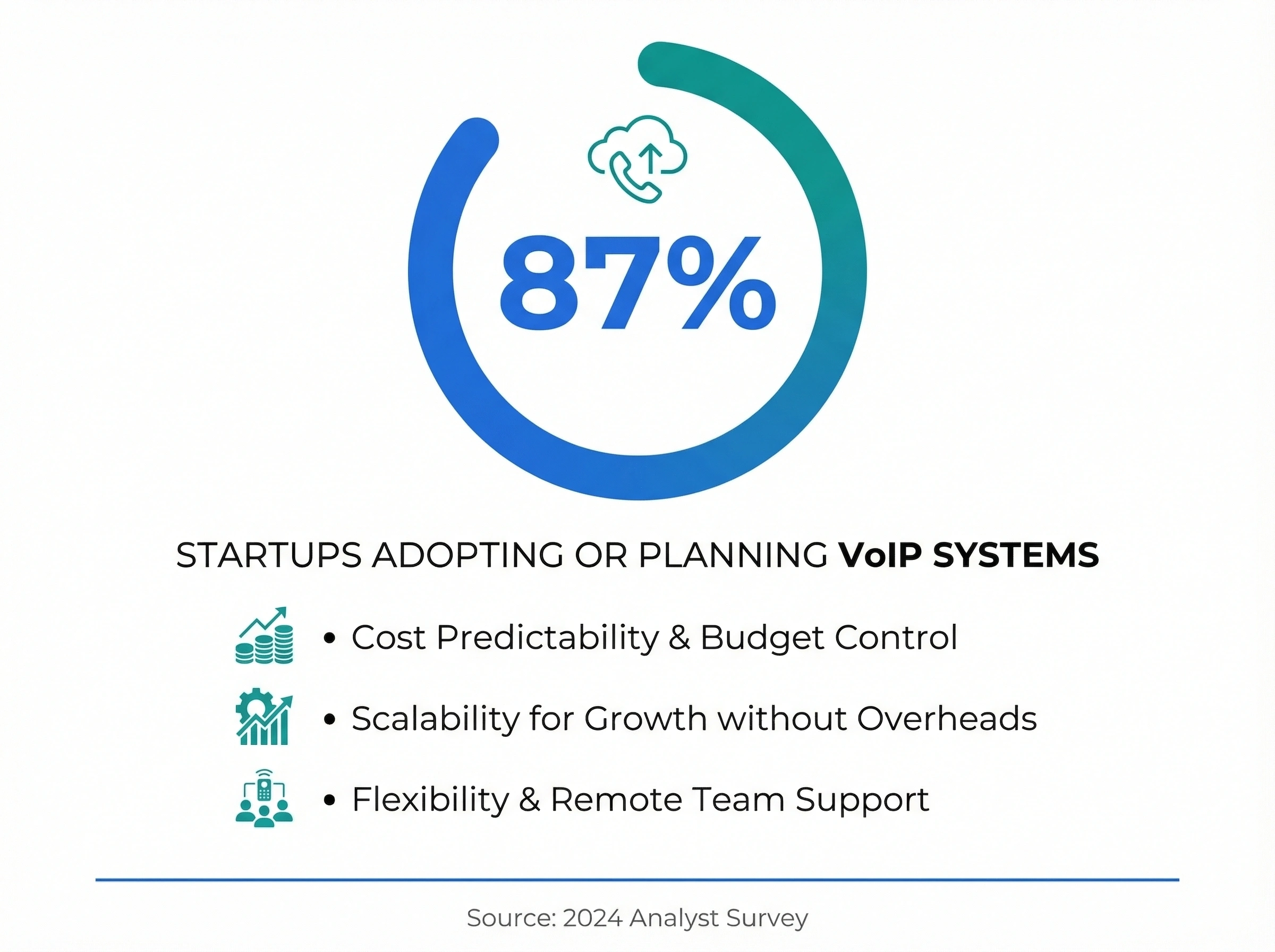
Growing startups and SMBs. If you're hiring consistently, per-seat costs become unpredictable. An unlimited model gives you room to grow without watching the phone budget. According to a 2024 analyst survey, 87% of startups are using or planning to use VoIP systems, and cost predictability is one of the top reasons why.
Businesses with seasonal staff. Retailers, landscapers, HVAC companies, and anyone who brings on temporary help during peak seasons can add those workers to the phone system without bumping up the monthly bill. We've seen home service businesses especially benefit from this flexibility.
Multi-location operations. If you've got offices, warehouses, or retail locations in different cities, unlimited seats mean every location can be on the same system. No per-site fees. No separate contracts.
Remote and hybrid teams. When your team is spread across home offices, coworking spaces, and headquarters, every person needs phone access. Per-seat pricing punishes distributed work. Unlimited seats treat every team member the same regardless of where they sit.
Franchises and multi-brand operations. If you run multiple brands or franchise locations under one umbrella, an unlimited seat system lets you keep everyone on a single platform. Each location gets its own phone numbers and routing rules, but you manage it all from one dashboard. No juggling separate accounts or providers.
Why pay more just because your business is growing? That's the question more companies are asking, and it's driving a real shift in how phone systems get priced.
For businesses already on VoIP but paying per seat, switching to an unlimited model can cut costs significantly. The transition is usually straightforward since you're staying on VoIP, just changing providers. Most switches take less than a week, and you can keep all your existing phone numbers.
Check out our VoIP cost savings breakdown for the actual numbers.
Does dialnote really offer unlimited users?
dialnote is an AI business phone system with no per-user pricing. AI voice agents answer calls, capture leads, and book meetings 24/7. Plans from $19/mo. Unlimited users start on the flat $49/mo Team plan, and the Business ($99/mo) and Pro ($199/mo) plans keep the same rule: invite as many people as you want, and the price stays the price.
One honest boundary: the $19/mo Solo plan is the entry plan for a single user, so "add the whole team for free" applies from the Team plan up, not to every plan. The flat rate also covers the platform, not usage: calls to 90+ countries are billed per minute, and SMS sending starts on the Team plan. Still, run the 20-user row from the comparison table above and the gap is real: $49 flat against $600 at $30 per seat.
How to pick the right business phone system with unlimited seats
Start with what your team actually needs today, then think about where you'll be in a year.
Step 1: Count your lines, not your seats. Figure out how many simultaneous external calls your team makes at peak times. That's how many lines you need. Most businesses find that 1 line per 3 to 5 employees works well.
Step 2: List your must-have features. Don't get distracted by feature lists with 200 items. Focus on what your team uses daily: call routing, voicemail, mobile app, maybe call recording. Everything else is a bonus.
One thing worth calling out: basic AI features like call transcripts, summaries, and automated tagging should come with the base plan. If a provider charges extra for these, you'll end up paying more than the sticker price suggests. These are standard capabilities now, not premium add-ons.
Step 3: Check the real cost. Some providers advertise unlimited seats but charge per line, per minute for certain calls, or per feature. Ask for the all-in monthly price with your expected usage. No surprises.
Step 4: Test the onboarding. How fast can you add a new user? If the answer involves a support ticket and a 48-hour wait, that's a red flag. Good systems let you add someone in under five minutes.
The invite step is also where the pricing model shows its hand. On a per-seat system, every email you enter is a purchase, so trials get run with two or three test users and the real bill stays hidden until the whole team joins. In dialnote, inviting people is a one-minute Quick Start task, and from the flat $49/mo Team plan up the invites don't touch the bill, so you can test at full headcount.
- Sign up and land on the Quick Start page
- Select the Invite Team Members task under Team
- Enter each teammate's email and pick a role (Member or Workspace admin)
- Click Send Invitation for every person on the real team, not a pilot group
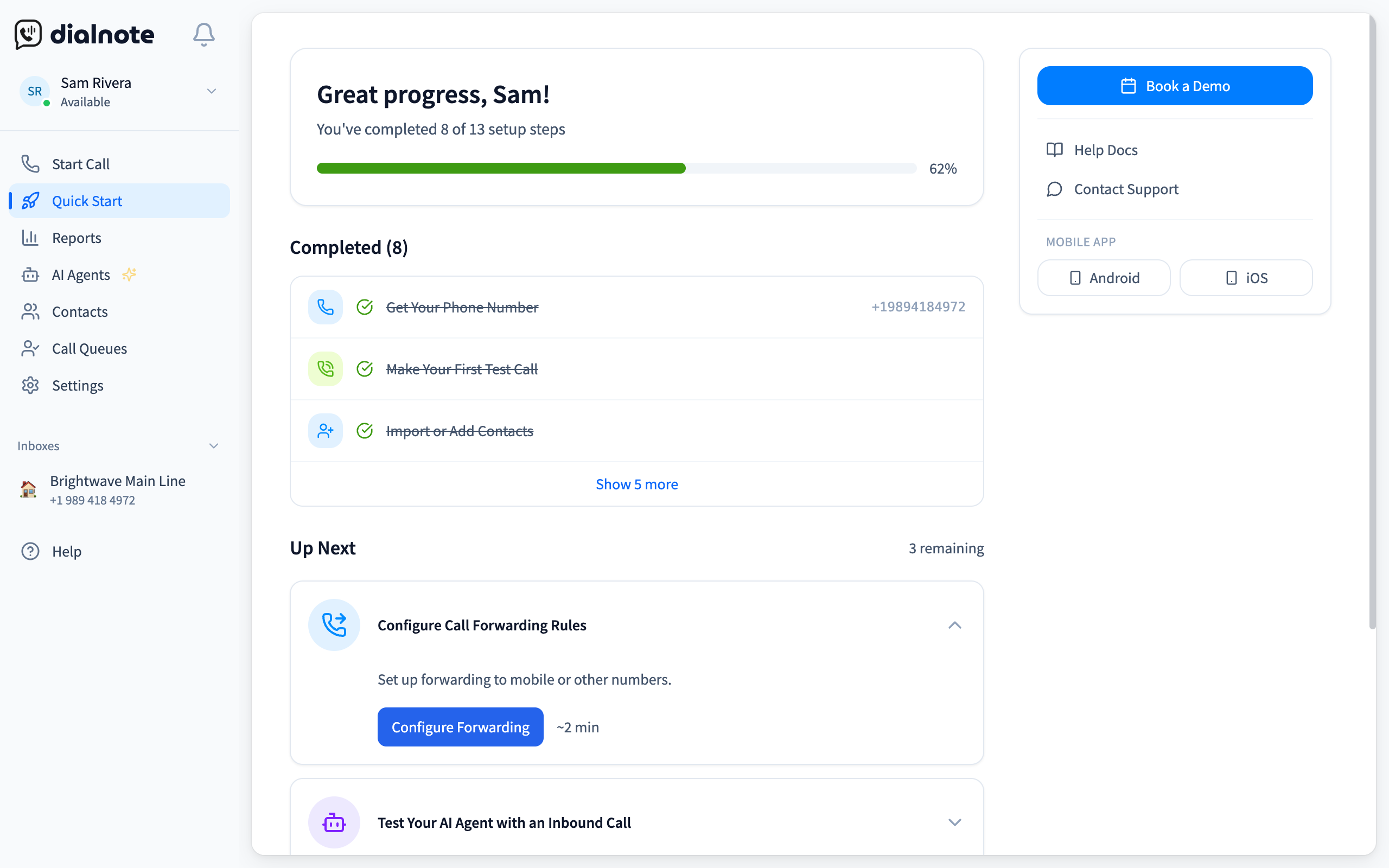
Run that same invite test on every provider you're evaluating, and watch what the quoted price does when the tenth invite goes out. The system where headcount never shows up on the invoice is the one whose pricing you can still trust a year from now.
Test onboarding at your real headcount
10-day free trial, no credit card needed.
Step 5: Ask about the contract. Month-to-month is better than annual if you're not sure. Some providers lock you in for two years. Others let you scale up or down anytime.
Step 6: Check support quality. When your phone system goes down, everything stops. Make sure your provider offers live support (not just email tickets) and that their uptime guarantee is at least 99.9%. Ask about their average response time. A cheap unlimited plan isn't worth much if you can't get help when something breaks.
If you're coming from a traditional phone system, our getting started with VoIP guide walks through the transition step by step. And if you're weighing cloud vs. on-premise, that's a whole separate decision we cover in our cloud vs. on-premise phone system comparison.
Common mistakes when switching to unlimited seats
Even with a better pricing model, there are some traps to watch out for.
Mistake 1: Ignoring line limits. Unlimited seats don't always mean unlimited simultaneous calls. Make sure you understand how many concurrent external calls your plan supports. If your plan includes 5 lines and 50 users, that works fine for most offices. But a call center with 50 agents all dialing at once? You'll need more lines.
Mistake 2: Forgetting about number porting. If you're switching from another provider, you want to keep your existing business numbers. Ask about the porting process upfront. Most providers handle it, but it can take one to three weeks. Plan for overlap so you don't miss calls during the transition.
Mistake 3: Not testing call quality. VoIP call quality depends on your internet connection. Before you commit, run a bandwidth test. You'll need about 100 Kbps per concurrent call. A 50 Mbps connection can handle hundreds of simultaneous calls without breaking a sweat, but if your internet is spotty or shared with heavy data usage, you might notice issues.
Mistake 4: Overlooking integrations. Your phone system should connect with your CRM, helpdesk, and other tools your team uses daily. If it doesn't, your team ends up doing double data entry, which defeats the purpose of going modern. Check that the provider offers integrations with the specific tools you rely on, not just a long list of logos on their website.
Mistake 5: Choosing based on price alone. The cheapest unlimited plan isn't always the best value. A bargain system that lacks call recording, analytics, and mobile apps will cost you more in lost productivity than a slightly pricier plan that includes everything.
Making the switch
Picking a business phone system with unlimited seats isn't complicated once you know what to look for. The market is moving toward flat-rate pricing because it makes more sense for businesses that plan to grow.
Here's the short version:
- Per-seat pricing punishes growth. Unlimited seats don't.
- Count your lines, not your people.
- Don't pay for features separately that should come standard.
- Test the system before you commit long-term.
If you're ready to stop paying a per-head tax on your phone system, dialnote includes unlimited users on Team plans and up, with an AI voice agent that answers calls built in. You can add your whole team without watching the bill climb.
Frequently asked questions
A line is a path for an external call. A seat is a user account. You don't need one line per person since most employees aren't on external calls at the same time.
Most businesses need about 1 line for every 3 to 5 employees. Count how many people make outside calls at the same time during your busiest hour.
Yes, you can port your existing business numbers to a new provider. The process takes 1 to 3 weeks, and your provider handles the paperwork.
Unlimited seats give you a flat monthly cost that doesn't go up when you hire. Per-seat pricing charges $15 to $45 for every new user, which adds up fast as your team grows.
Yes. Good unlimited seat systems include mobile and desktop apps so remote employees get the same phone experience as people in the office, using business numbers from anywhere.

Written by
Lancelot Dsouza
Chief Marketing Officer, SmartReach.io
Lancelot Dsouza is the Chief Marketing Officer at SmartReach.io, where he built the Marketing, Sales, and Customer Success verticals from the ground up. With over 25 years of experience spanning digital marketing, business development, and strategic...
Lancelot Dsouza is the Chief Marketing Officer at SmartReach.io, where he built the Marketing, Sales, and Customer Success verticals from the ground up. With over 25 years of experience spanning digital marketing, business development, and strategic...
Related Articles
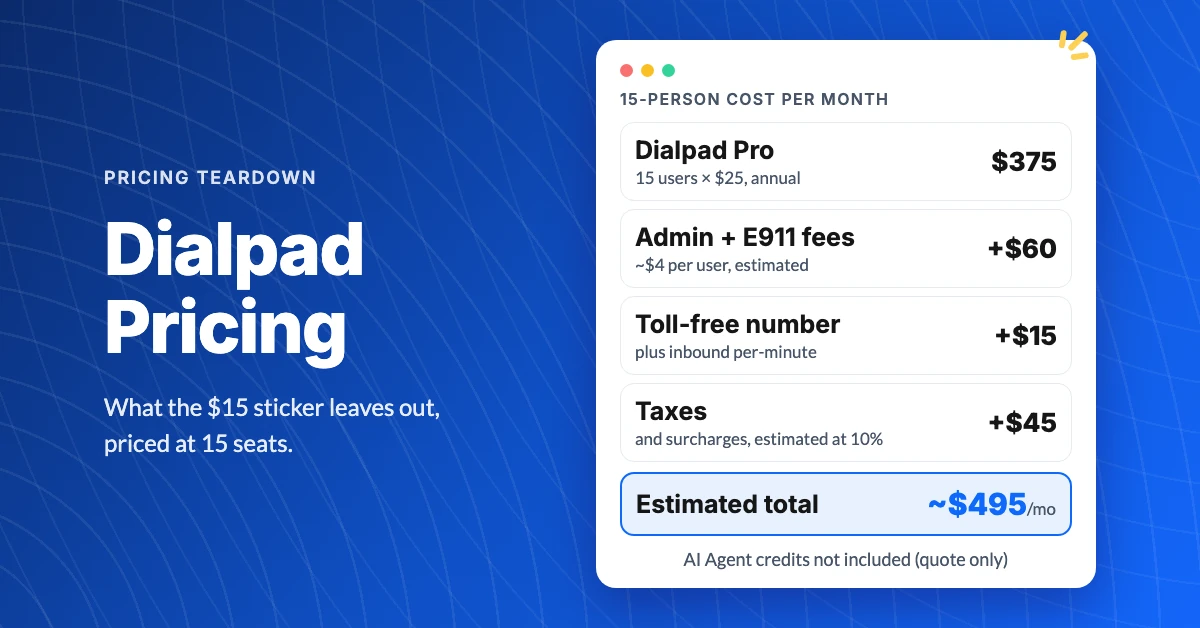
What Does Dialpad Pricing Really Cost a Small Team?
See what Dialpad pricing really costs: $15 to $35 per user, the 3-seat Pro minimum, per-text and admin fees, and real team math at 5, 15 and 30 people.
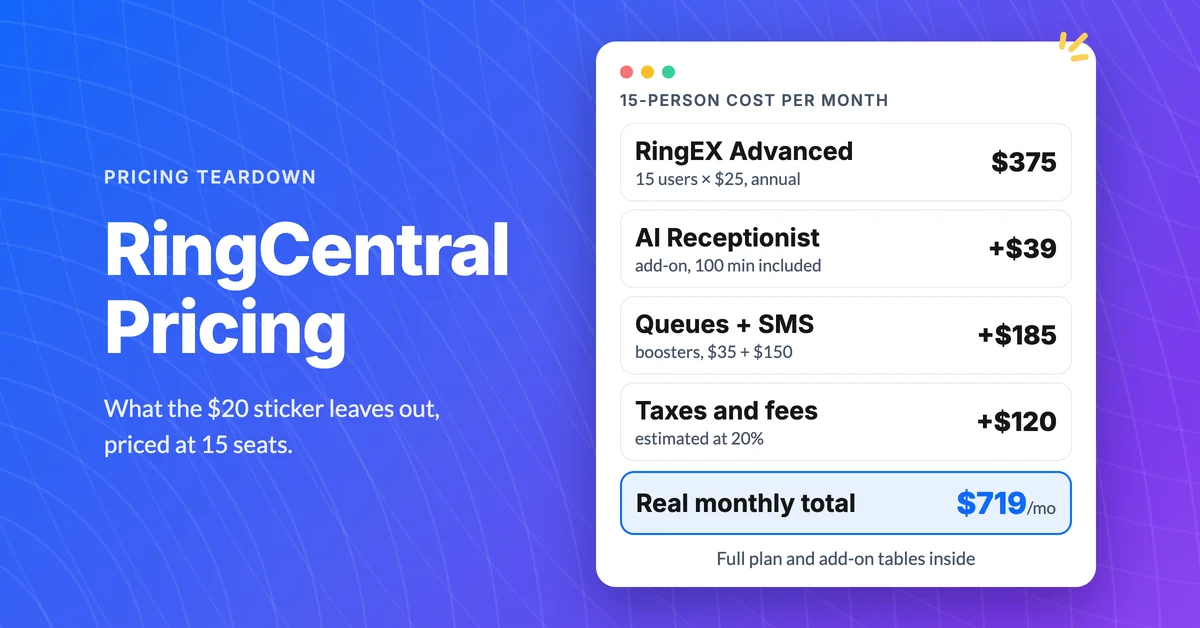
How Much Does RingCentral Really Cost per User?
RingCentral cost per user starts at $20, but add-ons, SMS caps and regulatory fees decide the real bill. See the 15-person math and the flat-rate comparison.
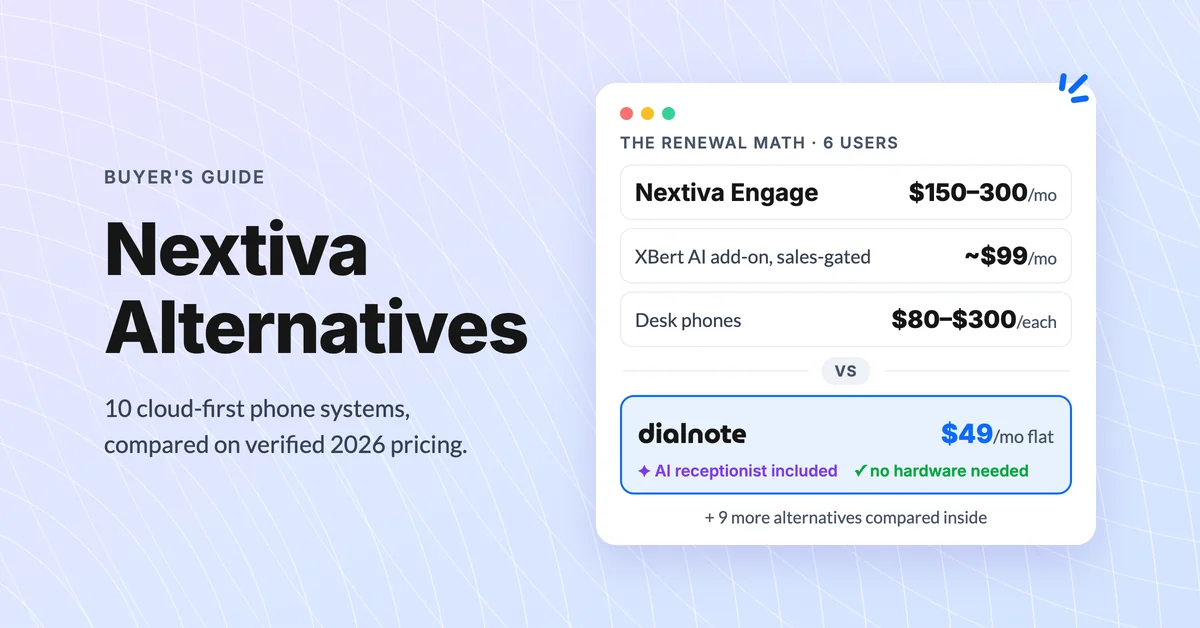
10 Best Nextiva Alternatives for 2026 (Cloud-First)
Compare the 10 best Nextiva alternatives with verified August 2026 pricing, AI answering costs, and desk phone support before you renew.
