Dialpad vs Aircall: Which Phone System Wins?
Ben had been running sales ops for a mid-sized B2B software company for three years. When the team grew past 15 people, the phone system question came back up. Everyone had an opinion. His reps wanted AI transcription so they'd stop taking notes mid-call.
His CFO wanted a clear number that wouldn't change every time someone joined the team. After narrowing the list to Dialpad vs Aircall, Ben spent two weeks in evaluation mode, only to realize neither platform quite solved both problems at once.
Choosing a business phone system involves more than checking a feature list. AI pricing, per-seat costs, international coverage, and fair use limits all shape what you'll actually pay and what your team will actually use. The Dialpad vs Aircall decision comes up constantly in SMB and mid-market VoIP evaluations, and it's a genuinely close call in some areas.
This guide breaks down both platforms honestly across features, AI, pricing, and user feedback. We'll also bring in a third platform, dialnote, which was purpose-built to address the gaps that show up in most per-seat VoIP tools. If you're doing a full evaluation, it deserves a spot in your comparison.
TL;DR:
- In the Dialpad vs Aircall matchup, Dialpad starts at $15/user/month with AI transcription and call summaries on every plan, while Aircall starts at $30/user/month and charges $9/user/month extra for AI.
- Aircall wins on native CRM integrations (100+ connectors like Salesforce, HubSpot, and Intercom); Dialpad wins on built-in AI at a lower per-seat price.
- Both use per-seat pricing, so your phone bill climbs with every new hire, and fair use limits cap "unlimited" calling on both.
- dialnote is the third option to shortlist: unlimited-users plans from $49/month with AI transcription, summaries, an AI receptionist, AI SMS agents, and call evaluations built in, plus calling to 90+ countries.
Dialpad vs Aircall: a quick overview
Dialpad launched in 2011 and became known as one of the first business phone platforms to make AI a core product feature rather than an add-on. Real-time transcription and call summaries ship on every plan, which is a meaningful differentiator for SMBs that want AI without enterprise pricing. Dialpad targets teams across sales, support, and general business communication.
Aircall, founded in 2014, took a different path. It focused on becoming the go-to phone platform for customer-facing teams with deep CRM integrations. If your team runs on Salesforce, HubSpot, or Intercom, Aircall built its integration story around those workflows. It's strong for support and inside sales teams where call logging and CRM sync matter more than real-time AI assistance.
Both platforms have built genuine reputations. The challenge isn't whether they work. It's which one fits your team's growth trajectory and how much flexibility you need as your cost structure changes.
How do the features compare?
Here's a comprehensive look at both platforms across the features that matter most for growing teams. We've included dialnote as a third reference point since it often comes up when teams find gaps in both Dialpad and Aircall.
| Feature | Dialpad | Aircall | dialnote |
|---|---|---|---|
| Starting price | $15/user/month | $30/user/month | $49/month (unlimited users) |
| Pricing model | Per seat | Per seat | Unlimited users or per seat |
| Unlimited users option | No | No | Yes (from $49/month) |
| AI transcription | Included (all plans) | Add-on ($9/user/month) | Included |
| AI call summaries | Included (all plans) | Add-on | Included |
| AI receptionist | No | No | Included |
| AI SMS agent | No | No | Included |
| AI call evaluation | No | No | Included |
| Auto CRM updates | Via integrations | Yes (100+ native) | Included |
| Bulk SMS | No | No | Coming soon |
| Call queueing | Pro+ plans | Yes | Included |
| IVR | Yes | Yes | Yes |
| SMS limits | Fair use | 13,000 segments/user/month | Fair use |
| Integrations | 70+ | 100+ | Native CRM + Zapier (5,000+ apps) |
| Video conferencing | Built-in | No | No (calls only) |
| International numbers | 70+ countries | 100+ countries | US, CA, UK, India, France |
| Calling limits | Fair use applies | Fair use applies | In-region pool + wallet |
A few things jump out from that table. Dialpad leads on AI at the base level. Aircall leads on native CRM integrations. dialnote leads on pricing model and AI depth combined.
But the table doesn't capture how quickly costs shift once you start adding the features your team actually needs.
How do AI capabilities in Dialpad vs Aircall compare?
AI is the most meaningful differentiator in business phone systems right now, and it's where the Dialpad vs Aircall gap is most visible.
Dialpad AI: Dialpad's AI transcription has been part of the core product since early on. Real-time transcription and post-call summaries come with the $15/month Standard plan. No upgrade required. Users consistently rank this as Dialpad's strongest feature, though the AI can struggle with heavy accents and industry-specific terminology in less-than-ideal audio conditions. For most business calls, it works well.
One thing worth flagging: Dialpad's AI works in real-time during calls, which means reps can read a live transcript as the conversation happens. This is genuinely useful for sales coaching and compliance, especially when managers review call recordings later. But the AI doesn't take action on what it hears. It records and summarizes. It won't update your CRM or route an inbound caller automatically. For teams that need AI to do more than observe, that matters.
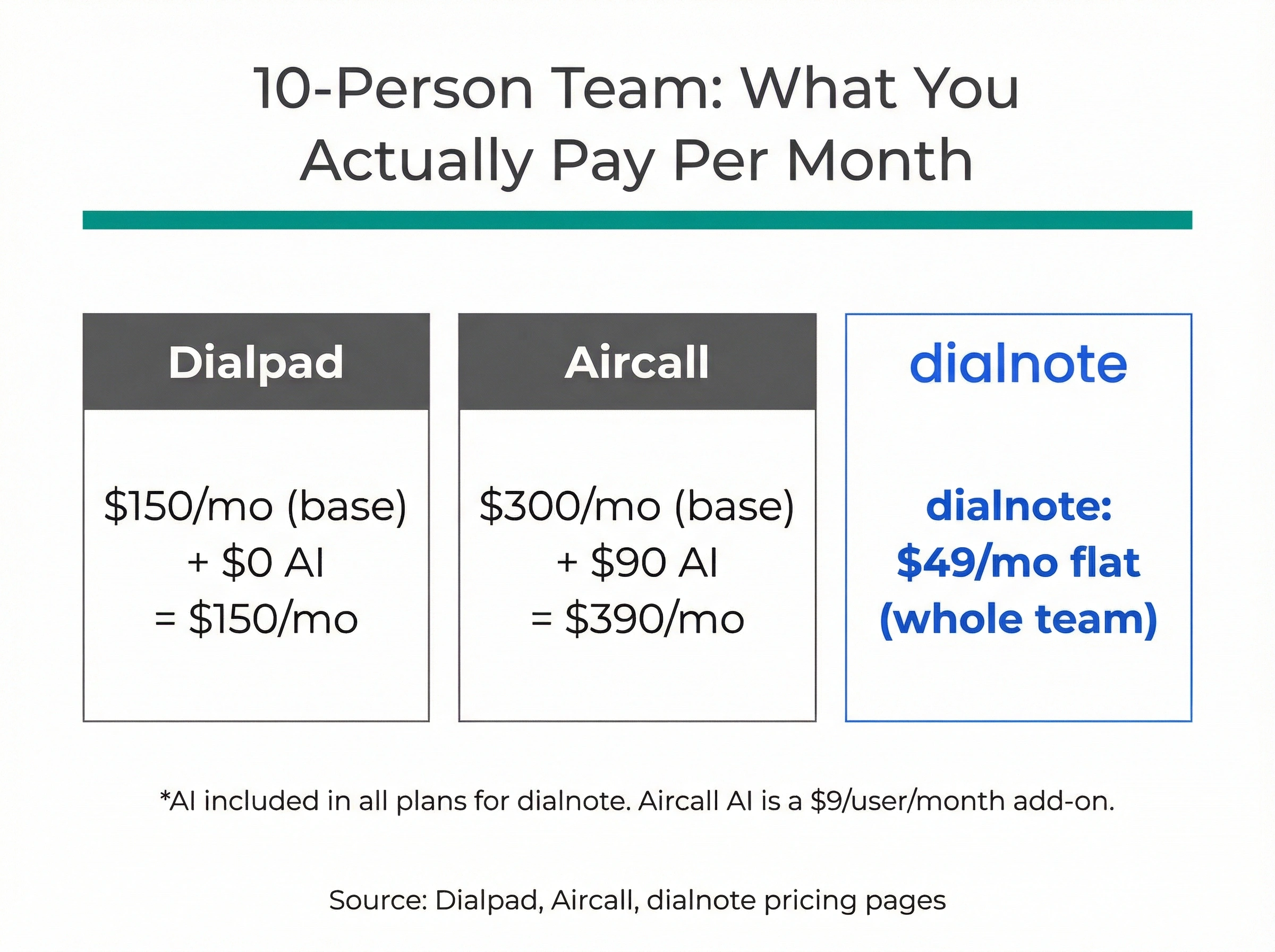
Aircall AI: Aircall treats AI as a paid add-on. Transcription and call summaries cost $9/user/month on top of your base plan. Does paying extra for AI make sense when your reps need it on every call? For a 10-person team on Aircall Essentials ($30/user/month), adding AI brings the real cost to $39/user/month. At Aircall Professional ($50/user/month) plus AI, you're at $59/user/month. For a 15-person team, that's $885/month before taxes.
Aircall's AI focus is post-call, not real-time. That's a meaningful architectural difference. It's designed for managers reviewing recordings and coaching agents after the fact. If your team needs real-time guidance during calls, or wants AI to handle the first 30 seconds of an inbound call before a rep picks up, Aircall's AI model doesn't cover that.
Neither platform includes features that are increasingly table stakes for high-volume teams: an AI receptionist that handles inbound calls autonomously, AI SMS agents for inbound text handling, or automatic CRM updates triggered by call content.
Think about what auto CRM updates actually mean in practice. After every call, your reps currently open their CRM, write notes, log the disposition, and set a follow-up task. For a rep making 40 calls a day, that's easily 45 minutes of admin work.
AI that triggers those updates automatically from call content gives that time back to selling. Neither Dialpad nor Aircall includes this out of the box.
That's where dialnote takes a different position. It includes AI transcription, call summaries, call evaluations, an AI receptionist, and AI SMS agents across its plans.
The AI receptionist alone is worth understanding. It answers inbound calls, routes callers based on context, and captures lead information without a human on the line. You can test it live on the dialnote website before committing to anything, which is genuinely unusual in this category.
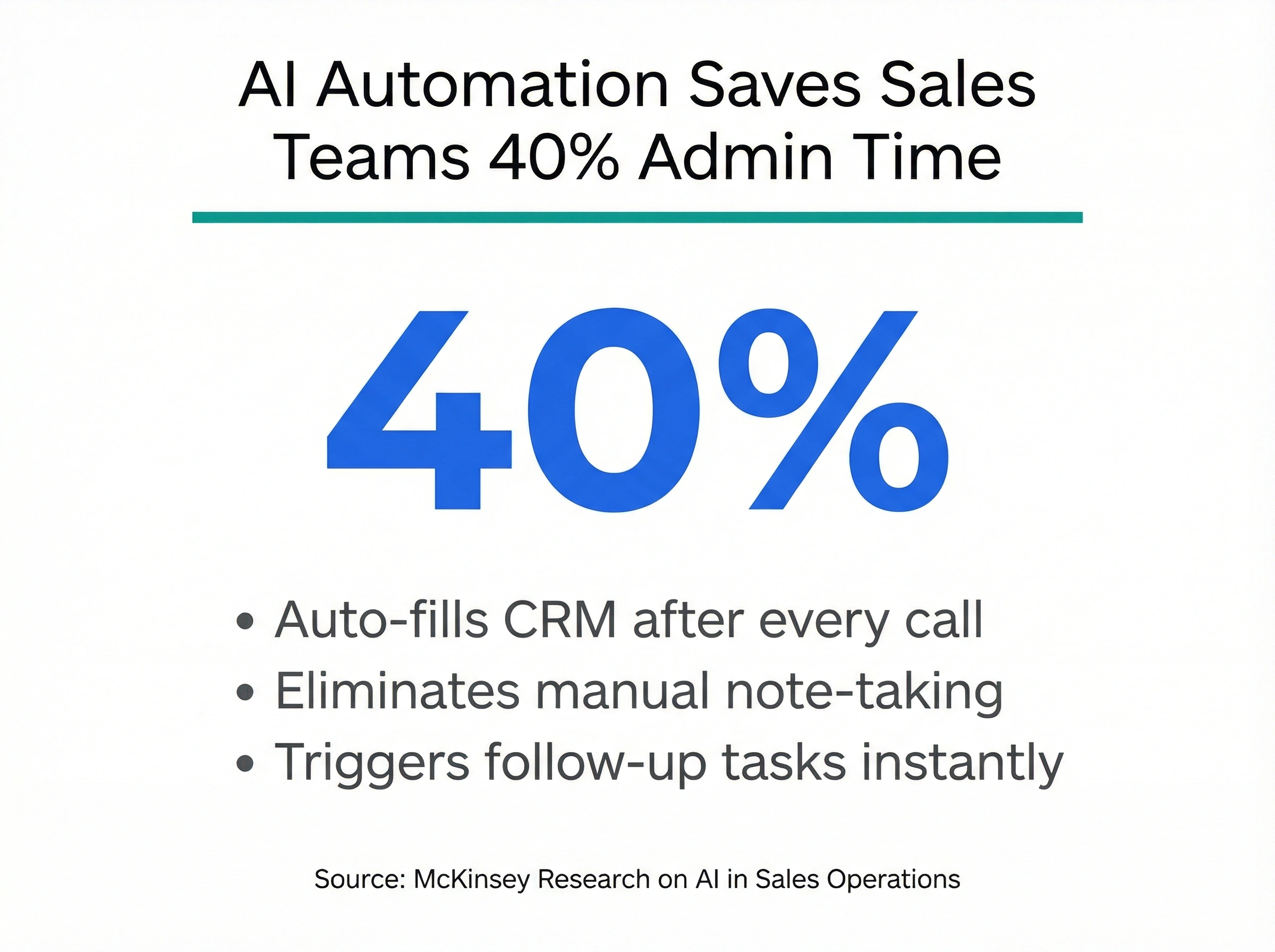
According to research from McKinsey on AI in sales operations, teams that automate post-call workflows cut administrative time by up to 40%. Most per-seat VoIP platforms charge $1/minute or more in AI usage fees for this kind of automation, or lock it behind enterprise tiers. dialnote builds it into the platform pricing.
What does Dialpad vs Aircall actually cost?
Most comparison articles stop at listing starting prices. That's not useful when the real cost depends on team size and which features you actually need.
Dialpad pricing:
- Standard: $15/user/month (annual billing)
- Pro: $25/user/month (annual billing)
- Enterprise: Custom (100-seat minimum)
At 10 users on Standard, that's $150/month. Reasonable as a starting point. But several Capterra reviewers flagged pricing inconsistencies between initial quotes and contract figures, with some reporting prices effectively doubling by the time they reached checkout. That's worth validating carefully if you're in procurement.
For a 20-person team, Dialpad Pro (with call queues and deeper analytics) runs $500/month at $25/user. That's the tier most growing SMBs end up on once they need call routing and better reporting. Not unreasonable for the feature set, but it does change the total cost calculation.
Aircall pricing:
- Essentials: $30/user/month (annual billing)
- Professional: $50/user/month (annual billing)
- Custom: Quote-based (25+ seats)
Aircall requires a minimum of three seats. Add the AI add-on ($9/user/month) and you're at $39 or $59/user/month depending on tier. Analytics add-ons run another $15/user/month.
A 10-person team wanting AI and analytics on Professional pays $74/user/month, or $740/month. Per G2 reviews, several growing teams were surprised when they ran these numbers for the first time.
dialnote pricing:
- Unlimited Users plans start at $49/month (for the whole team, not per person)
- Per-seat plans exist for teams where individual billing below $49/month makes sense
This changes the math significantly for growing teams. A 15-person team on dialnote's Unlimited plan often costs less than a 5-person team on Aircall Professional with AI added. For teams expecting headcount growth, that predictability matters a lot. See dialnote's full pricing here.
One calling cost detail that often gets overlooked: Dialpad and Aircall both advertise "unlimited calling" but their fair use policies cap what you can actually dial before overages kick in. Heavy outbound teams regularly hit these limits without any clear warning. Budgeting for overages becomes a guessing game.
dialnote's calling policy works differently for region-focused teams. Take a number in your region and call within that same region, and those minutes come from your plan's included pool under fair use. There's no ambiguity about when you cross a threshold: you know your pool size up front, and anything beyond it draws from your wallet at published per-country rates. Teams doing high-volume outbound to a specific country, whether that's sales calls into the US, UK, or Australia, get a much cleaner cost model. It's one less variable to manage when forecasting monthly spend.
What are users actually saying?
We looked at G2, Capterra, and Trustpilot reviews to understand how both platforms perform in practice, not just on the feature page.
Dialpad user patterns: Users consistently praise the AI transcription as the platform's strongest selling point. Multiple reviewers describe it as "the main reason we stay." Common complaints cluster around a few areas: support response times (multiple users report waiting over an hour for help), an analytics dashboard that feels overwhelming for smaller teams, and SMS described as unreliable by a notable share of reviewers. Some users also flagged quote inconsistencies when renewing contracts, with prices coming in higher than originally discussed.
One pattern that comes up specifically in SMB reviews: teams that start on Standard and want to add heavier automation find themselves pushed toward Pro or Enterprise pricing faster than expected. The base plan is good for simple voice workflows, but the moment you need call routing queues or deeper reporting, the cost jumps noticeably.
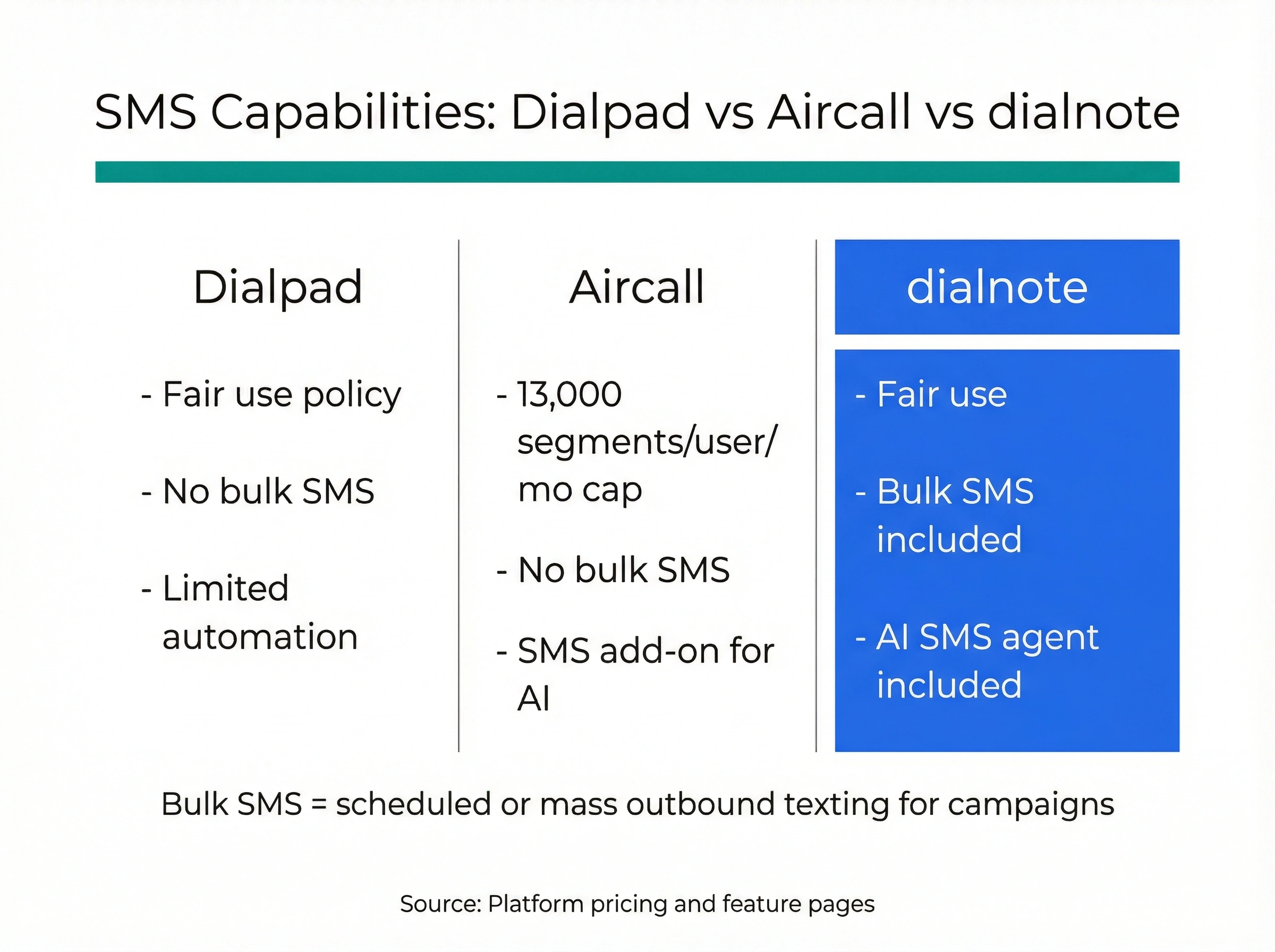
Aircall user patterns: Aircall gets strong marks for call quality when internet connections are stable, and for CRM integrations that actually work as advertised. But the most consistent complaints are about cost at scale, slow or unhelpful support (flagged in around 38% of critical reviews according to Capterra analysis), and audio quality that degrades on weaker internet connections, described by some users as "robotic." The SMS limit of 13,000 segments per user per month caught several teams off guard when running outbound SMS campaigns alongside calling.
Some teams building multi-channel outreach sequences, mixing calls and texts, found Aircall's SMS cap hit faster than expected. A team sending 500 follow-up SMS per rep per month across 10 reps is at 5,000 segments monthly, well within the limit, but heavier texting workflows can close that gap quickly.
We're not 100% certain how often average SMBs hit Aircall's SMS cap, but teams running appointment reminders, follow-up sequences, or outbound SMS campaigns alongside calling should factor that limit into their evaluation before they're surprised mid-campaign.
Where do both platforms fall short?
After looking at both tools honestly, the gaps become clear.
Dialpad's gaps: No AI receptionist. No AI SMS automation. No bulk SMS. Limited international coverage compared to what newer entrants offer. The platform works well for teams that primarily need AI transcription and calling, but it doesn't extend into inbound AI handling or SMS workflows. Support responsiveness is a recurring frustration for smaller accounts.
The international numbers gap is worth calling out specifically. Dialpad lists 70+ countries for phone numbers, but availability varies widely depending on the country type (local vs. national) and your plan tier. Teams with international customers in markets outside North America and Western Europe should verify availability before committing.
Aircall's gaps: AI is still an add-on, not a core feature, which means every new hire increases your AI spend. The three-seat minimum creates friction for lean or early-stage teams. Pricing at scale gets expensive fast once analytics and AI are layered on. Video conferencing isn't built in at all, which means adding Zoom or another tool separately. And SMS limits cap what's possible for outbound or two-way messaging campaigns.
There's also the question of inbound call handling. Neither Dialpad nor Aircall gives you a way to let AI handle a call before a human picks up, beyond basic IVR menus. If you receive 100+ inbound calls per day, you're either staffing for every call or missing some. That's a structural gap that AI receptionists are purpose-built to address.
Both platforms share a structural limitation: per-seat pricing means your phone costs grow linearly with headcount. For teams that are scaling, this is a planning problem. Honestly, most growing sales and support teams will hit at least one of these gaps within 12 months of adoption.
Why dialnote stands out in this comparison
dialnote is part of the SmartReach.io group, which has spent years building B2B SaaS tools used by thousands of companies in sales automation, competing with Outreach, Salesloft, Lemlist, and Pardot. That engineering background shows in how the product is built. It's not a legacy phone platform retrofitting AI features.
A few things genuinely separate dialnote from both Dialpad and Aircall:
AI that's built in, not bolted on. Transcription, summaries, call evaluations, an AI receptionist, and AI SMS agents all ship with the platform. There are no $9/user/month add-ons for features your team needs every day. You can test the AI receptionist directly on dialnote's website before you ever speak to sales.
Unlimited users pricing. Starting at $49/month, your entire team uses the platform. It's not a per-seat structure. If you grow from 8 to 25 people, your phone costs don't multiply automatically. That's the kind of cost predictability most CFOs actually want.
Calling to 90+ countries. dialnote's shared wallet covers international calling to 90+ countries at published per-country rates, with local numbers available in the US, Canada, UK, India, and France (more opened on request). If you need local numbers in many more markets, Dialpad's 70+ and Aircall's 100+ number coverage are stronger; if you mostly call out from a North American base, dialnote's flat plans plus wallet stay cheaper.
No video bloat. dialnote focuses on calls rather than bundling video, so teams keep running demos and meetings on the Zoom or Meet account they already have.
Generous in-region calling pool. When you take a number in your region and call within that region, those minutes come from your plan's included pool under dialnote's fair use policy. This gives region-focused teams a cleaner cost model for high-volume outbound.
From a business strategy perspective, dialnote's strongest argument isn't any single feature. It's the combination of AI-first design and pricing that doesn't punish team growth. Those two things rarely come together in the same product. For teams evaluating Aircall alternatives or Dialpad alternatives in the same search, dialnote belongs in that shortlist.
Who specifically benefits most from dialnote:
Sales teams doing outbound calling and inbound lead capture get the clearest value. The AI receptionist handles first-touch inbound calls, the AI SMS agent follows up via text, and every call gets transcribed and summarized automatically. Reps start calls already knowing what the AI captured on inbound, and they finish calls without admin work.
Customer success teams dealing with high inbound volume also benefit directly. An AI receptionist that can answer common questions, qualify call intent, and route to the right agent reduces the manual triage that support leads spend hours on each week.
And for operations leaders who've watched phone costs compound as headcount grew, the unlimited users pricing is the most immediately compelling argument. You can add three people to the team next month and your phone bill stays the same.
For teams that want to validate before committing, that live AI receptionist demo on the dialnote website is worth testing. It's one of the more honest "show, don't tell" moves in a category where most platforms rely on sales demos and slide decks to explain what their AI can do.
Which platform is right for your team?
Here's how to think about the final decision:
Choose Dialpad if:
- You need a simple cloud phone system with AI transcription included at a low per-seat price
- Your team is small and stable, and per-seat costs won't compound much
- AI call summaries and transcription are your primary AI needs
Choose Aircall if:
- Your team runs a high-volume call center with deep CRM integration requirements
- You're already on a stack where Aircall's 100+ native connectors matter (Salesforce, Intercom, etc.)
- Unified agent workflows and enterprise support are higher priorities than per-seat cost
Choose dialnote if:
- You want AI automation included across the board: transcription, summaries, receptionist, SMS agents, call evaluations
- You want pricing that doesn't scale per seat as your team grows
- You need global phone numbers across 200+ countries
- You're building inbound or outbound workflows where AI handles first-touch calls
- Zoom is central to your team's call workflow
Ben's evaluation ended with a different conclusion than he expected. After running the numbers for a 15-person team with AI features included, the unlimited users model made more financial sense than either per-seat option. His CFO finally had a stable number. His reps got transcription without the add-on fee.
The best phone system isn't the cheapest one or the one with the longest feature list. It's the one your team will actually use, that won't surprise you with the bill six months from now, and that gives you AI that works without a consultant to set it up. Getting that combination right at the start saves a painful migration later.
If you're in a similar spot, see dialnote's pricing and compare it to what your team would actually pay on Dialpad or Aircall once AI and growth are factored in. You can also test the AI receptionist live before talking to anyone.
And if you're already evaluating other platforms in this space, our Dialpad alternatives guide covers the full field, and our OpenPhone vs Aircall comparison gives useful context on where Aircall fits in the broader market.
Frequently asked questions
Dialpad includes AI transcription and call summaries on every plan and costs less per seat ($15 vs $30). Aircall has stronger native CRM integrations but charges extra for AI. For AI-first teams, Dialpad generally offers better value.
Yes. Dialpad includes real-time AI transcription and call summaries on its Standard plan ($15/user/month). It's one of the more accessible AI-native phone platforms for small and mid-sized teams.
dialnote is worth a close look. It bundles AI transcription, AI summaries, an AI receptionist, AI SMS agents, and call evaluations into its platform with unlimited users pricing starting at $49/month.
dialnote is a strong alternative for teams that want built-in AI and predictable pricing. It offers unlimited users plans from $49/month, AI tools across the board, and calling to 90+ countries from one shared wallet.

Written by
Prateek Bhatt
Co-Founder, SmartReach.io
Prateek Bhatt is a product leader, programmer, and serial entrepreneur with over 12 years of experience building SaaS and AI-powered tools for sales and customer service teams. As Co-Founder of SmartReach.io - a multichannel outreach platform used by...
Prateek Bhatt is a product leader, programmer, and serial entrepreneur with over 12 years of experience building SaaS and AI-powered tools for sales and customer service teams. As Co-Founder of SmartReach.io - a multichannel outreach platform used by...
Related Articles
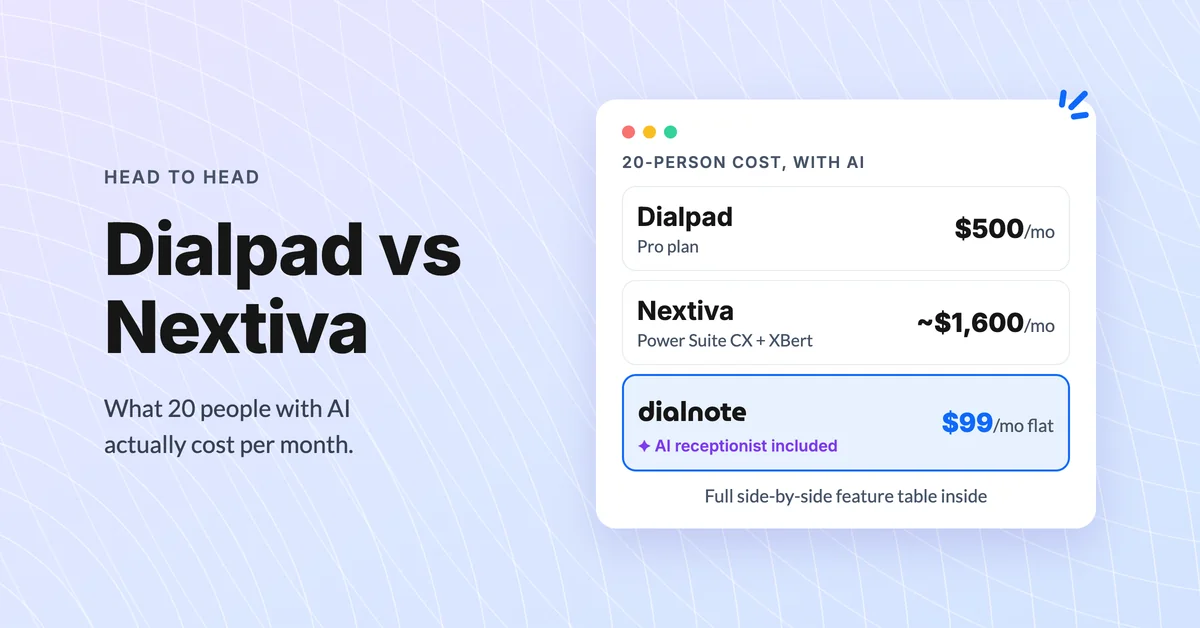
Dialpad vs Nextiva: Which Phone System Wins?
Compare Dialpad vs Nextiva on pricing, AI features, and real-world limits. Discover which business phone system fits your team best in 2026.
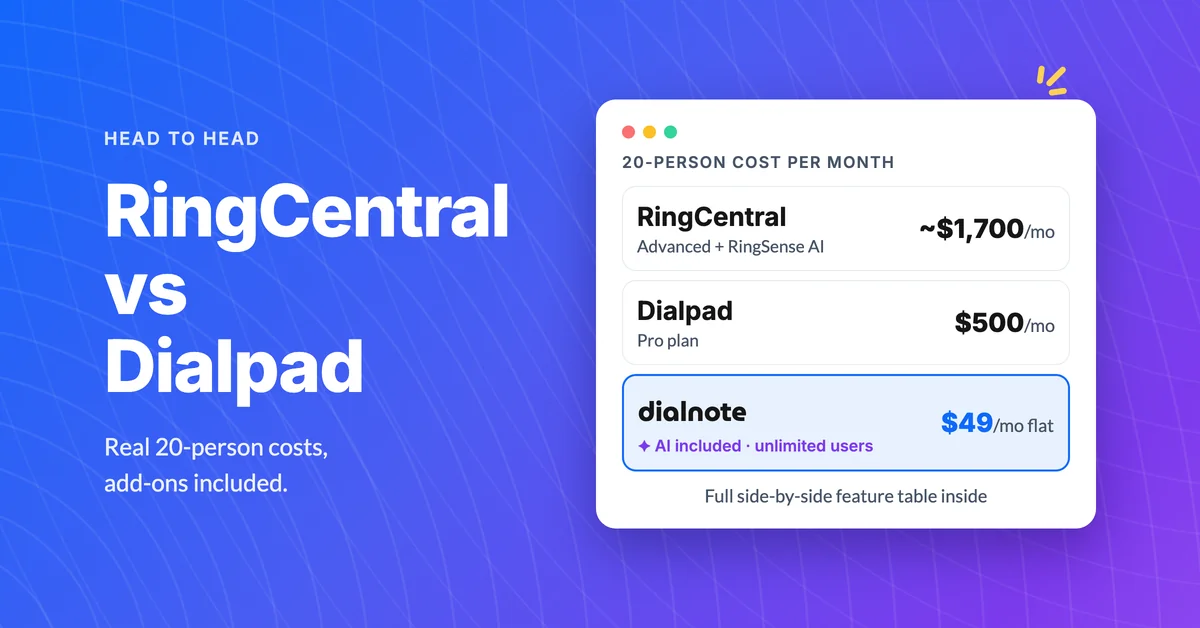
RingCentral vs Dialpad: Best Business Phone?
Compare RingCentral vs Dialpad on pricing, AI features, and real-world limits. Find out which business phone system fits your team.
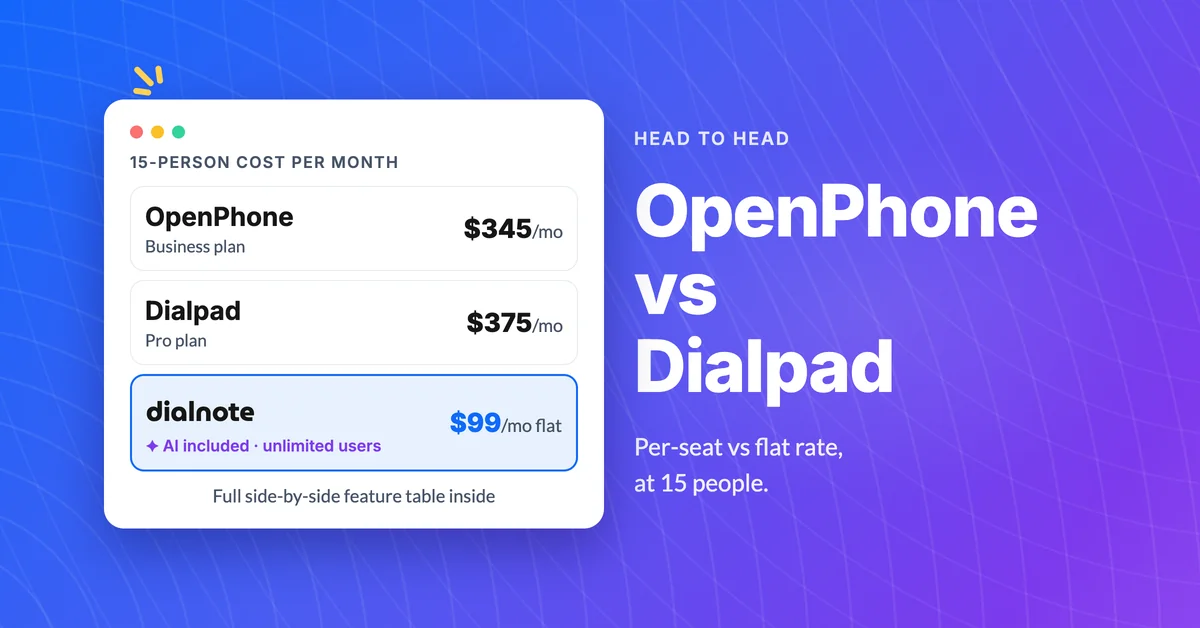
OpenPhone vs Dialpad: Pricing & Features
Compare OpenPhone and Dialpad on pricing, features, and AI tools, then see why dialnote might be the smarter pick for growing teams.
