Best Dialpad Alternatives with AI Voice Agents
Dialpad built a solid reputation as the AI-first phone system. Real-time transcription, live coaching, and post-call summaries set it apart from the pack when those features were still rare. But in 2026, almost every phone system has AI. Dialpad's edge has shrunk, and the pain points have gotten harder to ignore.
If you're searching for a Dialpad alternative, you're probably dealing with one of these: per-user pricing that keeps climbing, AI transcription that stumbles on accents and noisy rooms, CRM integrations locked behind expensive plans, or billing surprises that show up without warning.
We've talked to dozens of teams who've made the switch. The reasons are consistent. The question isn't whether to look for an alternative. It's which one fits your specific situation.
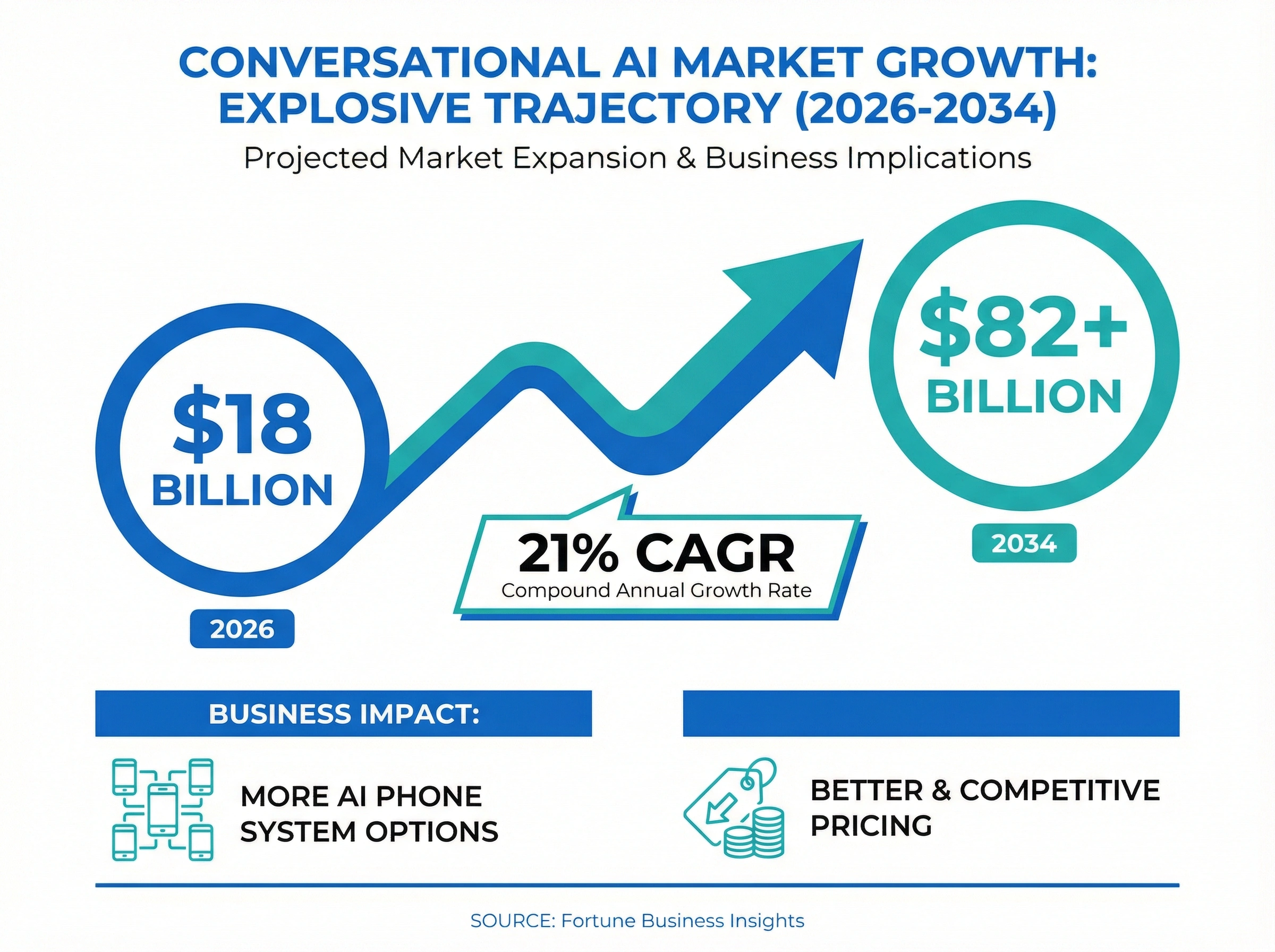
According to Fortune Business Insights, the global conversational AI market is projected to grow from $18 billion in 2026 to over $82 billion by 2034. That kind of growth means more options, better AI, and more competitive pricing for businesses like yours.
TL;DR:
- The best Dialpad alternative depends on your pain point: dialnote for flat-rate pricing with AI included, RingCentral for deep integrations, Nextiva for 24/7 support, and CloudTalk or 8x8 for international teams.
- Teams usually leave Dialpad over per-user pricing that climbs as you hire, AI transcription that slips on accents and noise, CRM integrations locked to higher tiers, and surprise billing charges.
- dialnote uses flat-rate pricing starting at $49/month with unlimited seats, and it includes AI call summaries, transcription, automated tagging, and an AI receptionist on every plan with no add-ons.
- You can keep your existing number when you switch: porting takes 1 to 3 weeks, and you should keep Dialpad active until the port completes to avoid downtime.
Quick comparison: top 10 Dialpad alternatives
Before we go deep on each option, here's a side-by-side snapshot so you know what's coming.
| Alternative | Starting price | Pricing model | AI voice agent | AI transcription | CRM integrations | Best for |
|---|---|---|---|---|---|---|
| dialnote | $49/mo | Flat rate | Yes (built in) | All plans | All plans | Growing teams wanting flat-rate AI |
| RingCentral | $20/user/mo | Per user | Add-on (AIR) | All plans | 300+ integrations | Large teams needing integrations |
| Nextiva | $20/user/mo | Per user | Higher tiers | Higher tiers | All plans | Unified comms with 24/7 support |
| Aircall | $30/user/mo | Per user | Add-on ($9/user) | Add-on | Deep CRM focus | Sales teams in HubSpot/Salesforce |
| CloudTalk | $25/user/mo | Per user | Higher tiers | All plans | 35+ integrations | International calling (160+ countries) |
| 8x8 | $24/user/mo | Per user | Higher tiers | Higher tiers | Good range | International teams (48 countries) |
| Vonage | $13.99/user/mo | Per user | API-based | Limited | API-based | Developers building custom workflows |
| Zoom Phone | $10/user/mo | Per user | No | All plans | Zoom ecosystem | Budget teams already on Zoom |
| JustCall | $19/user/mo | Per user | Add-on | All plans | 100+ integrations | High-volume outbound sales |
| Talkdesk | Custom | Per user | Yes (built in) | All plans | 70+ integrations | Enterprise contact centers |
Now let's break down what each one actually delivers, what real users say, and where each falls short.
Why are teams leaving Dialpad?
Teams leave Dialpad mainly over cost and consistency. Per-user pricing climbs with every hire, CRM integrations sit behind the Pro plan, AI transcription slips on accents and background noise, and billing surprises show up on Reddit and G2. For growing teams, those four issues stack up fast.
Dialpad isn't a bad product. It pioneered AI in business phones, and the real-time transcription still impresses people who see it for the first time. But the gap between Dialpad's promise and daily reality has pushed a lot of teams to look elsewhere.
Per-user pricing that scales the wrong way
At $15 per user per month for the Standard plan, Dialpad seems affordable. But that's the base tier. Want CRM integrations with Salesforce or HubSpot? That's the Pro plan at $25/user/mo. Need 24/7 support? Enterprise plan. A team of 15 on the Pro plan is paying $375/month. Add a few more people and you're approaching $500 before any add-ons.
AI that works great, until it doesn't
Dialpad's transcription is accurate in ideal conditions: quiet room, native English speaker, clear audio. But throw in accents, cross-talk, or background noise and accuracy drops noticeably. G2 reviewers consistently flag this. Numbers and email addresses get mangled. Speaker labels switch during call handoffs. And long calls sometimes produce delayed or incomplete summaries, especially on mobile.
Billing surprises
This one shows up repeatedly on Reddit and G2. Users report unexpected charges for inbound calls, bills continuing after cancellation, and price increases with no advance notice. One user on G2 reported their annual costs jumping from $720 to nearly $5,000 overnight. That's not a typical experience, but the pattern of billing complaints is too consistent to dismiss.
Support gaps
Priority support is reserved for Enterprise plan customers. Standard and Pro users get email support and community forums. When your phone system is down and costing you revenue, waiting for an email reply isn't acceptable. Multiple G2 reviews cite slow or unhelpful support responses on lower tiers.
Integration limitations
The Standard plan comes with basic integrations (Google Workspace, Microsoft 365) but locks Salesforce, HubSpot, and other CRM integrations behind the Pro plan. For sales teams, that's the whole point of having a modern phone system. Paying extra for what should be a core feature feels like a bait and switch.
10 best Dialpad alternatives with AI voice agents
1. dialnote: best overall Dialpad alternative
dialnote takes a fundamentally different approach to pricing. Instead of charging per user, you pay a flat monthly rate and add as many team members as you want. That alone solves the biggest pain point Dialpad users face.
But it's not just about pricing. dialnote includes AI call summaries, real-time transcription, automated call tagging, and a full AI receptionist on every plan. No add-ons. No feature gating. No surprise upgrades.
Key features:
- Unlimited seats on a flat-rate plan
- AI receptionist that answers calls 24/7, qualifies leads, and books appointments
- Call transcription and AI summaries on every plan
- CRM integrations (HubSpot, Salesforce) included from day one
- IVR, ring groups, call forwarding, and after-hours routing
- iOS and Android mobile apps with full business phone functionality
- Call recording and voicemail transcription
Pricing: Starting at $49/month with unlimited seats.
What users say: Teams switching from Dialpad consistently highlight two things: the predictability of flat-rate billing and how much time the AI receptionist saves. On G2, users call out the AI receptionist as a standout feature that no competitor matches in terms of value.
The most frequent praise? "We stopped worrying about our phone bill every time we hired someone." Sales teams specifically appreciate that CRM integrations come standard instead of requiring an expensive upgrade.
Pros:
- Flat-rate pricing removes the per-user cost anxiety
- AI features are genuinely included, not upsold
- The AI receptionist handles after-hours and overflow calls autonomously
- CRM integrations on every plan (no Pro tier required)
- Limited AI agents included free with plans
- A generous pool of in-region calling minutes included with every plan (fair use), so if you have a France number, calls within France come out of that included pool
- Simple onboarding, most teams set up in under an hour
Cons:
- Newer platform with a smaller user review base compared to RingCentral or Nextiva
- Stronger on inbound call handling than outbound dialing
- Fewer native integrations than RingCentral (but covers the major CRMs)
- International calls (anything outside your number's region) draw from your prepaid wallet at published per-country rates
Best for: Small and mid-size teams (5-50 people) who are tired of per-user pricing and want AI features included from day one. If you're leaving Dialpad because of cost escalation or feature gating, dialnote is the most direct fix.
If you want to see how flat-rate pricing compares to per-seat models in detail, check out our guide to phone systems with unlimited seats.
2. RingCentral: best for large teams needing deep integrations
RingCentral is the 800-pound gorilla of business phones. It's a fully unified communications platform that combines voice, video, messaging, and fax in one product. With over 300 integrations and a recent AI Receptionist (AIR) add-on, it's a legitimate Dialpad alternative for bigger organizations. For a full side-by-side breakdown, see our RingCentral vs Dialpad comparison.
Key features:
- Unified communications (voice, video, messaging, fax)
- 300+ app integrations (more than any competitor)
- AI Receptionist (AIR) available as an add-on
- Real-time transcription and AI call summaries
- Advanced call center features on higher tiers
- Multi-level IVR and advanced call routing
Pricing: Starting at $20/user/month (annual billing). AI Receptionist is an additional cost with per-minute billing.
What users say: On G2 (4.5/5 across thousands of reviews), RingCentral gets consistently high marks for reliability and integration breadth. Users love that one number handles voice, fax, and text. The AI assistant produces "incredibly accurate call notes" according to multiple reviewers.
But the complaints are equally consistent: the platform is "NOT user-friendly" (direct G2 quote), the mobile app has "tremendous latency," and there's a growing frustration that RingCentral is "chasing AI at the expense of core phone features." The AI Receptionist handles basic questions well but struggles with anything complex, and some users find the usage-based billing harder to budget for at high call volumes.
If RingCentral and 8x8 are both on your shortlist, our RingCentral vs 8x8 comparison covers how they stack up on pricing, AI features, and support.
Pros:
- Most integrations of any business phone system (300+)
- Rock-solid reliability and uptime
- Full-featured unified communications platform
- AI transcription accuracy is generally excellent
- Strong admin controls for large organizations
Cons:
- Per-user pricing gets expensive fast ($20-$35/user/mo depending on tier)
- AI Receptionist (AIR) uses per-agent plus usage-based billing (standard for the industry, but costs can add up at high volumes)
- Platform complexity can overwhelm smaller teams
- Mobile app performance issues reported frequently
- AI Receptionist only supports 6 languages
Best for: Teams of 50+ who need deep integrations with enterprise tools and can justify the per-user cost. Not ideal if you're a 10-person team looking for simplicity.
3. Nextiva: best for unified communications with reliable support
Nextiva combines phone, video, chat, and SMS into one platform, and the standout feature is simple: 24/7 phone support on all plans. After dealing with Dialpad's email-only support on lower tiers, that alone might be enough to switch.
Key features:
- Unified communications (voice, video, chat, SMS)
- 24/7 phone support on all plans
- Real-time transcription and AI summaries (higher tiers)
- Conversational IVR with natural language understanding
- HIPAA compliance across all plans
- Emotion scoring and sentiment analysis
Pricing: Starting at $20/user/month (annual billing). Advanced AI features on higher tiers ($30-$60/user/mo).
What users say: Nextiva's G2 reviews (4.5/5) paint a picture of a platform that's dependable but not exciting. Users praise the support quality relentlessly. "Every time I've called, someone picks up within minutes" is a common theme.
On the negative side, Reddit users point out that the advanced AI features (conversational IVR, emotion scoring) are only available on expensive plans, and the base plan feels stripped down compared to Dialpad's Standard plan. Several reviews mention that the interface feels "corporate" and less intuitive than newer competitors.
If you're evaluating Dialpad and Nextiva head-to-head, our Dialpad vs Nextiva comparison covers how both platforms compare on AI features, pricing, and real user feedback.
Pros:
- 24/7 phone support is genuinely excellent
- 99.999% uptime guarantee (best in class)
- HIPAA compliant on all plans (great for healthcare)
- Strong analytics and call reporting
- Solid onboarding process
Cons:
- AI features are gated behind higher-tier plans
- Per-user pricing scales up quickly for growing teams
- US-only coverage (no international numbers)
- Interface feels dated compared to Dialpad or CloudTalk
- Annual contracts required for best pricing
Best for: Teams that value support reliability above everything else, especially healthcare organizations that need HIPAA compliance baked in.
4. Aircall: best for sales teams living in HubSpot or Salesforce
Aircall is built specifically for sales and support teams. Its deep CRM integrations are the main selling point. If your sales workflow lives in HubSpot or Salesforce, Aircall connects more tightly than most competitors.
Key features:
- Deep native integrations with HubSpot, Salesforce, Intercom, Zendesk
- Power dialer for outbound sales
- AI transcription, summaries, and sentiment analysis (add-on)
- Call coaching and monitoring for managers
- Local numbers in 38 countries
- Click-to-call from CRM interface
Pricing: Starting at $30/user/month. AI features are an additional $9/user/month. 3-license minimum.
What users say: Aircall scores well on G2 for ease of use and CRM integration quality. Sales teams say the HubSpot integration "just works," with calls, notes, and recordings syncing automatically. Managers like the live monitoring and whisper coaching during calls.
But the AI add-on pricing draws criticism: at $9/user/month on top of the base price, a 10-person sales team pays $390/month. Users on Reddit also flag aggressive auto-renewal practices, and multiple reviewers mention being charged after cancellation. Call quality gets mixed reviews, with some users reporting crystal-clear calls while others experience intermittent audio issues. For a full head-to-head breakdown, see our Dialpad vs Aircall comparison.
Pros:
- Top-tier HubSpot and Salesforce integrations
- Power dialer is genuinely useful for outbound sales
- Call coaching and whisper features help managers train reps in real-time
- Easy to set up and start using quickly
- Local numbers in 38 countries
Cons:
- AI features cost extra ($9/user/mo), making the total expensive
- 3-license minimum means you can't try it with just one user
- Auto-renewal and cancellation complaints are common
- Base price ($30/user/mo) is already higher than most competitors
- No AI receptionist or voice agent capability
Best for: Sales teams of 10-50 who are deeply integrated with HubSpot or Salesforce and need a power dialer. Not ideal if you need AI voice agents or want to avoid per-user pricing.
5. CloudTalk: best for international teams wanting AI voice agents
CloudTalk has been investing heavily in AI, including a multilingual AI voice agent (CeTe) that can handle inbound and outbound calls in 60+ languages. For teams with international customers, that's a significant differentiator.
Key features:
- AI voice agent (CeTe) supporting 60+ languages
- Call transcription and AI summaries
- Sentiment analysis and topic extraction
- International numbers in 160+ countries
- Power dialer and smart dialer for sales
- Workflow automation with custom triggers
Pricing: Starting at $25/user/month. AI voice agent features on higher tiers ($50+/user/mo).
What users say: CloudTalk's G2 reviews (4.3/5) highlight the international calling coverage as a major strength. Teams with clients in Europe, Asia, and Latin America appreciate having local numbers without extra fees.
The AI voice agent gets positive early feedback for handling routine inquiries in multiple languages, though some users note it's "still learning" and doesn't match a trained human for complex conversations. Common complaints: the base plan is limited, the app can lag during high-volume periods, and reporting dashboards lack depth.
Pros:
- Multilingual AI voice agent (60+ languages) is unique in the market
- International numbers in 160+ countries
- Strong calling features for sales teams (power dialer, smart dialer)
- Workflow automation reduces manual tasks
- Good API for custom integrations
Cons:
- AI voice agent is only available on expensive plans ($50+/user/mo)
- Base plan is stripped down compared to competitors
- App performance issues during peak usage
- Reporting feels basic compared to Dialpad or RingCentral
- Per-user pricing still applies
Best for: Teams with a significant international customer base who need a multilingual AI voice agent. If most of your calls are US/Canada, the premium pricing for international features may not be worth it.
6. 8x8: best for enterprises needing global compliance
8x8 combines UCaaS (unified communications) and CCaaS (contact center) in one platform. Its strength is enterprise-grade compliance and unlimited calling to up to 48 countries on higher plans.
Key features:
- Combined UCaaS and CCaaS platform
- Unlimited calling to up to 48 countries
- AI-powered transcription and analytics
- Video conferencing with up to 500 participants
- Strong compliance (HIPAA, GDPR, PCI DSS)
- Multi-level IVR and advanced routing
Pricing: Starting at around $24/user/month. Enterprise plans with full international calling are significantly more.
What users say: 8x8's TrustRadius and G2 reviews focus heavily on the international calling value. "We saved thousands per month on international calls alone" is a recurring theme. The compliance certifications (HIPAA, GDPR, PCI) make it a go-to for regulated industries.
On the flip side, users frequently describe the admin interface as "clunky" and "outdated." Getting the right plan configuration requires multiple calls with sales. The AI features exist but feel secondary, and lower-tier plans are limited enough that jumping up can double the price.
Pros:
- Unlimited international calling to 48 countries saves real money
- Enterprise-grade compliance (HIPAA, GDPR, PCI DSS)
- Combined UCaaS + CCaaS eliminates the need for separate tools
- Video conferencing supports large meetings (500 participants)
- Strong for multi-location, global businesses
Cons:
- Admin interface feels dated and clunky
- AI features aren't a primary focus
- Plan selection is confusing, with many tiers
- Per-user pricing on top of already-premium plans
- Lower tiers are significantly feature-limited
Best for: Enterprises with international teams who need regulatory compliance across multiple regions. Not the best fit for small teams or those prioritizing AI.
7. Vonage: best for developers building custom communications
Vonage stands apart because it offers both a standard business phone product and a developer-grade communications API. If your team has engineering resources and wants to build custom workflows, Vonage's API platform is hard to beat.
Key features:
- Powerful communications API platform
- Standard business phone plans
- Programmable voice, SMS, and video APIs
- Custom workflow builder
- Basic AI transcription (in development for advanced features)
- Global reach with numbers in 45+ countries
Pricing: Business phone plans starting at $13.99/user/month. API pricing is usage-based.
What users say: Vonage's G2 reviews (4.3/5) split cleanly between two user groups. Developers rate the API platform highly and praise the documentation, SDKs, and flexibility. Non-technical users are less enthusiastic: "basic," "dated interface," and "support varies by plan" are common themes.
The AI features lag behind Dialpad significantly, with transcription still feeling like an afterthought. Reddit users note that Vonage's strongest days were pre-acquisition, and the platform has been coasting on its API reputation while competitors caught up on the business phone side.
Pros:
- API platform is among the best for custom communications
- Developer documentation and SDKs are excellent
- Flexible usage-based pricing for the API
- Standard phone plans are affordable ($13.99/user/mo)
- Global reach with numbers in 45+ countries
Cons:
- Standard business phone product feels outdated
- AI features are significantly behind Dialpad and newer competitors
- Support quality varies dramatically by plan level
- Best features require developer resources to use
- No AI voice agent or receptionist capability
Best for: Companies with development teams who want to build custom communication workflows. If you don't have developers, the standard phone product isn't compelling enough to switch from Dialpad.
8. Zoom Phone: best budget option for existing Zoom users
If your company already uses Zoom Meetings, adding Zoom Phone is the path of least resistance. You get business calling within the same app, and the AI Companion provides transcriptions and summaries that are surprisingly good.
Key features:
- Deep integration with Zoom Meetings and Zoom Workspace
- AI Companion with transcription and call summaries
- Metered and unlimited calling plans
- Global coverage with local numbers in 45+ countries
- Call recording, voicemail, and auto-attendant
- Zoom Apps ecosystem for extending functionality
Pricing: Metered plan at $10/user/month. Unlimited US/Canada calling at $15/user/month.
What users say: Zoom Phone earns a 4.6/5 on G2 across 2,600+ reviews, and the PCMag Editors' Choice award for 2026. Users consistently praise the call quality and AI Companion accuracy. "It just works" is the most common sentiment.
The biggest advantage is consolidation: one app for calls, meetings, and chat. The complaints are minor but real: the metered plan can surprise users with higher-than-expected bills, some advanced features require additional licenses, and the phone interface can feel like an afterthought within the broader Zoom app. No standalone AI voice agent or receptionist feature exists.
Pros:
- Cheapest per-user option ($10/mo metered)
- AI Companion transcription is production-ready and accurate
- Consolidates calls and meetings in one app
- PCMag Editors' Choice for 2026
- Excellent call quality on Zoom's global network
Cons:
- No AI voice agent or receptionist
- Metered plan can lead to unpredictable bills
- Phone features feel secondary to meetings within the app
- Advanced features (call queues, etc.) require extra licenses
- Per-user pricing still applies
Best for: Teams already paying for Zoom Meetings who want to add phone capabilities at the lowest possible cost. Not ideal if AI voice agents are a priority.
9. JustCall: best for high-volume outbound sales
JustCall is purpose-built for sales teams making high volumes of outbound calls. It's less of a general business phone system and more of a sales dialer that integrates directly with your CRM.
Key features:
- Auto-dialer, predictive dialer, and power dialer
- AI transcription and call scoring
- 100+ CRM and helpdesk integrations
- SMS campaigns and bulk messaging
- Local numbers in 70+ countries
- Call coaching and whisper features
Pricing: Starting at $19/user/month. AI features on higher plans ($49/user/mo).
What users say: JustCall's G2 reviews (4.2/5) center on the dialer functionality. Sales teams running 50+ calls per day call it "the best dialer for the money." The CRM integrations work well, and the setup process is quick.
Complaints focus on the AI add-on pricing ($49/user/mo for the full AI suite), occasional call quality issues on international routes, and a mobile app that "needs work." JustCall isn't trying to be a unified communications platform. It's a sales tool. If you need general business phone features for your whole company, it's too narrow.
Pros:
- Excellent dialer options for high-volume calling
- Quick setup with strong CRM integrations
- SMS campaigns for sales follow-up
- Affordable base plan ($19/user/mo)
- Local numbers in 70+ countries
Cons:
- AI features are expensive ($49/user/mo for full suite)
- Not a general-purpose business phone system
- Mobile app quality is inconsistent
- Call quality on international routes can be spotty
- No AI receptionist or voice agent
Best for: SDR and sales teams making 50+ outbound calls daily who need a dialer with CRM integration. Not suitable as a company-wide phone system.
10. Talkdesk: best enterprise contact center with AI
Talkdesk is an AI-native contact center platform designed for large organizations. It's the most powerful option on this list, but it's also the most complex and expensive. If you're running a 100+ agent contact center, Talkdesk is worth evaluating.
Key features:
- AI voice agents that handle full conversations autonomously
- Real-time agent assist with knowledge surfacing
- Predictive routing based on customer context
- Workforce management and quality assurance
- 70+ pre-built integrations
- Industry-specific packages (healthcare, financial services)
Pricing: Custom pricing (typically $75-$125/agent/month). Requires contacting sales.
What users say: Talkdesk scores 4.4/5 on G2 and gets strong marks for AI sophistication. Users praise the agent assist feature ("it surfaces the right answer before I even finish reading the question") and the predictive routing that matches customers with the best-suited agent.
The autonomous AI voice agents handle tier-1 support inquiries effectively. Complaints center on cost (it's expensive), implementation complexity (weeks, not hours), and the fact that it's overkill for small teams. The reporting tools are powerful but require training to use effectively.
Pros:
- Most advanced AI voice agent capabilities on this list
- Agent assist surfaces real-time answers during calls
- Predictive routing improves customer satisfaction
- Industry-specific solutions for healthcare and finance
- Workforce management tools reduce operational overhead
Cons:
- Expensive (typically $75-$125/agent/month)
- Complex implementation (weeks to fully deploy)
- Overkill for teams under 50 agents
- Custom pricing means you can't compare costs easily
- Requires training to use reporting tools effectively
Best for: Enterprise contact centers with 50+ agents who need autonomous AI voice agents and advanced workforce management. Not designed for small businesses or general office phone use. For teams between SMB and enterprise, see how Talkdesk compares against 9 other platforms in our best call center software ranking.
Which Dialpad alternative is best for your team?
For most small and mid-size teams, dialnote is the best Dialpad alternative: flat-rate pricing with AI included and no per-user fees. Need something else? Pick RingCentral for deep integrations, Nextiva for 24/7 support, CloudTalk or 8x8 for international calling, or Talkdesk for enterprise contact centers.
With 10 options on the table, the right pick depends on your specific situation. Here's a decision framework.
If cost is your main pain point: Go with dialnote. Its flat-rate pricing plans with unlimited seats mean your bill won't grow every time you hire. At $49/month total vs. Dialpad's $15-$25 per user, the math gets clear fast once you have more than a few people.
If you need deep integrations: RingCentral (300+ integrations) or Aircall (best for HubSpot/Salesforce) are the strongest options.
If support quality matters most: Nextiva's 24/7 phone support on all plans is unmatched. If Dialpad's email-only support on lower tiers has burned you, this is the fix.
If you have international teams: CloudTalk (160+ countries, multilingual AI voice agent) or 8x8 (unlimited calling to 48 countries) are the clear choices.
If you're budget-conscious: Zoom Phone at $10/user/month is the cheapest per-user option. But remember, per-user pricing still adds up as you grow.
If you need a sales dialer: JustCall or Aircall are purpose-built for outbound sales teams.
If you're running a contact center: Talkdesk is the enterprise-grade option with the most advanced AI voice agents.
If you need developer flexibility: Vonage's API platform lets you build custom communication workflows.
Honestly? For most small and mid-size businesses leaving Dialpad, it comes down to two questions. Do you want to keep paying per user, or switch to flat-rate? And do you want AI features included, or are you willing to pay extra? If the answer is flat-rate and included, dialnote is the straightforward choice.
How much does a Dialpad alternative cost?
Most Dialpad alternatives run $10 to $30 per user each month, so the bill grows every time you hire. Flat-rate options break that pattern: dialnote's plans start at $19/mo, and its unlimited-seat plan is $49/mo flat, with AI included and a 10-day free trial, no credit card. Enterprise contact-center tools like Talkdesk run $75 to $125 per agent.
The per-user math is what pushes most teams to switch. A 15-person team on Dialpad's Pro plan pays $375/month before add-ons. That same team on a flat-rate plan pays one predictable price no matter how many people you add. The gap only widens as you grow.
How to switch from Dialpad without downtime
Switching phone providers is simpler than most people expect. Here's the process.
Step 1: Port your numbers. You can bring all your existing Dialpad numbers to a new provider. The porting process takes 1 to 3 weeks. Your new provider handles the paperwork. Don't cancel Dialpad until the port is complete.
Step 2: Set up the new system. While the port processes, configure your new phone system: call routing, team members, voicemail greetings, CRM integrations. Most modern systems take under an hour to set up. Use the overlap period to train your team.
Step 3: Test everything. Make test calls. Check the mobile app. Verify CRM syncing. Make sure call quality holds up on both Wi-Fi and cellular data.
Step 4: Cut over. Once the port completes, calls route to your new provider automatically. Clients won't notice anything changed. They're calling the same numbers.
There's virtually no downtime during the switch. The port happens behind the scenes, and calls redirect instantly when it's complete. If you want a safety net during the transition, most providers let you forward calls from your old system to a temporary number on the new one.
For a detailed walkthrough, our getting started with VoIP guide covers everything from bandwidth requirements to number porting. And if you're comparing cloud vs. on-premise approaches, we cover that in our cloud vs. on-premise phone system comparison.
Pick the Dialpad alternative that actually solves your problem
Don't just swap one per-user phone system for another. That doesn't fix anything. Identify what's actually bothering you about Dialpad, then pick the alternative that specifically addresses it.
Here's the short version:
- Per-user pricing is the most common complaint. Flat-rate plans solve it completely.
- AI features should come standard in 2026, not as paid add-ons.
- CRM integrations on the base plan prevent upgrade surprises.
- Test the mobile app before you commit. You'll use it more than the desktop version.
- Check recent user reviews on G2 and Reddit, not just the provider's marketing page.
If you want a phone system that includes AI voice agents, unlimited seats, and CRM integrations without per-user fees or feature gating, dialnote is built for exactly that. $49/month flat. Your whole team. Every feature included.
Frequently asked questions
The most common reasons are per-user pricing that gets expensive at scale, AI transcription accuracy issues with accents and background noise, limited CRM integrations on the base plan, and billing surprises from unexpected charges.
dialnote includes AI call summaries, transcription, automated tagging, and an AI receptionist on every plan. CloudTalk and Dialpad both offer strong AI, but CloudTalk charges more for its AI voice agent, and Dialpad locks some features behind higher tiers.
Yes. You can port your existing numbers to any new provider. The process takes 1 to 3 weeks, and your new provider handles the paperwork. Don't cancel Dialpad until the port is complete.
Zoom Phone starts at $10/user/month (metered). But for teams, dialnote's flat-rate plan at $49/month with unlimited seats is often cheaper overall since you're not paying per user.
Yes. dialnote offers unlimited seats on a flat-rate plan starting at $49/month. Most other alternatives use per-user pricing that scales with your team size.

Written by
Lancelot Dsouza
Chief Marketing Officer, SmartReach.io
Lancelot Dsouza is the Chief Marketing Officer at SmartReach.io, where he built the Marketing, Sales, and Customer Success verticals from the ground up. With over 25 years of experience spanning digital marketing, business development, and strategic...
Lancelot Dsouza is the Chief Marketing Officer at SmartReach.io, where he built the Marketing, Sales, and Customer Success verticals from the ground up. With over 25 years of experience spanning digital marketing, business development, and strategic...
Related Articles
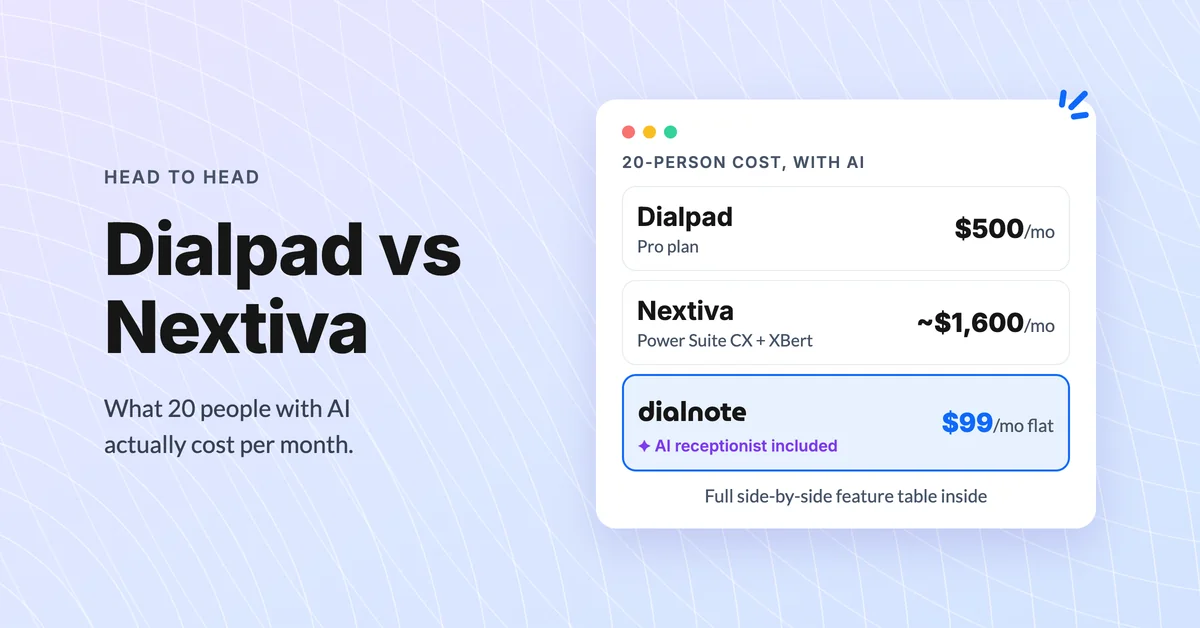
Dialpad vs Nextiva: Which Phone System Wins?
Compare Dialpad vs Nextiva on pricing, AI features, and real-world limits. Discover which business phone system fits your team best in 2026.
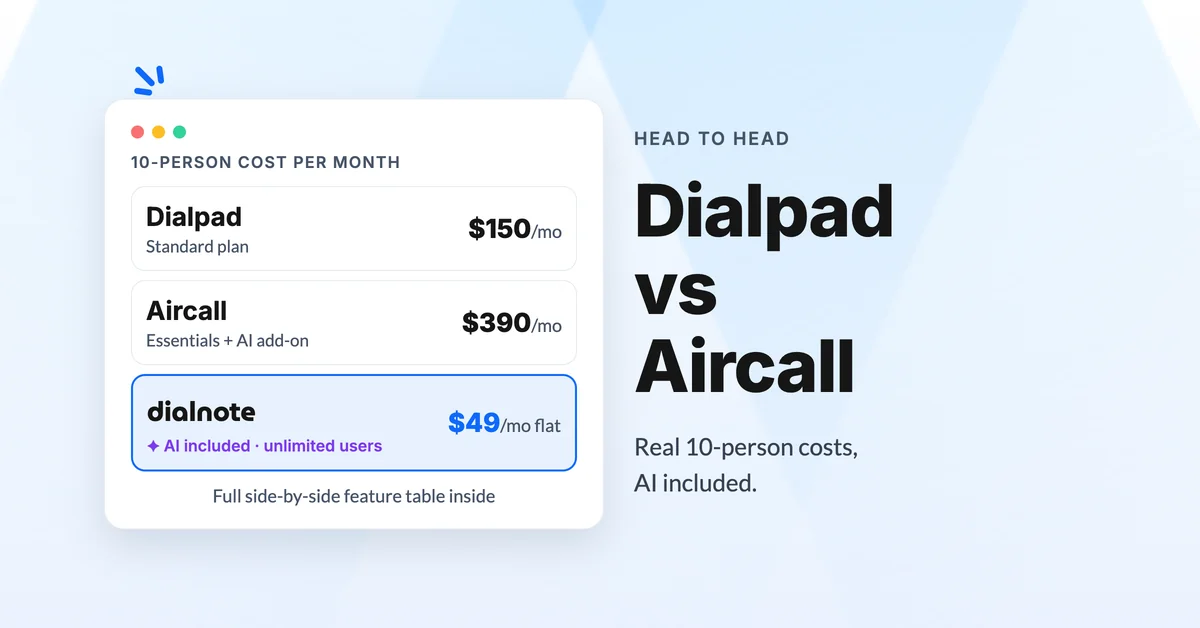
Dialpad vs Aircall: Which Phone System Wins?
Compare Dialpad vs Aircall on pricing, AI features, and real user reviews. Find out which business phone system best fits your growing team.
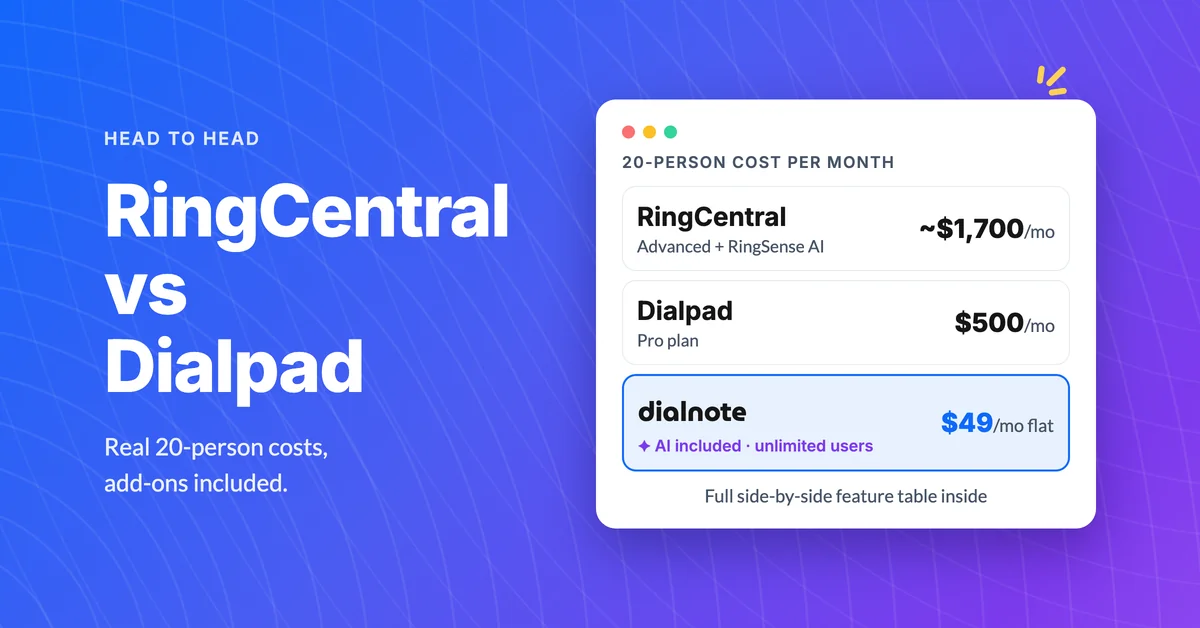
RingCentral vs Dialpad: Best Business Phone?
Compare RingCentral vs Dialpad on pricing, AI features, and real-world limits. Find out which business phone system fits your team.
