Quo (OpenPhone) Alternatives: 5 Better Options [2026]
Quo (the product you probably still call OpenPhone) works fine when you're a two-person startup. But the moment your team hits five or six people, the cracks start showing, and searches for Quo alternatives spike. Per-user pricing adds up. CRM integrations are locked behind higher tiers. And if you need real call routing or AI features, you're either paying more or looking elsewhere.
Whether you type "Quo alternatives" or "OpenPhone alternative" into Google, you're asking the same question. People aren't leaving because the product is bad. They're leaving because they've outgrown it, and a 2025 rebrand didn't change the math.
Maya co-founded a 12-person marketing agency in Denver. Her team started on OpenPhone when they were just three people. It was $39 a month total. By the time they hit 12 team members, they were paying over $240 a month for a basic plan that still didn't include the CRM integrations or call analytics they needed.
She didn't want a bigger version of the same thing. She wanted a system that didn't charge her more just for growing.
Sound familiar? Here's what to look for and which alternatives are actually worth switching to.
TL;DR:
- The best Quo alternative for a growing team is one with flat-rate pricing, because per-user plans (billed under the Quo brand since the OpenPhone rebrand) get expensive fast as you hire.
- dialnote is our top Quo (OpenPhone) alternative: unlimited seats on a flat $49/month plan, with AI call summaries, an AI receptionist, and CRM integrations built in.
- Nextiva suits teams that want unified communications, Dialpad fits AI-focused sales teams, 8x8 is best for international calling, and Vonage works for developers who need APIs.
- You can keep your number when you switch: porting from OpenPhone takes 1 to 3 weeks and happens with virtually no downtime.
Quick comparison at a glance
| Feature | dialnote | Nextiva | Dialpad | 8x8 | Vonage |
|---|---|---|---|---|---|
| Pricing model | Flat rate | Per user | Per user | Per user | Per user |
| Starting price | $49/mo flat | $15/user/mo | $15/user/mo | ~$24/user/mo (est.) | $20.99/user/mo |
| Unlimited seats | Yes | No | No | No | No |
| AI features | Built in | Higher tiers | All plans | Higher tiers | Limited |
| CRM integrations | All plans | All plans | Higher tiers | Higher tiers | API-based |
| IVR/call routing | All plans | All plans | All plans | All plans | All plans |
| AI receptionist | Yes | No | No | No | No |
| International calling | Add-on | Add-on | Add-on | Included (higher tiers) | Add-on |
| G2 rating | 4.0/5 | 4.5/5 | 4.4/5 | 4.2/5 | 4.3/5 |
Keep reading for the full breakdown of each option, including what real users say about them.
Why are people searching for Quo alternatives?
OpenPhone built its reputation on simplicity. A clean app, easy setup, affordable starting price. For solo founders and tiny teams, it checked every box. But as businesses grow, the pain points become hard to ignore.
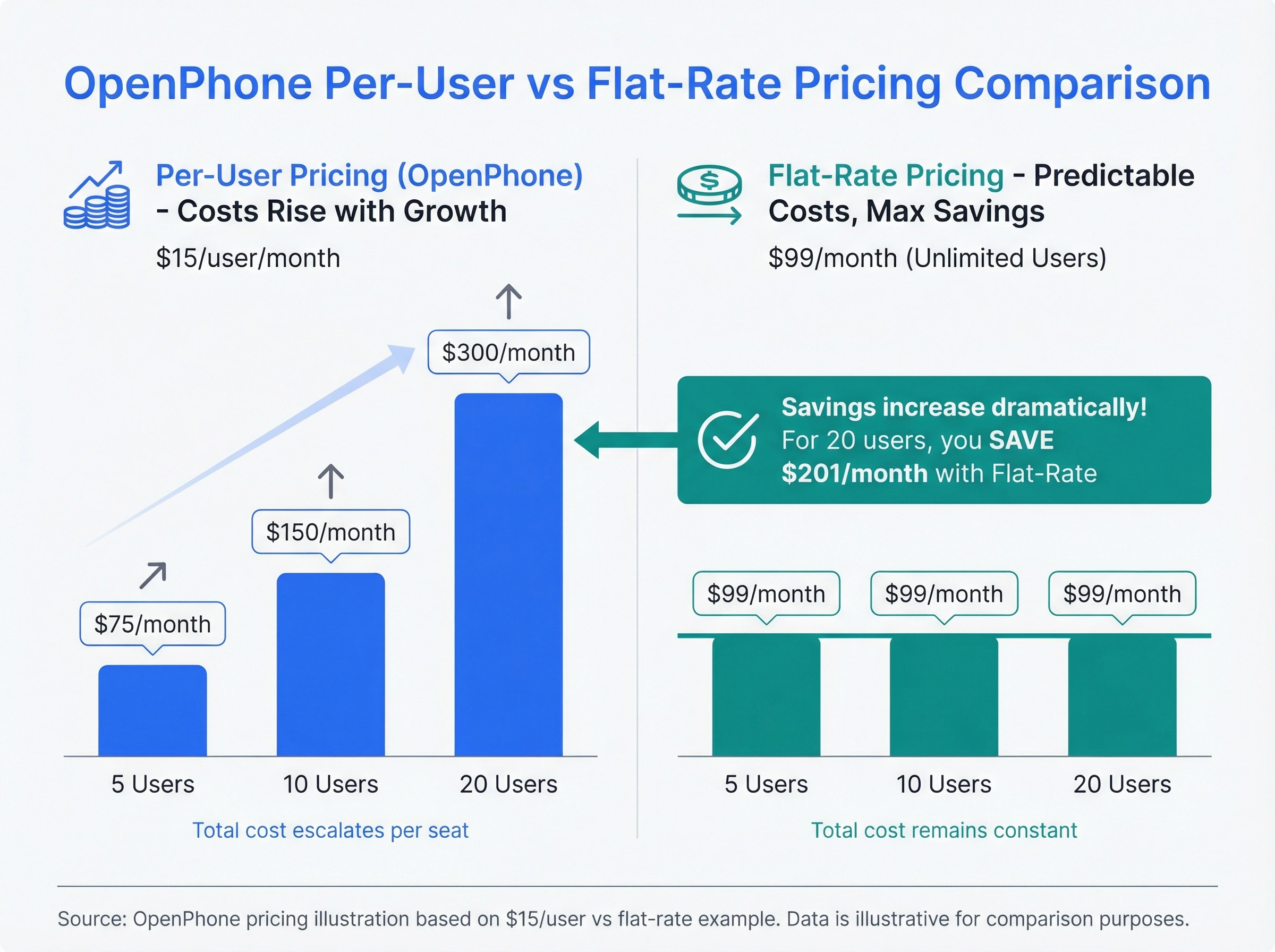
The biggest complaint? Per-user pricing. At $15 to $35 per user per month (annual billing; monthly runs $19 to $47), a team of 10 is paying $150 to $350 monthly for phone service. That doesn't include add-ons, extra numbers, or international calling. Every new hire bumps the bill.
Then there are the feature gaps. The base plan doesn't include IVR menus, CRM integrations with platforms like Salesforce or HubSpot, or advanced analytics. Want those? You're upgrading to a more expensive tier. For a platform that markets itself to small businesses, that's a frustrating upsell.
Call quality issues show up in user reviews too. Dropped calls, lagging audio, and unreliable webhooks for CRM syncing are recurring themes on G2 and Reddit. When your phone system is how clients reach you, "sometimes it works great" isn't good enough.
There's also the support question. On the standard plan, OpenPhone offers email-only support. No phone support. No live chat. If your phones go down at 2 PM on a Tuesday and you can't reach anyone for hours, that's a problem. For a product that handles your business calls, the irony of not being able to call their support team isn't lost on anyone.
And then there's the rebrand. OpenPhone became Quo in late 2025, alongside a $105 million growth financing round and a bigger push into AI with its Sona voice agent. Hard to say whether the new money will fix the underlying issues that drive people toward Quo alternatives, but so far the name changed and the per-user pricing model didn't. Even the AI runs on a credit meter: about 10 AI-handled calls a month are included before you're buying credit packs.
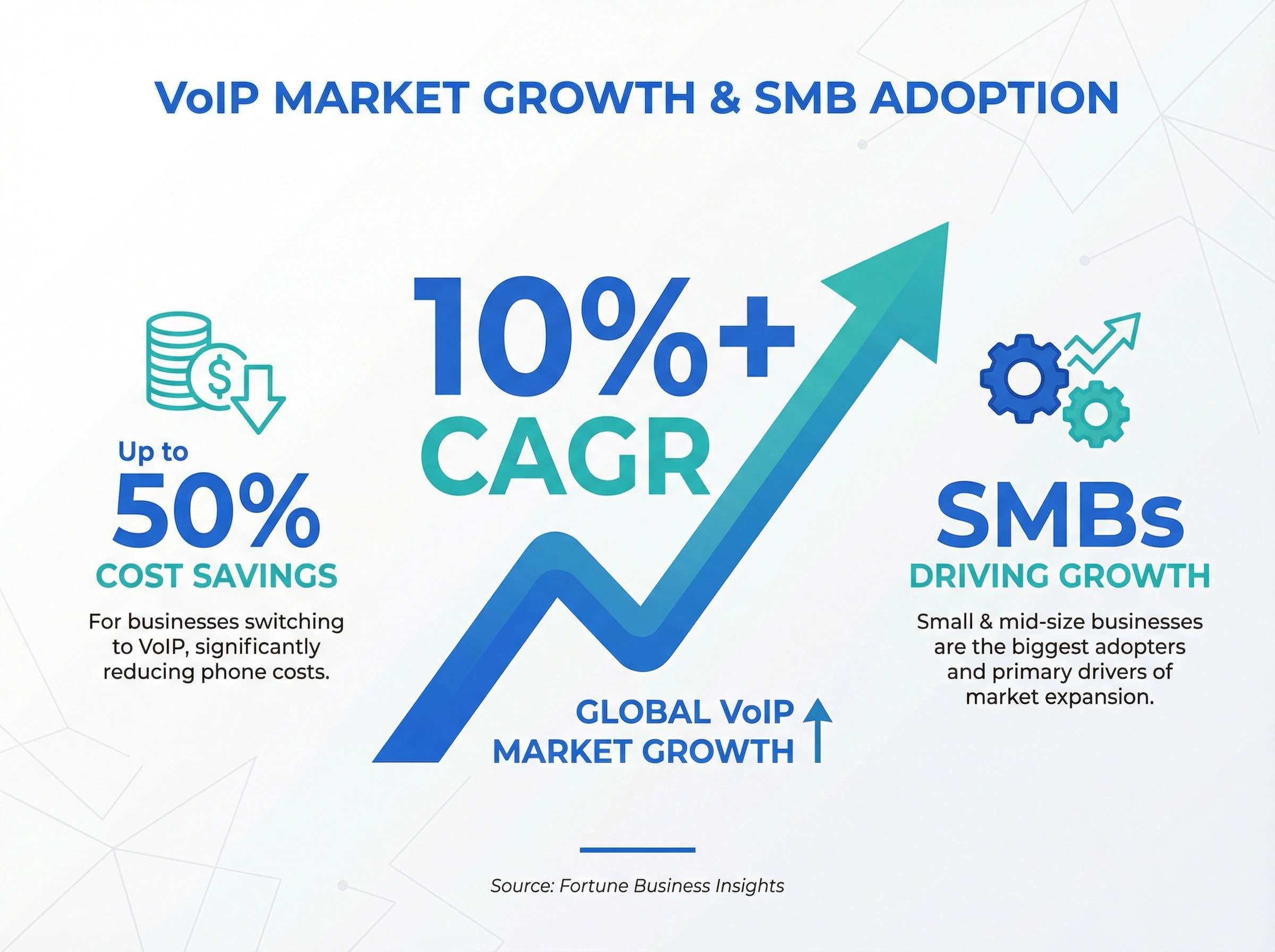
According to Fortune Business Insights, the global VoIP market is growing at over 10% annually, with small and mid-size businesses driving most of that growth. There's no shortage of options. The question is which one fits.
What to look for in an OpenPhone alternative
Before you jump to another provider, figure out what actually matters for your team. Not every alternative is an upgrade. Some just swap one set of problems for another.
Pricing model
This is the big one. Per-user pricing punishes growth. If you're planning to hire, look for flat-rate or per-line pricing instead. Some providers offer unlimited seats, meaning your monthly cost stays the same whether you've got 5 users or 50.
Here's a quick example. OpenPhone at $15/user with 10 people costs $150/month. A flat-rate system at $49/month saves $101, and that gap only grows as you hire. By the time you've got 20 people, the per-seat model costs $300/month. The flat rate? Still $49.
We've written about this in detail: why per-seat pricing gets expensive fast and how flat-rate models work better for growing teams.
Features included vs. upsold
Check what's actually included on the base plan. IVR, call recording, voicemail transcription, CRM integrations, and a mobile app should all come standard. If a provider gates basic features behind premium tiers, you'll end up paying more than you expected.
Honestly? Most "alternatives" lists just swap one per-seat provider for another. That doesn't solve the problem. Look for a system that includes everything you need on day one.
Where you can use it
This one disqualifies options before features even come up. Quo (OpenPhone) sells US and Canadian numbers only, and several popular "alternatives" carry similar limits: Grasshopper serves US and Canadian businesses only, and Google Voice for business operates in just 14 countries. If your business sits outside North America, or your customers do, check availability first.
dialnote is open to businesses worldwide, with numbers in the US, Canada, UK, India, and France today (more countries opened on request), calling to 90+ countries, and business texting included. None of the other four tools on this list matches that combination of flat pricing and international reach.
AI capabilities
AI call handling isn't a nice-to-have anymore. In 2026, it's table stakes. Look for AI call summaries, automated tagging, and an AI receptionist that can answer calls when your team is busy. These features save hours per week and keep leads from falling through.
If a provider charges extra for basic AI features like transcription and summaries, that's a red flag. They should be built in.
Call quality and reliability
Ask about uptime guarantees. You want 99.9% or better. Test the mobile app on cellular data, not just Wi-Fi. Read recent reviews (not cherry-picked testimonials) on G2, Capterra, or TrustRadius. If multiple users mention dropped calls or poor audio, that's a pattern, not a one-off.
Support quality
OpenPhone's support has been a frequent complaint. Email-only support on lower plans means waiting hours (or days) when something breaks. Look for live chat or phone support, especially if your team depends on the phone system for revenue.
When your phone system goes down, your business goes dark. Clients can't reach you. Leads go to voicemail (or worse, to a competitor). Response time isn't a nice-to-have in this category. It's the difference between a 30-minute disruption and a full day of missed calls.
Mobile app quality
This gets overlooked, but it matters a lot. You'll spend more time on the mobile app than the desktop version. Test it before you commit. Does it drain your battery? Does call quality hold up on cellular data? Can you switch between Wi-Fi and mobile without dropping a call?
OpenPhone's mobile app gets generally positive reviews, so any alternative you pick should be at least as good. Our guide to the dialnote mobile app explains what to look for in a business phone app.
5 best Quo (OpenPhone) alternatives for small businesses
We've tested and compared the options that actually make sense for small teams who've outgrown Quo. Here's what stood out.
1. dialnote: best overall Quo (OpenPhone) alternative
dialnote is an AI business phone system with no per-user pricing. AI voice agents answer calls, capture leads, and book meetings 24/7. Plans from $19/mo. It's built for small and mid-size businesses that want one flat phone bill: unlimited seats on a flat-rate plan, so the cost stays the same as your team grows, no matter how many people you add.
Why it's better than Quo (OpenPhone):
- Unlimited seats. Add users without adding cost. A team of 5 or 50 pays the same.
- AI that answers, not just transcribes. Call summaries, transcription, automated tagging, and a 24/7 AI receptionist, without a per-seat surcharge.
- CRM integrations included. HubSpot, Salesforce, and other major CRMs work out of the box.
- Real call routing. IVR, ring groups, call forwarding rules, and after-hours handling are all included.
- Mobile app. Full-featured iOS and Android apps that use your business number for calls and texts.
| SoloPhone system only, no AI | $19/mo |
| TeamUnlimited users; AI receptionist + phone menu, most popular | $49/mo |
| BusinessUnlimited users; advanced routing | $99/mo |
| AI voice usageMetered, free credits included each month | $0.89/min |
Flat pricing per account, not per user. See the full breakdown and cost calculator on the pricing page. 10-day free trial, no credit card. As of August 2026.
Pros
- Flat-rate plans with unlimited seats, so hiring never raises the phone bill
- 24/7 AI receptionist that answers, captures lead details, and books meetings via Calendly or Cal.com
- AI call summaries and CRM sync included, no per-feature add-ons to stack
- Published pricing for everything, including the AI rate
Cons
- AI usage is metered beyond the included credits, so letting the AI answer every call still adds up
- Newer platform with a smaller review base than Nextiva or Dialpad
- Built for inbound-first small teams, not outbound sales dialing
Ready to stop paying by the call?
10-day free trial, no credit card needed.
What users say: Teams switching from OpenPhone consistently mention two things: the relief of flat-rate pricing and how much time the AI features save. On G2, users highlight the AI receptionist as a standout feature that competitors don't match. The most common praise is "we stopped thinking about our phone bill," which is exactly the opposite of what OpenPhone users report.
Best for: Growing teams that are tired of watching their phone bill climb with every new hire. If you've been on OpenPhone and want something that scales without the sticker shock, dialnote is the clearest upgrade.
From a product perspective, we built dialnote specifically for the teams that OpenPhone serves well initially but outgrow quickly. The flat-rate pricing model means you don't have to think about cost every time you add someone to the system. And because AI features are included from day one, you're not paying extra for the kind of automation that should come standard in 2026.
If you're curious how we compare on features, check out our guide to choosing the right business phone system. We've also covered OpenPhone vs. RingCentral, OpenPhone vs. Google Voice, and OpenPhone vs. Grasshopper if you're comparing options side by side.
2. Nextiva: best for teams that need unified communications
Nextiva bundles VoIP calling, video conferencing, team chat, and SMS into one platform. Plans run from $15 per user per month (Core, annual billing with a 12-month minimum) through $25 (Engage) to $75 (Scale). It's a well-rounded platform with strong uptime and 24/7 phone support on all plans, which is a direct upgrade from OpenPhone's email-only support.
| CoreCalling, video, basic features | $15/user/mo |
| EngageMost popular; adds call center basics | $25/user/mo |
| ScaleAI transcription and call summaries live here | $75/user/mo |
| XBert AI receptionistAdd-on at every tier, ~100 resolutions included | +$99/mo |
Annual billing with a 12-month minimum agreement; month-to-month costs more. As of August 2026.
Pros
- Unified communications: phone, video, chat, and SMS in one platform
- 24/7 phone support on all plans
- Strong analytics and reporting
- 99.999% uptime guarantee
Cons
- Per-user pricing ($15-$75/user/mo) that climbs as you hire
- AI transcription and summaries sit on the $75 Scale tier only
- The XBert AI receptionist is a paid add-on, not included
- Feature-heavy, which can overwhelm small teams; 12-month minimum for the best rates
What users say: Nextiva scores well on G2 for reliability and support. Users repeatedly call out the 24/7 phone support as a major upgrade from OpenPhone's email-only model. The most common complaints are about the learning curve (it's feature-heavy, which can overwhelm small teams) and the per-user pricing that makes it expensive at scale. Several Reddit threads note that Nextiva's onboarding process is solid but the sheer number of features can feel like overkill if you just need a phone system.
Best for: Teams of 10+ who need video conferencing alongside phone service and value having live support available at all times.
3. Dialpad: best for AI-focused teams
Dialpad leans hard into AI. Every plan includes real-time call transcription, AI-powered coaching, and automated post-call summaries. Plans start at $15 per user per month (Standard, annual billing). The AI features are legitimately useful, especially for sales teams that need call intelligence.
| StandardAI transcription and summaries; no CRM integrations | $15/user/mo |
| ProAdds CRM integrations; 3-user minimum | $25/user/mo |
| EnterpriseQuote from sales | Custom |
Annual billing; month-to-month runs meaningfully higher. As of August 2026.
Pros
- AI transcription and coaching on all plans
- Clean, modern interface
- Good mobile and desktop apps
- Integrations with Google Workspace and Microsoft 365
Cons
- Per-user pricing
- CRM integrations need the Pro plan ($25/user/mo), which carries a 3-user minimum
- International calling costs extra
- Can get pricey for larger teams
What users say: Dialpad gets high marks on G2 and Capterra for its AI transcription accuracy and the coaching features that help sales managers identify what top reps do differently. Users on Reddit frequently praise the real-time transcription as "surprisingly accurate." The main frustrations? CRM integrations like Salesforce require the Pro plan ($25/user/mo), and international calling isn't included. Some users also report that the AI coaching suggestions can be hit-or-miss depending on call quality.
Best for: Sales-driven teams that want AI call analytics and coaching built into their phone system from day one. If you're also weighing Dialpad specifically, our Dialpad alternatives guide goes deeper on 10 options with AI voice agents.
4. 8x8: best for international calling
8x8 stands out if your team makes a lot of international calls. Their plans include unlimited calling to up to 48 countries (on higher tiers), which most competitors charge extra for. One catch up front: 8x8 stopped publishing prices in 2023, so everything runs through a sales quote. Current buyer guides put the entry X2 plan at roughly $24 per user per month on annual billing.
| X2 (estimate)Entry unified-comms tier, annual billing | ~$24/user/mo |
| X4 (estimate)Adds analytics and wider international calling | ~$44/user/mo |
8x8 sells by quote only; these are 2026 guide estimates, and negotiated discounts are common. As of August 2026.
Pros
- Unlimited international calling to multiple countries
- Video conferencing included
- Strong compliance and security features
- Good for multi-location businesses
Cons
- Per-user pricing
- No public prices since 2023; you have to negotiate with sales
- Interface isn't as polished as newer competitors
- Lower tiers have limited features
What users say: 8x8 users on TrustRadius and G2 consistently highlight the international calling as the standout reason they chose the platform. If you're calling Europe, Asia, or Latin America regularly, the savings over per-minute billing add up fast. The downsides that come up most: the admin interface feels outdated compared to newer platforms, and lower-tier plans feel stripped down. Several reviews mention that getting the right plan configuration can take a few calls with their sales team.
Best for: Businesses with international clients or distributed teams across multiple countries who need calling without per-minute charges.
5. Vonage: best for developers and custom integrations
Vonage offers both a standard business phone product and a powerful API platform. If your team has developers and wants to build custom communication workflows, Vonage gives you that flexibility. The Premium business plan runs $20.99 per user per month on annual billing for small teams, with volume discounts as you add seats.
| Premium1-4 seats, annual billing; drops with volume | $20.99/user/mo |
| Auto call recordingAdd-on | +$50/mo |
| Call queuesAdd-on, per queue | +$15/mo |
| CRM integrationAdd-on (Salesforce) | +$5/mo |
Advertised rates assume an annual agreement; month-to-month is about $30/user. The add-ons cover features many rivals include. As of August 2026.
Pros
- Powerful API for custom integrations
- Flexible plans (metered and unlimited)
- Wide range of communication tools
- Good for businesses with technical teams
Cons
- Per-user pricing plus paid add-ons for recording, queues, and CRM sync
- The best features require developer resources
- Basic plans feel limited compared to competitors
- Support quality varies by plan
What users say: Vonage's reviews split clearly between two audiences. Developers love the API platform and rate it highly on G2 for flexibility and documentation. But non-technical users often find the standard business phone product underwhelming compared to newer competitors. Common complaints include a dated interface, inconsistent call quality on lower tiers, and a support experience that varies widely depending on your plan level. If you've got a dev team, Vonage is powerful. If you don't, you might be frustrated.
Best for: Tech-savvy businesses that want to customize their phone system with APIs, or teams that need very specific integration workflows.
Bonus: free and low-cost options
If you're just starting out and need something free, Google Voice offers a basic tier at $10/user/month with Google Workspace integration. It's bare-bones (no IVR, no AI, limited routing), but it works for solopreneurs who just need a business number. For teams that have outgrown it, our Google Voice alternatives guide covers 7 picks built for serious business use.
The free personal version of Google Voice also still exists, and plenty of solo founders start there. But it's not a real business phone system either. There's no auto-attendant, no team features, no support, and Google can reclaim inactive numbers. It's fine as a stopgap, not for running a business. (We compare the paid tiers head to head in OpenPhone vs. Google Voice.)
"People shop this category as if the seat price were the product," says Lancelot Dsouza, dialnote's CMO. "The product is what happens to a call at 7 pm on a Friday. Price that, and the list reorders itself."
How to switch from Quo (OpenPhone) without losing your number
Switching phone providers sounds like a headache, but it's simpler than most people think. Here's the short version.
Step 1: Port your number. You can bring your existing OpenPhone number to any new provider. The porting process takes 1 to 3 weeks. Your new provider handles the paperwork. Don't cancel OpenPhone until the port is complete.
Step 2: Set up your new system. While the port is processing, set up your new phone system. Configure call routing, add team members, set up voicemail greetings, and connect your CRM. Most modern systems let you do this in under an hour. Use this overlap period to train your team on the new platform so there's no awkward transition day.
Step 3: Test everything. Make test calls. Check that forwarding works. Verify the mobile app. Make sure your team knows how to use it before the port goes live.
Step 4: Cut over. Once the port completes, your calls automatically route to the new system. Your clients won't notice a thing. They're still calling the same number.
One thing people worry about unnecessarily: downtime during the switch. In practice, there's virtually none. The port happens behind the scenes, and when it's complete, calls start routing to your new provider instantly. You don't need to announce a number change to clients because there isn't one.
If you want to keep a backup during the transition, most providers let you forward calls from your old system to a temporary number on the new one. That way you're covered even before the port finishes.
For a deeper dive on the transition process, our getting started with VoIP guide covers everything from bandwidth requirements to number porting timelines. And if you're weighing cloud vs. on-premise, we cover that in our cloud vs. on-premise comparison.
Pick the Quo alternative that fits your business
The right alternative depends on where you are and where you're headed. If you need unified communications with strong support, Nextiva is solid. If AI call coaching is your priority, Dialpad delivers. International teams should look at 8x8, and developers will appreciate Vonage's API flexibility.
But if you're building a team, if you're hiring, if your phone bill goes up every time you onboard someone new, the math points to flat-rate pricing. That's the core problem with OpenPhone's model, and most of the "alternatives" copy the same approach.
The data backs this up. According to Fortune Business Insights, businesses switching to VoIP save up to 50% on phone costs. But that savings evaporates if you're paying per seat and your team is growing. The real savings come from flat-rate models where your cost stays predictable regardless of headcount.
Here's the bottom line:
- Per-user pricing is a tax on growth. Avoid it if you're scaling.
- AI features should come standard, not as a paid add-on.
- CRM integrations on the base plan saves you from surprise upgrades.
- Test the mobile app before you commit. You'll live on it.
If you want a phone system that doesn't charge more every time you hire, dialnote gives you unlimited users, built-in AI, and a mobile app that works like a second phone line. No per-user cost. No feature gating. Just a flat monthly rate that stays the same as your team grows.
Ready to switch? Start your free 10-day trial, no credit card needed, or see how much you'd save next to OpenPhone.
Frequently asked questions
Yes. OpenPhone rebranded to Quo in late 2025. The product and pricing structure are the same, just under a new name.
Yes. You can port your OpenPhone number to any new provider. The process takes 1 to 3 weeks, and your new provider handles the paperwork. Don't cancel OpenPhone until the port is complete.
Nextiva's Core plan and Dialpad's Standard plan both start at $15 per user per month on annual billing. But for teams, flat-rate plans like dialnote's $49/month with unlimited seats often cost less overall.
No. dialnote uses flat-rate pricing with unlimited seats. Your bill stays the same whether you've got 5 users or 50, which saves money as your team grows.
Look for call transcription, AI summaries, automated tagging, and an AI receptionist. These should come standard on the base plan, not as paid add-ons.

Written by
Akhilesh Betanamudi
Co-Founder, SmartReach.io
Akhilesh Betanamudi is a technology entrepreneur and engineer with over 12 years of experience in hardware engineering, SaaS, and business communications. As Co-Founder of SmartReach.io - a sales engagement platform for startups and enterprises, he h...
Akhilesh Betanamudi is a technology entrepreneur and engineer with over 12 years of experience in hardware engineering, SaaS, and business communications. As Co-Founder of SmartReach.io - a sales engagement platform for startups and enterprises, he h...
Related Articles
10 Best RingCentral Alternatives for Small Business
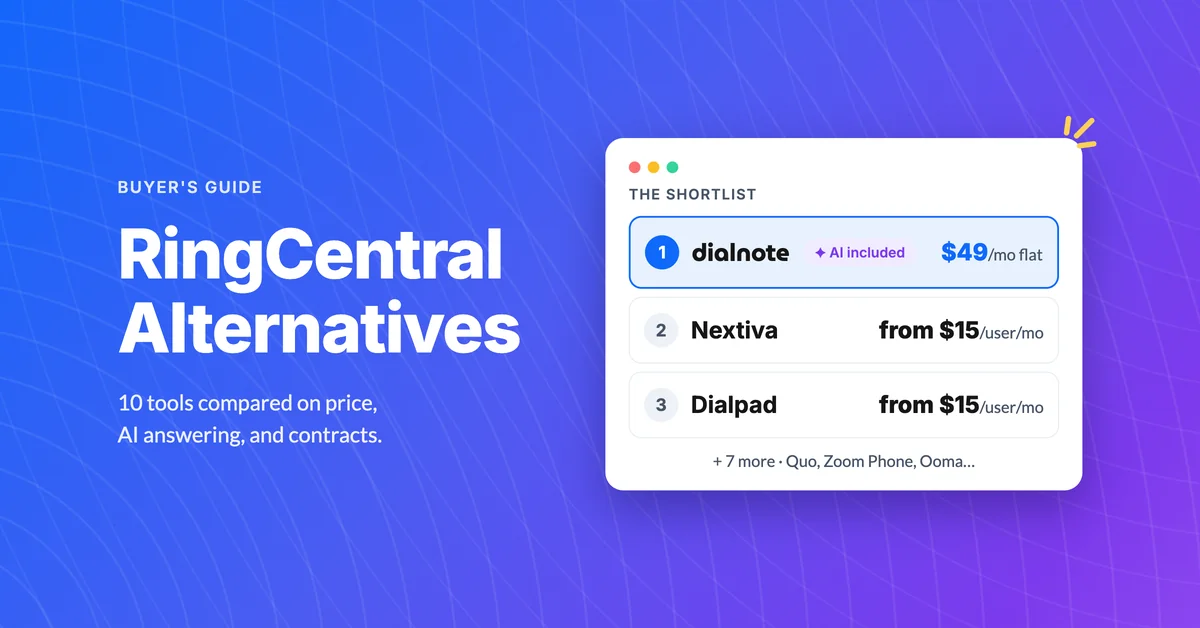
Compare 10 RingCentral alternatives for small business by real per-user cost, AI receptionists, and contract traps before you renew.

Google Voice Alternatives: 7 Picks for Business
Compare 7 Google Voice alternatives built for serious business use by AI features, multi-level IVR, CRM sync, and real per-user costs.
Best Business Phone Systems: Traditional, VoIP & Cloud
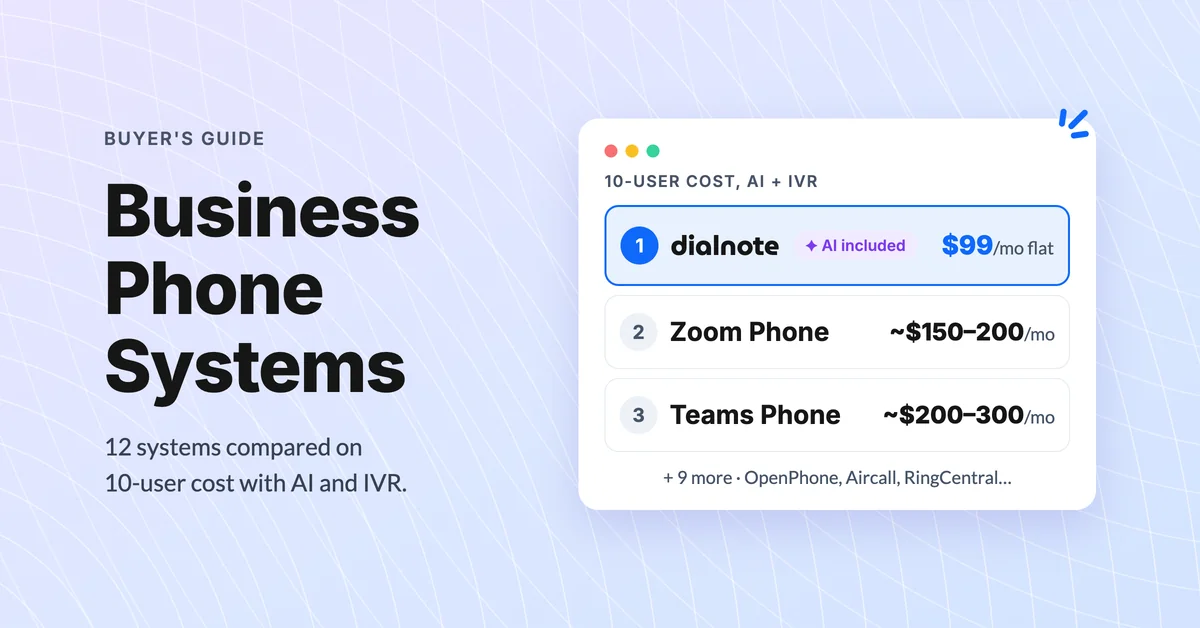
Compare the 10 best business phone systems for small business. Find the right VoIP solution for your team size, budget, and features without overpaying.
