AI voice assistants for small business phones
Your phone rings during the busiest hour of your day. You're already on another call, hands full, and it goes to voicemail. That new customer? They hang up and dial the next business on the list.
AI voice assistants for small business close that gap. They answer every call, day or night, and sound close enough to a real person that most callers don't even notice. For a small team without a full front desk, that's the difference between a booked job and a lost one. They're one piece of a wider shift in AI in business communication.
TL;DR:
- AI voice assistants for small business answer calls 24/7, book appointments, qualify leads, and route callers without a live receptionist.
- Missed calls cost real money, and most people who hit voicemail never call back.
- Look for flat monthly pricing, fast setup, natural voice quality, and a clean handoff to a human.
- Setup takes an afternoon: connect a number, write a greeting, list the questions to ask, connect your scheduling tool, and test with real calls.
- Disclose that callers are talking to AI, follow call-recording consent laws, and keep caller data encrypted.
- Modern VoIP phone systems can add AI call handling on top of the business number you already use.
Why AI voice assistants for small business matter now
Small teams lose deals every time a call goes unanswered. An AI voice assistant picks up when you can't, so no lead slips through the cracks.
Take Renee. She runs a three-person plumbing company and handles most of the estimates herself. One busy spring week she counted 40 missed calls, most of them while she was flat on her back under a sink. A handful were emergency jobs worth eight hundred dollars or more. She wasn't slacking. She just can't hold a wrench and a phone at the same time.
That's the trap for owner-operators. The work that pays the bills is the same work that keeps you off the phone. Back in 2022, Gartner predicted that conversational AI would wipe billions of dollars off contact center labor costs by 2026. Small businesses are riding the same wave, just with tighter budgets and no room for error.
So why do so many owners still let the phone ring out? Usually it comes down to two fears: cost, and sounding like a clunky robot. Both used to be fair. Neither really holds up today.
If your business runs on booked appointments, missing calls after hours quietly bleeds revenue. An after-hours answering service or an AI assistant that never clocks out can catch those late-night leads while you sleep.
What can an AI voice assistant actually do?
An AI voice assistant answers calls in a natural voice, works out what the caller wants, and takes action, like booking a slot or passing the call to you. It's a lot more than a fancy voicemail greeting.
Here's what a modern one handles on its own:
- Real conversation instead of a rigid press-1 menu
- Appointment booking and rescheduling against your calendar
- Lead qualification, gathering name, need, and budget before a handoff
- Common questions about hours, location, pricing, and services
- Smart routing based on why the person called, not just keypad presses
- Message taking, with a written summary sent to you by text or email
The best part? It does all of this at once, on every line, without getting flustered when three calls come in at the same time. A human receptionist can't. That's not a knock on people. It's just math.
How does an AI voice assistant handle a call?
It listens, figures out the caller's intent, and responds in real time, following rules you set up ahead of time. The whole thing happens in seconds.
Here's the basic flow:
- The call comes in on your normal business number.
- The assistant greets the caller and asks how it can help.
- It understands the request using speech recognition, even with accents or background noise.
- It acts: books a time, answers the question, or collects contact details.
- If the call gets complicated, it transfers to a human or takes a message.
- You get a clean call summary, so nothing falls through.
That last step matters more than people expect. Even when the AI can't fully solve a request, you get a tidy record of who called and why. No more squinting at a scribbled sticky note. If you want to see how AI-written recaps work in practice, AI call summaries turn every conversation into a searchable note.
AI voice assistant vs traditional call handling
Here's how AI call handling stacks up against the two options most small businesses fall back on: voicemail and a part-time receptionist.
| What matters | Voicemail | Part-time receptionist | AI voice assistant |
|---|---|---|---|
| After-hours coverage | None | None | 24/7 |
| Answers every line at once | No | No | Yes |
| Books appointments | No | Yes | Yes |
| Monthly cost | Low | High | Middle, and predictable |
| Sick days and breaks | N/A | Yes | Never |
| Call summaries | No | Sometimes | Every call |
Voicemail is cheap and terrible. A part-time hire is warm but expensive, and still goes home at 5. An AI voice assistant sits in the sweet spot for a lot of small teams: always on, never tired, and priced somewhere you can actually plan around.
How much does an AI voice assistant cost?
Most small teams pay a flat monthly fee, and the whole bill usually costs less than one recovered job. Pricing falls into three buckets: per-minute, flat-rate, and bundled with your phone system.
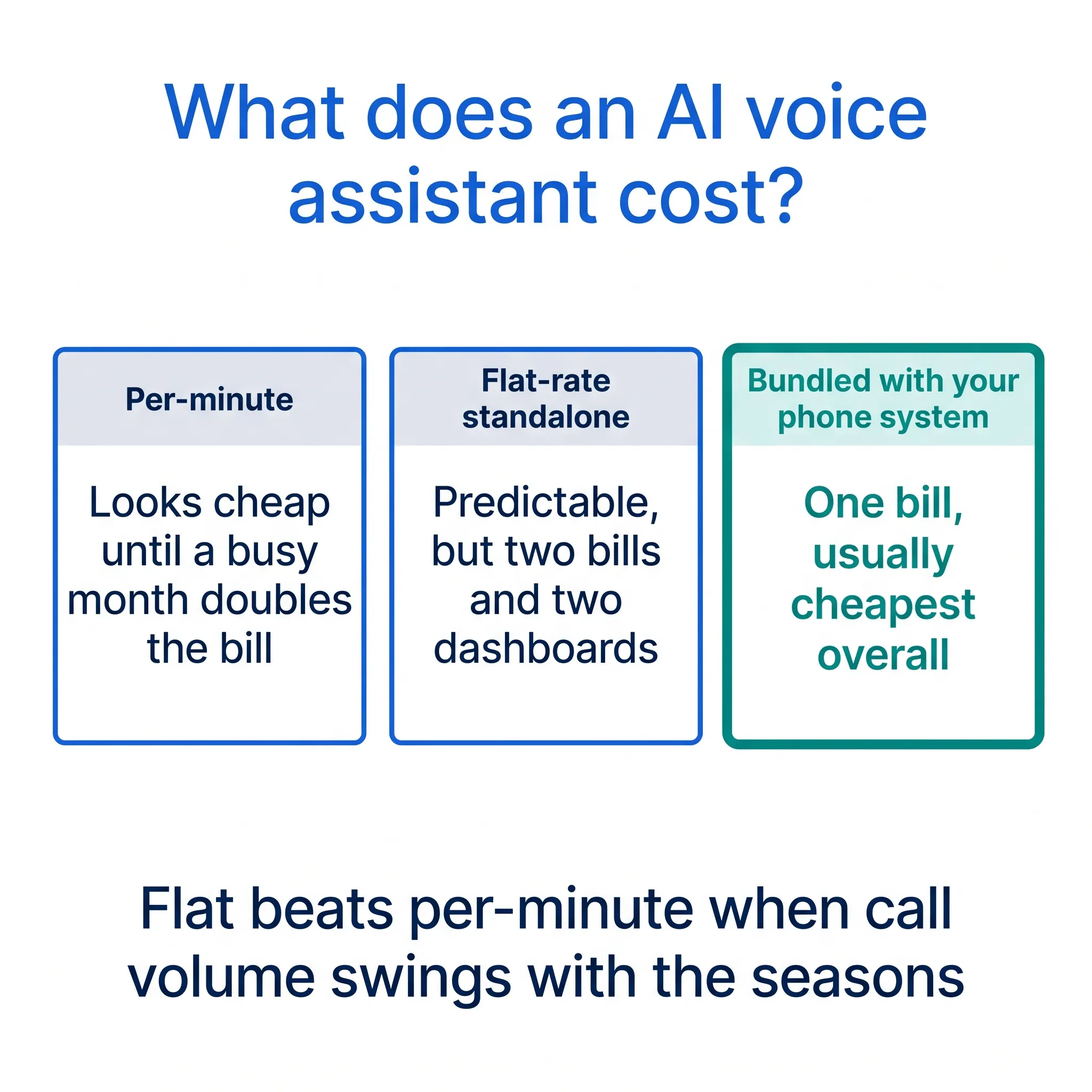
Per-minute plans charge for every minute the AI spends talking. They look cheap on the pricing page. Then spring hits, call volume doubles, and so does the invoice. Hard to budget, easy to regret.
Flat-rate standalone services charge one predictable fee for AI answering alone. Better. But you're still paying for a separate phone system underneath it, which means two bills, two dashboards, and two support teams pointing at each other when something breaks.
Bundled options fold the AI into the phone system itself, so your number, texts, and assistant live on one bill. Once you add everything up, this is usually the cheapest path for a small team, and the simplest to run.
For scale: a part-time receptionist at twenty hours a week costs well over a thousand dollars a month in most US cities, and a live answering service that bills per call adds up fast in a busy season. The AI answers every line at once for one flat fee, and it doesn't charge extra for nights or holidays.
Which bucket is right for you? If your call volume swings with the seasons, flat-rate beats per-minute every time. Boring bills are good bills.
What should you look for before you buy?
Not every tool is built for a small business. Some are enterprise platforms with enterprise headaches. Watch for four things before you sign up.
Flat, predictable pricing
Honestly? Per-minute AI pricing is a trap for most small teams. One busy month and your bill quietly doubles. Flat monthly plans keep the budget boring, which is exactly what you want from a phone bill.
The often-quoted figure is that 85% of callers who reach voicemail never call back. We're not 100% sure that number holds in every industry, but the direction is obvious: a silent phone loses business. When you're weighing the cost, compare it to one lost job, not to zero. Our breakdown of AI answering service costs and benefits walks through that math.
Fast, no-code setup
Look for a platform you can set up in an afternoon, not a quarter. The good ones ship with industry-specific templates for booking, sales qualifying, and support, so you're not writing a script from scratch. If setup needs a developer, it's the wrong fit for a five-person shop.
Natural voice quality
Call the demo line and actually listen. Does it handle a tangent? An accent? A noisy caller phoning from a truck? A stiff, robotic voice sends people straight to a competitor. This is the one thing you can't fake, so test it hard before you buy.
A clean handoff to a human
The smartest AI knows its limits. When a call gets messy, it should transfer to you or your team without making the caller repeat everything. If you want the full rundown on picking software, our guide to the best AI receptionist software compares the features that actually move the needle.
How do you set up an AI voice assistant?
Setup takes five steps: connect your number, write a greeting, list the details you want collected, connect your scheduling tool, and make test calls. Most owners finish in an afternoon.
- Connect a number. Port your existing business number or forward it to the new system. Customers keep dialing the number they already know, and nothing changes on their end.
- Write the greeting. Keep it short. Say the business name, mention it's an AI assistant, and get to the point. Two sentences beat a paragraph every time.
- List the details to collect. This is the step most people rush, and it's the most valuable one. Tell the AI exactly what to ask every caller: name, callback number, address, what they need, how urgent it is. Those answers land in your call summary, so you can quote a job in one follow-up call instead of three.
- Connect your calendar. Hook up a scheduling tool like Calendly or Cal.com so the assistant books real appointments instead of promising vague callbacks.
- Test it like a grumpy customer. Call from a noisy parking lot. Interrupt it mid-sentence. Mumble. Ask something weird. Fix the script wherever it stumbles, then go live.
One trick we like: switch it on for after-hours calls first. You get a week of real transcripts with zero risk to daytime callers, and you'll spot the gaps in your script fast.
Those five steps are the same on any platform. The tedious version is running them across three tools: a phone system for the number, an answering service for the AI, and a scheduler bolted on the side, with three logins and three bills to reconcile.
The faster way is a phone system with the assistant built in. dialnote is an AI business phone system with no per-user pricing. AI voice agents answer calls, capture leads, and book meetings 24/7 on the Team plan. One caveat worth knowing: AI calls bill separately, at $25/mo for 65 calls with the AI call pack or $0.49/min from your wallet without one, so a heavy call month costs more than the plan price alone. The setup above shrinks to one screen:
- Go to AI Agents in the sidebar
- Click Configure AI Agent
- Add your business info: name, hours, and the questions callers ask most
- Upload your FAQs, pricing, and service descriptions to the knowledge base
- Call your business number from another phone and play customer
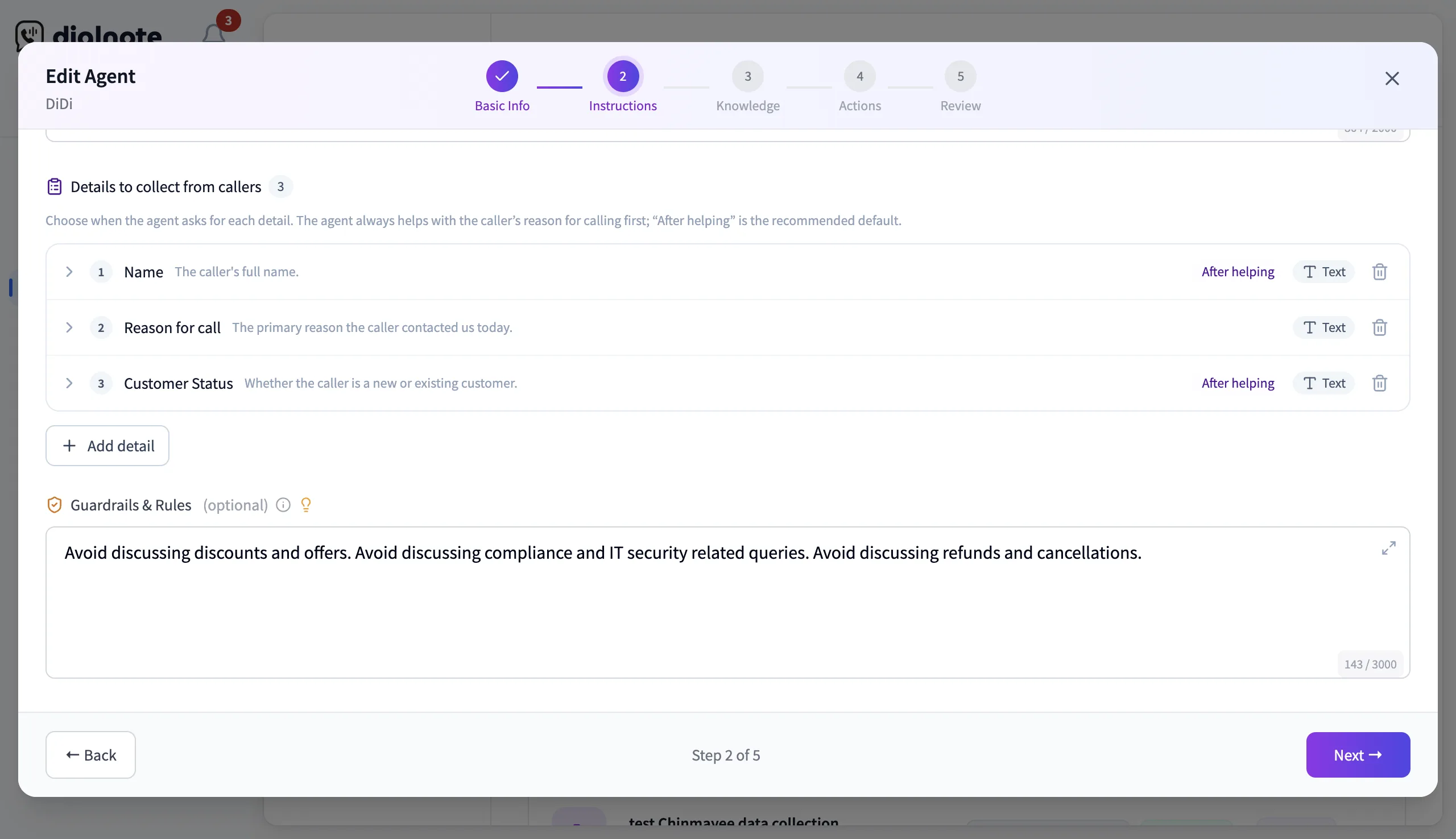
That last step is the whole point. Don't trust an assistant because the demo line sounded slick; trust it because you heard it answer your own number. What you hear decides your next move: if it fumbles a service name, fix the business info. If it can't answer a common question, add the document it was missing. When it books a test appointment cleanly, turn it on for after-hours calls and let a week of transcripts pile up.
Hear it answer your own number
10-day free trial, no credit card needed.
What mistakes should you avoid with AI call handling?
The biggest mistake is flipping the AI on for every call on day one with a script nobody tested. Here are the five we see most, and the fix for each.
- Going all-in immediately. Start with after-hours and overflow calls only. Expand to full coverage once the transcripts look clean for a week or two.
- Hiding the AI. Callers can tell. Say it's an assistant up front and most people relax, because they'd rather talk to a fast assistant than a slow voicemail box.
- Asking for too much. Seven questions before a caller can explain why they're calling? They'll hang up. Three or four essentials beat an interrogation.
- Ignoring the summaries. The AI logs who called, what they needed, and what happened next. If nobody reads those notes, leads rot in the inbox. Skim them daily; it takes five minutes with coffee.
- Never updating the script. Your prices change. Your hours change. Imagine you run a two-chair salon and the AI is still quoting January prices in June. Review the script monthly.
Sound like a lot? It isn't. Each fix is a ten-minute habit, and together they're the difference between an assistant that books jobs and one that annoys callers.
Privacy and compliance basics
Rolling out AI on your phone line comes with a few rules. None of them are hard, but skipping them can get expensive.
- Disclosure: Tell callers when they're speaking with an AI. It builds trust and stays on the right side of the law.
- Recording consent: Follow your state and federal recording rules. Some states need consent from both parties.
- Data security: Caller conversations should be encrypted in transit and at rest.
- Industry rules: If you handle health, legal, or financial data, confirm the tool meets standards like HIPAA or GDPR before you go live.
Get these right up front and compliance becomes a checkbox, not a fire drill later.
When is an AI voice assistant the wrong fit?
Skip it if your phone rings a couple of times a week, or if every call legally needs a licensed human on the line. For everyone else, it's mostly upside.
If you get five calls a week and answer four of them, the math is thin. That money does more good in your ad budget. Same story if your callers are mostly existing clients mid-project who need you specifically, not a scheduler.
And some conversations shouldn't start with software at all. Legal intake in certain states and some medical questions belong with a person from the first hello. We'd rather tell you that now than have you find out in month two.
Is an AI voice assistant worth it for a small team?
For most small teams, yes. If you miss even a few calls a week, an AI voice assistant usually pays for itself fast, because a single recovered job often covers the whole month.
Think about Renee again. If just two of those 40 missed calls turn into eight-hundred-dollar jobs, she's already ahead by a wide margin. The rest is upside: fewer interruptions, cleaner records, and a phone that answers on the first ring at 2 a.m. Is any part-time hire going to do that?
The VoIP market keeps growing as businesses move off old landlines, and AI voice is the reason a lot of them are switching. The gap between the shops that answer every call and the ones that don't is only getting wider.
Want to know for sure? The test call settles it. Set an assistant up on your number, ring it from another phone, and listen to what your customers would hear. If it books the job, you have your answer.
Frequently asked questions
Yes. Most platforms let you port your current number or forward calls to it, so customers keep dialing the number they already know. Forwarding works the same day, and porting usually takes a few business days.
They should. Telling callers up front builds trust and keeps you on the right side of disclosure and call-recording laws. Most people don't mind, as long as they get what they called for quickly.
A good assistant transfers the call to you or a teammate, or takes a message and sends you a summary. Either way, the caller shouldn't have to repeat everything they already said.
Most small businesses go live in an afternoon. You connect a number, write a short greeting, list the details to collect from callers, hook up your scheduling tool, and make a few test calls before switching it on.
No. After-hours coverage is the easiest win, but assistants also catch overflow calls during busy stretches, answer routine questions, and collect caller details while your team works. Many owners start after hours, then expand.
Yes, and solo operators often get the most value. When you're the one doing the work, you can't answer every call. The AI catches what you miss, books jobs, and sends you a summary so you can follow up between jobs.

Written by
Lancelot Dsouza
Chief Marketing Officer, SmartReach.io
Lancelot Dsouza is the Chief Marketing Officer at SmartReach.io, where he built the Marketing, Sales, and Customer Success verticals from the ground up. With over 25 years of experience spanning digital marketing, business development, and strategic...
Lancelot Dsouza is the Chief Marketing Officer at SmartReach.io, where he built the Marketing, Sales, and Customer Success verticals from the ground up. With over 25 years of experience spanning digital marketing, business development, and strategic...
Related Articles
Voice AI vs Chatbots: When to Use Each for Your Business
Learn when voice AI beats chatbots and when chat wins. Compare voice AI vs chatbot costs, setup time, and use cases to pick the right fit for your team.
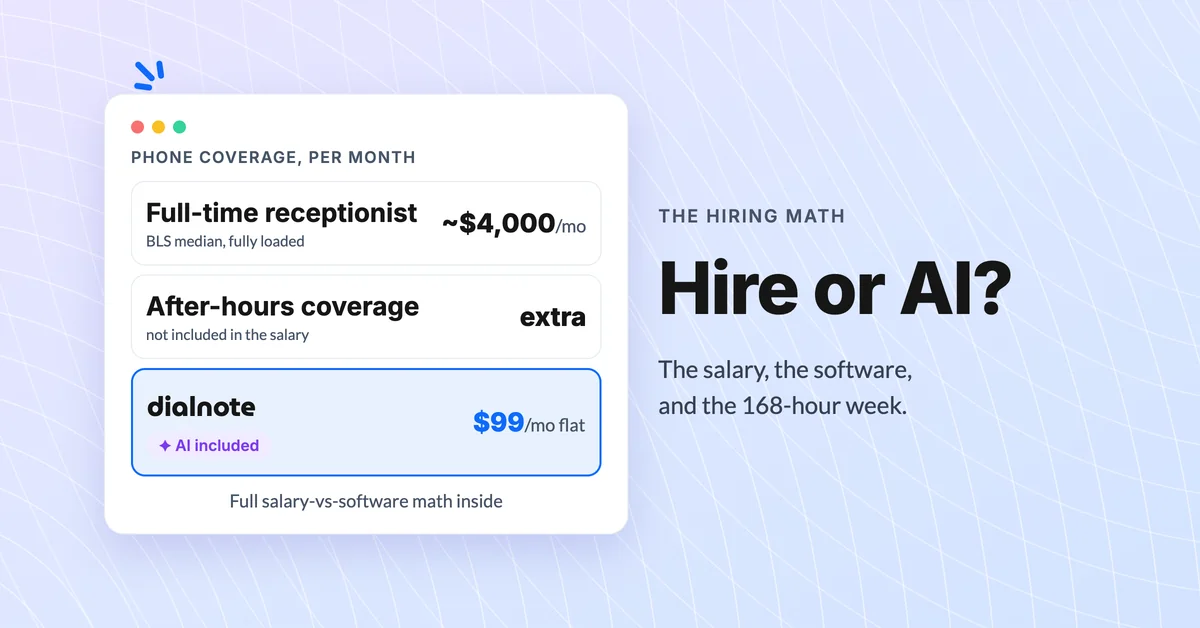
AI Receptionist vs Hiring: What Each Really Costs
Compare an AI receptionist vs hiring a receptionist: salary and benefits math, coverage hours, and what each option really costs over a year.
Best Answering Service for Small Business [2026]
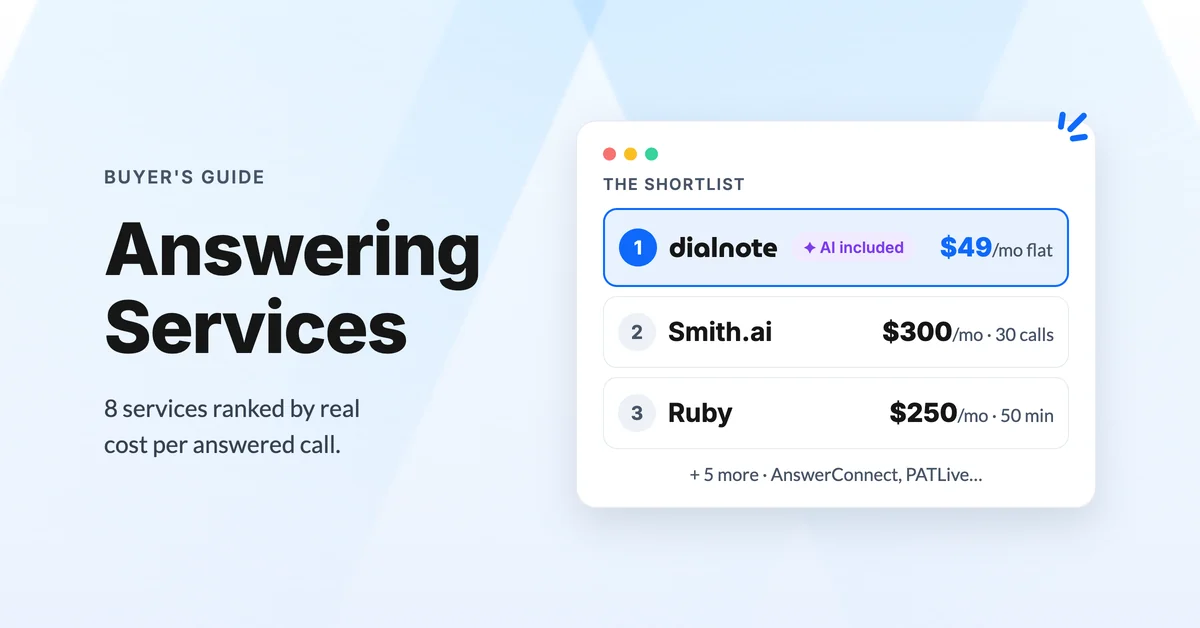
Compare the best answering services for small business in 2026: live, AI, and hybrid options ranked by real cost per call and coverage.
