AI Receptionist vs Hiring: What Each Really Costs
After two decades in B2B tech, the conversation I have with small business owners more than any other starts like this: "We're missing calls. Should we finally hire a receptionist?" The AI receptionist vs hiring question is usually asked as a staffing decision, but it's really a math problem with a staffing decision hiding inside it, and the math has changed more in three years than in the previous thirty.
Let me say the honest part first, because it builds trust for the numbers that follow: a human receptionist does far more than answer phones. Greeting walk-ins, wrangling deliveries, calming an upset customer at the counter, a hundred small judgment calls; software doesn't do those. If your front desk needs a person, hire the person. This comparison is for the narrower, very common case: the business that's about to spend a salary primarily to stop missing calls. (Weighing an outsourced answering service instead of an employee? That's a different comparison; this one prices the hire.)
Ray, who runs an eight-person roofing company, was exactly there. Quotes died in voicemail while crews were on roofs, and his fix was a job posting: front-desk hire, mostly to catch the phone. Then he did the year-one math with us, the same math laid out below, with sources you can check. Sound familiar?
TL;DR:
- In the AI receptionist vs hiring comparison, the US median receptionist salary is $38,010 a year ($18.27/hour) per the Bureau of Labor Statistics (May 2025); taxes, benefits, and hiring costs push year one to roughly $45,000 to $50,000.
- That salary buys about 40 hours a week of coverage. The other 128 hours (evenings, weekends, sick days, lunch) still go to voicemail.
- An AI receptionist like dialnote's runs $49 to $99 a month flat, answers 24/7 in 14 languages, captures lead details, books meetings, and syncs summaries to your CRM.
- The yearly gap is roughly $46,800, and the AI covers 4x the hours.
- The honest middle path: hire (or keep) the human for the front desk, and let the AI catch overflow and after-hours.
Jump to: the real cost of hiring · the AI side · the yearly math · coverage hours · the verdict
What does hiring a receptionist really cost?
Start with the number everyone knows and almost nobody loads correctly. According to the Bureau of Labor Statistics, the median receptionist wage was $18.27 an hour, $38,010 a year, as of May 2025. That's the median; competitive metros run meaningfully higher.
Now load it the way your accountant will:
| Line item | Typical cost |
|---|---|
| Median salary (BLS, May 2025) | $38,010/yr |
| Payroll taxes, workers' comp, benefits (25-30%) | +$9,500-11,400/yr |
| Recruiting, onboarding, equipment | +$1,500-3,000 (year one) |
| Realistic year-one total | ~$45,000-50,000 |
Call it $48,000 for a round working number, about $4,000 a month. And that buys one shift: roughly 8:30 to 5, Monday to Friday, minus lunch, PTO, sick days, and turnover gaps. Every hour outside that shift, your phone is exactly as unanswered as it is today.
One more cost that never makes the spreadsheet: the phone is only part of the job you'll assign them, and the parts compete. When the receptionist is helping the walk-in customer, the phone rings the same way it did before the hire. Owners tell me this one all the time, usually with a sigh.
What does an AI receptionist cost, and do?
The software side of this comparison, using dialnote as the worked example since the pricing is published. dialnote is an AI business phone system with no per-user pricing. AI voice agents answer calls, capture leads, and book meetings 24/7. Plans from $19/mo. Plans run $49/month (Team) to $99/month (Business), flat, with unlimited users, the plan includes the phone system itself, and AI calls are $25/mo for 65 calls with the AI call pack, or $0.49/min from your wallet without one.
What the AI receptionist actually does on those calls: answers 24/7 in 14 languages, asks the lead-capture questions you configure ("what's the job, where, how soon"), books appointments straight into Calendly or Cal.com, sends confirmation texts, transfers to a teammate when someone's free, and drops an AI summary of every call into your CRM. You choose the behavior per number: full AI answering, a text-back, a callback message, or plain voicemail with a transcript.
What it doesn't do: greet the walk-in, sign for the package, or read the room. Software answers phones; it doesn't staff desks.
This isn't a fringe trade-off anymore, either. According to Fortune Business Insights, the VoIP market keeps compounding at over 10% a year with AI answering as a major driver, which is a dry way of saying thousands of small businesses are making this exact hire-or-software decision every month, and the software side keeps winning share.
AI receptionist vs hiring: the yearly math
Budgets live in years, so here's the comparison your accountant would draw:
| Full-time receptionist | dialnote AI receptionist (Business) | |
|---|---|---|
| Base cost | $38,010/yr salary | $99/mo × 12 = $1,188/yr |
| Loaded cost | ~$48,000/yr | ~$1,800-2,400/yr with AI calls |
| Coverage | ~40 hrs/week | 168 hrs/week |
| Sick days, PTO, turnover | Yours to cover | None |
| Also includes | The whole front-desk role | The whole phone system, unlimited users |
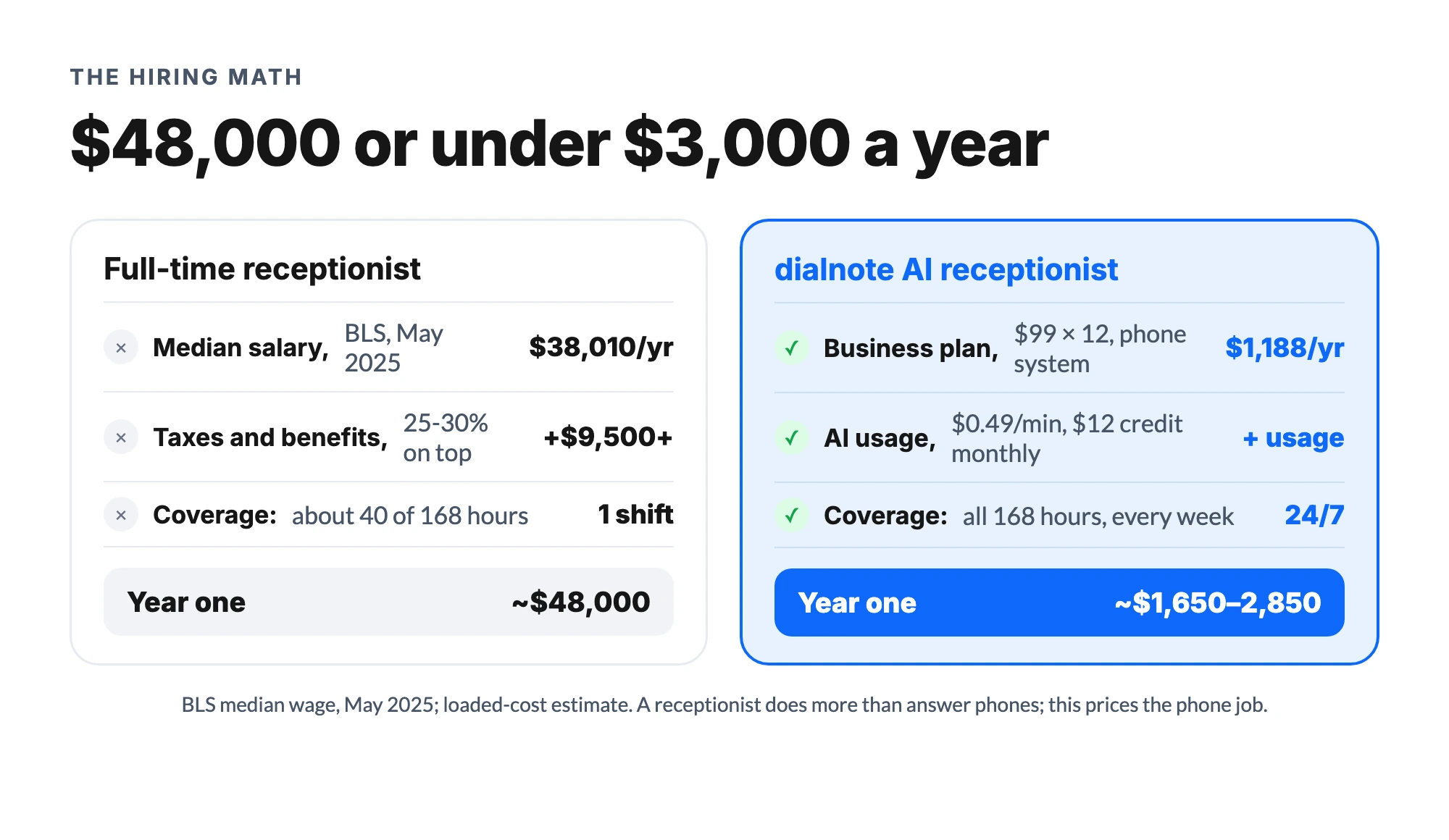
The gap is roughly $46,800 a year, and it's worth saying carefully what that number means. It's not "fire your receptionist and save $46,800." It's this: if the job you're hiring for is phone coverage, you're about to pay a salary for 40 hours of a job software now does for all 168, at about 2.5% of the cost. The $46,800 is what it costs to have a human do the part a human isn't needed for.
"Nobody regrets hiring a person," Prateek Bhatt, dialnote's co-founder, said when we compared notes on this article. "They regret hiring a person to do a software job. The receptionists who thrive now are the ones freed from the phone, not chained to it."
Flip it around and the same math funds the better version of the hire: for what one receptionist costs, you could run the AI receptionist and put $45,000 toward a hire who sells, dispatches, or manages, roles that grow revenue instead of catching calls.
The hiring costs nobody budgets
Three more line items belong in the honest hiring column, and they're the ones customers only mention after living them.
Turnover. Front-desk roles at median wages change hands often, and every departure costs you again: weeks of job posting, interviews squeezed between real work, and a coverage gap where the phone problem you hired to fix comes right back. Budget for making this hire more than once.
Training and management time. Somebody, usually you, spends the first month teaching scripts, systems, and judgment, and a slice of every week thereafter on scheduling, feedback, and coverage puzzles. Owner hours are the most expensive hours in the building, and they never appear on the receptionist line of the budget.
The coverage illusion. A receptionist answers the phone when they're at the desk, not while walking a customer to their car, at lunch, or out sick. Real-world phone coverage from a full-time hire is closer to 30 productive phone-hours a week than 40, which quietly raises the true cost per covered hour by a third.
What about a part-time hire instead? Halving the salary halves the coverage too: 20 desk-hours a week against the 168-hour phone week, with the same training and turnover overhead. Part-time works when the job is the front desk. As phone coverage, it's the most expensive per hour of all the options here.
What does each option look like day to day?
Numbers decide budgets, but the day-to-day is what you'll actually live with, so let me describe both honestly.
With a receptionist, the front desk has a person: callers hear a familiar voice, walk-ins get greeted, and the little things (the delivery, the double-booked lobby) get handled by someone who can improvise. The costs show up as management: schedules, coverage for lunch and vacations, training, and the quiet productivity hit every time the phone interrupts whatever else you hired them to do. When they're great, everything hums. When they leave, and median-wage roles turn over often, you're back to the job posting with your phone uncovered for six weeks.
With the AI receptionist, the phone side simply stops being an operations problem. Every call gets answered the same way at 2 pm or 2 am, every lead's details land in the CRM, and the call summaries become a morning read instead of a stack of sticky notes. The costs show up as configuration: an hour up front deciding what the AI should ask, which calls transfer, and what the after-hours behavior is, then occasional tweaks as you learn from real calls. Nobody greets the walk-in. The plant doesn't get watered.
Do callers mind talking to an AI? The honest answer from watching customer call logs: they mind voicemail more. A caller with a burst pipe wants their problem captured and a time booked; a good AI does that in under two minutes, and the ones who want a human get transferred or called back promptly, with their details already logged. The businesses that struggle are the ones that hide the option; the ones that thrive route smartly: menu first, AI for intake, humans for judgment.
The 168-hour week nobody staffs
Here's the part of the comparison that surprises customers most, because it's not about money at all. A week has 168 hours. A full-time hire covers about 40 of them. For a service business, the calls that come in during the other 128 (the 7 pm emergency, the Saturday quote request, the lunch-rush booking) are disproportionately the urgent, money-attached ones. Nobody calls a plumber at 9 pm to chat.
It's worth sitting with what those after-hours calls are worth, too. The Saturday quote request that reaches a competitor first isn't a missed message; it's usually the whole job gone, and at service-business ticket sizes, two or three of those a month can exceed the entire yearly software cost.
An employee can't fix that without overtime, second shifts, or an answering service stacked on top of the salary. The AI receptionist doesn't distinguish: 2 pm Tuesday and 2 am Sunday cost the same and get answered the same. In practice, this is the half of the value that has nothing to do with saving $46,800, and for after-hours-heavy businesses it's the bigger half. Our after-hours coverage guide goes deeper on that slice.
If the AI is this cheap, what's the catch?
A $46,800 gap should make you suspicious, so let's put the catches on the table; there are real ones, and knowing them is how you avoid buying the wrong thing.
The usage meter. The flat plan covers the system; AI answering itself bills by the call: $25/mo for 65 with the AI call pack, or $0.49/min beyond it. A line that routes a hundred or so calls a month to the AI will see a real usage line item, maybe $50 to $100 (two to four packs, for calls up to 6 minutes). That's the honest all-in, and it's still about 4 to 5% of the salary, but "flat $99" isn't the whole sentence and we'd rather you hear that here.
The configuration hour. The AI answers with the questions you give it. Skip the setup (your services, your booking rules, what transfers to whom) and you'll get generic answering that underwhelms everyone. Budget an hour up front and small tweaks for a few weeks; the call summaries tell you exactly what to tune.
The jobs it won't do. No walk-in greeting, no office admin, no reading an anxious caller's tone the way a good human does. Callers who insist on a person need a transfer path to one, which works during business hours and doesn't at 2 am; at 2 am the AI's booked appointment simply beats the alternative, which was voicemail.
The catch that isn't one: worrying that callers will hang up on an AI. Watch a month of call summaries and you'll see what we see: callers with a real job to book stay, answer the intake questions, and take the confirmation text. The ones who hang up are overwhelmingly the spam you wanted gone anyway.
Five questions to answer before you post the job
If you're still torn, these five questions settle it faster than any spreadsheet, and I ask them in customer conversations weekly:
- What share of last month's calls needed human judgment, versus capture-and-book? Pull the voicemail log and count honestly.
- Do you have walk-in traffic that needs greeting more than your phone needs answering?
- What happens at 7 pm? If after-hours calls matter in your business, no daytime hire touches the actual problem.
- Who manages the hire? If the answer is "me, somehow," price your own hours into the salary.
- What would $46,000 buy elsewhere in the business? A junior tech, a marketing budget, a second van. The hire competes with those, not with zero.
Businesses that answer "mostly capture-and-book, no walk-ins, after-hours matters" have their answer by question three. Businesses that hesitate on question one or two probably do need the human, and should still steal the after-hours trick.
So, should you hire or go AI?
Here's how I walk customers through it, and it's the same three questions every time.
Go AI-first if the job description you're writing is mostly "answer the phone, take down the job, book it." That job is now software, and dialnote does it around the clock for a few percent of the salary, phone system included. Start there, watch the call summaries for a month, and see what's actually in your call traffic before committing a salary to it.
Hire the human if your front desk genuinely needs a person: walk-in traffic, physical office work, complex intake that changes shape call by call. Just don't ask the hire to also be your after-hours coverage; that's how good receptionists burn out and good businesses still miss the 7 pm call.
What does this look like at different sizes? Solo operators almost never come out ahead hiring for the phone; the AI plus your cell is the whole stack ($49 a month plus AI calls, since AI agents start on the Team plan). At five to ten people, the math in this article applies directly: AI first, hire for revenue roles. Past fifteen people with real walk-in traffic, most businesses genuinely need the front-desk human, and the question flips to coverage: the human takes the desk, the AI takes the other 128 hours. There's no size where the AI stops paying for itself; there's a size where it stops being the whole answer.
Do both if you're growing: the human owns the desk and the daytime relationships, the AI catches overflow, lunch, nights, and weekends. Among our customers this hybrid is quietly the most common ending to the story, and the receptionists like it too; nobody misses being interrupted mid-task by a robocall.
How do you actually test this before deciding? The rollout most of our customers run takes one month and risks $0 up front:
- Start the free 10-day trial and point your existing number's overflow at it; don't change anything else. Calls you answer still ring you; calls you'd have missed hit the AI.
- Write the five questions you'd want a receptionist to ask (what's the job, where, how soon, callback number, how'd you hear about us) and give them to the AI.
- Read the call summaries for two weeks. This is the revelation step: you'll see exactly how many calls you were missing, what they were worth, and how many actually needed a human.
- Then decide the hire with real data. If the summaries show front-desk work the AI can't do, hire with confidence, and keep the AI on nights. If they show quote calls and bookings, you just saved a salary.
Ray, from the intro? He never made the hire. The AI catches his quote calls (booked straight onto the estimator's calendar), and the salary he didn't spend became most of a junior estimator's wage instead. I'm honestly unsure the math will stay this lopsided forever; wages rise slowly, software prices wobble. But I've stopped being unsure which way businesses decide once they've seen the two yearly numbers side by side.
Start a free 10-day trial of dialnote, no credit card required, or run the numbers for your team size, it takes less time than writing the job posting.
Frequently asked questions
It's not close on dollars. A full-time receptionist runs about $38,010 in median salary (BLS, May 2025) plus 25-30% in taxes and benefits, roughly $48,000 a year. dialnote's AI receptionist runs $49 to $99 a month plus AI calls from $25/mo for 65 with the AI call pack.
The US median receptionist wage is $38,010 a year ($18.27/hour) per the Bureau of Labor Statistics. Add payroll taxes, benefits, equipment, and hiring costs and most businesses land near $45,000 to $50,000 for year one, covering about 40 hours a week.
For phone coverage, largely yes: answering, lead capture, booking, texts, and transfers, around the clock. For everything else a front-desk person does (greeting walk-ins, office admin, judgment calls), no. The honest comparison is about the phone, not the whole role.
That's where the comparison tilts hardest. An employee covers about 40 of the week's 168 hours; nights, weekends, sick days, and lunch rushes fall outside. An AI receptionist answers all 168 for one plan price plus the minutes it actually spends on calls.
Yes, and many customers land there: keep (or hire) the front-desk person for walk-ins and office work, and let the AI catch overflow, lunch hours, and after-hours calls. The AI becomes coverage insurance rather than a replacement.

Written by
Lancelot Dsouza
Chief Marketing Officer, SmartReach.io
Lancelot Dsouza is the Chief Marketing Officer at SmartReach.io, where he built the Marketing, Sales, and Customer Success verticals from the ground up. With over 25 years of experience spanning digital marketing, business development, and strategic...
Lancelot Dsouza is the Chief Marketing Officer at SmartReach.io, where he built the Marketing, Sales, and Customer Success verticals from the ground up. With over 25 years of experience spanning digital marketing, business development, and strategic...
Related Articles
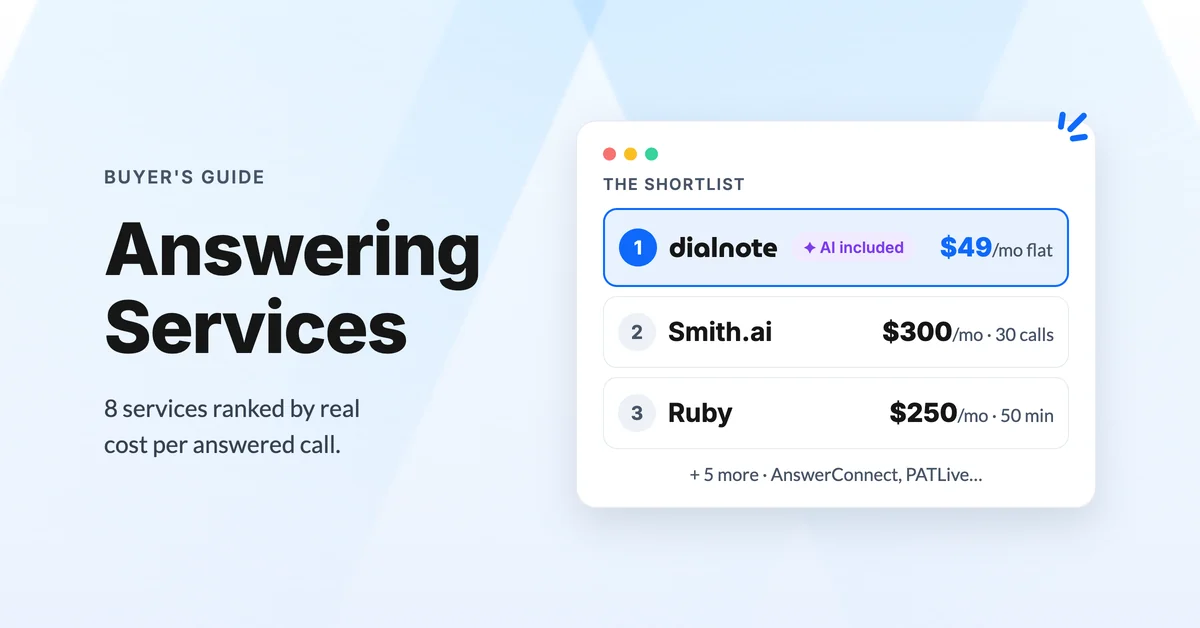
Best Answering Service for Small Business [2026]
Compare the best answering services for small business in 2026: live, AI, and hybrid options ranked by real cost per call and coverage.
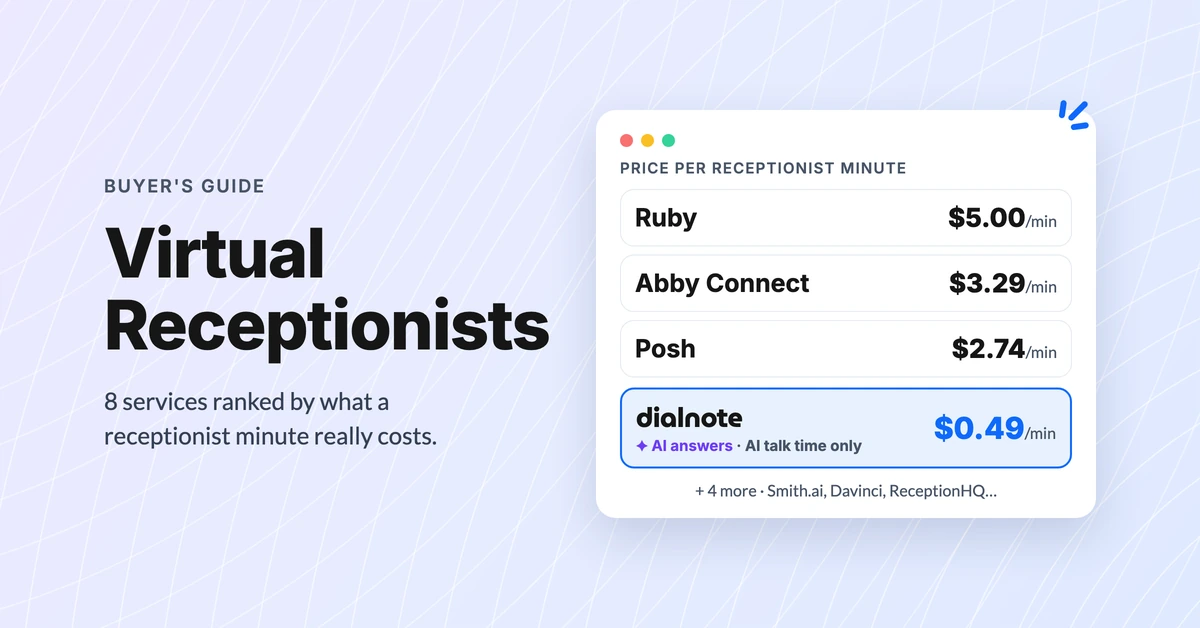
Best Virtual Receptionist Services Ranked [2026]
Compare the best virtual receptionist services of 2026 by price per receptionist minute, booking depth, and coverage, including the AI option.
Is an AI Receptionist Better Than a Live Answering Service?
Compare an AI receptionist vs live answering service on cost, quality, and 24/7 coverage. See which option fits your business better.
