Google Voice pros and cons (7 pros, 10 cons)
The short version of the Google Voice pros and cons: it's a great free second number for one person in the US, and a thin, pay-twice phone system for a team. The free plan gets you a number, an app, voicemail transcripts and spam filtering for $0. The trouble starts when a second person needs to answer.
Marcus learned that the slow way. He set up free Google Voice the week he started his plumbing business, back when it was just him and a van. Six years later he has four techs, a part-time bookkeeper, and one number that only rings on his phone. When he's under a sink, the call goes to voicemail, even if two of his techs are sitting in a van with free hands. Sound familiar?
TL;DR:
- Google Voice pros: free for personal use, works on the phone you already own, voicemail transcripts, built-in spam filtering, and a tight fit with Google Workspace.
- Google Voice cons: the free plan is for personal use with one user, US numbers and no 911 calling, and Google can reclaim a number that sits unused for too long.
- Team plans need a paid Google Workspace seat for every user on top of the $10 to $30 per-user Voice add-on (as of November 2026).
- An auto attendant starts on the $20 Standard plan, ring groups need Standard as a Workspace add-on, and automatic call recording only comes with the $30 Premier plan.
- It's a strong pick for a solo owner and a weak one once several people share the phones.
Jump to: The versions · Pros · Cons · Workarounds · Is it safe? · Who it fits
Which Google Voice are we talking about?
Google Voice comes in a few versions, and most pros and cons lists blur them together. Here's what each one is, from Google's own plan comparison (as of November 2026):
| Version | Price | Who it's for | Biggest limit |
|---|---|---|---|
| Google Voice (free) | $0 | One person, personal use | US only, no 911, no 24/7 support |
| Voice Starter (standalone) | $10/month | One person on a personal Gmail account | One user, no auto attendant |
| Voice Standard (standalone) | $20/month | One person who wants a phone menu | One user, no ring groups |
| Voice for Google Workspace | $10, $20 or $30 per user/month | Teams on a paid Workspace plan | Every user also needs a Workspace seat |
The free plan is the one people mean when they say Google Voice is free. Google says plainly that this no-charge plan is for personal, consumer use. Everything past it costs money, and each step up adds a specific set of features.
Here's what each paid step adds, per the same comparison page:
| Step up | What you get that the tier below doesn't |
|---|---|
| Any paid plan | 911 calling, 24/7 support, desk phones, 3-way calling, ad-hoc call recording |
| Voice Standard (standalone) | An auto attendant (phone menu) and AI notes on calls ("take notes for me") |
| Workspace Starter, $10/user | Up to 10 users, a company directory, calendar-based Do not disturb |
| Workspace Standard, $20/user | Unlimited users, ring groups, call queuing, call delegation, custom hold audio |
| Workspace Premier, $30/user | Automatic call recording, call reports in BigQuery, Vault, numbers outside your home country |
That split matters for everything below. A pro on the free plan (it costs nothing) can be a con on the team plans (you pay twice), so each point says which version it applies to.
The pros of Google Voice
The biggest Google Voice advantages are price, convenience and how little setup it needs. For one person who wants a second number, very few phone services match it.
1. The personal plan is free
Free Google Voice gives you a US number, unlimited texting within the US, and calls to the US and Canada that are almost all free (Google charges 1 cent a minute to a few places). Calls to other countries run on prepaid credit you top up yourself. There's no contract, no monthly bill and no card on file unless you buy credit.
Setup takes a few minutes. You verify with an existing US phone number, pick a new number by city or area code, and the app starts ringing. For a dog groomer working out of a van, or a bookkeeper with three clients, that's a real business number for nothing.
The catch: you need a US phone number to sign up, and the free plan stays a one-person product no matter how much you use it.
2. It rings on the phone you already own
There's no hardware to buy. Google Voice has apps for iPhone and Android and works in any web browser, so the same number rings on your phone and your laptop. Calls and texts from the business number stay in the Voice app, apart from your personal ones.
That separation is the quiet win. You can switch on Do not disturb for the business number at 6 p.m. and still get calls from family on your personal line. When you call a customer back from the app, they see the business number, not your cell.
The catch: call quality rides on your Wi-Fi or mobile data. In a basement or a rural job site with one bar, expect choppy calls.
3. Voicemail transcription is included
Every version, the free one included, turns voicemail into text. You can read a message in a few seconds between jobs instead of dialing in and listening. Transcripts land in the app and, if you want, in your email.
The paid plans go a step further. Voice Standard and the Workspace tiers include "take notes for me," which writes up notes from the call itself, according to Google's plan comparison. For a solo consultant on back-to-back calls, that's a genuine time saver.
The catch: transcripts aren't perfect. Forbes Advisor's tester found punctuation and name errors in every one, so they're good for deciding who to call back first, not for copying an address into a work order.
4. Spam filtering is built in
Google Voice flags suspected spam calls and texts and can send them straight to a spam folder. It can also screen unknown callers by asking them to say their name before your phone rings, and you can block a number in two taps. For a number printed on a van or a website, that cuts a lot of noise.
The catch: any filter catches the odd real caller. If your business depends on first-time callers, check the spam folder every few days so a new customer doesn't sit there unanswered.
5. It fits neatly into Google Workspace
If your business already runs on Gmail, Calendar and Meet, Voice for Workspace slots into the same admin console. You add users, assign numbers and manage billing in one place. You can take calls, voicemail and texts right inside Gmail, and on the Workspace tiers, Do not disturb can follow your calendar, so the phone goes quiet during booked meetings.
The catch: this is only a pro if you already pay for Workspace. If you don't, it's the reason the team plans cost what they do (more on that in con #5).
6. You can bring your own number
You can port an existing mobile number into a personal Google Voice account for a one-time $20 fee, according to Google's porting guide. Workspace accounts have their own porting process. That lets a solo owner keep the number customers already know while moving it off a personal carrier plan.
The catch: porting a number out of a carrier usually closes that line with the carrier. If it's also your personal cell, decide which number you'll use for family before you start.
7. It's simple to learn
The interface looks and works like Google's other apps, so there's almost nothing to learn. Setup is a few screens: pick a number, record a greeting, start calling. The paid plans add 3-way calling and support for desk phones, which helps if someone answers from a front desk all day.
Honestly? For one person in the US who wants a second line for $0, free Google Voice is the best deal in business phones. Don't pay for anything until you've outgrown it. The question is how you'll know when that's happened.
The cons of Google Voice
Most Google Voice disadvantages show up when you treat it as a business phone system: more users, more locations, or customers who expect someone to pick up. Here are the ten that come up most, with who each one hits and what you can do about it.
1. The free plan is for personal use
Google describes the free plan as being for personal, consumer use. Plenty of sole traders run a business line on it for years anyway. We're not sure how strictly Google enforces that line, and Google doesn't say.
What's clear is what you don't get. There's no 24/7 support on the free plan, so if calls stop ringing on a Monday morning, your options are Google's help pages and community forums.
Who it hits: anyone whose customers can't reach them any other way. If the number on your van is your only number, you're running your sales line on a plan with no one to call when it breaks.
2. One user and US numbers only
The free plan and both standalone plans cover one person. All three offer US numbers only. The Workspace plans reach 14 countries and regions for local numbers, according to Google's plan comparison, but only Premier lets you add numbers outside your home country.
For Marcus, "one user" is the whole problem. He can't add his techs to his free account. Each of them could open their own free Google Voice account, but then customers have five different numbers to call and none of them is "the company."
Who it hits: any business where more than one person answers, and any business with customers or staff outside the US.
3. No 911 calling on the free plan
Emergency calling is only on the paid accounts, per Google's 911 help page: Workspace add-on accounts, Voice Starter and Voice Standard standalone. Free Google Voice isn't on that list.
That matters most where the Voice app is the main phone: a front desk on a laptop, a shop with no landline, staff who answer from a browser. If someone there ever needs to dial 911, the free plan can't do it.
Who it hits: offices and shops where Google Voice has replaced the landline. A solo owner who always has a regular cell in their pocket is less exposed, but it's still worth knowing.
4. Google can take your number back
If a Google Voice number goes unused for a long stretch, Google can reclaim it. Google doesn't publish a fixed window, according to its reclaim help page. It sends a warning with a reclaim date first, and a call, a text, or listening to your voicemail before that date keeps the number.
Miss it and you have 45 days after the reclaim date to get the number back. After that, it can go to someone else.
Who it hits: seasonal businesses. A pool cleaner or a snow-removal crew that goes quiet for four months can come back to find the number on its trucks, cards and Google listing gone. The fix is cheap: set a monthly calendar reminder to send one text from the number.
5. Team plans make you pay twice
Voice for Workspace is an add-on. Each user needs a paid Google Workspace plan first, then the $10, $20 or $30 Voice license on top. A team that doesn't otherwise want Workspace pays for email and storage just to get phones.
Here's the math for Marcus's six-person crew on the Standard plan: $20 for Voice plus $8.40 for a Workspace Business Starter seat (the flexible-billing price Forbes Advisor lists, as of November 2026) is $28.40 per person. Six people pay $120 for Voice and $50.40 for Workspace seats, or $170.40 a month.
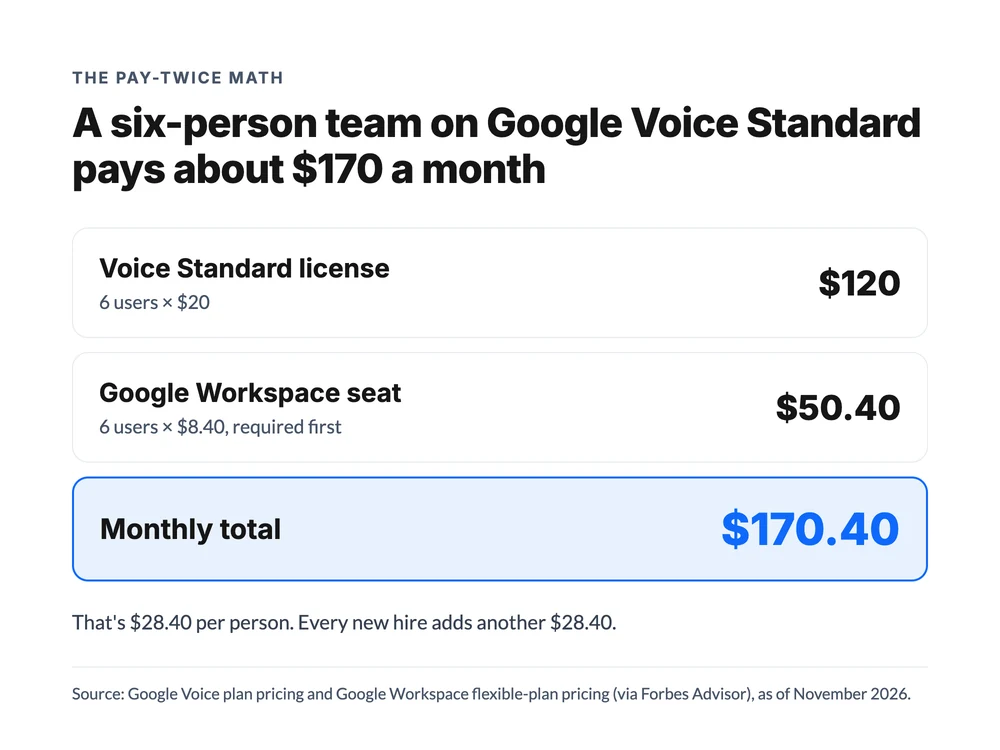
Over a year, that's $2,044.80. Want every call recorded automatically? That's Premier at $30, which takes the same six people to $230.40 a month. And every hire adds to it: a seventh person on Standard is another $28.40.
Who it hits: growing teams, and part-timers hardest. Marcus's bookkeeper answers maybe five calls a week, but that seat costs the same $28.40 as his busiest tech.
6. Real call handling starts at $20 per user
The $10 Starter tiers have no auto attendant and no ring groups, and Workspace Starter caps out at 10 users. You can't say "press 1 for service, press 2 for billing," and you can't ring three techs at once.
To be fair, once you pay for Workspace Standard, the routing is decent. Ring groups can queue up to 50 callers for as long as 30 minutes with your own hold audio, according to Google's call queuing guide. An auto attendant can send callers to a ring group, a person, another menu or an outside number.
What Marcus wants is simple: press 1 for an emergency and reach whoever's on call, press 2 for a quote and reach the office. Google Voice can do that, but only at $20 per user plus a Workspace seat for everyone in those ring groups, set up by someone who's comfortable in the Workspace admin console.
Why would a business pay for a phone system that can't route a call to the right person? That's the trap of the cheapest tier.
7. Call recording is limited
The free plan doesn't include call recording, per Google's plan comparison. The paid tiers can record on demand, so someone has to start the recording on each call. Automatic recording of every call only comes with Premier at $30 per user.
On-demand recording sounds fine until a busy Tuesday. The tech is juggling a ladder and a customer describing a leak, and nobody remembers to press record. That's the call you'll want later when there's a dispute about what was quoted.
Who it hits: anyone who quotes prices over the phone, trains new staff on real calls, or needs a record of what a customer agreed to.
8. Integrations stay inside Google
Google Voice connects well with Google's own apps and not much else. In its Google Voice review, Forbes Advisor called Google Voice's integrations "virtually nonexistent" (Forbes Advisor).
The closest thing to a data feed is Premier's call reports export to BigQuery. That's a reporting tool for someone who writes database queries, not a CRM sync. If you log calls in a CRM like HubSpot or Salesforce, expect to copy notes by hand, and expect that some notes never get copied.
Who it hits: sales-led teams and anyone who follows up on leads. A call that isn't logged is a lead nobody remembers to chase.
9. Missed calls go to voicemail
There's no AI agent in Google Voice that answers a call, asks the caller's questions, and books the job. Ring groups and queues help when someone is free. When nobody is, the caller gets voicemail, and you get a transcript to read later.
For a trade business, that's the moment a $2,400 job dials the next name on Google. Ask any trade owner how many voicemails from new callers turn into booked jobs, and "most of them" is rarely the answer. New callers don't wait. They try the next company.
Who it hits: businesses where the phone is the storefront: trades, clinics, salons, agencies. If a missed call is a lost job, voicemail is a cost, not a feature.
10. Texting is US and Canada only, and no bulk sends
Unlimited texting covers US numbers, and Google only lets you text numbers in the US and Canada. That's true on every plan, the paid Workspace tiers included. Google's terms also let it cut off accounts that send bulk or automated messages.
So there's no sending appointment reminders to a list, no "running 15 minutes late" text from a scheduling tool, and no texting a customer in Mexico or the UK.
Who it hits: appointment-based businesses that want to text reminders, and anyone with customers outside the US and Canada.
The workarounds teams try, and where they break
Most teams don't switch the day they outgrow Google Voice. They patch it first. Here are the three patches that come up most, and why each one stops working.
Sharing one login. The owner gives the free account's password to the office manager so two people can answer. It works until both pick up the app at once, nobody can tell who replied to which text, and every sign-in code goes to the owner's phone. It also puts the business line one leaked password away from being someone else's.
One free number per person. Every tech gets their own free Google Voice number. Now each person has a business line, but the company doesn't. Customers save whichever number they called first, and when a tech leaves, their customers' number leaves with them.
Forwarding to everyone's cell. The number forwards to a second linked phone, so two people hear it ring. That covers two people, not five, and it gives you no menu, no queue, and no idea who handled which call.
Each patch buys a few months. None of them gives you one number that a whole team can answer, see and track.
Is Google Voice safe?
Google Voice is as safe as the Google account behind it. Calls and voicemail sit in your account, protected by your password and, if you turn it on, 2-step verification. Spam filtering adds a layer against robocalls.
The real risk is a well-known scam. Someone (often a "buyer" on a marketplace listing) asks you to read back a six-digit code to "prove you're real." That code is a Google Voice verification code, and handing it over lets them set up a Google Voice number tied to your phone number.
Never share it. If it's already happened, you can reclaim the number from Google Voice settings.
There's one more quiet risk for businesses. Your number lives inside one Google account. If that account gets locked or suspended, the business line goes with it.
On Workspace, an admin can step in and reassign numbers, and Premier adds Vault for keeping call and text records. On the free plan, it's just you and Google's help pages.
Who Google Voice is right for
Google Voice fits one person really well and a growing team poorly. This table sums up where each version lands:
| Situation | Good fit? | Why |
|---|---|---|
| Solo owner who needs a second US number | Yes, the free plan | Free, private, rings on your own phone |
| Solo owner who wants 911 and support | Yes, Voice Starter | $10/month, one user, no Workspace needed |
| Solo owner who wants a phone menu | Yes, Voice Standard standalone | $20/month, auto attendant, no Workspace needed |
| Team already paying for Google Workspace, under 10 people, simple calls | Maybe | Starter works if nobody needs a phone menu |
| Team of 3+ that shares one number and needs routing | Usually not | Standard is $20/user plus Workspace for every person |
| Business that can't afford missed calls | No | Unanswered calls go to voicemail |
| Team outside the US, or texting customers abroad | No | Free and standalone plans are US only; texts reach only the US and Canada |
Google Voice pros and cons: when to switch
Weigh the Google Voice pros and cons against one question: is more than one person answering your calls? If not, stay put. If yes, a few signs say you've outgrown it:
- You're paying for Workspace seats only so people can have a phone line.
- Customers call one number and you forward it by hand.
- You've lost a job because a call went to voicemail.
- You need call recording or CRM notes without remembering to press anything.
That's where Marcus landed: a phone system priced per account instead of per person. dialnote is the AI business phone system priced for your whole team: shared numbers, call routing, branded AI voice agents that answer, qualify, and book, and automatic CRM sync, all included, with no per-user cost. The Team plan is $49/mo for unlimited users, so his six-person crew pays the same as a crew of two.
Here's what that one bill covers for a crew like his, as of November 2026:
- One number on everyone's phone. The main line rings the whole team with group calling, and anyone can put a caller on hold or transfer them. Nobody forwards calls by hand.
- Recording without a button. Every call is recorded automatically, so the job details a customer gave on Tuesday are still there on Friday.
- Notes that reach the CRM. After each call, the details sync to HubSpot, or to other tools through Zapier.
- An AI agent for the calls nobody can take. Team includes 1 AI voice agent that answers, asks the questions you set, and books the job through Calendly. AI calls are bought separately as a call pack: $25/mo for 65 calls.
- Room to start. 700 included minutes and 2 phone numbers in the US and Canada.
Put that next to the roughly $170 a month his crew would pay on Google Voice Standard plus Workspace seats, and it's about $121 back every month. One honest catch: AI calls aren't part of the 10-day free trial, so you'll test the phone side first and add a call pack once you're on a paid plan.
Switching doesn't mean a day without a phone. You release the number once in Google Voice settings, the transfer is handled for you, and your old line keeps ringing until the switch is done. There's a free check first to confirm the number can move before you pay Google anything. The Google Voice port guide walks through each step, and the Google Voice cost comparison lays out both bills side by side. For other options, see our list of Google Voice alternatives for business.
Outgrown Google Voice? Try a phone system your whole team can share
10-day free trial, no credit card needed.
Google Voice isn't a bad product. It's a personal product that a lot of businesses start on and then stretch too far. Use the free plan while it's just you, and plan your exit before the second person needs to pick up.
Frequently asked questions
Yes. The free plan is for personal use, covers one user and US numbers only, and has no 911 calling. Google can reclaim a number that sits unused. An auto attendant needs a $20 Standard plan, and ring groups need the Workspace add-on plus a paid Google Workspace seat per user.
For one person who needs a free second number, Google Voice is hard to beat. A team that needs shared numbers, a phone menu, call recording or CRM sync usually does better with a dedicated business phone system, especially one with flat pricing instead of a per-user fee.
Mostly to get a free second number that rings on the phone they already own. It keeps a personal cell private, transcribes voicemail, filters spam and works in a browser. Workspace users also like that it sits inside the same admin console as Gmail and Calendar.
Personal Google Voice is free. For one person, Voice Starter is $10 and Voice Standard is $20 a month. For teams, the Workspace add-on is $10, $20 or $30 per user a month, and each user also needs a paid Google Workspace plan. Prices as of November 2026.
Google Voice runs on your Google account, so it's as safe as that account. Turn on 2-step verification and never share a Google Voice verification code with anyone: scammers use those codes to set up a number tied to your phone. Spam filtering is built in.

Written by
Upasana Sahu
Senior Digital Marketing Specialist, SmartReach.io
Upasana Sahu is a Senior Digital Marketing Specialist at SmartReach.io with over 10 years of experience in content marketing, SEO, and digital strategy. She manages end-to-end blog operations, from content creation and on-page/off-page SEO to traffic...
Upasana Sahu is a Senior Digital Marketing Specialist at SmartReach.io with over 10 years of experience in content marketing, SEO, and digital strategy. She manages end-to-end blog operations, from content creation and on-page/off-page SEO to traffic...
Related Articles
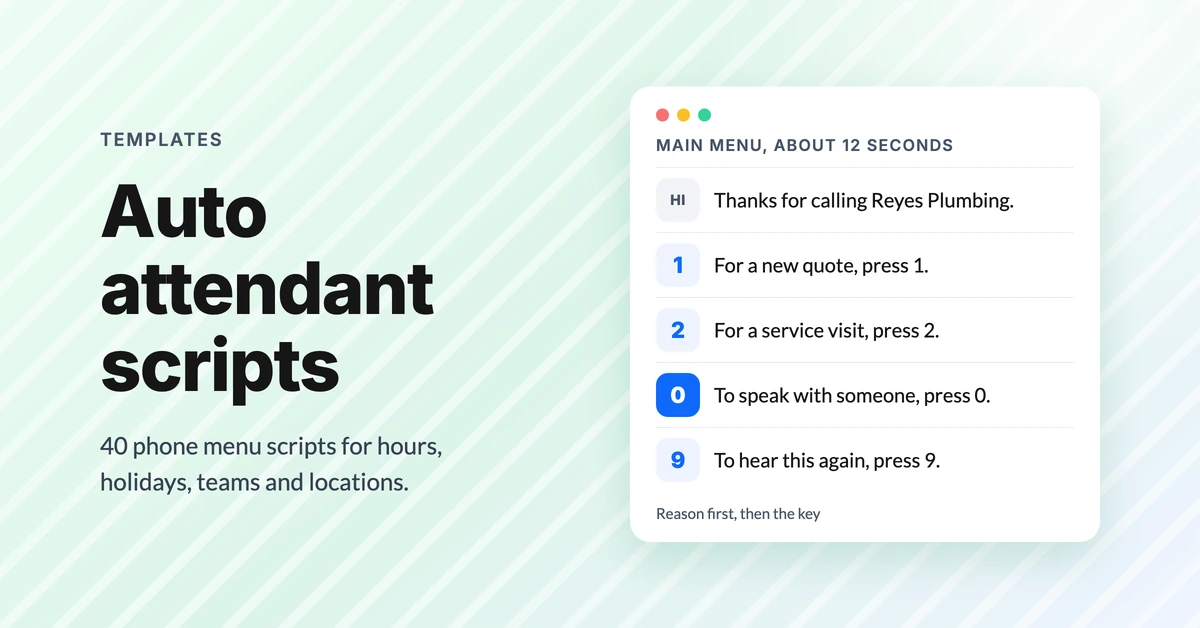
Auto attendant script examples (40 phone menu scripts)
Copy 40 auto attendant script examples for main menus, after hours, holidays, multiple locations and bilingual lines, plus the rules that stop hang-ups.
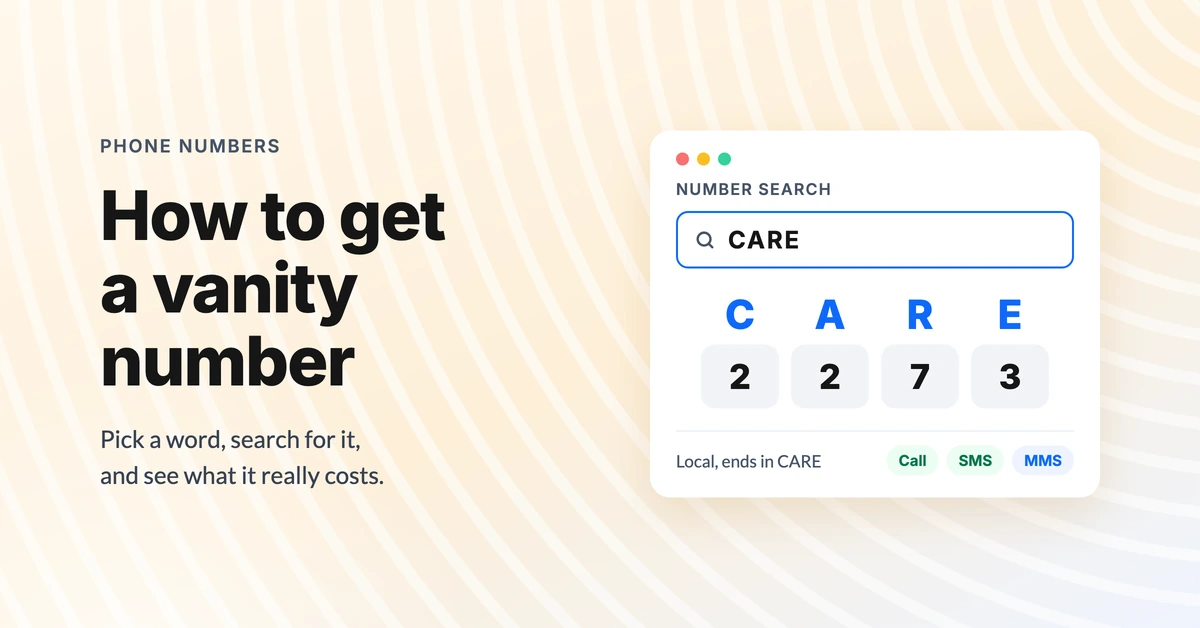
How to get a vanity phone number (and what it costs)
Learn how to get a vanity phone number for your business: pick a word, choose local or toll-free, search for one and see what sellers charge.
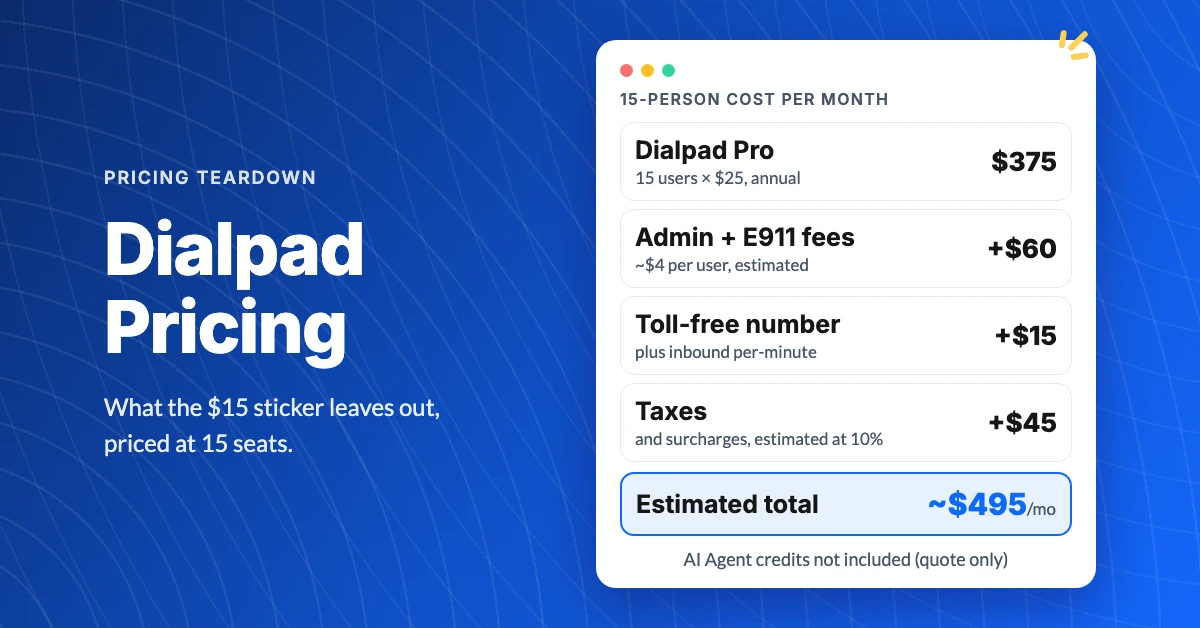
What Does Dialpad Pricing Really Cost a Small Team?
See what Dialpad pricing really costs: $15 to $35 per user, the 3-seat Pro minimum, per-text and admin fees, and real team math at 5, 15 and 30 people.