Why Does an AI Voice Agent Pause Before Answering?
You call a business, a voice answers, and you explain what you need. Then there's a beat of silence. Not long, maybe a second, but long enough that you wonder whether the line dropped. You start to say "hello?" just as the voice starts talking, and now you're both speaking at once.
That awkward little collision is the most recognizable tell in voice AI, and it has almost nothing to do with how smart the model is. It's a timing problem, and it's made of four separate delays stacked end to end. Pull them apart and you can tell a well-built agent from a sloppy one in a single test call.
TL;DR:
- The pause is four things in sequence: waiting to confirm you've stopped talking, transcribing your speech, running it through a language model, and turning the reply back into audio.
- The waiting step is usually the biggest, not the "thinking" step most people blame.
- Human conversation is far faster than the industry target. PNAS research across 10 languages found the most common gap between speakers is 0 milliseconds, with a cross-linguistic median near 100.
- The widely quoted "300ms rule" misreads that research. Real production agents mostly land between 600 and 1,700 milliseconds.
- How an agent handles being interrupted tells you more than its response time does, and a lot of voice AI ships with interruption handling switched off.
- The natural gap varies by language too, from about +7 milliseconds in Japanese to +469 in Danish, so one silence setting can't feel right to everyone.
- If you already run an agent, four things move the pause: the silence window, reply length, live lookups, and the greeting.
Jump to: why the pause happens · the latency budget · when it checks your calendar · how it knows you're done · the 300ms myth · interrupting it · accents and noise · other languages · spotting an AI · what you can change · testing a vendor
Why does an AI voice agent pause before answering?
An AI voice agent pauses because it has to finish four jobs before it can make a sound: decide you've stopped speaking, convert your audio into text, generate a reply, and convert that reply back into audio. Each one takes time, they mostly run in sequence, and the pause you hear is the sum.
The counterintuitive part is which step dominates. Most people assume the AI is "thinking". The language model is usually not the bottleneck. The bottleneck is the first step, the one where the system is doing nothing except waiting to be sure you're actually finished.
That's a design choice, not a technical limit. Wait longer and the agent almost never cuts you off, but every reply feels sluggish. Wait less and it's quick, but it starts talking while you're drawing breath mid-sentence. Every voice agent you've ever spoken to sits somewhere on that dial, and whoever built it decided where.
The four stages of the pause
Here's roughly where the time goes on a typical turn. Treat the numbers as a shape rather than a spec sheet, because they vary enormously by provider, network, and how the system is tuned.
| Stage | What's happening | Typical cost |
|---|---|---|
| Endpointing | Waiting to confirm you've stopped speaking | 300-700 ms |
| Speech to text | Turning your audio into text | 100-300 ms |
| Model response | Working out what to say back | 200-600 ms |
| Text to speech | Rendering the reply as audio | 100-300 ms |
| Total | What the caller hears as a pause | ~700-1,900 ms |
Add network time on top, and add more if the agent has to check a calendar mid-turn before it can answer. That's why "let me check the diary for you" is often followed by the longest silence in the call: there's a real lookup happening behind it.
Two things follow from this table. First, shaving the model's thinking time, which is where most of the engineering attention goes, only addresses a third of the problem at best. Second, an agent that feels fast in a demo can feel slow on your line, because the demo was on good audio with short sentences and your customers call from a truck.
Why "let me check that for you" takes even longer
Some turns aren't just talk. When the agent has to actually do something, a fifth stage appears in the middle of the pause, and it's the one callers notice most.
The set of things a voice agent can do mid-call is short and worth knowing, because each one has a different time cost:
- Check a calendar. A live lookup against your scheduling tool. This is the slow one, because the agent is waiting on somebody else's server before it can offer you a time.
- Book a meeting. A write, once you've agreed a slot. Usually quick, and it often happens while the agent is already speaking the confirmation.
- Send an SMS. Fires off and doesn't hold up the conversation. Your phone buzzes while you're still talking.
- Transfer to a teammate. Hands the live call to a person, at which point latency stops being the agent's problem.
Notice what's absent from that list: writing to your CRM. Despite what a lot of category marketing implies, the record of the call generally isn't being written into your CRM while the conversation is happening. It's assembled and synced after the caller hangs up, which is both how it actually works and, incidentally, part of why calls stay as fast as they do. Every system you make the agent wait on mid-call is silence the caller hears.
The practical takeaway for anyone setting one of these up: put as few live lookups as possible on the critical path. An agent that checks your calendar once, at the moment it's offering times, feels responsive. One that verifies something external after every caller answer feels broken.
How does the AI know you've finished talking?
It guesses, and the quality of that guess is the single biggest driver of how natural the agent feels.
The basic method is silence detection. The system watches the audio, and when it hears nothing for a set window, it decides your turn is over. Set the window at 500 milliseconds and the agent is responsive but rude, because it interrupts anyone who pauses to think. Set it at 1,200 milliseconds and it's polite but slow, and callers start repeating themselves into the gap.
Anyone who's read a phone number out loud to a voice system knows the failure mode. You say "it's 555, 0..." and pause to check the rest on a sticky note, and the agent leaps in to confirm a number you haven't finished giving. Addresses are worse. The natural way to say an address has pauses baked into it, right where the line breaks would go if you wrote it down.
Better systems don't rely on silence alone. They also read whether your sentence sounds finished: pitch falling at the end of a statement, a phrase that's grammatically complete, the difference between "I need someone to come out on..." and "I need someone to come out on Thursday." Humans do this constantly and unconsciously, which is why we can take turns with essentially no gap at all.
This is where the technology is genuinely improving fastest right now, and it's the part of a voice agent worth paying attention to. An agent with good endpointing and a mediocre model will feel better on a call than a brilliant model that keeps cutting you off.
What the "300ms rule" gets wrong
You'll see 300 milliseconds quoted everywhere as the threshold for natural conversation. It's repeated across vendor blogs to the point that it reads like settled science. It isn't, and the actual research is more interesting than the myth.
The underlying study is Stivers et al. in PNAS, looking at turn-taking across 10 languages worldwide. What they found is that the most common gap between one speaker finishing and the next starting is 0 milliseconds. The cross-linguistic median sits around +100 milliseconds. There's real cultural variation, with Japanese conversations averaging about +7 milliseconds and Danish about +469, but every language clusters far tighter and faster than 300 milliseconds as a floor.
Why does that matter commercially? Because it reframes the goal. No current voice agent is hitting human turn-taking speed, and none is close. The honest position isn't "we've solved latency", it's "we're a second behind a human and working on it". A vendor quoting 300 milliseconds as both the human benchmark and their achievement is, at best, repeating something they read.
I'll state the opinion plainly: if a voice AI vendor won't give you a real number for their end-to-end response time, or answers with a benchmark that only covers their model's inference, treat that as the answer. The number isn't flattering for anyone right now, and the ones willing to say it out loud are the ones who've measured it.
What happens when you talk over it
Interrupting is where voice agents most obviously stop feeling human, and there's an uncomfortable detail behind it.
The feature is called barge-in: the agent detects you've started speaking, stops talking mid-sentence, and listens. When it works, you can cut off a long-winded explanation the way you would with a person. When it's missing, the agent keeps going to the end of its sentence while you talk over it, and neither of you hears the other.
The uncomfortable part is that plenty of voice AI ships with barge-in turned off on purpose. It's easier to test a system that speaks in complete uninterrupted turns, and turning it on introduces a nasty edge case: background noise, a cough, or a passing truck can trigger a false interrupt, so the agent stops mid-sentence for no reason and the call falls apart. Builders who aren't confident in their noise handling often just leave it off.
So when you're evaluating one, interrupt it deliberately. Start talking three words into its reply. A good agent stops almost immediately and picks up your point. A weak one finishes its paragraph. It takes five seconds to test and no vendor page will tell you the answer.
Ray runs a six-van HVAC business and tested three vendors the same way: he called each one, waited for the greeting, and started talking over the middle of it while his shop compressor ran in the background. One stopped cleanly. One ignored him completely. One stopped every time the compressor cycled, which was worse than either. That's a more useful comparison than any feature table he could have read.
Why accents and background noise make it worse
Every delay above gets longer when the audio is bad, and phone audio starts out bad.
A phone call is compressed into a narrow slice of the frequency range before the AI hears anything at all. That compression throws away exactly the high-frequency detail that distinguishes similar consonants, which is why "fifteen" and "fifty" are hard on the phone for humans too. Then add the reality of service calls: a job site, a speakerphone in a car, a kitchen tap running, a toddler.
When transcription confidence drops, well-built systems slow down rather than guess. They wait a little longer for more audio, or ask you to repeat. That's the right behavior and it makes the pause longer. So who ends up with the worst experience? The customer calling from a van on the highway, which is exactly the customer you built it for.
Accents are the part vendors are least straightforward about. Published accuracy figures in this category come overwhelmingly from the vendors themselves, tested on clean recordings, and I'd treat any specific percentage you see with suspicion, including ours. The practical test is the only one that counts: call it, with your own accent, from the place your customers actually call from. If your customer base has strong regional accents or speaks English as a second language, that test is not optional.
To be genuinely uncertain about one thing: I don't know how much of the remaining gap closes in the next two years. Endpointing and noise handling are improving quickly. Whether they get to the point where a caller can't tell, on a bad line, with an accent, is an open question, and anyone claiming certainty either way is guessing.
Why the same agent feels slower in another language
Because the pause isn't a fixed number, and neither is the conversation it's trying to imitate.
Go back to the turn-taking study for a second. Stivers et al. didn't just find one universal gap, they found a range. The cross-linguistic median sits near 100 milliseconds, but Japanese conversations average about +7 milliseconds between turns while Danish averages about +469. Every language clusters within roughly a quarter-second of the mean, so the differences are small in absolute terms, but they're real and consistent.
That matters for a voice agent in a way most vendors never mention. A fixed silence window that feels natural to an English speaker will feel sluggish to callers used to faster turn-taking and pushy to callers used to slower. The agent hasn't changed. The expectation has.
Then the machinery itself gets harder:
| What changes | Why it costs time |
|---|---|
| Speech recognition | Training data is thinner for most languages than for English, so confidence drops and the system waits longer |
| Code-switching | Callers mix two languages in one sentence, which is normal speech and a hard recognition problem |
| Speech synthesis | Fewer natural-sounding voices exist, and the flat ones read as robotic faster |
| Names and addresses | Local place names are the single most common transcription failure in any language |
So if you serve a multilingual customer base, test the agent in each language separately. An agent that sounds sharp in English and stilted in Spanish is the normal outcome, not a defect you'll be told about up front.
How can you tell you're talking to an AI?
Usually by the timing and the prosody, not by what it says. The words are the part that's gotten good. Here's what actually gives it away:
- The pause is the same every time. Humans answer instantly to easy questions and slowly to hard ones. An agent that takes a beat before "yes" and the same beat before a complicated answer is running a fixed pipeline.
- It doesn't stumble. No "um", no false starts, no restarting a sentence halfway through. Unnaturally clean speech is a tell.
- The pitch is flat across sentences. People raise pitch on a question and drop it when finishing a thought. Synthesized speech is better at this than it used to be, but it still flattens out over a long reply.
- It handles interruption badly or not at all. The clearest signal, and the hardest to fake.
- It never asks you to repeat yourself for human reasons. A person says "sorry, my kid's yelling". An agent either understood or didn't.
Worth being precise about why this list matters: it's a quality checklist, not a detection kit. Every item on it is something a better-built agent does better. If you're evaluating one for your own business, run down this list and count how many it trips.
What you can actually change
Quite a lot, and most of it doesn't involve switching vendors.
If you already run a voice agent and the pause bothers you, four levers move it:
- The silence window. The single biggest one. Shorten it and the agent feels quicker but starts cutting people off mid-address; lengthen it and the reverse. There's no correct setting, only a tradeoff you pick deliberately instead of accepting a default.
- Reply length. A long spoken reply takes longer to synthesize and longer to say. Tightening the agent's instructions to answer in one or two sentences shortens the perceived pause at both ends.
- Live lookups. Every external check you put on the critical path is silence the caller hears. Push a calendar check to the one moment it's genuinely needed rather than after every answer.
- The greeting. Not latency exactly, but it sets the tempo. A long branded greeting trains the caller to expect a slow conversation before they've said a word.
What you can't change is the floor. The four stages have to happen in sequence, and no amount of tuning gets a current agent to human turn-taking speed. Tuning moves you within the range, not out of it.
How to judge an agent in one phone call
You can evaluate most of this yourself in about ninety seconds. Call the number and run four tests.
- Time the first reply. Say a normal sentence and count the gap. Under a second feels like conversation. Past a second and a half, you'll want to fill the silence.
- Pause mid-sentence. Read out a phone number or an address with a natural break in it. See whether it jumps in before you're done.
- Interrupt it. Start talking a few words into its reply. Does it stop, or plough on?
- Say something off-script. Ask for something the business plainly doesn't do. Watch whether it escalates cleanly or loops, which is the same test that matters for how an AI answering service handles the rest of the call.
Those four answers will tell you more than a demo video will. And they're worth running against whatever you're using today, not just what you're considering, because the same tests expose an agent that was tuned well a year ago and hasn't been touched since.
People are more used to this than they were. Pew Research found 49% of US adults have used an AI chatbot, up from 33% in 2024, though that's chatbots and smart speakers rather than phone calls specifically, and 63% still say AI is advancing too quickly. Familiarity is rising faster than comfort. On a phone line, where the caller can't see a "you're talking to a bot" label, that gap is exactly what good timing has to cover.
If you want to hear where the current bar sits, dialnote is an AI business phone system whose AI voice agent answers on a live line, and you can run all four tests on it directly. Related reading: voice AI vs chatbots covers why voice is the harder problem, and AI voice assistants for small business covers the buying side.
Run the four tests on a live agent
10-day free trial, no credit card needed. Interrupt it, pause mid-address, and say something off-script.
Frequently asked questions
Four things happen in that gap: the system waits to confirm you've stopped talking, transcribes what you said, runs it through a language model, and synthesizes the reply as audio. The waiting-to-confirm step is usually the biggest single chunk, often 300 to 700 milliseconds on its own.
It watches for silence and, in better systems, for whether your sentence sounds finished. A simple agent waits a fixed silence window, which is why it cuts in mid-pause when you're reading out an address. Smarter endpointing reads pitch and phrasing to tell a thinking pause from a finished turn.
Under about 800 milliseconds feels like conversation; past roughly 1.5 seconds people start talking over it. Human conversation is much faster than either: PNAS research across 10 languages found the most common gap between turns is 0 milliseconds, with a cross-linguistic median near 100.
It depends whether barge-in is switched on. With barge-in, the agent stops speaking and listens. Without it, it talks over you and keeps going to the end of its sentence. Plenty of voice AI ships with barge-in off because it's easier to test that way, so it's worth checking before you buy.
Not as usually stated. 300 milliseconds gets quoted as the human conversational threshold, but the underlying research puts the typical gap nearer 0 to 100 milliseconds, and it varies by language. Most production agents land between 600 and 1,700 milliseconds, well above any of these.
Yes, and more than most vendors admit. Phone audio is compressed into a narrow frequency band before the AI hears anything, and job-site noise, speakerphone, and car calls all degrade it further. Most published accuracy figures come from vendors testing on clean audio, so treat them carefully.
Timing and prosody give it away before the words do. Listen for a pause that's identical regardless of question difficulty, speech with no "um" or false starts, pitch that flattens over a long reply, and poor handling when you interrupt. Every one of those is something a better agent does better.
Some do, some use other language models, and the model is only one of four stages. Speech recognition, endpointing and speech synthesis sit around it, and those usually matter more for how the call feels. A great model behind bad endpointing still cuts callers off.
Two reasons. Natural turn-taking speed genuinely differs by language, from roughly +7 milliseconds between turns in Japanese to +469 in Danish. And speech recognition has thinner training data outside English, so the system waits longer when its confidence drops.
Yes, transferring to a teammate is one of the standard in-call actions, along with checking a calendar, booking a meeting, and sending an SMS. How quickly it gives up and hands off is a setup decision, and it's the single most useful thing to test during a trial.

Written by
Akhilesh Betanamudi
Co-Founder, SmartReach.io
Akhilesh Betanamudi is a technology entrepreneur and engineer with over 12 years of experience in hardware engineering, SaaS, and business communications. As Co-Founder of SmartReach.io - a sales engagement platform for startups and enterprises, he h...
Akhilesh Betanamudi is a technology entrepreneur and engineer with over 12 years of experience in hardware engineering, SaaS, and business communications. As Co-Founder of SmartReach.io - a sales engagement platform for startups and enterprises, he h...
Related Articles
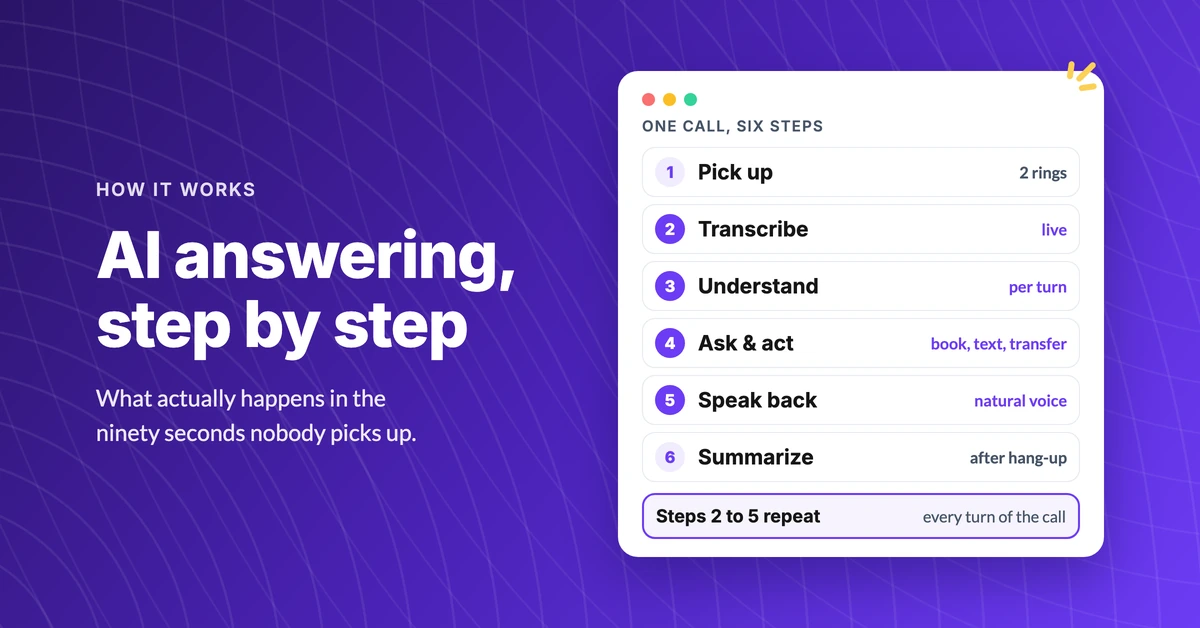
How Does an AI Answering Service Actually Work?
See how an AI answering service works, step by step: what happens in the first four seconds, what it can do on the call, and where it hands off to a human.
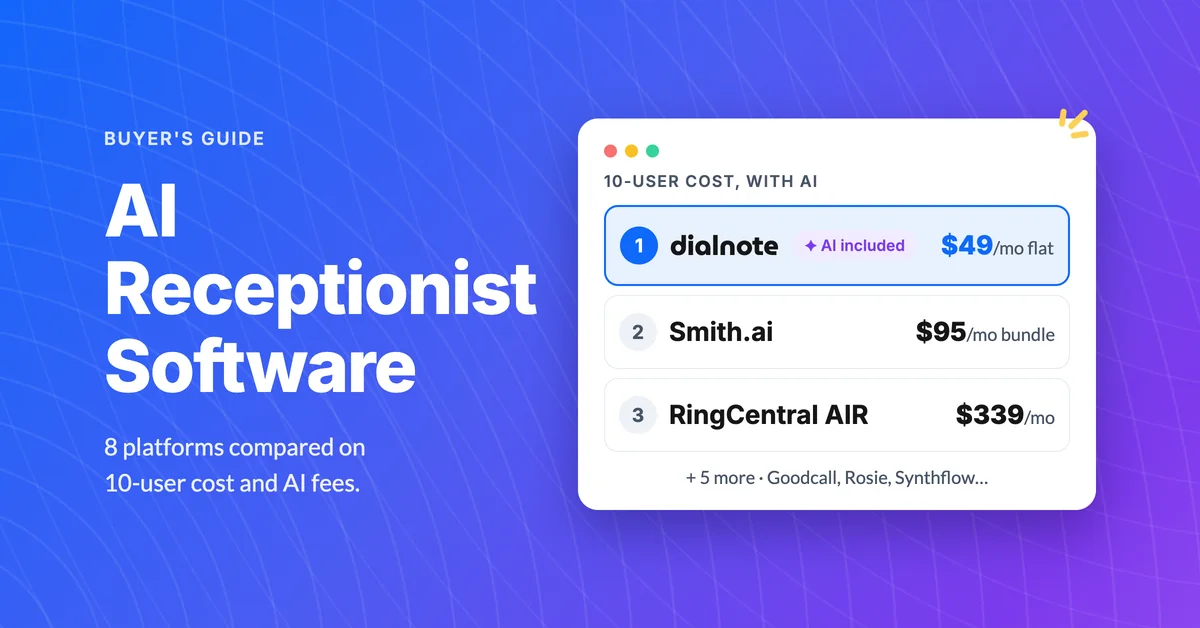
Best AI Receptionist Software For Businesses Ranked
Compare the best AI receptionist software for businesses by 10-user cost, per-minute AI fees, IVR, call queueing, and real reviews. Pick the right tool.
Voice AI vs Chatbots: When to Use Each for Your Business
Learn when voice AI beats chatbots and when chat wins. Compare voice AI vs chatbot costs, setup time, and use cases to pick the right fit for your team.
