How Does an AI Answering Service Actually Work?
It's 7:40 on a Tuesday evening and a burst pipe is soaking someone's kitchen floor. They google "emergency plumber near me", tap the first number, and it rings. Twice.
Then a voice picks up, says the company name, and asks what's going on. The caller explains, and the voice asks for the address, whether the water's still running, and whether 8am tomorrow works. It does. The appointment is booked before the caller hangs up.
That number belongs to Marcus, who runs a six-person plumbing company and is usually under a sink when the phone rings. At 7:40 on a Tuesday he was finishing dinner with his kids, phone face-down on the counter.
Nobody was in the office. No phone rang in anyone's pocket. That whole exchange was software, and the caller either didn't notice or didn't care, because they got what they called for. So what was actually happening in those ninety seconds?
TL;DR:
- An AI answering service picks up your business line, turns the caller's speech into text, works out what they want, speaks back in a natural voice, and repeats that loop until the call is done.
- The whole cycle runs in well under a second per turn, which is why it feels like a conversation instead of a phone menu.
- During the call it can do a small, specific set of things: check a calendar, book a meeting, send a text, or transfer the caller to a person.
- After the call ends it writes the summary, logs the answers it collected, and pushes that record into your other tools. That part happens after the hang-up, not during.
- It genuinely can't do everything. According to SurveyMonkey's February 2026 survey of 2,017 US adults, 79% still strongly prefer a human agent, so how cleanly it hands off matters as much as how well it answers.
Jump to: the six-step loop · the first four seconds · how it understands the caller · what it can do on the call · after the hang-up · when it gets stuck · the honest limits
How does an AI answering service work?
An AI answering service answers your business phone with a voice agent that listens, understands, and responds in real time. Every call runs the same six-step loop: it picks up, converts speech to text, interprets what the caller wants, decides what to say or do, speaks the reply out loud, and repeats until the call ends.
Here's the loop in order:
- Pick up. The call routes to the AI instead of a voicemail box or a ringing desk phone. This can be every call, or only the ones nobody answers in twenty seconds.
- Listen and transcribe. Speech recognition turns the caller's words into text, continuously, while they're still talking.
- Understand. A language model reads that text along with the instructions you wrote and the conversation so far, then works out what the caller actually wants.
- Decide. It either forms a spoken reply, asks the next question on your list, or triggers an action like checking a calendar.
- Speak. Text-to-speech renders the reply as audio in the voice you picked.
- Repeat, then wrap up. Steps two through five cycle for every turn. When the call ends, the system writes the transcript, the summary, and the answers it gathered.
The thing worth understanding is that steps two through five happen on every single turn of the conversation, in a fraction of a second each. That speed is the whole illusion. Get it right and callers talk normally. Get it wrong by even a second and it feels like a bad international call, and people start talking over it.
The first four seconds: pickup and greeting
The opening of the call decides how the rest of it goes. Three things get settled before the caller says a word: whether the AI answers at all, what it says, and what it already knows.
Most setups don't send every call to the AI. You choose a rule. Common ones are after-hours only, overflow when nobody picks up within a set number of rings, or all calls to a specific number like the one on your Google Business Profile. A plumbing company might route the main line to the team during the day and to the AI from 6pm, while sending the number on their van decals to the AI around the clock.
Then it greets the caller. That greeting is a script you write, not something the model improvises, because the first line is the one that has to be exactly right every time. "Thanks for calling Ridgeline Plumbing, how can I help?" is doing real work: it confirms the caller dialed the right business and it signals someone is here.
What it knows going in matters too. The agent has your business hours, your service area, your instructions about what to say and what never to say, and the specific questions you want every caller asked. It doesn't know the caller personally unless you've connected a system that tells it. A first-time caller and a ten-year customer sound identical to it on the way in.
How the AI works out what the caller wants
This is the part people picture as magic, and it's the part most worth demystifying. Two systems do the work, and they fail in different ways.
Speech recognition converts audio to text. It's very good, and it's not perfect. Phone audio is genuinely hard: it's compressed to a narrow frequency band, and a real service call often comes with a running tap, a van engine, or a dog. Accuracy on clean audio is high enough to be boring. Accuracy on someone shouting over a wet vac is a different story. Any vendor claiming their transcription never drops a word is selling you something.
The language model then reads that text and decides what it means. It has your instructions, your intake questions, and everything said so far in the call. When a caller says "yeah so the thing in the basement is leaking again and honestly it's been doing this since spring", the model has to pull out: this is an existing problem, it's a leak, it's in the basement, it's recurring, and none of the questions on your list have been answered yet. Then it asks the first one.
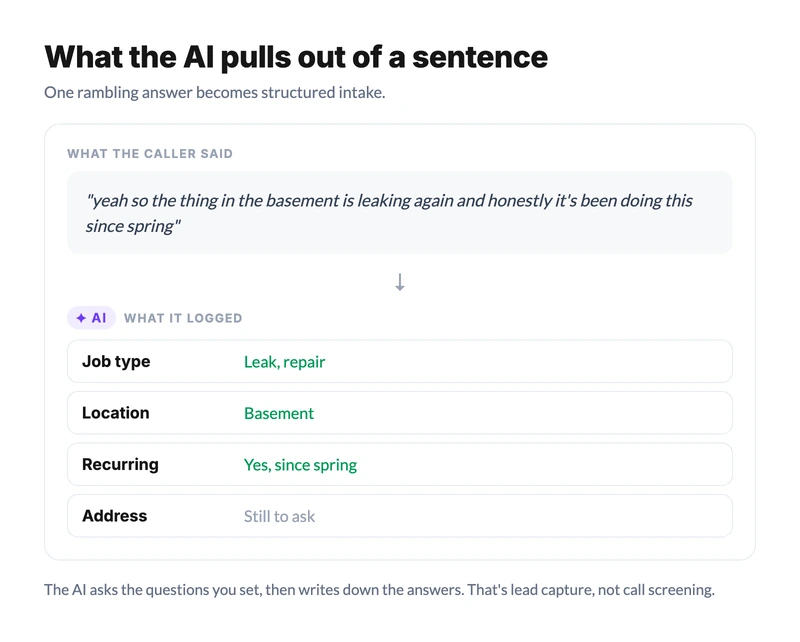
That last bit is the practical difference between an AI answering service and a phone menu. A menu makes the caller translate their problem into your categories. Press 1 for service, press 2 for billing. The AI does the translating itself, and the caller just talks. Ever been stuck pressing 0 over and over because none of the five options matched your actual problem? That's the failure mode this design is built to avoid.
There's a real limit here worth stating plainly. The model follows the instructions you give it. Vague instructions produce vague calls. The businesses that get good results write specific, boring, detailed intake questions, and the ones that write "be helpful and friendly" get an agent that is helpful, friendly, and useless for booking work.
What it can actually do while the caller is still on the line
A lot of marketing in this category implies the AI can do anything. It can't, and the specific list is short on purpose. While the caller is still talking, an AI voice agent typically has four actions available:
| Action | What it does on the call | What the caller experiences |
|---|---|---|
| Check a calendar | Looks up real open slots before offering times | "I've got Thursday at 9 or Friday at 2" |
| Book a meeting | Writes the appointment into the connected calendar | Gets a confirmed time before hanging up |
| Send an SMS | Texts a link, an address, or a confirmation mid-call | Phone buzzes while they're still on the line |
| Transfer to a teammate | Moves the live call to a human | Gets handed to a person, warm |
Calendar booking is the one that changes the economics, and it's also where the fine print lives. The agent can only see calendars it's actually connected to. dialnote, an AI business phone system whose voice agents answer calls, capture lead details, and book meetings around the clock, connects to Calendly and Cal.com and nothing else (see what its AI receptionist books and how). That's the kind of detail worth checking against any vendor's claims before you sign up rather than after.
Alongside those actions, the agent is collecting answers. You define the questions ("what's the address?", "is this a repair or a new install?", "how did you hear about us?") and it asks them naturally in the flow of the conversation, then logs what it hears. This is the part that quietly does the most work. A booked appointment is nice; a booked appointment with the address, the job type, and the urgency already written down is a dispatchable job.
One correction, because nearly every article in this category gets it wrong: the agent is not updating your CRM mid-call. Live CRM writes during a conversation are much rarer than the marketing suggests. What actually happens is described in the next section, and the distinction matters if you're evaluating vendors on capability claims.
What happens after the caller hangs up
The call ending is when a second batch of work starts, and it's mostly invisible to the caller.
Within seconds of the hang-up, the system produces a transcript of the whole conversation, a short written summary of what the caller wanted and what was agreed, the structured answers to your intake questions, and the call recording if you have recording turned on. Then it distributes all of that: a notification to whoever needs it, an entry in your call history, and a push into connected tools.
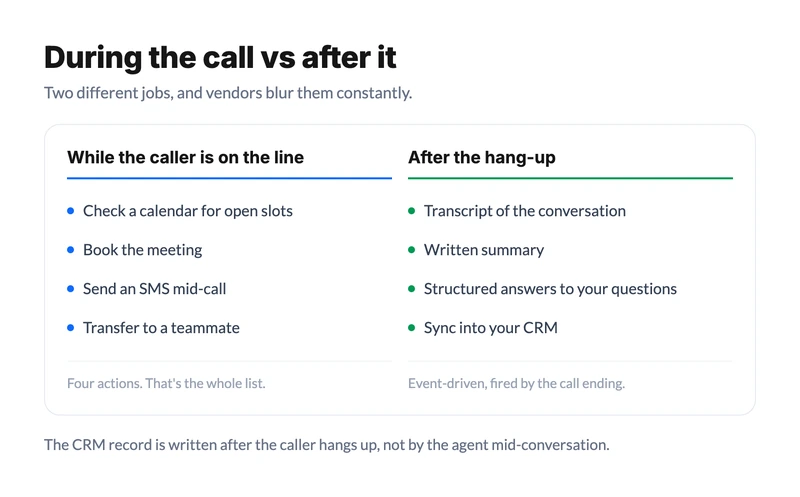
That push is event-driven, not live. The call ends, which fires an event, which syncs the record into your CRM or your other systems. This is why the honest description is "the AI logged the call and synced it after" rather than "the AI updated your CRM while talking to the customer".
Functionally the outcome is the same by the time you look at it. But if you're comparing vendors on what happens during a call versus after one, you want to know which is which.
For a business owner the practical version is this: you look at your phone in the morning and there's a list of last night's calls, each with a summary, the caller's details, and a booked slot or a flag saying nobody booked. That's a meaningfully different morning than a voicemail box with four beeps in it. We laid out what that gap is worth in real revenue in the answering service vs voicemail breakdown.
What happens when it doesn't understand?
It escalates, and how it escalates is the single most important thing to evaluate.
Every AI answering service hits calls it can't finish. A caller with a question your instructions never anticipated. A furious customer who wants a manager. Audio so bad the transcription is guesswork. An emergency that needs a human decision right now. The question isn't whether these happen, it's what the system does on the way out.
A well-built escalation does one of three things: transfers the live call to a person if someone's available, takes a detailed message and flags it as urgent so it gets seen first, or texts the caller a way to reach a human directly. The bad version loops. It re-asks the same question, apologizes, re-asks it, and burns ninety seconds of a frustrated person's evening before dropping them.
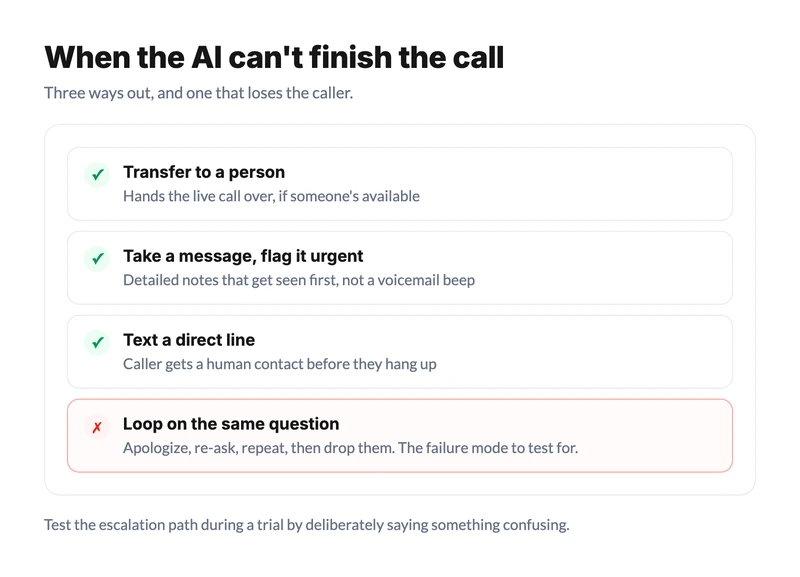
The data here is unflattering for the whole category. In that same SurveyMonkey survey, only 15% of US adults said they'd experienced a smooth handoff from AI to a human, and 89% said companies should always offer a human option. Whatever the marketing says, most people's lived experience of AI on a phone line is getting stuck in it. Any vendor worth using should be able to show you exactly what their escalation path does, and you should test it yourself during a trial by deliberately saying something confusing.
Where does this leave the technology overall? Somewhere genuinely useful and clearly unfinished. Gartner predicts that by 2029, agentic AI will autonomously resolve 80% of common customer service issues without human intervention. That's a forecast, not a description of today, and the gap between the two is roughly where the honest conversation about this technology sits.
What an AI answering service still can't do
Here's the section most vendor pages skip. If you're deciding whether this fits your business, the limits tell you more than the features.
It can't screen or filter calls in the way people assume. A lot of competitor copy says these services "screen calls" or "block spam". What actually happens is lead capture: the AI asks the questions you set and writes down the answers. That's useful, but it's not a bouncer, and if spam calls are your real problem this isn't the fix.
It doesn't handle emotionally heavy calls well. A grieving family calling a funeral home, a patient with frightening symptoms, a customer who's genuinely been wronged: a skilled human is better at these, and it isn't close. If a meaningful share of your inbound calls are like this, an AI front door is the wrong front door.
It can't recover from instructions you didn't write. The agent knows what you told it. Ask it something outside that and it'll either escalate (good) or improvise (bad). The quality of the setup is most of the quality of the result.
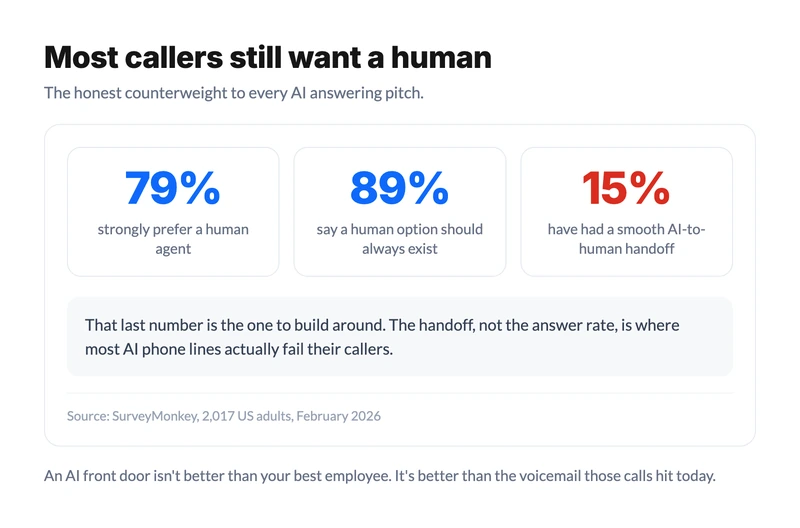
It won't satisfy every caller. That 79%-prefer-a-human number is real, and pretending otherwise leads to bad decisions. A fair amount of that preference comes from years of terrible IVR menus rather than from AI voice agents specifically, and we're honestly not sure how fast it shifts as the technology improves. The safe assumption is that some portion of your callers will always want a person, and your setup should let them get one quickly.
Set against that, the case for it is simple and mostly about arithmetic. An AI agent answers the 9pm call, the Sunday call, and the third simultaneous call during a storm, all of which currently go to voicemail and mostly never call back. It isn't better than your best employee. It's better than the voicemail greeting those calls hit today, which is the comparison that actually applies.
So is it worth it for your business?
The question to ask isn't "is AI as good as a receptionist". It's "what is currently happening to the calls nobody answers". If the answer is voicemail, you already know what those callers do next.
Three things predict whether this works for a given business. Your call volume has to be high enough that missed calls cost real money. Your calls have to be mostly routine, with a repeatable set of questions and a bookable outcome. And you need to be willing to spend an afternoon writing genuinely specific instructions rather than hoping the model figures out your business on its own.
If you want to see the mechanics rather than read about them, dialnote's AI answering service runs the loop described here, answers in 14 languages, books through Calendly or Cal.com, and transfers to a teammate when someone's free. Call it yourself and try to break it. Testing the escalation path is the part most people skip, and it's the part that tells you the most.
For the cost side of this decision, our AI answering service cost breakdown has the pricing models, and AI receptionist vs live answering service covers the head-to-head against a human service.
Call it yourself and try to confuse it
10-day free trial, no credit card needed. Say something off-script and watch how it hands off.
Frequently asked questions
Yes, if it's connected to a calendar it can read. The agent checks open slots, offers specific times, and writes the booking before the call ends. dialnote books through Calendly and Cal.com. Check which calendars a vendor supports, because the list is usually shorter than the marketing.
Many will, some won't, and it depends mostly on response speed and how the agent handles interruptions. Callers with a simple, routine request often don't notice or don't mind. Callers who go off-script usually work it out fast. Disclosure rules also vary by region, so check what applies to you.
A well-built agent escalates: it transfers the live call to a person, flags an urgent message, or texts the caller a direct way to reach a human. Test this during a trial by saying something confusing. Only 15% of US adults told SurveyMonkey in February 2026 they'd had a smooth AI-to-human handoff.
Yes. You either port the number to the provider or forward your current line to it. Forwarding is faster to set up and reversible, which makes it the better way to trial one. Porting moves the number permanently and usually takes a few business days.
Not always, and this is worth checking before you buy. dialnote's AI agent books through Calendly and Cal.com only, not Google Calendar or Outlook directly. Many Google Calendar users connect it through Calendly, which works, but it's an extra step rather than a native integration.
Yes. Transferring to a teammate is one of the standard in-call actions, alongside checking a calendar, booking a meeting, and sending an SMS. The transfer only lands if someone is actually available, so most setups also define a fallback: take a message and flag it as urgent.
Voicemail records a message and ends the interaction. An AI answering service holds a conversation, asks your intake questions, and can book the appointment during the call. The practical gap is the answer rate, since roughly 80% of callers sent to voicemail hang up without leaving anything.

Written by
Upasana Sahu
Senior Digital Marketing Specialist, SmartReach.io
Upasana Sahu is a Senior Digital Marketing Specialist at SmartReach.io with over 10 years of experience in content marketing, SEO, and digital strategy. She manages end-to-end blog operations, from content creation and on-page/off-page SEO to traffic...
Upasana Sahu is a Senior Digital Marketing Specialist at SmartReach.io with over 10 years of experience in content marketing, SEO, and digital strategy. She manages end-to-end blog operations, from content creation and on-page/off-page SEO to traffic...
Related Articles
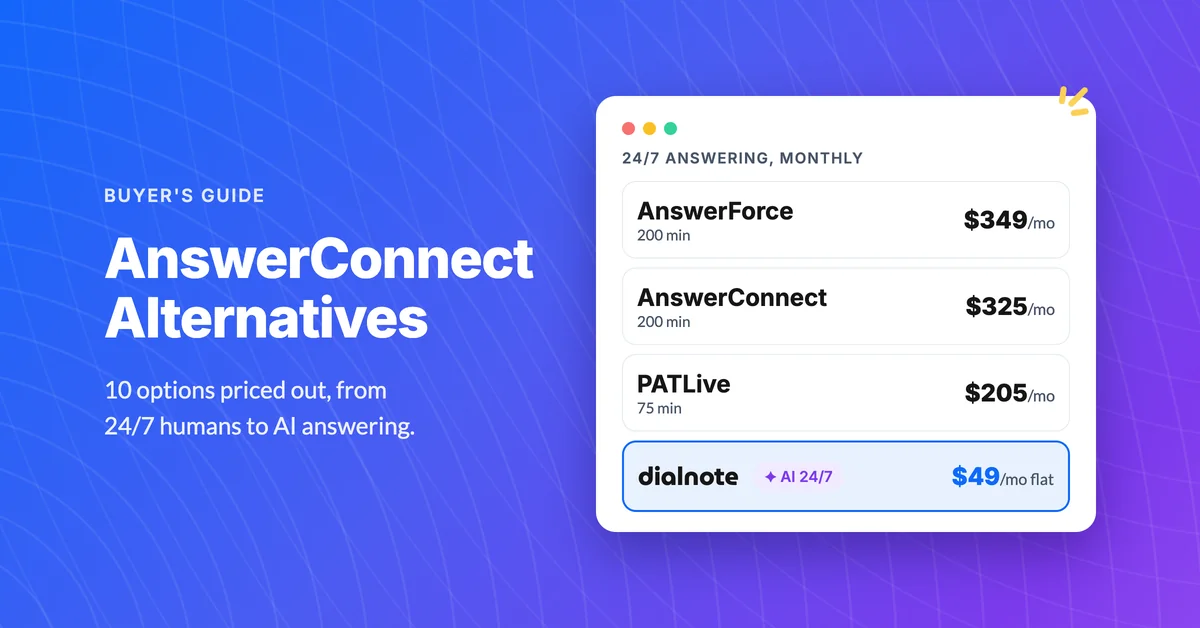
AnswerConnect Alternatives: 10 Better Options [2026]
AnswerConnect runs $325/mo for 200 minutes, and after-call work bills too. Compare 10 AnswerConnect alternatives on real cost per answered call.
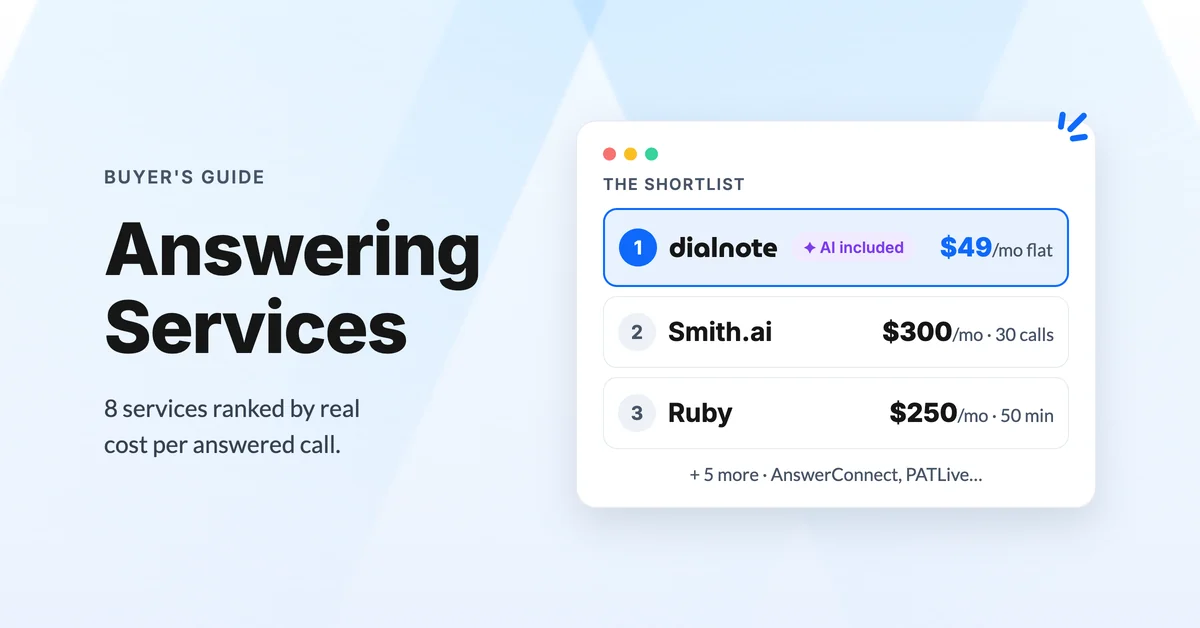
Best Answering Service for Small Business [2026]
Compare the best answering services for small business in 2026: live, AI, and hybrid options ranked by real cost per call and coverage.
Is an AI Receptionist Better Than a Live Answering Service?
Compare an AI receptionist vs live answering service on cost, quality, and 24/7 coverage. See which option fits your business better.
