Conversation Intelligence Without the Per-Seat Bill
Every call your team takes is a few hundred words of the most direct customer research you will ever get, and almost all of it evaporates the second somebody hangs up.
Conversation intelligence is the category built to stop that. It records the call, transcribes it, and runs the text through a model that returns structured fields you can actually query: what the call was about, how it went, how the caller felt, and what happens next. After 12 years building SaaS products, I'd put it in the small set of AI features that survived contact with real users instead of quietly getting switched off.
The catch is who the category was designed for, and what it costs when you aren't them.
TL;DR:
- Conversation intelligence turns each call into structured data: transcript, summary, 1-10 quality score, sentiment label, and topic tags.
- The pipeline is four steps. Record, transcribe with speaker separation, run the transcript through a language model, write the results back as fields.
- The category was built for enterprise revenue teams and priced per seat. Salesforce lists Conversation Insights at $50 per user per month as of September 2026.
- Per-seat pricing punishes exactly the team that benefits most: the 15-person operation where everyone answers the phone.
- dialnote is the AI business phone system that includes transcription, summaries, call scoring, sentiment, and AI call tagging in its Pro plan at $199/mo flat, with no per-user cost.
What is conversation intelligence?
Conversation intelligence is software that captures a spoken conversation, converts it to text, and applies AI to extract structured information from it. The output isn't a recording you still have to listen to. It's a set of fields: a written summary, a quality score, a sentiment label, detected topics, and action items, all attached to the call record and filterable like any other data in your system.
That last part is the whole point. A recording is evidence. A transcript is a document. Only the structured fields are data, and data is the only form of this that answers a question like "which calls last month were about pricing, and how many of them went badly?"
Microsoft's documentation describes the same shape in its own product: transcribe, analyze, surface. The vocabulary shifts between vendors, but the pipeline doesn't.
How does conversation intelligence actually work?
Four steps, and knowing them tells you where the quality actually comes from.
1. Recording with separated tracks. Each participant gets recorded on their own audio channel. This sounds like a detail and it isn't. Speaker separation done at the audio layer is reliable; speaker separation guessed later from a single mixed track isn't, and it's the difference between a transcript that reads cleanly and one where two people blur into one voice.
2. Transcription. When the call ends, the audio goes to a speech-to-text model and the separate speaker segments get merged back into one timeline with labels and timestamps. Coverage varies by vendor; dialnote's AI features handle 14 languages.
3. Language model evaluation. The finished transcript goes to an LLM, which reads the whole conversation and returns judgments: what it was about, whether the caller's issue got resolved, how they seemed to feel, how well it was handled.
4. Write-back. Those judgments land on the call record as fields, which is what makes them filterable later.
Here's the part vendors gloss over: steps 3 and 4 are only as good as step 2. The model never hears the call. It reads a transcript. Bad audio produces a bad transcript, and a bad transcript produces confident, well-formatted, wrong analysis. When we've dug into complaints about "the AI got this call wrong," the root cause has almost always been upstream, in the audio or the transcription, not in the model doing the reasoning.
So what should you look at first when the output seems off? The transcript, every time. Read it before you blame the analysis.
What does it actually give you?
Vendors describe this differently, but the useful outputs land in four buckets.
| Output | What it is | What it's for |
|---|---|---|
| Summary | A short written recap with key points and action items | Skipping the re-listen when somebody asks what was agreed |
| Quality score | A numeric rating of how the call was handled | Finding the calls worth coaching on, without sampling by hand |
| Sentiment | Positive, neutral, or negative | Triage: which callers left unhappy |
| Topic tags | Categories applied from the transcript content | Answering "how many calls were about X" across a whole month |
In dialnote each scored call carries a 1-10 rating, a yes/no on whether the call achieved its purpose, a sentiment label, a one or two sentence evaluation, and a confidence value between 0 and 1. Tags are grouped into four kinds: priority, topic, outcome, and action, and you define the tag set yourself.
The confidence value is the one people ignore and shouldn't. A score of 4 at 0.9 confidence means something. A score of 4 at 0.3 confidence means go listen to the call.
How is it different from call analytics and speech analytics?
These three get used as synonyms in vendor copy and they aren't the same thing. Sorting them out matters, because buying the wrong one is how teams end up with a dashboard that can't answer their actual question.
| Term | Operates on | Answers |
|---|---|---|
| Call analytics | Call metadata: who called, when, how long, answered or missed | How many calls came in, and how many did we lose? |
| Speech analytics | Audio signal plus keywords: detecting words, pauses, talk ratio | Did the rep say the compliance line, and who talked more? |
| Conversation intelligence | Meaning of the full transcript, read by a language model | What was this call about, and how did it go? |
Call analytics is the oldest of the three and still the most load-bearing. Answer rate and missed-call counts are the numbers that tell you whether you have a staffing problem, and no amount of transcript analysis substitutes for them. If you're only going to instrument one thing, instrument that.
Speech analytics sits in the middle. It's keyword and acoustic pattern matching, so it's fast and cheap to run at volume, and it's genuinely good at compliance checks: did the disclosure get read, did anyone say a competitor's name. What it can't do is understand a sentence. "No problems at all" and "no, problems, at all" trip the same keyword.
Conversation intelligence is the expensive one because it's the one running a language model over the whole conversation. That's what buys you meaning instead of pattern matching, and it's also why the outputs are judgments rather than measurements.
The practical order for a small team is the order above. Get your call counts right first. Add transcripts and summaries when people are re-listening to recordings to find facts. Add scoring and sentiment last, once you have enough tagged volume that the aggregate view says something a spot check wouldn't.
Why is conversation intelligence priced for someone else?
The category grew up inside enterprise sales. It was built so a VP of Sales could coach twenty account executives, and the pricing model followed the use case: you pay per seat, because seats were reps, and reps were the thing being measured.
Salesforce publishes Conversation Insights pricing at $50 per user per month as of September 2026, sold inside a Sales Engagement add-on. Standalone tools reviewed in September 2026 published rates from roughly $19 to $165 per seat per month depending on tier. The exact number matters less than the shape of it, which is the same everywhere: the bill scales with headcount.
Now put a service business under that model. At a plumbing company, a clinic, or a property management office, the people on the phone aren't a sales team being measured. They're everyone. The dispatcher, the office manager, the owner picking up at 7pm, the tech taking a callback from the van. Per-seat pricing charges you most precisely where the phone matters most.
My honest opinion, and it's the reason we built this the way we did: per-seat pricing for conversation intelligence is a pricing model that outlived its use case. It made sense when the feature was a coaching tool for a sales org. It stopped making sense the moment the same technology became a general answer to "what is happening on our phone line," which is a question every business has and only some businesses staff a sales team around.
What it costs a 15-person team
Take Ray. He's the operations lead for a property management company: four offices, fifteen staff, one shared maintenance line per location. Tenants call about leaks, lockouts, rent questions, and noise complaints. Nobody has any idea what the split actually is, because nobody has ever counted.
Ray wants exactly one thing to start: the ability to say "here's what our callers asked about last month, and here's which offices are handling them badly."
Run that through per-seat pricing. Fifteen people at a mid-range $79 per seat per month is $1,185 a month, or $14,220 a year, on top of what he already pays for phone service. For a report. He won't buy it, and he's right not to. The value is real, but it isn't fifteen thousand dollars a year real, and the per-seat model gives him no way to buy a smaller slice of it.
The alternative isn't a cheaper conversation intelligence platform. It's not buying one at all, because the phone system already has the audio. Everything in the pipeline above starts from a recording that your phone provider is already making. A separate platform is, structurally, a second vendor charging you per head for analysis of data you already own.
dialnote's Pro plan runs $199 a month flat with unlimited users, and AI call tagging, which is what drives scoring and sentiment, is included on it. For Ray that's $2,388 a year against $14,220, and the number doesn't move when office five opens.
How to turn conversation intelligence on without buying a platform
If your phone system does this already, it's a settings change rather than a purchase. Here's the actual path, and it's configured per phone number so you can start with one line instead of the whole company.
- Go to Settings → Phone Numbers and select the number you want to analyze
- Open the AI & Intelligence section
- Turn on AI transcription (call recording has to be on for that number, since the transcript comes from the recording)
- Turn on AI summaries to get the written recap after each call
- Turn on AI call tagging, which is the toggle that also produces the call score, sentiment, and evaluation summary
- Open Settings → AI Call Tags and define at least one tag, because scoring won't run without one
Both AI transcription and AI call tagging are on by default for new numbers, so on a fresh account this is often a check rather than a change. Only the number's owner, or an org owner or admin, can toggle them.
Turn it on for one line and read a week of calls
10-day free trial, no credit card needed.
After the next call on that number ends, the finished summary appears in the conversation timeline in your Inbox.

What you're reading for in week one isn't the summary of any single call. It's whether the tag set you invented actually matches the calls that come in. Ray's first tag list will be wrong, because everyone's is. He'll guess "maintenance, leasing, billing" and discover a third of his calls are lockouts, which deserved their own tag and a different routing rule.
Once a few hundred calls have tags on them, the aggregate view is where the question gets answered. Go to Reports in the sidebar, then View Detailed Report on the Call Tags & FCR card, which covers both human-handled and AI calls and carries a sentiment column and filter.
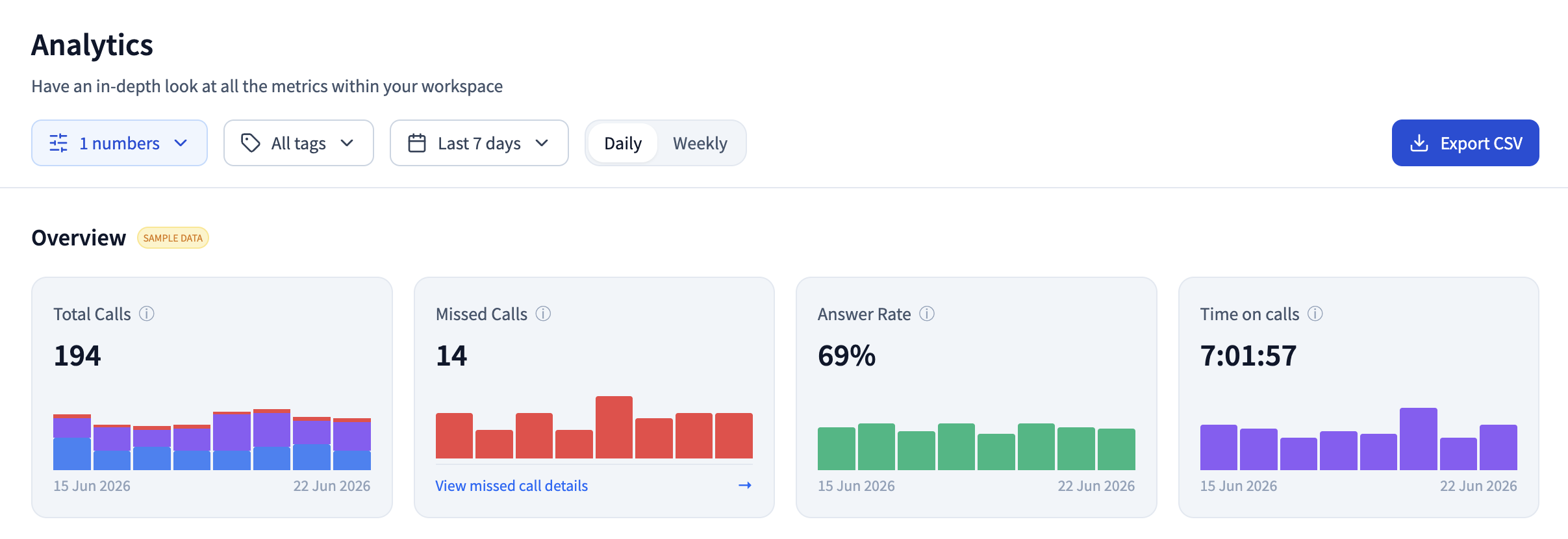
Then sort by sentiment, filter to negative, and read ten transcripts. That's the whole exercise. Ten calls is usually enough to find the one broken thing nobody had put into words, and you can go deeper from there with a proper call analytics dashboard once you know what you're looking for.
What conversation intelligence still gets wrong
Three limits worth knowing before you build a process on this.
Sentiment reads words, not tone. The model is working from a transcript, so it sees vocabulary and phrasing. A caller who is icily polite while describing a serious problem can come back neutral. A caller who swears cheerfully can come back negative. It's a triage filter, not a verdict.
Scores are consistent, not objective. A 1-10 rating from an LLM is repeatable and comparable across calls, which is genuinely useful. It isn't a measurement in the way call duration is. Use it to rank calls for review. Don't put it in somebody's performance review as if it were a fact.
Short calls fall through. In dialnote, a call needs transcribed speech to get scored at all, and the AI summary specifically needs at least 50 words. Quick hangups, wrong numbers, and silent calls produce nothing, which is correct behavior but does mean your tagged dataset quietly excludes the shortest interactions.
And one I genuinely don't know the answer to yet: nobody has convincing public evidence on how much AI call scoring drifts as a model gets updated underneath you. A score of 7 in January and a score of 7 in December may not mean quite the same thing. We're watching it in our own data and don't yet have enough history to say. If you're planning to trend scores over years rather than months, hold that number loosely.
So who should buy what?
If you run a sales org where coaching reps is the job and deal forecasting is the output, a dedicated conversation intelligence platform earns its per-seat price. Gong and Salesforce Conversation Insights are built for that motion and go far deeper into pipeline than a phone system will.
If you run a service business where the phone is the front door, the dedicated platform is the wrong shape. You'd be paying per head for analysis of recordings your phone provider is already making. dialnote is the better pick when you want transcripts, summaries, scoring, and sentiment on every line without the bill scaling with the number of people who answer the phone. You can see how the pieces fit together on the call analytics and insights page, or check what's included per tier on pricing.
Start with one number and two weeks of calls. Read the transcripts, fix your tags, and only then decide whether any of this deserves a second vendor.
Frequently asked questions
Conversation intelligence is software that records a call, transcribes it, and runs the transcript through an AI model to produce structured data: a summary, a quality score, a sentiment label, and topic tags. It turns conversations you can't review by hand into fields you can filter.
On most platforms it's built for recorded rep calls. In dialnote both paths are covered: AI agent calls are scored by the voice engine, and human-handled calls run through a separate model once the transcript is ready, producing a 1-10 score, a sentiment label, and a short evaluation.
Not if your phone system already does it. Standalone platforms bill per seat on top of your phone bill. dialnote includes transcription, summaries, call scoring, sentiment, and AI call tagging in the Pro plan at $199/mo flat, with no per-user cost.
Good enough to sort and triage, not good enough to discipline anyone. Models read word choice, not tone, so a calm caller stating a serious complaint can land as neutral. Treat sentiment as a filter that points you at calls worth listening to yourself.
Standalone platforms publish per-seat pricing. Salesforce lists Conversation Insights at $50 per user per month as of September 2026, and mid-market tools sit higher. dialnote bundles the same outputs into a flat plan, so the cost doesn't move when you add people.

Written by
Akhilesh Betanamudi
Co-Founder, SmartReach.io
Akhilesh Betanamudi is a technology entrepreneur and engineer with over 12 years of experience in hardware engineering, SaaS, and business communications. As Co-Founder of SmartReach.io - a sales engagement platform for startups and enterprises, he h...
Akhilesh Betanamudi is a technology entrepreneur and engineer with over 12 years of experience in hardware engineering, SaaS, and business communications. As Co-Founder of SmartReach.io - a sales engagement platform for startups and enterprises, he h...
Related Articles
AI call summaries: never lose a call detail again
See how AI call summaries capture key points, action items, and follow-ups from every call, so your team stops re-listening to recordings for the facts.
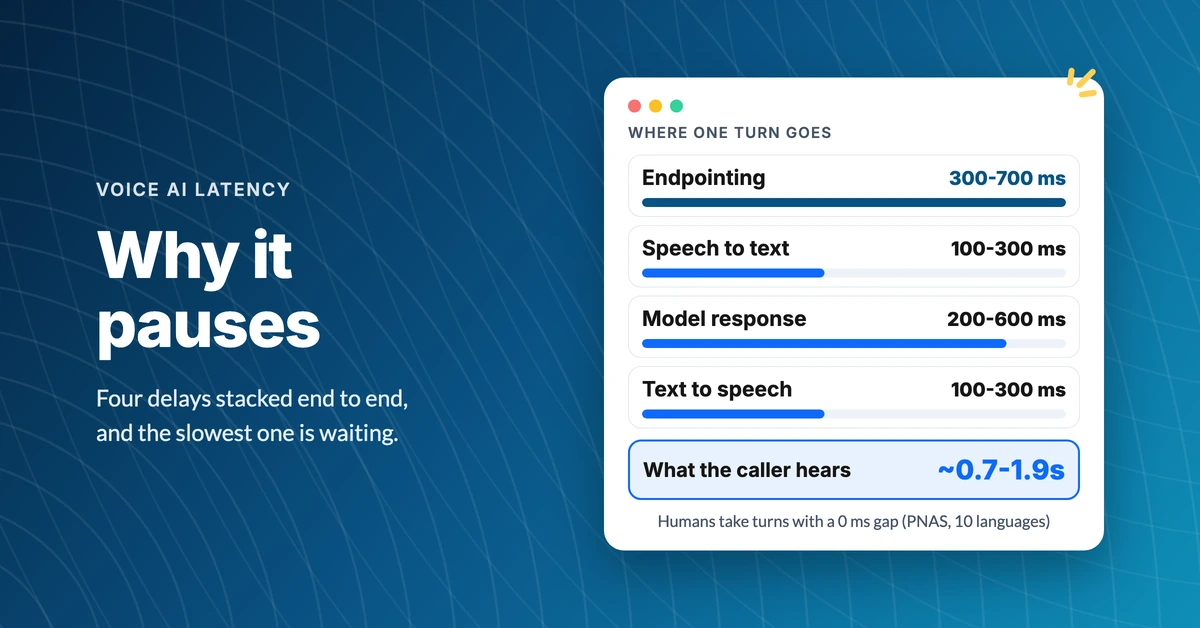
Why Does an AI Voice Agent Pause Before Answering?
Find out why an AI voice agent pauses before answering, what each millisecond is spent on, and how to tell a well-built agent from a sluggish one.
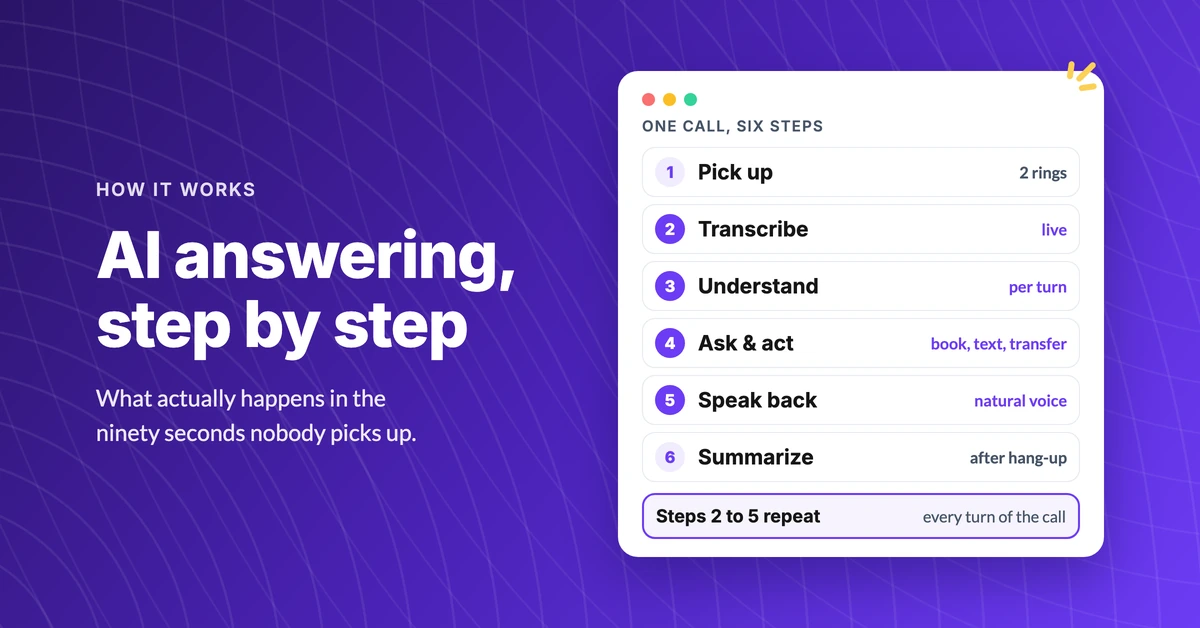
How Does an AI Answering Service Actually Work?
See how an AI answering service works, step by step: what happens in the first four seconds, what it can do on the call, and where it hands off to a human.
