How to Use Your Call Analytics Dashboard Like a Pro
Your call analytics dashboard is probably the most underused tool in your tech stack.
That's a bold statement. But after talking to dozens of sales and support teams, I've noticed the same pattern: companies invest in powerful analytics tools, run them for a few weeks, then quietly ignore them because nobody knows what to actually do with all that data.
Stan runs sales ops at a mid-sized software company. He spent three weeks building a beautiful call analytics dashboard. Custom widgets, color-coded metrics, the works. Leadership loved it. But then they started asking questions he couldn't answer. "Why are calls dropping off on Tuesdays?" "What's causing the spike in handle time?" The dashboard showed what was happening, but Stan couldn't explain why.
Sound familiar?
Here's the thing: a call analytics dashboard isn't just a reporting tool. It's a decision-making engine. When you know how to read it properly, every chart tells a story about your team, your customers, and your opportunities for improvement.
TL;DR:
- A call analytics dashboard is a decision-making engine, not a trophy report: use it to guide staffing, coaching, process fixes, and customer experience.
- Focus on a handful of actionable metrics: call volume and timing, first call resolution (aim for 70-75%), average handle time, and abandonment rate (keep it under 5%).
- Segment metrics by agent, issue type, and time of day to turn vague trends into clear coaching and process decisions.
- Set a few actionable alerts (like abandonment above 8% or FCR below 65%) instead of dozens that you'll learn to ignore.
- AI-powered analytics add conversation intelligence, sentiment scoring, and volume forecasting that a basic dashboard can't show.
What Makes a Call Analytics Dashboard Actually Useful
Let's start with a hard truth. Most dashboards show too much data. You end up staring at 47 different metrics without knowing which ones deserve your attention.
The best call analytics dashboard setups focus on three things:
Actionable metrics. Numbers you can actually change through coaching, process adjustments, or resource allocation. Average handle time? Actionable. Total calls made since 2019? Not so much.
Trend visibility. Single data points are nearly useless. You need to see patterns over days, weeks, and months. Is that 12% abandonment rate getting better or worse?
Role-specific views. Your support agents don't need the same dashboard as your VP of Sales. Different roles need different information to make smart decisions.
What metrics should a call analytics dashboard track?
A call analytics dashboard should track four core metrics: call volume and timing, first call resolution rate, average handle time, and call abandonment rate. Together they show how busy your team is, how well they solve issues, how long calls take, and how many callers give up before reaching anyone.
Every team is different, but certain call analytics metrics consistently prove valuable across industries. Here are the ones worth monitoring daily.
Call Volume and Timing
This seems basic, but you'd be surprised how many teams don't track it properly. Knowing when calls peak helps with staffing. Knowing when they drop reveals potential problems.
Watch for:
- Daily and weekly patterns (most B2B teams see Tuesday-Thursday spikes)
- Seasonal trends that affect capacity planning
- Sudden volume changes that might signal marketing campaigns or product issues
Pro tip: overlay your call volume against marketing activities. That spike last month? Probably the webinar follow-ups.
First Call Resolution Rate
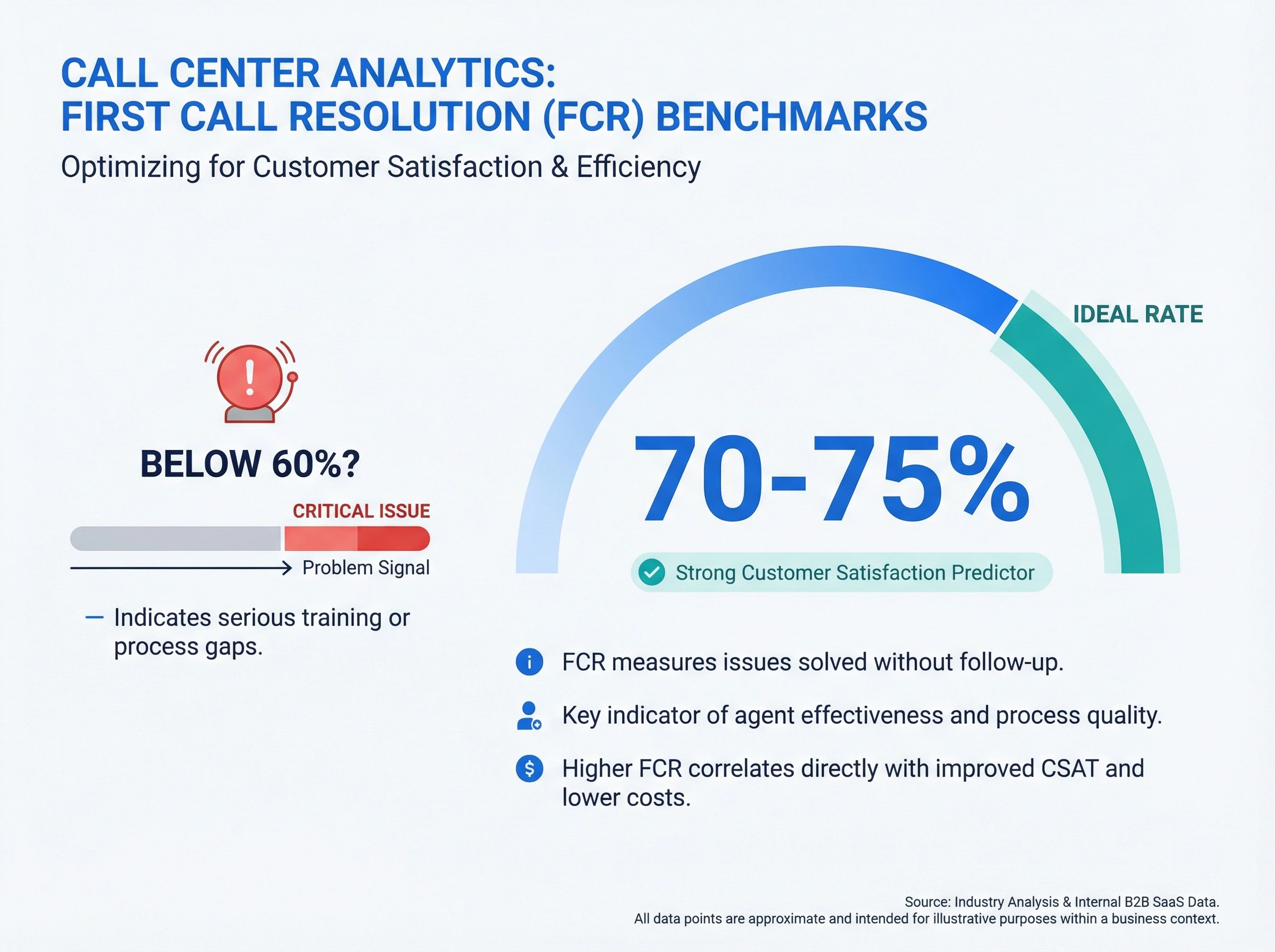
First call resolution (FCR) measures how often customers get their issues solved without calling back. It's one of the strongest predictors of customer satisfaction, and it's where many teams struggle.
A good FCR rate sits between 70-75%. Below 60%? You've got a training or process problem that's costing you money in repeat calls.
Here's where your call analytics dashboard gets useful: segment FCR by issue type, agent, and time of day. You'll quickly spot patterns. Maybe warranty questions get resolved 90% of the time, but billing disputes only hit 45%. That tells you exactly where to focus improvement efforts.
Average Handle Time
Average handle time (AHT) is tricky. Lower isn't always better.
Yes, shorter calls mean more capacity. But rushing customers creates callbacks, complaints, and churn. The goal is appropriate handle time: fast enough to be efficient, slow enough to actually solve problems.
Compare AHT across your team. If Amy handles similar calls in 4 minutes while Bob takes 8, there's a coaching opportunity. Maybe Amy uses better call scripts. Maybe she knows the product cold. Maybe Bob is actually doing something valuable that Amy skips. Your dashboard shows the gap. You need to investigate the cause.
Call Abandonment Rate
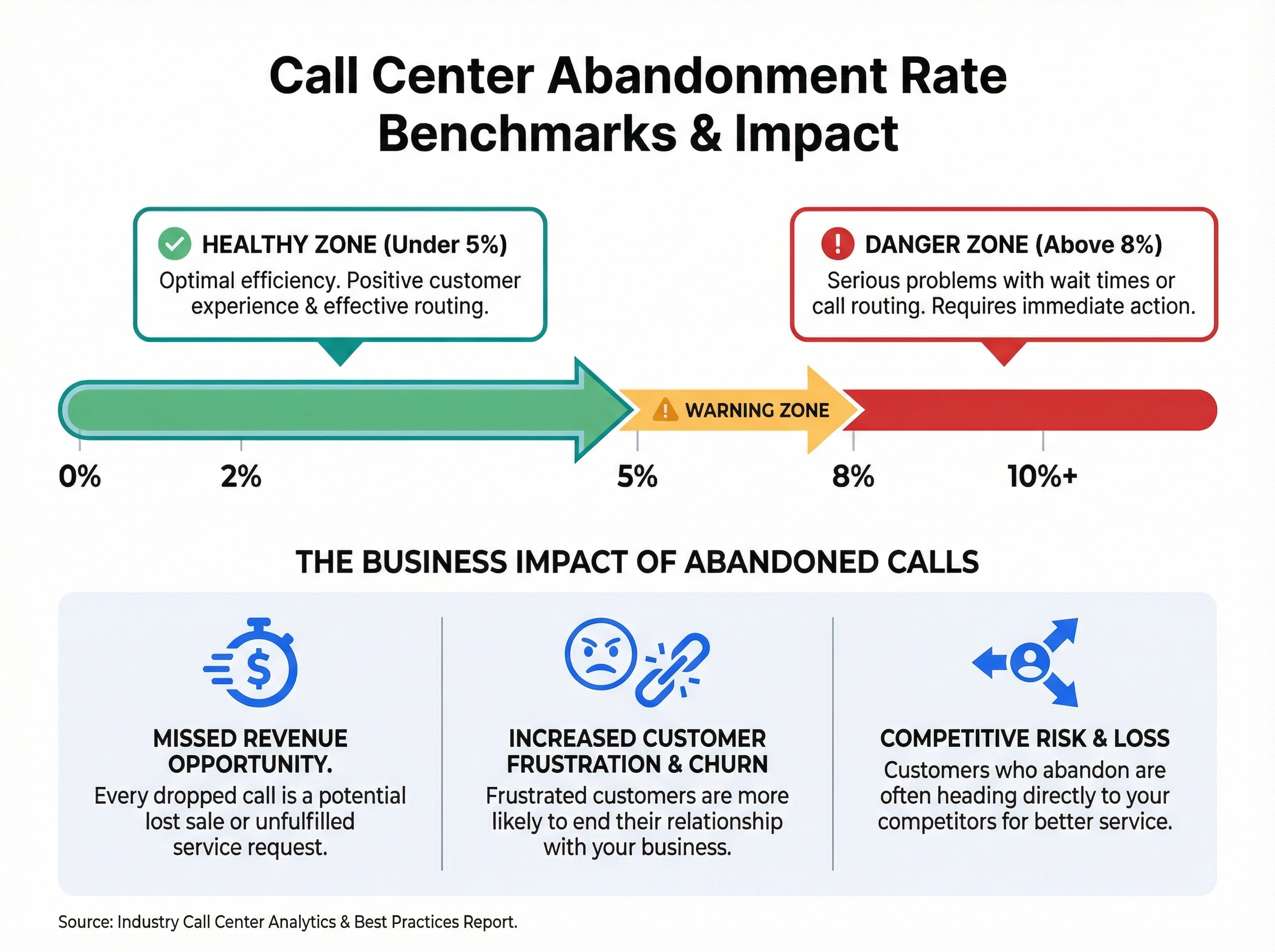
When customers hang up before reaching an agent, that's an abandoned call. Every abandoned call is a missed opportunity (or worse, a frustrated customer heading to your competitor).
Healthy abandonment rates stay under 5%. Anything above 8% signals a serious problem with wait times or call routing.
Your call analytics dashboard should track abandonment by time of day. Spikes during lunch hours? You need better shift coverage. Spikes after 5pm? Consider extending hours or adding after-hours options.
Reading Your Dashboard for Problems (Before They Blow Up)
The real power of call analytics isn't in pretty reports. It's in early warning systems.
The Tuesday Mystery
Remember Stan's question about Tuesday call drops? Here's how to actually solve it: compare your Tuesday metrics against the weekly baseline, then drill down.
Check call attempts versus connects. If attempts are normal but connects drop, you might have a technical issue: bad phone numbers, routing problems, or system glitches.
Check agent availability during Tuesday peaks. Overlapping meetings? Training sessions? Sometimes the answer is embarrassingly simple.
Check if Tuesday prospects are somehow different. Maybe that's when your marketing team's email campaigns hit, and those leads have different behaviors. (Understanding when to call vs email can help explain why.)
Most "mysterious" patterns have mundane explanations. The dashboard points you toward the right questions.
All of that assumes you can actually see the pattern in the first place. And that's where the manual route breaks down: exporting call logs into a spreadsheet every week to rebuild the same day-by-day comparison is exactly the chore that gets skipped by week three.
dialnote is an AI business phone system with no per-user pricing. AI voice agents answer calls, capture leads, and book meetings 24/7. Plans from $19/mo. Its Reports dashboard skips the spreadsheet step entirely: Total Calls, Missed Calls, Answer Rate, and Time on Calls sit on one screen, each with its own trend chart, so a repeating mid-week dip shows up the moment you set the date range.
To run the Tuesday check:
- Click Reports in the left sidebar
- Set the Date Range filter to Last 30 days
- Keep the Granularity on day so each weekday stays separate
- Scan the trend chart under Total Calls for the repeating dip
- Click View missed call details on the Missed Calls card to open the Missed Calls report
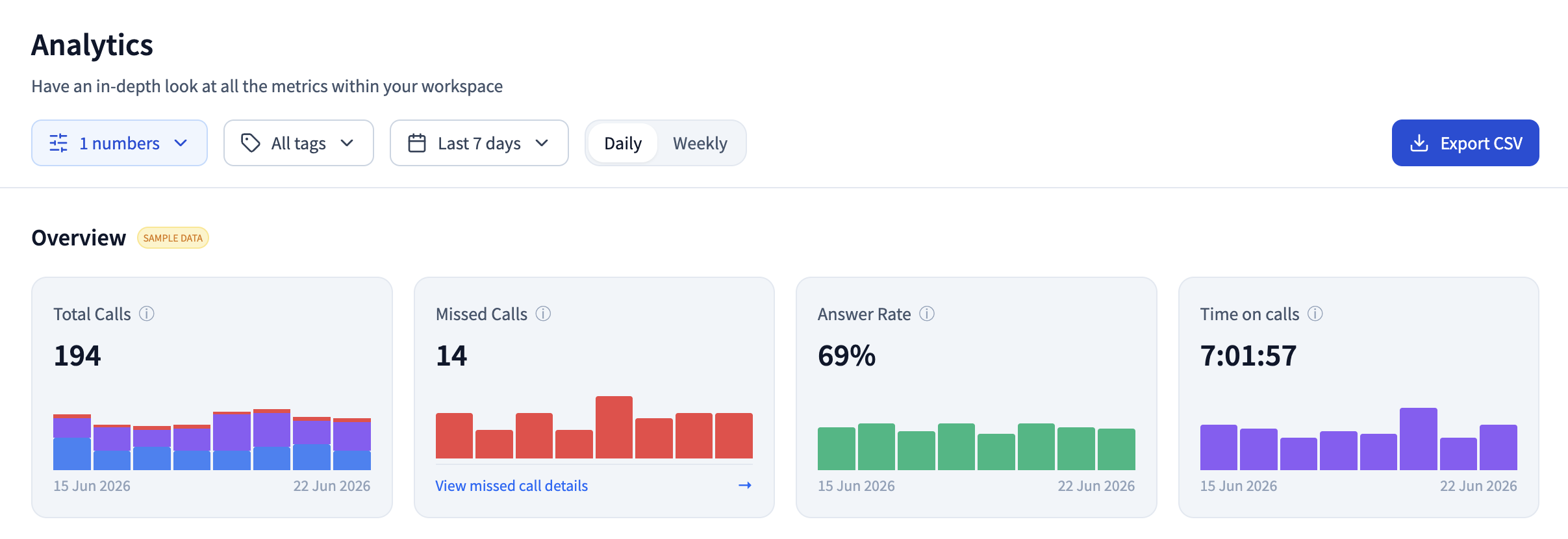
Now read the two charts against each other. If Total Calls holds steady on Tuesdays but Missed Calls spikes, the leads are showing up and your coverage isn't: fix the Tuesday schedule. If Total Calls itself dips, the problem sits upstream in marketing or routing, and no staffing change will touch it. Either way, you leave the screen with a decision instead of a hunch.
Run the Tuesday check on your own numbers
10-day free trial, no credit card needed.
Spotting Training Gaps
Agent-level comparison is where dashboards really shine for team development. Look for outliers (both high and low performers) and investigate what drives the difference.
When you see one rep consistently crushing it on certain call types while others struggle, that's a coaching opportunity. Record those calls. Figure out what works. Share it with the team.
The same goes for quality scores if you're tracking them. Wide variation between agents usually means inconsistent training, not talent differences.
Finding Process Bottlenecks
Long handle times on specific call types often indicate process problems, not people problems.
If every agent takes 15 minutes on refund requests while everything else averages 6 minutes, your refund process probably needs fixing. Maybe it requires too many approvals. Maybe the system doesn't give agents the right information upfront.
Use your call analytics dashboard to identify these patterns, then dig into the root cause.
Setting Up Useful Alerts
Raw data is only valuable if you see it in time. Configure your dashboard to notify you when metrics hit warning thresholds.
Essential alerts to set up:
- Abandonment rate exceeds 8% for more than 30 minutes
- Wait times spike above your SLA threshold
- Call volume drops more than 20% below expected (might indicate system issues)
- FCR falls below 65% over a rolling 24-hour period
But here's the key: don't over-alert. If you set up 50 alerts that fire constantly, you'll start ignoring all of them. Stick to truly actionable thresholds that require immediate attention.
Connecting Call Data to Business Outcomes
Your call analytics dashboard becomes really powerful when you connect it to revenue and customer outcomes.
Link Calls to CRM Data
If your phone system integrates with your CRM, you can track which call behaviors lead to closed deals, retained customers, or increased lifetime value.
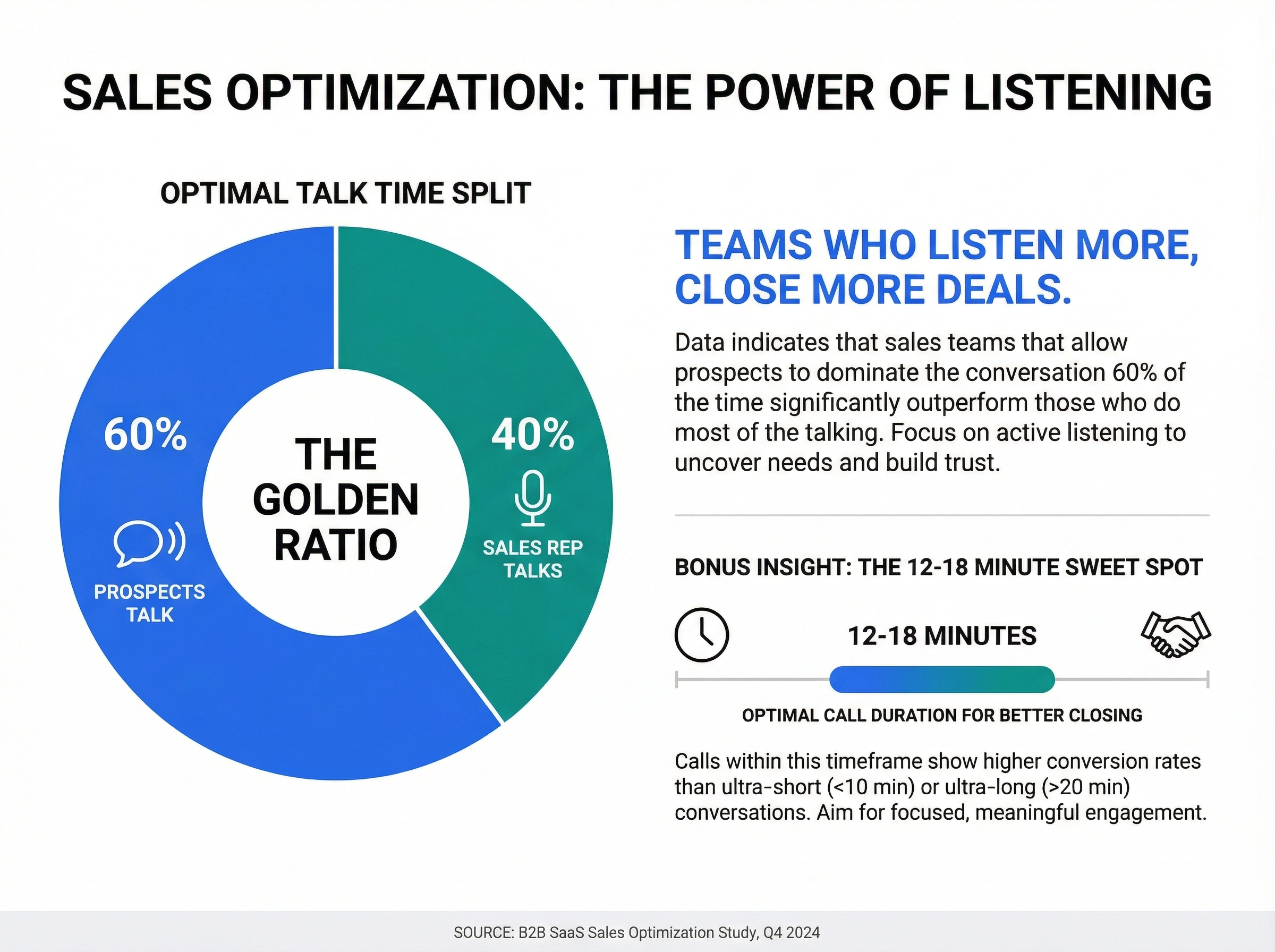
Which call duration correlates with best close rates? Some teams find sweet spots. Calls that run 12-18 minutes close better than ultra-short or ultra-long conversations.
Which talk-to-listen ratio performs best? Sales teams that let prospects talk 60% of the time often outperform teams that do most of the talking.
Calculate Real Costs
Every second of call time has a cost. Every abandoned call has a cost. Every repeat call has a cost.
Use your dashboard metrics to calculate these:
- Cost per call (agent time + system costs + overhead)
- Cost of abandonment (lost sales opportunity or cost of callbacks)
- Cost of poor FCR (repeat calls multiplied by cost per call)
Once you know the numbers, optimizing your call routing becomes an ROI conversation, not a gut-feel decision.
What does AI add to call analytics?
AI adds three things a basic call analytics dashboard can't: conversation intelligence, sentiment analysis, and volume forecasting. The metrics above tell you what happened. AI-powered analytics tell you why, and often what's coming next, because they read the conversation itself, not just the call log.
Three things AI surfaces that a basic dashboard can't:
- Conversation intelligence. Every call becomes searchable text, so you can track mentions of competitors, pricing objections, or feature requests and cluster them by topic. Patterns you'd never spot by ear show up in a week of calls.
- Sentiment analysis. The system flags when a caller's mood turns, scores call quality automatically, and gives you an early warning on churn risk before the customer walks.
- Predictive insight. Instead of only reporting the past, it forecasts call volume for staffing and points to which customers to reach, and when.
A quick word on privacy, because this data is sensitive. Follow your one-party or two-party recording consent laws, set a clear data-retention window, limit who can open a recording, and confirm any HIPAA, GDPR, or industry rules are covered before you switch analytics on.
How dialnote Makes Dashboard Insights Actionable
Most call analytics dashboards show you data. dialnote's cloud call center software goes further by automatically capturing the context behind the numbers.
When you review a concerning metric (say, low FCR on product questions), you don't have to guess why. The AI-powered call summaries let you quickly review what actually happened on those calls without listening to hours of recordings.
See a handle time spike? Jump straight to the AI-generated summaries to spot common issues. Notice one rep struggling while others succeed? Review their call transcripts side-by-side to identify coaching opportunities.
The dashboard shows you what to investigate. The AI summaries show you why it's happening and how to fix it.
How much does a call analytics dashboard cost?
A call analytics dashboard can be free or a paid add-on, depending on your phone system. Many cloud phone providers bundle basic analytics at no extra cost, while standalone tools charge $50 or more per user monthly. dialnote plans start at $19/mo flat, and a 10-day free trial (no credit card) lets you test the analytics first.
Getting Started: Your First 30 Days
Don't try to monitor everything at once. Here's a practical approach to actually using your call analytics dashboard.
Week 1: Focus on one metric: your biggest pain point. High abandonment? Low FCR? Pick one and understand it deeply.
Week 2: Set up a weekly review cadence. 15 minutes every Monday to check last week's trends against your baseline.
Week 3: Create two or three alerts for critical thresholds. Test them. Make sure you actually get notified.
Week 4: Share insights with your team. Data hidden in a dashboard helps nobody. Create a simple weekly summary that highlights one trend and one action item.
After that first month, you'll have a rhythm. Add more metrics gradually. But honestly? Most teams get 80% of their value from monitoring 4-5 key numbers consistently.
The Takeaway
Your call analytics dashboard isn't a trophy to show leadership. It's a tool for making better decisions: about staffing, training, processes, and customer experience.
Stop staring at numbers and start asking questions. Why did that metric change? What can we do differently? How do we measure if it worked?
That's how you turn a pretty dashboard into actual business results.
Ready to see what your calls are really telling you? Open the dashboard this week, pick one metric, and ask it one question. The answers are already sitting in your call data.

Written by
Lancelot Dsouza
Chief Marketing Officer, SmartReach.io
Lancelot Dsouza is the Chief Marketing Officer at SmartReach.io, where he built the Marketing, Sales, and Customer Success verticals from the ground up. With over 25 years of experience spanning digital marketing, business development, and strategic...
Lancelot Dsouza is the Chief Marketing Officer at SmartReach.io, where he built the Marketing, Sales, and Customer Success verticals from the ground up. With over 25 years of experience spanning digital marketing, business development, and strategic...
Related Articles
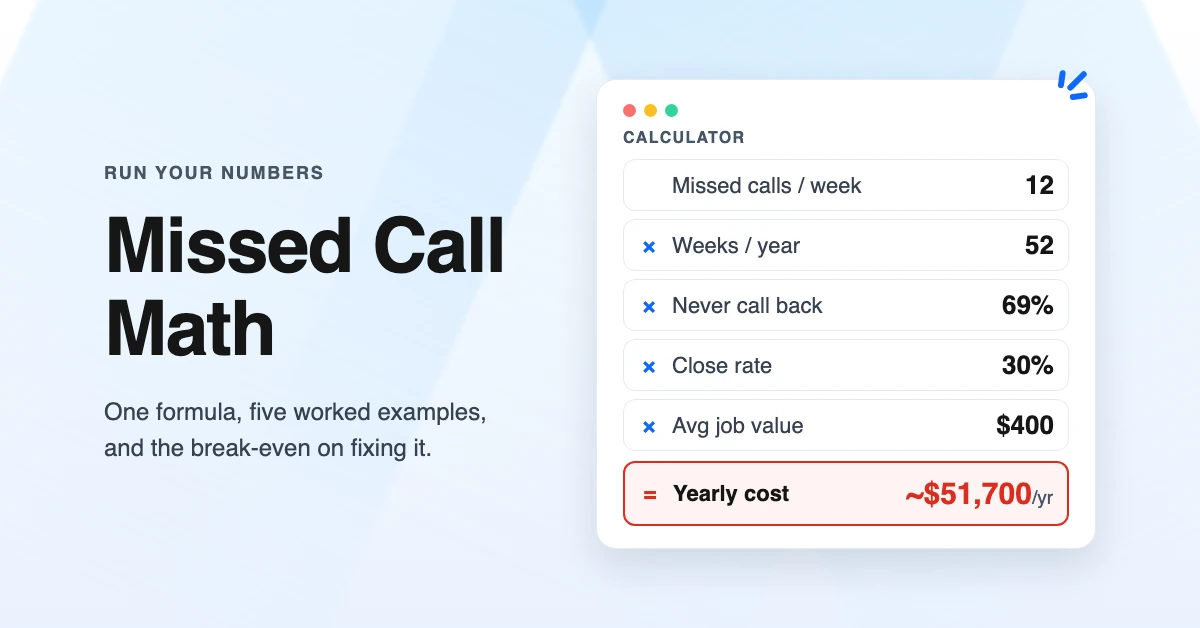
The Cost of Missed Calls: Calculator and Worked Examples
Calculate the cost of missed calls for your business with a simple formula, five worked examples by industry, and the break-even point for fixing it.
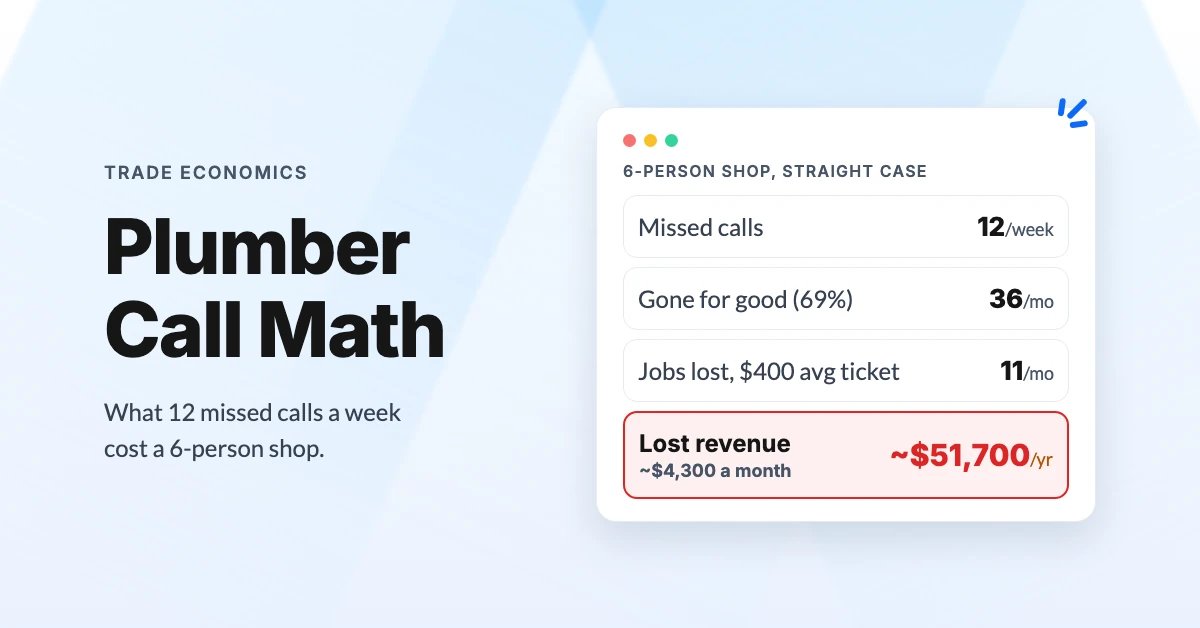
The Real Cost of Missed Calls for Plumbers (2026 Math)
Work out what missed calls cost your plumbing business: per-job values, after-hours miss rates, and a worked example that shows the yearly leak.
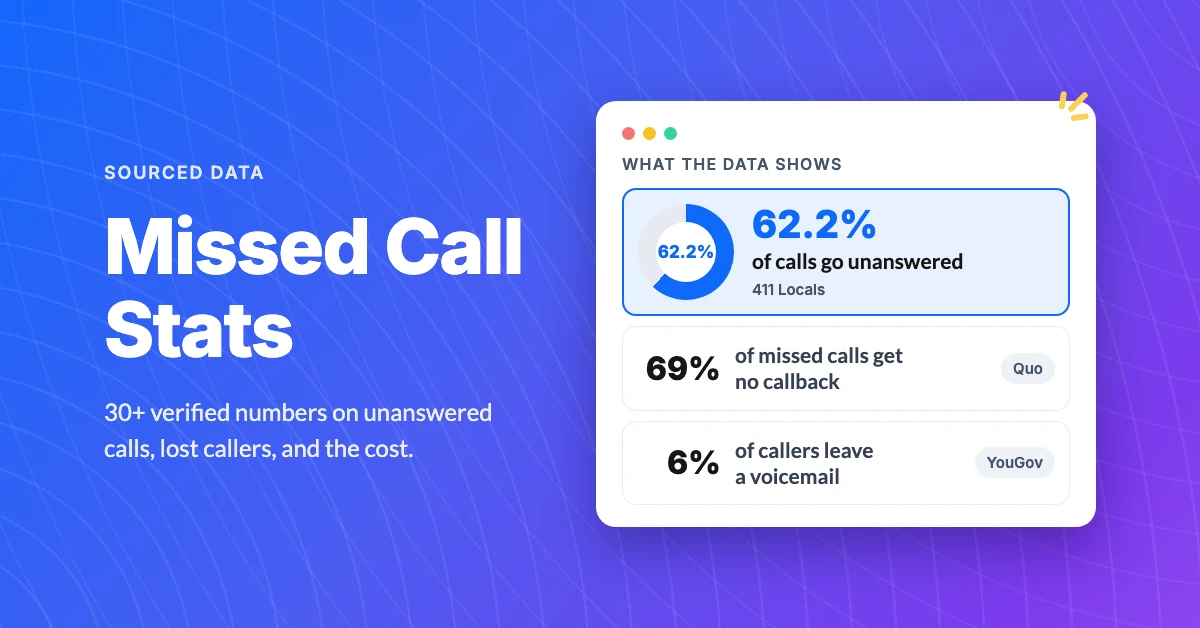
30+ Missed Call Statistics Small Businesses Need in 2026
See 30+ sourced missed call statistics for 2026: how many calls go unanswered, how few callers try again, and what that costs small businesses.
