Is Call Recording Software Legal for Small Business?
Recording your business calls can save you from disputed charges, sharpen your team's phone skills, and give you a reliable record of every client conversation. Call recording software for small business isn't just a nice-to-have anymore. But it can also get you sued if you don't follow the rules.
That's the part most small business owners miss. They install call recording software, flip the switch, and assume they're covered. The problem? Call recording laws vary wildly depending on where you and your caller are located.
Stan runs sales ops for a 15-person team based in Texas. He set up automatic call recording through their VoIP system last quarter. Everything worked great for three months. Then a client in California filed a complaint. Texas is a one-party consent state, but California requires all parties to agree before you hit record. Stan's team never asked for permission on those calls.
That one oversight cost his company $12,000 in legal fees and a damaged client relationship.
Getting business call recording right isn't just about picking the right tool. It's about knowing the legal rules that govern every call you make or receive. This guide walks you through consent laws, state-by-state requirements, setup best practices, and what to actually look for when choosing call recording software that keeps you compliant and productive.
TL;DR:
- Whether call recording software for small business is legal depends on the rules that apply to your call. Some states allow one-party consent; others require all-party consent or specific notice.
- For calls across state lines, getting everyone's consent is a cautious default. Which law applies depends on the circumstances.
- Recording without proper consent can bring civil lawsuits, criminal charges, and fines from a few thousand dollars up to six figures, depending on the state.
- The safest setup is an automatic pre-call announcement like "This call is being recorded for quality and training purposes," plus a written recording policy your team follows.
- Look for software with encrypted cloud storage, retention controls, searchable transcription, and role-based access, not just a basic record button.
Why small businesses are recording more calls than ever
Small businesses used to leave call recording to big call centers with hundreds of agents. That's changed fast.
Cloud-based phone systems have made recording built-in and affordable. You don't need expensive hardware or a dedicated IT team anymore. Most modern VoIP platforms include call recording as a standard feature, even on basic plans.
But affordability isn't the only driver. Here's what's pushing small businesses toward recording:
Training and coaching. New hires learn faster when they can listen to real conversations. A recorded call from your top performer teaches more than any training manual ever could.
Dispute resolution. "I never agreed to that price." We've all heard a client or vendor claim they said something different from what actually happened. A recording settles that instantly.
Quality control. You can't improve what you can't measure. According to Gartner, contact center technology (including call recording) is evolving quickly, with AI-powered analytics becoming a core part of how businesses track and improve customer interactions.
Compliance and liability. In regulated industries like healthcare, finance, and insurance, keeping call records isn't optional. It's a requirement. Even outside regulated industries, having a record of verbal agreements protects your business from "he said, she said" situations that can drag on for weeks.
Customer experience improvement. Listening to recorded calls reveals patterns you'd never catch otherwise. Maybe customers keep asking the same question about your return policy. Maybe your hold music is driving people to hang up after 45 seconds. You won't know until you listen.
The combination of low cost, easy setup, and high value has made call recording one of the fastest-growing features in small business phone systems. But here's the part that doesn't get enough attention: recording calls brings real legal responsibilities. And those responsibilities are more complex than most business owners realize.
One-party vs. two-party consent: what the law actually says
Before you record a single call, you need to understand two terms: one-party consent and two-party consent (sometimes called all-party consent).
One-party consent means only one person on the call needs to know about and agree to the recording. That person can be you. If you're on the call and you decide to record it, that's legal in one-party consent states, even if the other person has no idea.
Two-party consent (or all-party consent) means every person on the call must know about and agree to the recording before it starts. Some statutes also allow specific notice methods, as Connecticut's rule below explains.
State rules can differ for telephone calls and in-person conversations. A simple state count doesn't tell you which consent rules, notice methods, or exceptions apply to your call.
At the federal level, the Electronic Communications Privacy Act (ECPA) sets a one-party consent baseline. But here's the important part: states can set stricter rules. And many do.
The data isn't entirely clear on how often small businesses actually face lawsuits over improper call recording. But the penalties are serious enough that you don't want to find out the hard way. Violations can lead to civil lawsuits, criminal charges, and fines that range from a few thousand dollars to six figures depending on the state.
Why does this matter for your small business? Because if you serve customers in multiple states (and most businesses do), you can't just follow your home state's rules. More on that in a moment.
Call recording laws by state: a quick reference
These examples include states with consent or notice rules for phone calls, in-person conversations, or video calls. The rules can differ by communication type, and exceptions apply.
Selected states with all-party consent or notice requirements:
| State | Key details |
|---|---|
| California | All parties must consent; violations are criminal |
| Connecticut | Private phone calls: everyone's consent or one of the notice methods below |
| Delaware | All parties must consent |
| Florida | All parties must consent; criminal penalties apply |
| Illinois | All parties must consent (eavesdropping statute) |
| Maryland | All parties must consent |
| Massachusetts | All parties must consent; strictest enforcement nationally |
| Montana | All parties must consent |
| Nevada | Phone calls generally require all-party consent under Lane v. Allstate; in-person rules differ |
| New Hampshire | All parties must consent |
| Oregon | Generally one-party for phone calls; notice to everyone for in-person conversations and video calls, with exceptions (ORS 165.540) |
| Pennsylvania | All parties must consent; criminal penalties |
| Washington | All parties must consent |
Check every applicable state: A state missing from this table isn't a guarantee that recording is lawful with one person's consent. Participants' locations, the type of communication, and statutory exceptions matter.
Nevada's phone-call rule comes from NRS 200.620 as interpreted in Lane v. Allstate. Its separate in-person rule, NRS 200.650, allows one participant to authorize recording. Don't use that in-person rule to decide whether you can record a phone call.
For private phone calls, Connecticut's civil statute (§ 52-570d) allows three methods:
- Get every party's consent in writing, or record that consent at the start.
- Record a verbal notification at the beginning of the call.
- Use an automatic warning tone that repeats approximately every 15 seconds throughout the call.
Connecticut's criminal eavesdropping rules (§§ 53a-187 and 53a-189) use a one-party consent standard. Its civil phone-recording rule is separate, and breaking it can lead to a lawsuit.
The civil statute lists specific exceptions, including certain emergency, carrier, and broadcast recordings. Ordinary business calls don't have a blanket exemption.
For the most up-to-date reference, Rev's state-by-state guide is a solid resource that stays current with legal changes. And a quick reminder: this guide is general information, not legal advice. When real money or a regulated industry is involved, a short conversation with a lawyer is worth every penny.
Federal baseline: The ECPA allows one-party consent at the federal level. But state law always takes priority when it's stricter. If you're in California, federal one-party consent doesn't help you, California's all-party rule applies.
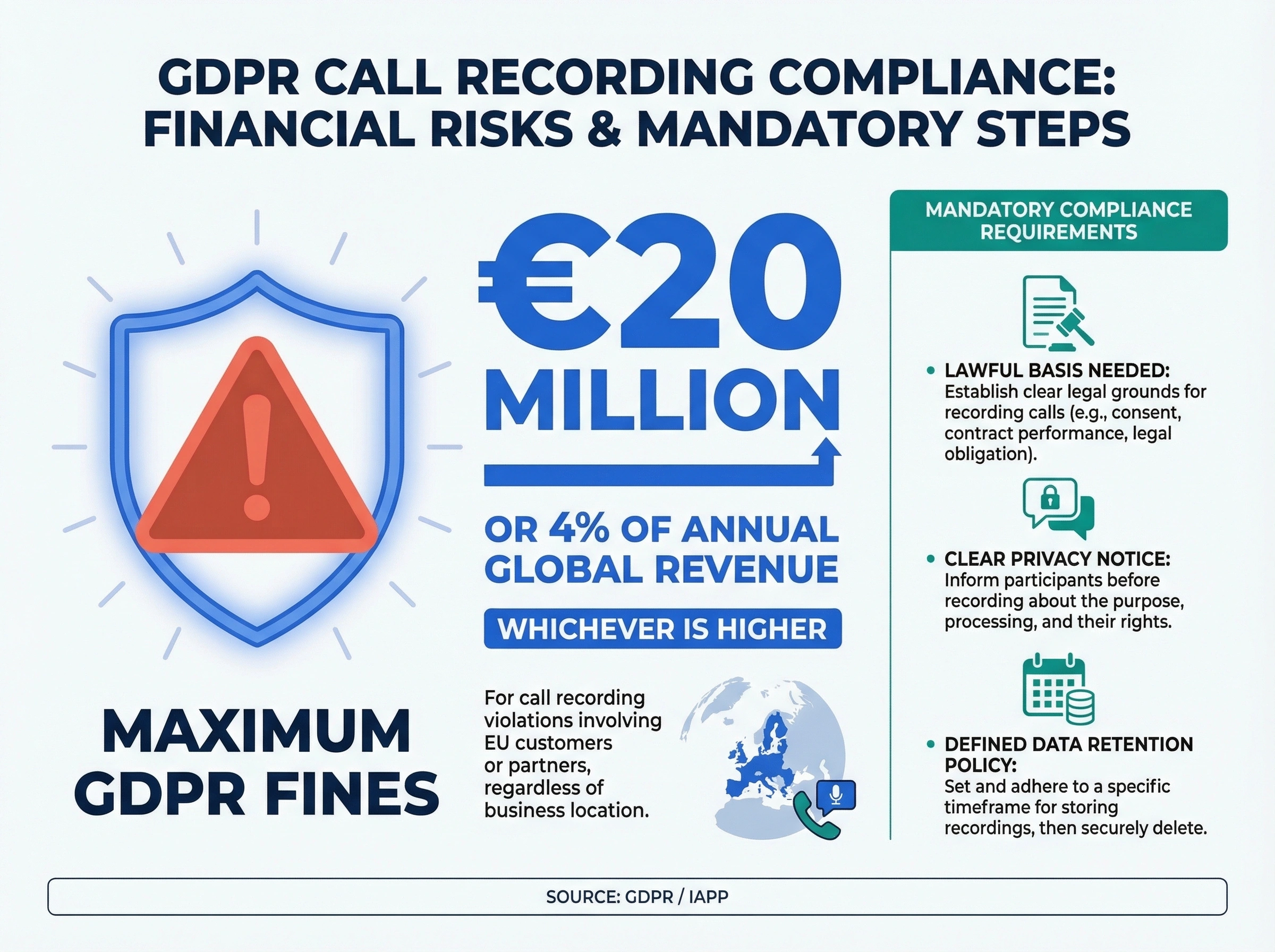
International calls: If your business handles calls with customers or partners in the EU, GDPR adds another layer. According to IAPP's analysis of GDPR audio recording rules, you'll need a lawful basis for recording, a clear privacy notice, and a defined data retention policy. GDPR violations can result in fines up to €20 million or 4% of annual global revenue, according to GDPR Local, whichever is higher.
What happens when you record calls across state lines?
This is where things get tricky for small businesses that serve customers beyond their local area.
Let's say your office is in Georgia (one-party consent). A customer calls from California (all-party consent). Which law applies?
Which law applies to an interstate call depends on the circumstances. Getting everyone's consent is a cautious default for your recording policy. Your policy still needs to account for the rules that apply to each call.
Here's how to use that cautious default:
- Your team calls leads across the country. Ask everyone for consent before recording, even when a caller's state allows one-party consent.
- A customer calls your toll-free number. Tell them you'll record the call and get their agreement before starting.
- You're hosting a conference call with people in several states. Get each participant's consent, including anyone who joins later.
The simplest solution? Treat every call as if it's governed by all-party consent. This means:
- Playing an automated message at the start of every call: "This call may be recorded for quality and training purposes."
- Getting each participant's agreement and documenting it as required.
- Giving callers the option to opt out if they prefer not to be recorded.
This approach gives your team a consistent starting point. Review your recording policy when your business enters new markets or applicable laws change.
Some business owners push back on this. They worry the recording disclosure will scare off callers. In reality, most people hear these messages dozens of times a week when calling banks, insurance companies, and service providers. It's so common now that callers barely notice it.
There's also a trust angle worth considering. When you tell someone you're recording, it actually signals professionalism. It says, "We care about accuracy and accountability." Customers who deal with businesses that record calls often feel more confident that their concerns will be taken seriously and followed up on properly.
One more thing to keep in mind: even if you operate in a one-party consent state and your customer is in one too, having a recording disclosure on file protects you in case laws change or a dispute goes to court. Judges tend to look favorably on businesses that were transparent about recording from the start.
Five steps to set up compliant call recording
Setting up call recording isn't hard. Setting it up legally takes a bit more thought. Here's a step-by-step approach that works for most small businesses.
Step 1: Know your legal obligations.
Start by identifying which states your customers are in. If you only serve local customers in a one-party consent state, your requirements are simpler. If you serve customers across state lines (and most businesses do), default to all-party consent protocols.
For businesses with customers in the EU, GDPR rules add another layer. You'll need a lawful basis for recording, a clear privacy notice, and a data retention policy. Plan for this upfront rather than scrambling to comply later.
Step 2: Create a call recording policy.
Write a simple internal policy that covers:
- Which calls get recorded (all calls, sales calls only, support calls only)
- How recordings are stored and for how long
- Who has access to recordings
- How consent is obtained and documented
This doesn't need to be a 20-page legal document. One to two pages is usually enough for a small business. But having it written down protects you and gives your team clear guidelines. It also makes onboarding new hires much faster since they can read the policy on day one instead of piecing together the rules from scattered conversations.
If you're in a regulated industry, run the policy past your legal counsel before rolling it out. A quick review now can save you a much more expensive conversation later.
Step 3: Set up automatic consent notifications.
Most business call recording software lets you add a pre-call announcement. Use it. A simple message like "This call is being recorded for quality and training purposes" played before the conversation starts covers your consent requirements in most situations.
For outbound calls, train your team to mention the recording at the start: "Just so you know, this call is recorded for our records. Is that okay with you?"
The weak point in all of this is memory. A busy Tuesday, a new hire, a forwarded call, and suddenly nobody played the announcement on a call with someone in an all-party consent state. dialnote is an AI business phone system with no per-user pricing. AI voice agents answer calls, capture leads, and book meetings 24/7. Plans from $19/mo. Its Call recording notification setting helps you announce recording automatically: turn it on under Settings → Phone Numbers, pick a voice-based notification or an audio tone, separately for inbound and outbound calls, and participants hear it whenever recording starts. The setting handles the announcement, not the legal judgment: your policy from Step 2 still decides which calls you record and what to do when a caller opts out.
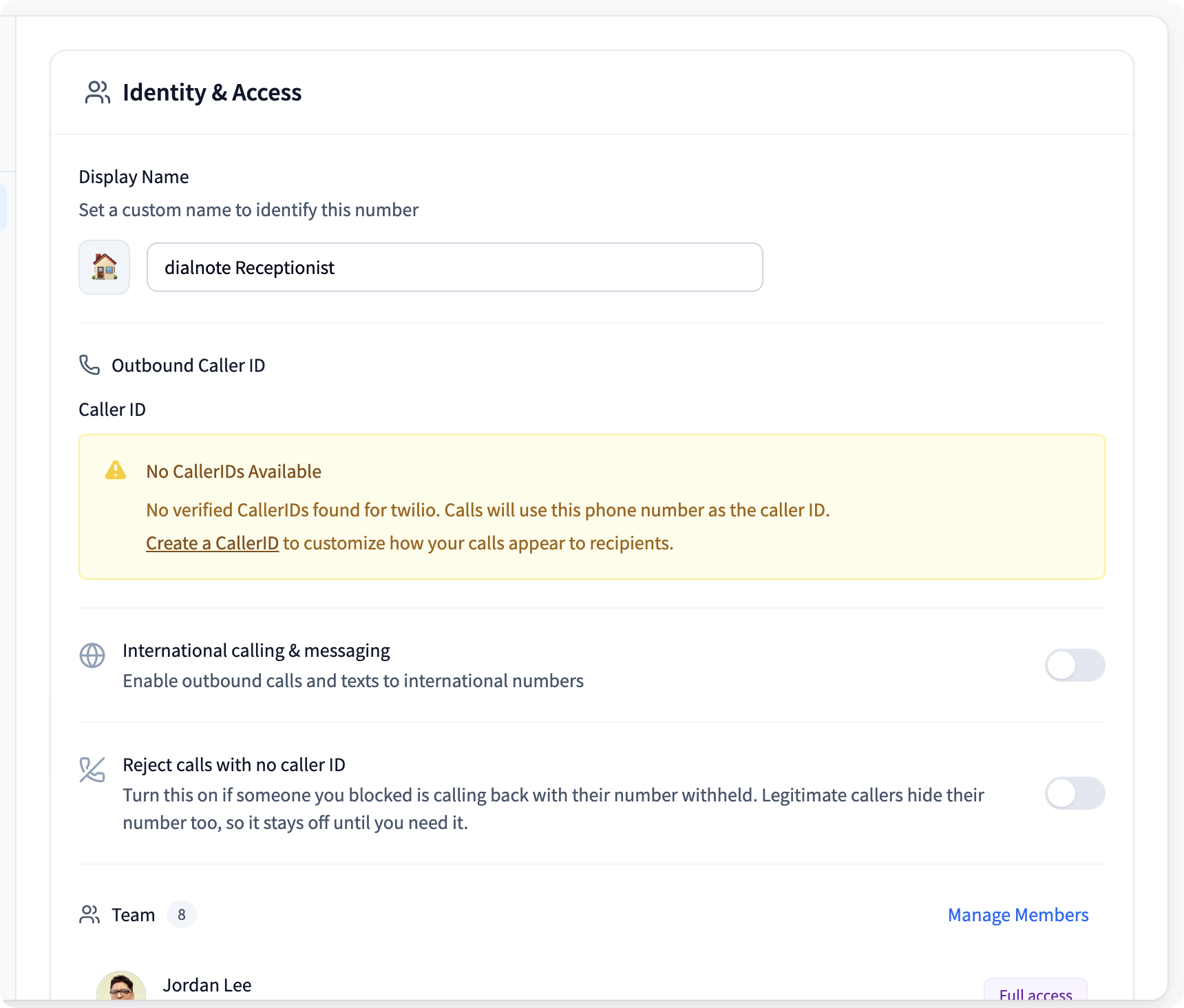
Turn on your recording notification during the trial
10-day free trial, no credit card needed.
Step 4: Configure your recording settings.
Choose what gets recorded based on your policy from Step 2. Options typically include:
- Record all calls automatically
- Record only inbound or only outbound calls
- Let agents start and stop recording manually
- Pause recording during sensitive information (like credit card numbers)
Automatic recording with the pre-call announcement is the most reliable approach. Manual recording introduces human error, and someone will eventually forget to press the button on an important call.
Step 5: Set up storage and access controls.
Recordings take up space and contain sensitive information. Make sure you:
- Store recordings in encrypted cloud storage
- Set retention periods (90 days is common; some industries require longer)
- Limit access to managers and authorized personnel
- Have a process for deleting recordings when the retention period ends
According to Atlantech Online, secure storage and controlled access are just as important as getting consent. A recording that leaks or gets accessed by unauthorized people creates a whole new set of legal problems.
What should you look for in call recording software for small business?
Not all call recording software for small business is built the same. Some tools record calls. That's it. Others give you searchable recordings, transcription, analytics, and compliance features that actually make recording worthwhile.
Here's what matters most:
Automatic recording with consent tools. Your software should support pre-call announcements and automatic recording so your team doesn't have to remember to press a button every time. Look for customizable greeting messages that clearly state the call is being recorded.
Cloud storage with encryption. Recordings should be stored securely in the cloud, not on a local hard drive that could fail or get stolen. Encryption at rest and in transit is the minimum standard you should accept.
Searchable transcriptions. Recording a call is helpful. Being able to search across hundreds of calls for a specific keyword or phrase? That's where the real value shows up. AI-powered transcription turns audio into searchable text you can reference months later.
Call analytics and insights. Good call recording software goes beyond just capturing audio. It gives you data on call volume, duration, outcomes, and patterns. You can spot trends, identify coaching opportunities, and measure what's working across your team.
Integration with your existing tools. Your call recording software should work with your CRM, helpdesk, or project management tools. If recordings live in a silo that nobody checks, your team won't use them.
Retention management. You need the ability to set automatic deletion schedules and manage storage. This is especially important for GDPR compliance and for keeping your costs under control as recordings pile up.
User permissions and access controls. Not everyone on your team should have access to every recording. Role-based permissions let you control who can listen, download, or delete recordings.
Honestly? Most call recording features bundled into bargain-basement VoIP plans aren't worth much. If your software can't tell you who consented and when, or if it dumps recordings into a folder with no search or organization, you're going to stop using it within a month. And you'll be one complaint away from a compliance headache.
Is it worth recording every call? For most small businesses, yes. The training insights alone justify the cost. But the real value comes when your recording software is part of a bigger business phone system, not a standalone afterthought you bolted on.
Call recording mistakes that cost businesses real money
Small businesses make the same call recording mistakes over and over. Here are the ones that cause the most damage.
Mistake 1: Not notifying callers at all.
This is the most common and most dangerous mistake. Some businesses set up recording and just start capturing calls without telling anyone. In an all-party consent state, that's illegal. Even in one-party consent states, it's a bad practice that damages trust the moment someone finds out.
Mistake 2: Using vague or missing consent language.
"This call may be monitored" isn't the same as "This call is being recorded." Be specific. Vague language creates legal gray areas you don't want to be standing in when a regulator comes knocking.
Mistake 3: Forgetting about interstate calls.
Your team is in Ohio. Your client is in Florida. Ohio is one-party consent. Florida is all-party consent. If your system doesn't account for this, you're breaking Florida law every time you record that client's calls without getting everyone's agreement first.
Mistake 4: No retention policy.
Recording calls and storing them forever creates unnecessary risk. The longer you hold recordings, the more data you're responsible for protecting. Set clear retention periods and stick to them. If you don't need a recording after 90 days, delete it.
Mistake 5: Letting everyone access recordings.
Call recordings can contain sensitive customer information: payment details, personal data, and confidential business discussions. If every employee can access every recording, you're creating a data breach waiting to happen.
Mistake 6: Recording without a business purpose.
"We record everything just in case" isn't a great justification, especially if you're subject to GDPR or state privacy laws. Know why you're recording and document that purpose in your internal policy. Valid purposes include quality assurance, training, dispute resolution, and regulatory compliance. If you can't point to a specific reason for a recording, you probably shouldn't have it.
Mistake 7: Ignoring caller requests to stop recording.
If a caller says "I don't want to be recorded," your team needs a clear protocol. Can they turn off recording mid-call? Do they transfer to an unrecorded line? Or do they end the call? Not having an answer to this question before it comes up is a mistake that creates awkward situations and potential legal exposure.
Mistake 8: Not training your team.
Your team handles the calls. They need to understand the recording policy, the consent requirements, and what to do if a caller asks not to be recorded. Why do so many small businesses skip this step? Usually because they assume the technology handles everything. It doesn't. Your people need to know the rules just as well as your software does.
Even a 30-minute training session covering your recording policy, consent scripts, and escalation procedures can prevent expensive mistakes. Run it during onboarding for new hires and as an annual refresher for existing staff. It's a small time investment that pays for itself the first time it prevents a compliance issue.
Start recording calls the right way
Call recording software for small business is one of the smartest investments you can make for training, dispute resolution, and quality control. But the "smart" part only applies when you do it legally.
Know your state's consent rules. Default to all-party consent if you serve customers across state lines. Set up automatic notifications so your team doesn't have to think about it. And pick software that gives you more than just a recording: something with transcription, search, analytics, and proper compliance tools.
The businesses that get call recording right don't just protect themselves from legal trouble. They build better teams, resolve disputes faster, and turn every phone call into a learning opportunity.
Remember Stan from the beginning of this guide? After his California compliance scare, he switched to a phone system with automatic consent announcements and wrote a one-page recording policy his team actually follows. He hasn't had a complaint since. And the recordings they've collected have cut new hire ramp-up time by three weeks.
That's the real difference between doing call recording and doing it right.
Frequently asked questions
Yes, if you follow the recording rules that apply to the call. Some states allow one-party consent; others require all-party consent or a specific notice method. Check the rules for everyone's location before recording.
One-party consent means one person on the call must know about and agree to the recording. Two-party (all-party) consent means everyone must agree before recording starts. Participants' locations can affect which laws apply.
If you handle customer calls regularly, yes. Call recording helps with training, dispute resolution, quality control, and compliance. Most modern VoIP systems include it as a built-in feature.
You could face civil lawsuits, criminal charges, and fines. Penalties vary by state but can range from a few thousand dollars to six figures. States like California and Florida treat violations as criminal offenses.
Most small businesses keep recordings for 90 days. Your retention period depends on your industry and compliance requirements. Set auto-delete schedules and don't keep recordings longer than necessary.

Written by
Upasana Sahu
Senior Digital Marketing Specialist, SmartReach.io
Upasana Sahu is a Senior Digital Marketing Specialist at SmartReach.io with over 10 years of experience in content marketing, SEO, and digital strategy. She manages end-to-end blog operations, from content creation and on-page/off-page SEO to traffic...
Upasana Sahu is a Senior Digital Marketing Specialist at SmartReach.io with over 10 years of experience in content marketing, SEO, and digital strategy. She manages end-to-end blog operations, from content creation and on-page/off-page SEO to traffic...
Related Articles
10 Best RingCentral Alternatives for Small Business
Compare 10 RingCentral alternatives for small business by real per-user cost, AI receptionists, and contract traps before you renew.

How to Get a Business Phone Number Without a Landline
Learn how to get a business phone number without a landline in under 30 minutes. Compare VoIP, virtual, and mobile options for small businesses.

Google Voice Alternatives: 7 Picks for Business
Compare 7 Google Voice alternatives built for serious business use by AI features, multi-level IVR, CRM sync, and real per-user costs.
