Is Your Medical Office Phone System HIPAA Ready?
A single phone call to your front desk could cost your practice $50,000.
That's not a typo.
If your medical office phone system doesn't meet HIPAA requirements, every call that mentions a patient's name, diagnosis, or insurance info is a potential violation.
Fines start at $100 per incident and can climb past $2 million per year, according to the U.S. Department of Health and Human Services.
What happens when that system doesn't protect patient data?
Let's say, Stan runs operations for a multi-physician practice with 14 staff members. They've used the same phone system for years. It works fine for making calls. But last month, a staff member left a voicemail with test results on a patient's old number. There's no call log, no encryption, no way to track what happened. Stan's now staring at a potential HIPAA breach report, and he has no idea how to fix the gap.
Most medical offices don't think about their phone system until something goes wrong. By then, it's expensive. Let's break down what actually matters when you're picking a compliant setup for your practice.
TL;DR:
- A medical office phone system is only HIPAA compliant if it has encryption, access controls, audit logging, and a signed Business Associate Agreement (BAA) with the vendor.
- Traditional landlines aren't covered by the HIPAA Security Rule, but VoIP and cloud-based systems are, so nearly every modern practice needs compliance features.
- "HIPAA compliant" labels mean little on their own. What counts is whether the vendor will sign a BAA and back it with real technical safeguards like AES-256 encryption and role-based access.
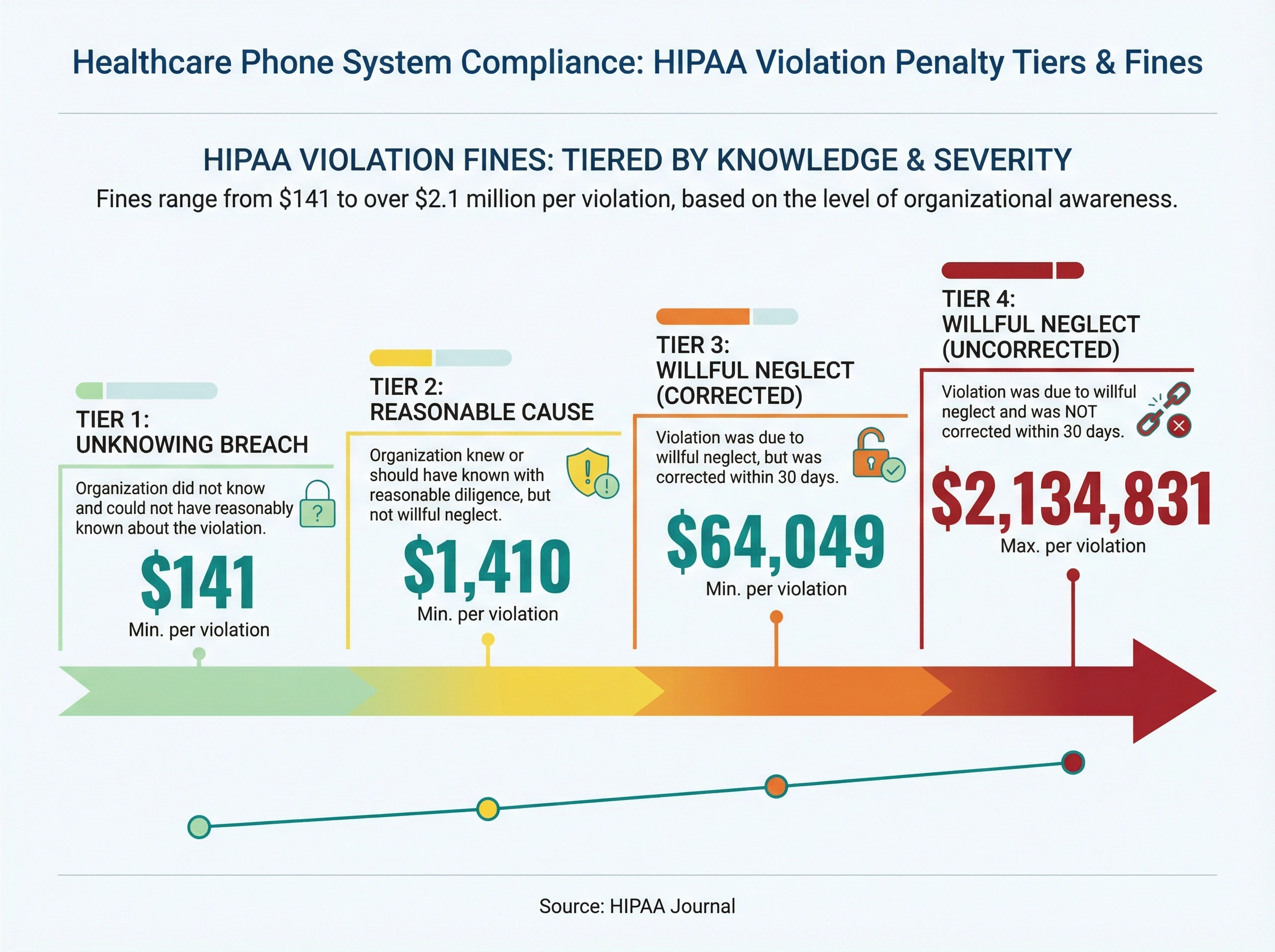
- HIPAA penalties run from $141 to over $2.1 million per violation, so a non-compliant phone setup is a real financial risk.
- Compliant cloud VoIP usually costs $20 to $50 per user per month, often less than maintaining a legacy on-premise system.
What makes a phone system HIPAA compliant?
A phone system is HIPAA compliant when it encrypts calls, voicemails, and texts that carry patient info, limits access by role, logs who accessed what, and comes with a signed Business Associate Agreement (BAA) from the vendor. Skip the BAA and you're not compliant, no matter how strong the technology looks.
HIPAA doesn't name specific phone brands or products. Instead, it sets rules around how patient health information (PHI) gets handled. Your phone system has to meet those rules if it touches PHI in any electronic form.
Here's what the HIPAA Security Rule actually requires:
- Encryption for calls, voicemails, and texts that carry PHI. This means data gets scrambled during transmission so nobody can intercept it.
- Access controls so only the right people can listen to voicemails, view call logs, or pull recordings.
- Audit trails that log who accessed what and when. If there's ever a question about a call, you need records.
- A Business Associate Agreement (BAA) with your phone vendor. This is non-negotiable. Without a signed BAA, your provider isn't legally responsible for protecting your data.
The BAA piece trips up a lot of practices. You might assume your phone vendor is responsible for keeping data safe. But without that signed agreement, they're under no legal obligation to do so. And if something goes wrong, you're the one facing regulators, not them.
One important detail: traditional landline calls over the public switched telephone network (PSTN) aren't technically covered by the HIPAA Security Rule. But the moment you move to VoIP, cloud-based systems, or any digital phone platform, those rules kick in fully. Since most practices have switched to digital systems by now, this applies to nearly everyone.
Is your current phone setup a HIPAA risk?
Your current phone setup is a HIPAA risk if it lacks voicemail encryption, uses shared logins, skips call logging, or has no signed BAA on file. Plenty of basic VoIP services picked purely on price miss all four, which leaves your practice carrying the legal exposure alone.
Here's where it gets real. A lot of medical offices are running phone systems that were never built with HIPAA in mind.
Sound familiar? Your front desk uses a basic VoIP service. Maybe you picked it because the price was right. It handles calls fine. But nobody ever asked whether it encrypts voicemails, whether it logs access, or whether the vendor will sign a BAA.
Honestly? Most "HIPAA compliant" labels on phone systems mean almost nothing. Any vendor can slap that phrase on their website. There's no certification body that verifies it. What matters is whether they'll actually sign a BAA and whether their system has the technical safeguards to back it up. If a sales rep tells you "we're HIPAA compliant" but won't put it in writing, that should tell you everything.
Common gaps we see in medical office phone setups:
- No encryption on voicemail. Staff leave messages with patient details, and those recordings sit on a server with zero protection. Anyone with server access could listen in.
- Shared logins. Three people at the front desk all use the same account. There's no way to tell who accessed what. If a breach happens, your audit trail is useless.
- No call logging. When a patient complains about a call, you can't verify what was said or when. It becomes a he-said-she-said situation with no documentation.
- No BAA on file. Your vendor technically has access to PHI but zero legal obligation to protect it. You're carrying all the risk.
- Unprotected text messages. Some offices text patients from personal cell phones. That's convenient, but standard SMS has no encryption and no compliance controls.
According to HIPAA Journal, penalties range from $141 per violation for unknowing breaches up to $2,134,831 per violation for willful neglect. The fines are tiered based on how much you knew (or should have known) about the problem. A multi-physician practice that loses over $150,000 annually to missed calls already can't afford to add HIPAA fines on top of that.
Features every medical office phone system needs
Not every feature on a VoIP marketing page matters for compliance. Some are nice but irrelevant. Others are critical. Here's how to sort them out for a medical practice.
Must-haves for compliance:
- End-to-end encryption on all calls, texts, and voicemails. This protects data both in transit (while the call is happening) and at rest (when it's stored as a recording or voicemail).
- Role-based access controls so your billing team can't access clinical call recordings and your front desk can't pull financial records. Different roles, different permissions.
- Automatic call logging with timestamps, caller ID, and duration. This creates the audit trail HIPAA requires without making your staff do extra work.
- Secure voicemail with encrypted storage and PIN access. If a patient leaves a message with health details, that recording needs protection.
- BAA availability from the vendor. Ask before you sign anything. If they don't offer one, move on.
Features that help your practice run better (and stay compliant):
- Call routing by department. Patients calling about billing shouldn't end up with a nurse. Smart routing saves time for everyone and reduces the chance of PHI being shared with the wrong person. (Here's a deeper look at how call routing works.)
- After-hours handling. 67% of patients prefer calling their provider, and 41% of those calls happen outside business hours. A good system routes after-hours calls to a secure voicemail or on-call provider instead of just ringing into the void. An AI receptionist for clinics can answer those calls around the clock without adding staff.
- Auto-attendant menus. "Press 1 for appointments, press 2 for pharmacy" might feel old-school, but it keeps calls organized and reduces wait times. Patients get to the right person faster, and your front desk handles fewer transfers.
- Call recording with consent workflows. Some states require two-party consent before recording. Your system should handle that automatically with a prompt at the start of the call. Don't leave it to your staff to remember.
- Secure messaging. If your team texts patients about appointments or test results, those messages need to be encrypted. A built-in secure messaging feature keeps everything in one compliant platform.
How to pick the right HIPAA-compliant phone system
But how do you actually compare options when every vendor claims to be compliant? It's not like you can test encryption yourself. Here's a practical approach.
Start with these questions:
1. Will they sign a BAA?
This is your first filter. If a vendor hesitates, won't provide a BAA, or says you don't need one, walk away. No BAA means no HIPAA compliance, period. Some vendors offer a BAA only on higher-tier plans, so ask about that too.
2. Where does your data live?
Cloud-based systems store call data on remote servers. Ask where those servers are, who has access, and what happens if there's a breach. You want data centers with SOC 2 certification at minimum. Some practices in regulated states may also need data stored within the US.
3. Can you control who accesses what?
Your office manager, billing team, and clinical staff all need different levels of access. A good system lets you set granular permissions, not just "admin" and "user." Ask to see the role management screen during a demo. If it looks like a simple on/off toggle, that's probably not enough for a multi-department practice.
4. What's the encryption standard?
Look for AES-256 encryption at rest and TLS 1.2+ in transit. If a vendor can't tell you their encryption specs, that's a red flag. You don't need to be a security expert, but they should be able to answer this question clearly.
5. How easy is setup and ongoing management?
Your practice shouldn't need a full-time IT person to run the phone system. VoIP systems are much simpler to set up than traditional on-premise PBX hardware. But "simple" still needs to mean "secure." Ask about onboarding support and how long it takes to get your team live.
6. What does support look like?
When something breaks at 8 AM on a Monday and patients are calling in, you need fast support. Ask about response times, support hours, and whether you get a dedicated account manager. Healthcare practices can't afford extended phone outages.
How much does a HIPAA-compliant phone system cost?
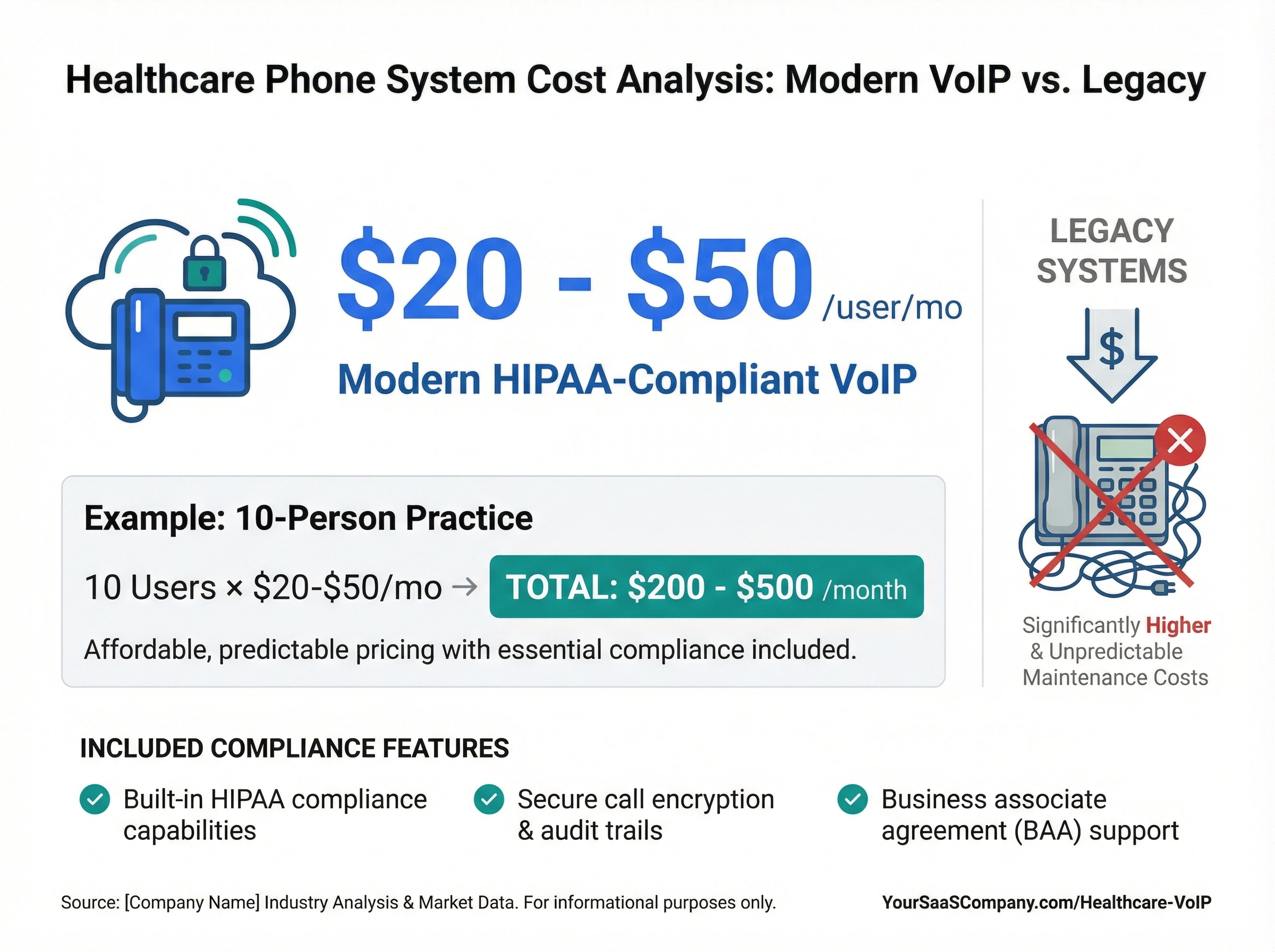
Expect $20 to $50 per user each month for cloud-based HIPAA-compliant VoIP, with compliance features built in. For a 10-person practice, that's roughly $200 to $500 a month, usually less than maintaining legacy on-premise hardware.
When you're weighing that price, remember it buys more than dial tone. A modern VoIP phone system folds encryption, audit logs, and access controls into the monthly rate, so you're not paying extra to check every HIPAA box. (See how VoIP stacks up against traditional lines.)
Setting up your team for compliance (not just the tech)
Here's something most guides skip entirely: the phone system is only half the equation. Your staff has to know how to use it properly. The best technology in the world won't save you if someone leaves a detailed voicemail about a diagnosis on the wrong number.
Hard to say exactly how many breaches come from phone system misuse specifically, but the HHS breach portal shows that human error is one of the top causes of HIPAA violations year after year. It's not hackers breaking in. It's people making mistakes.
A few things worth training on:
- Never leave PHI in a voicemail unless you've confirmed the number belongs to the patient and they've consented. When in doubt, leave a generic "please call us back" message instead.
- Don't discuss patient info in open areas where other patients or visitors might overhear. This isn't a tech problem, it's a workflow one. If your front desk is in a busy waiting room, consider how phone conversations carry.
- Use unique logins. Every staff member should have their own account. Shared passwords make audit trails useless and violate HIPAA's access control requirements.
- Know what to do if something goes wrong. If a call goes to the wrong person or a voicemail gets left on a wrong number, your team needs a clear process for reporting it. Have a written incident response plan that everyone can access.
- Review access regularly. When staff members leave or change roles, update their phone system permissions immediately. Former employees shouldn't still have access to call recordings.
Make compliance training part of onboarding and revisit it at least once a year. It doesn't have to be long. Even a 30-minute refresher keeps the rules fresh and shows regulators that you take this seriously.
Where dialnote fits
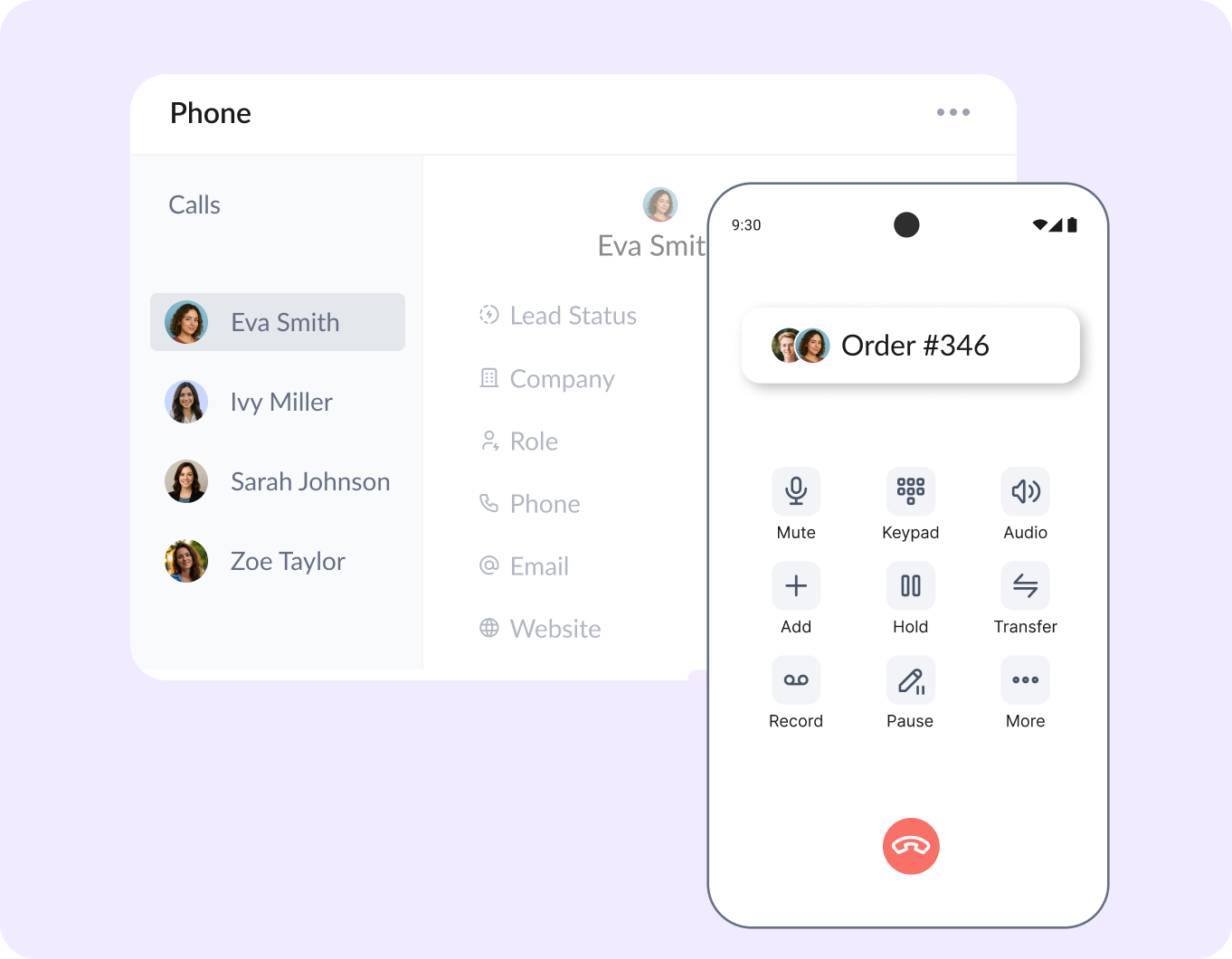
We build dialnote for small teams that live on the phone, and healthcare front desks are some of the busiest we've seen. The AI receptionist picks up when your staff can't, appointment calls get routed to the right person, and every call lands in a shared inbox with a summary so nothing slips through.
One thing we won't do is hand-wave the compliance question. If your practice discusses patient information on calls, put every vendor you evaluate, including us, through the BAA and safeguards checklist above before you commit. For the operational side of your front desk, the scheduling calls, the reminders, the "are you open today" volume, dialnote handles it without new hardware or a bigger IT budget, and it scales as you add providers or locations.
We're not going to pretend it's the only option out there. But if you're tired of stitching together tools that weren't built for healthcare, it's worth a look. You can try it free and see if it fits your practice.
Your medical office phone system matters more than you think
Picking a medical office phone system isn't just an IT decision. It's a compliance decision, a patient experience decision, and honestly, a financial one too.
The right system protects patient data, keeps your practice out of trouble with regulators, and makes your front desk more efficient at the same time. The wrong one could mean fines, breach reports, and patients who lose trust in your practice. And that trust, once broken, is really hard to rebuild.
If you're running a medical practice and haven't checked whether your current phone setup meets HIPAA standards, now's the time. Start by asking your vendor for a BAA. If they can't provide one, that tells you everything you need to know.
Frequently asked questions
A HIPAA-compliant phone system must have end-to-end encryption, access controls, audit logging, and a signed Business Associate Agreement (BAA) with the vendor. Without a BAA, you're not compliant.
If your office uses VoIP or any digital phone system that handles patient info, yes. Traditional landlines aren't covered by HIPAA's Security Rule, but most modern systems are digital and need compliance features.
Most cloud-based HIPAA-compliant VoIP systems cost $20 to $50 per user per month. That's typically less than maintaining a legacy on-premise system, and compliance features come included.
You could face fines from $141 to over $2 million per violation. Beyond fines, a breach can damage patient trust and trigger costly investigations by the Office for Civil Rights.
Only if the provider will sign a BAA and their system meets HIPAA's technical requirements like encryption and access controls. Many popular VoIP services don't offer BAAs, so always ask first.

Written by
Upasana Sahu
Senior Digital Marketing Specialist, SmartReach.io
Upasana Sahu is a Senior Digital Marketing Specialist at SmartReach.io with over 10 years of experience in content marketing, SEO, and digital strategy. She manages end-to-end blog operations, from content creation and on-page/off-page SEO to traffic...
Upasana Sahu is a Senior Digital Marketing Specialist at SmartReach.io with over 10 years of experience in content marketing, SEO, and digital strategy. She manages end-to-end blog operations, from content creation and on-page/off-page SEO to traffic...
Related Articles
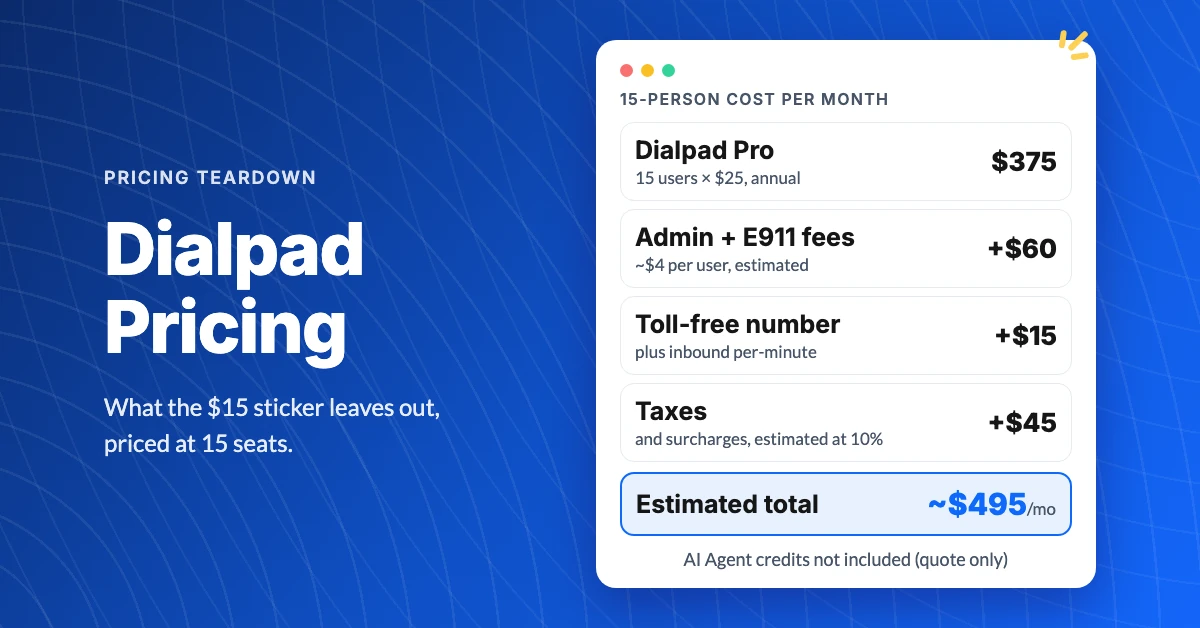
What Does Dialpad Pricing Really Cost a Small Team?
See what Dialpad pricing really costs: $15 to $35 per user, the 3-seat Pro minimum, per-text and admin fees, and real team math at 5, 15 and 30 people.
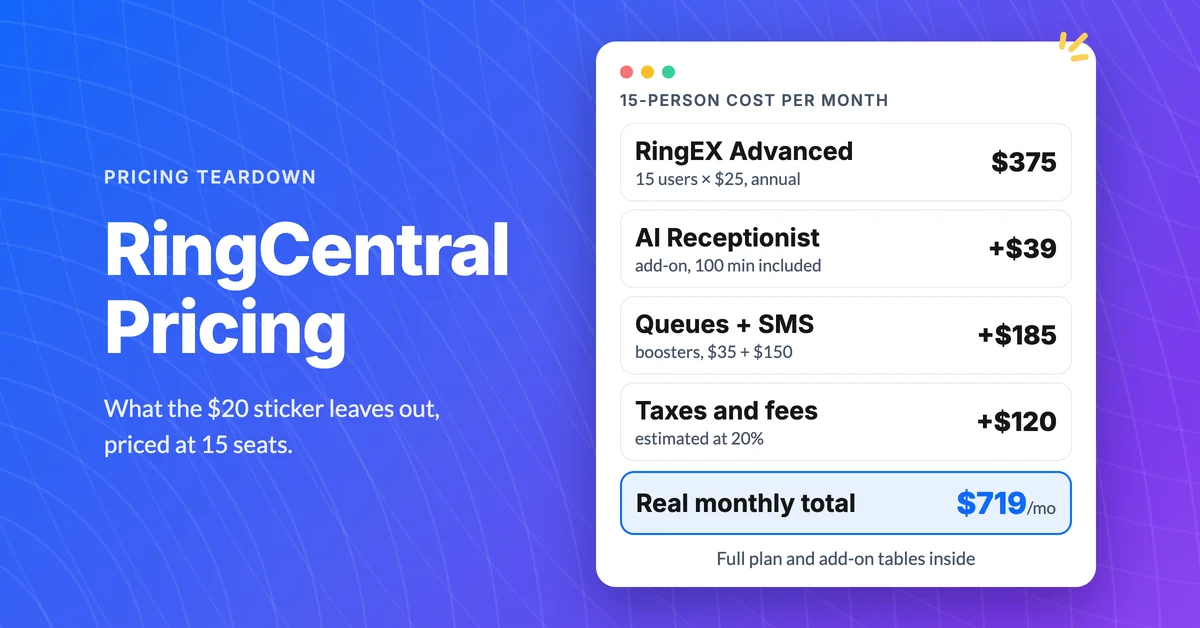
How Much Does RingCentral Really Cost per User?
RingCentral cost per user starts at $20, but add-ons, SMS caps and regulatory fees decide the real bill. See the 15-person math and the flat-rate comparison.
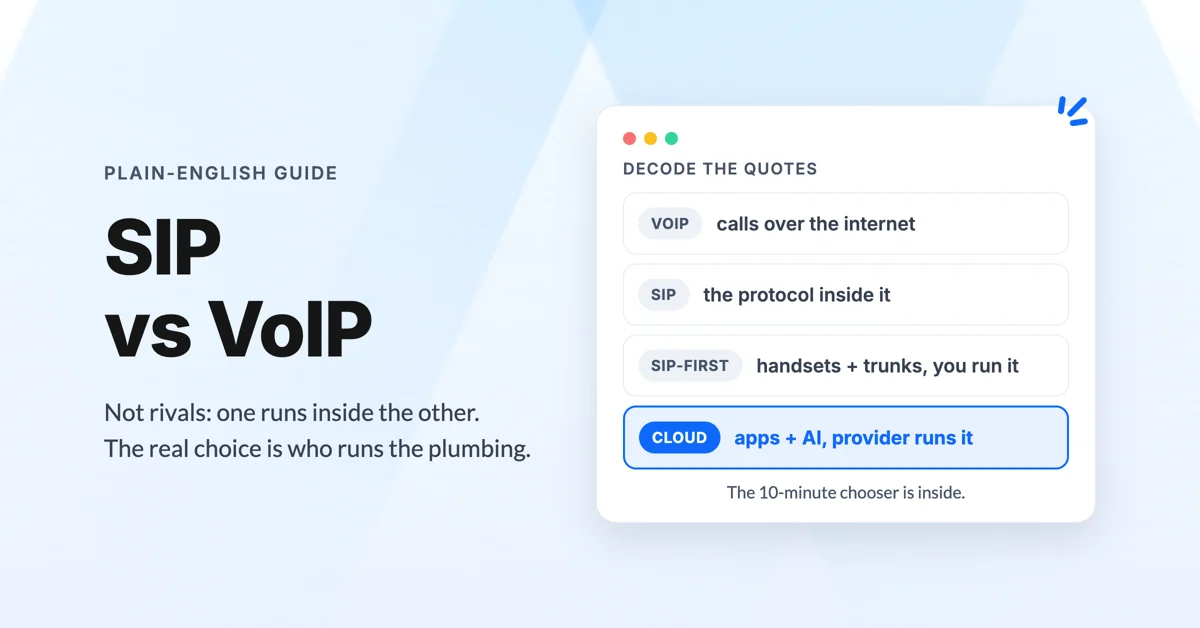
What's the Difference Between SIP and VoIP?
Confused by SIP vs VoIP and cloud phone systems? Get the plain-English difference, a real 10-person cost comparison, and a calculator for your numbers.
