Appointment reminder text message examples by industry
A missed appointment costs you twice: the empty slot, and the customer you could have booked into it. The fix is cheap and boring, and these appointment reminder text message examples are built to make it work for your business, with wording you can copy for each industry and timing that gets replies.
Every template below fits in a single text, names the business first, and asks for one simple reply. Swap in the bracketed details and you're done.
TL;DR:
- A good appointment reminder text names your business, the service, the date and time, the place, and one reply option, in under 160 characters.
- Send three: a confirmation when they book, a reminder 24 to 48 hours before, and a short nudge 2 hours before.
- Ask people to reply with a number, like 1 or 2. Never ask them to reply CANCEL or STOP, because carriers treat those as opt-outs.
- In the US, register your number for business texting (A2P 10DLC) before you send a single reminder.
- The appointment reminder text message examples below cover home services, clinics, salons, law firms, confirmations and no-show follow-ups.
What should an appointment reminder text include?
An appointment reminder text should include your business name, the customer's first name, what the appointment is for, the date and time, where it is, and one clear reply option. Keep it under 160 characters so it arrives as one message and reads at a glance.
Here's what each part does:
- Business name in the first five words. People ignore texts from numbers they don't recognize. "Hi Sarah, it's Lakeview Dental" fixes that.
- The service. "Your cleaning," "your furnace tune-up," "your consultation." It reminds them why they booked.
- Date and time, written the way people talk. "Tomorrow at 10 a.m." beats "10/29 10:00."
- Location or arrival window. For a home visit, the window. For an office, the address or parking note.
- One reply option. Confirm or reschedule. That's it.
What do you leave out? Anything private. A clinic text says "your appointment," not the procedure. A law firm text says "your consultation," not the case.
When should you send appointment reminder texts?
Send a confirmation the moment someone books, a reminder 24 to 48 hours before, and an optional nudge about 2 hours before. Three touches is enough for most service businesses. A fourth starts to feel like nagging.
| When | Job it does | Example opening |
|---|---|---|
| Right after booking | Confirms the details and sets expectations | "You're booked for..." |
| 48 hours before | Leaves time to reschedule and refill the slot | "Quick reminder: your..." |
| 24 hours before | The main reminder most people act on | "See you tomorrow at..." |
| 2 hours before | Catches same-day forgetting and running late | "See you at 3 today..." |
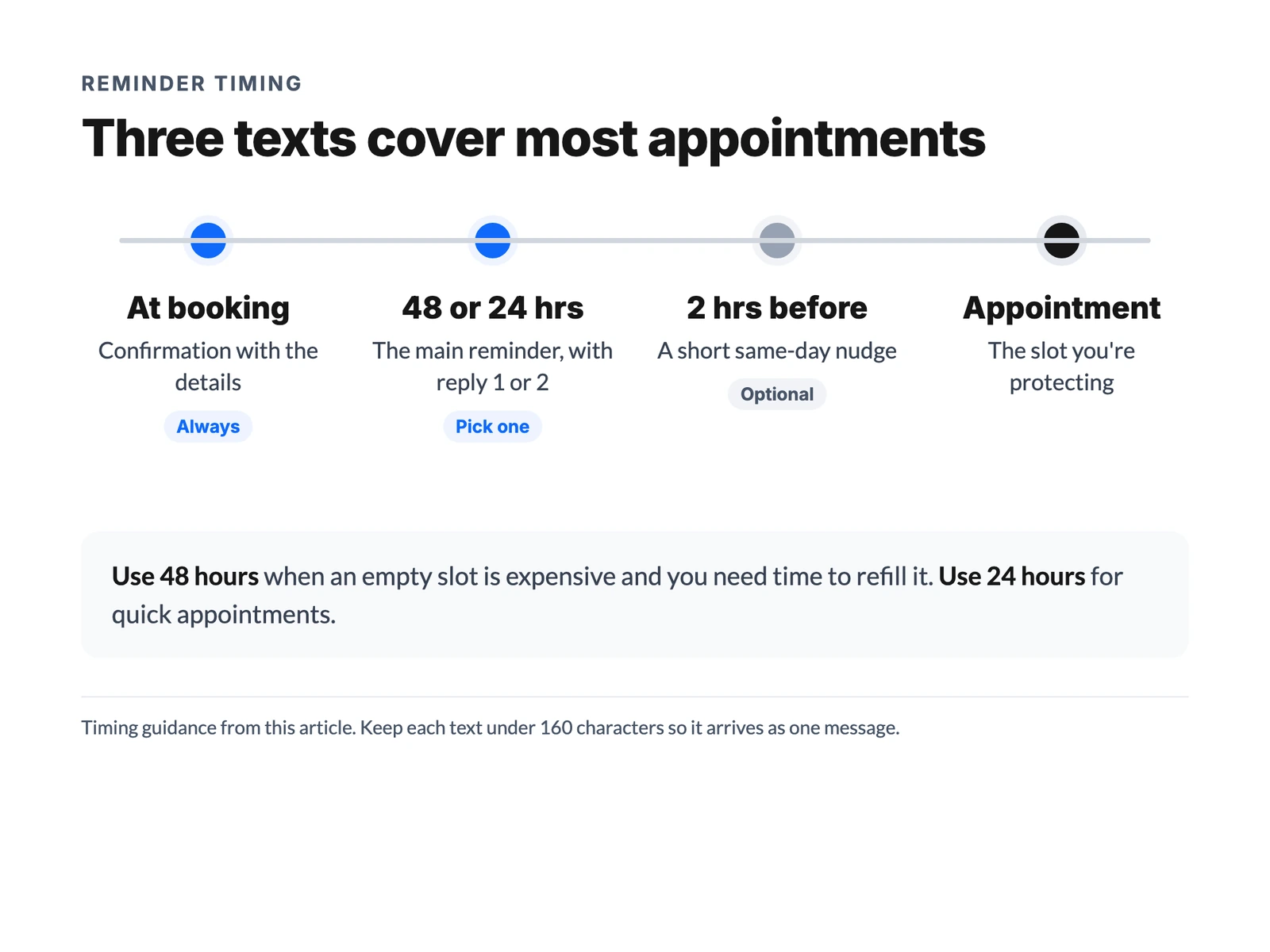
Should you send both the 48-hour and the 24-hour text? Usually pick one. Use 48 hours when an empty slot is expensive and you need time to refill it, like a two-hour dental block. Use 24 hours for quick appointments where a late cancellation hurts less.
Appointment reminder text message examples by industry
Each appointment reminder text template below is written to land in one text segment. Replace anything in brackets, and read it once on your own phone before you save it, because a line that looks fine on a laptop can wrap badly on a small screen.
Universal reminders
These work for almost any service business.
1. The standard 24-hour reminder
Hi [Name], it's [Business]. Reminder: your [service] is tomorrow at [time]. Reply 1 to confirm or 2 to reschedule.
2. The 48-hour reminder
Hi [Name], [Business] here. You're booked for [service] on [day] at [time]. Need a new time? Reply 2 and we'll sort it out.
3. The 2-hour nudge
Hi [Name], see you at [time] today at [Business]. Running late? Just reply here.
4. The reminder with a link
Hi [Name], it's [Business]. Your [service] is [day] at [time]. Details and directions: [link]. Reply 2 to reschedule.
Home services reminders
A reminder text for service appointments at someone's home needs an arrival window and access details, because "I wasn't home" is the most common no-show.
5. Arrival window reminder
Hi [Name], it's [Business]. Your [AC tune-up] is tomorrow between [8 and 10 a.m.]. Will someone be home? Reply 1 for yes or 2 to reschedule.
6. Access and pets
Hi [Name], [Business] here for tomorrow's [plumbing repair] at [time]. Any gate code or pets we should know about? Just reply here.
7. Tech on the way
Hi [Name], [Tech name] from [Business] is on the way and should arrive by [time]. Reply here if anything has changed.
8. Estimate visit
Hi [Name], it's [Business]. Reminder: we're coming out [day] at [time] for your free estimate. Reply 2 if you need a different time.
Dental and medical clinic reminders
Clinic reminders carry the least detail on purpose. Never name the procedure, the condition, or the provider's specialty in a text that might show on a locked screen.
9. Standard clinic reminder
Hi [Name], this is [Clinic]. Your appointment is [day] at [time]. Reply 1 to confirm or 2 to reschedule.
10. Paperwork and arrival
Hi [Name], [Clinic] here. See you [day] at [time]. Please arrive 10 minutes early and bring your insurance card. Reply 2 to reschedule.
11. Long appointment block
Hi [Name], it's [Clinic]. Your [90-minute] visit is [day] at [time]. Can't make it? Reply 2 by [deadline] so we can offer the time to someone else.
12. Recall reminder
Hi [Name], it's [Clinic]. You're due for your next visit. Reply 1 and we'll text you a few open times.
Salon and spa reminders
Salon reminders can be warmer, and they're a good place to protect your cancellation policy without sounding cold.
13. Friendly salon reminder
Hi [Name]! It's [Salon]. Looking forward to your [color appointment] with [Stylist] tomorrow at [time]. Reply 1 to confirm.
14. With a cancellation policy
Hi [Name], [Salon] here. See you [day] at [time]. If you need to change it, please reply 2 at least 24 hours ahead so we can offer the spot to someone else.
15. Prep instructions
Hi [Name], it's [Spa]. Your [massage] is tomorrow at [time]. Please arrive 15 minutes early to settle in. Reply 2 to reschedule.
Law firm and consultation reminders
Professional services reminders should sound calm and discreet. The person may be dealing with something stressful, so skip exclamation points.
16. Consultation reminder
Hi [Name], this is [Firm]. Reminder of your consultation on [day] at [time]. Reply 1 to confirm or 2 to choose another time.
17. Video or phone consultation
Hi [Name], [Firm] here. Your call with [Attorney] is [day] at [time]. We'll call you at this number. Reply 2 if you need to reschedule.
18. Documents to bring
Hi [Name], it's [Firm]. See you [day] at [time]. Please bring any documents you mentioned on the phone. Reply here with questions.
Appointment confirmation texts
An appointment confirmation text goes out right after booking. It's the one that prevents the "wait, was it Tuesday or Thursday?" problem.
19. Standard confirmation
Hi [Name], you're booked with [Business] for [service] on [day] at [time]. We'll text a reminder the day before. Reply 2 to change it.
20. Confirmation with an address
You're all set, [Name]. [Service] at [Business], [day] at [time], [address]. Reply here if you have questions.
21. Confirmation after a phone booking
Thanks for calling [Business], [Name]. Confirming your [service] on [day] at [time]. Reply 1 if that's right.
Reschedule and no-show follow-ups
These are for when the plan falls apart. Keep them blame-free. The goal is a new booking, not an apology.
22. Reschedule confirmed
Done, [Name]. Your [service] at [Business] is now [day] at [time]. See you then.
23. Same-day no-show
Hi [Name], it's [Business]. We missed you at [time] today. No problem. Reply 1 and we'll text you a few new times.
24. Second no-show follow-up
Hi [Name], [Business] again. Still want to get your [service] on the calendar? Reply 1 and we'll find a time that works.
How should customers reply to a reminder text?
Ask for a number, like "Reply 1 to confirm or 2 to reschedule." Numbers are fast to type, impossible to misread, and they don't collide with the keywords phone carriers watch for.
That last part matters more than most businesses realize. "STOP," "CANCEL," "END," "QUIT" and "UNSUBSCRIBE" are standard opt-out keywords across US carriers and business texting platforms. A reminder that says "Reply CANCEL to cancel your appointment" can opt that customer out of every text you'll ever send them, including next month's reminder.
It's an easy mistake to make, and an easy one to avoid.
A few more rules for replies:
- Read every reply. A "1" is easy. "Can we do 4 instead?" needs a human, fast.
- Don't ask for a reply you won't act on. If nobody checks the replies until Friday, don't promise "reply to reschedule."
- Confirm the change. When someone reschedules, send template 22 so they know it stuck.
What do you need before sending reminder texts?
You need the customer's permission to text them, a business number set up for texting, and, for US local numbers, A2P 10DLC registration. Skip the registration and carriers can filter or block your texts, so the reminder never arrives.
Here's the short version of how to send appointment reminder texts without getting blocked:
- Consent. A customer who gave you their number to book an appointment generally expects a reminder. Marketing texts (deals, promotions) need a clear yes first. If you're unsure where the line sits for your business, ask a lawyer.
- Registration. In the US, texting from a local number requires registering your business and your texting use case through A2P 10DLC. Our A2P 10DLC registration guide walks through the process and the fees.
- Opt-outs that work. Anyone who replies STOP has to stop getting texts from you. Most business texting tools handle this automatically, but check yours.
- One segment. Texts over 160 characters split into multiple segments, and you pay per segment. Every template above is written to fit in one, as long as you skip emoji, which drop the limit to 70 characters.
Dana runs the front desk at an eight-person dental clinic. Her team used to call every patient the day before, which ate her whole afternoon.
When they moved to texting, the first batch went out from a personal cell phone, half the replies landed on one hygienist's phone, and nobody could see which patients had confirmed. Moving the reminders to the clinic's shared business number fixed the mess: one inbox, every reply visible to whoever's at the desk.
Do reminders actually cut no-shows for a practice like hers? We don't have a number we'd stand behind for your business, and you shouldn't trust anyone who promises one. Track your own no-show rate for a month before and after. That's the only figure that matters.
How to schedule a reminder text from your business number

You can send reminders from a business texting app without any booking software, as long as the app lets you schedule a message. In dialnote, where calls and texts share one team inbox, that takes two steps: save your wording once as a canned response, then schedule each reminder from the customer's conversation.
- Go to Settings, then Canned Responses, and click New Canned Response.
- Give it a title like "24-hour reminder," paste template 1, and add a shortcut such as
/remind. Click Create. - In the Inbox, open the customer's conversation, click the lightning bolt next to the message box, and pick your reminder from the list.
- Swap in the customer's name, day and time.
- Click the clock icon next to the send button, pick Custom time, set it for 24 hours before the appointment, and send. The text waits in the conversation with a clock icon until it goes out.
A few things to know before you rely on it. Scheduling works from 15 minutes to 7 days ahead, so it fits a 48-hour or 24-hour reminder. It's set up per number: go to Settings, then Phone Numbers, pick the number, and turn on Scheduled SMS under Messaging. The toggle only works once texting is on and, for US numbers, your A2P registration is approved.
You can clear a schedule in the composer before you send it. Once it's sent, a scheduled text can't be canceled from the app, so if the appointment moves, send a quick correction. The SMS scheduling docs cover the setup.
The honest limit: this is manual. dialnote doesn't trigger reminders from your calendar, so each one is a few clicks per appointment. For a front desk booking 10 to 20 appointments a day, that's a short daily task.
For hundreds a day, you want a booking tool with built-in reminders. Texting and scheduling are on business texting plans from Team and up, and missed callers get the same treatment with these missed call text back templates.
Put your calls and texts on one business number
10-day free trial, no credit card needed. Texting from a US number needs A2P registration first.
Frequently asked questions
Send it from your business number, not a personal phone. Write the business name, the service, the day and time, and one reply option, then send it 24 hours before. In the US, register your number for business texting (A2P 10DLC) first, or carriers may block it.
A good reminder text fits in 160 characters, names your business in the first few words, gives the date, time and place, and asks for one reply. Example: "Hi Sarah, it's Lakeview Dental. Your cleaning is tomorrow at 10 a.m. Reply 1 to confirm or 2 to reschedule."
Lead with their name, keep the tone warm, and make changing the time easy instead of guilt-tripping them. "Looking forward to seeing you tomorrow at 3. If the time no longer works, reply 2 and we'll find a new one" reads as helpful, not pushy.
Yes. Reminders are one of the most accepted business texts, as long as the customer gave you their number for the appointment. Identify your business, honor STOP replies, and in the US register your number for business texting before you send.
No. dialnote doesn't trigger reminders from bookings. You can schedule a reminder text by hand, 15 minutes to 7 days ahead, from your business number on Team and up, and save your wording as a canned response so each one takes seconds.

Written by
Upasana Sahu
Senior Digital Marketing Specialist, SmartReach.io
Upasana Sahu is a Senior Digital Marketing Specialist at SmartReach.io with over 10 years of experience in content marketing, SEO, and digital strategy. She manages end-to-end blog operations, from content creation and on-page/off-page SEO to traffic...
Upasana Sahu is a Senior Digital Marketing Specialist at SmartReach.io with over 10 years of experience in content marketing, SEO, and digital strategy. She manages end-to-end blog operations, from content creation and on-page/off-page SEO to traffic...
Related Articles

Missed Call Text Back: 15 Templates That Save the Job
Copy 15 missed call text back templates for service businesses, plus timing rules and worked examples that keep missed callers from booking elsewhere.
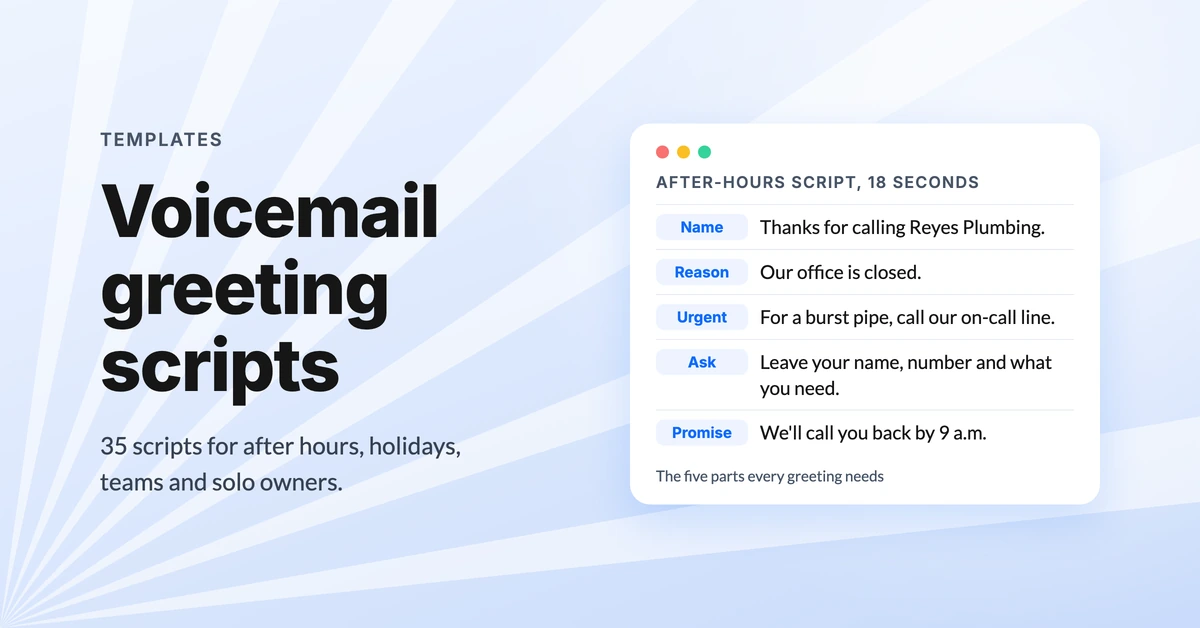
Business voicemail greeting examples (35 scripts)
Copy 35 business voicemail greeting examples for after hours, holidays, departments and small teams, plus what to say so callers leave a message.
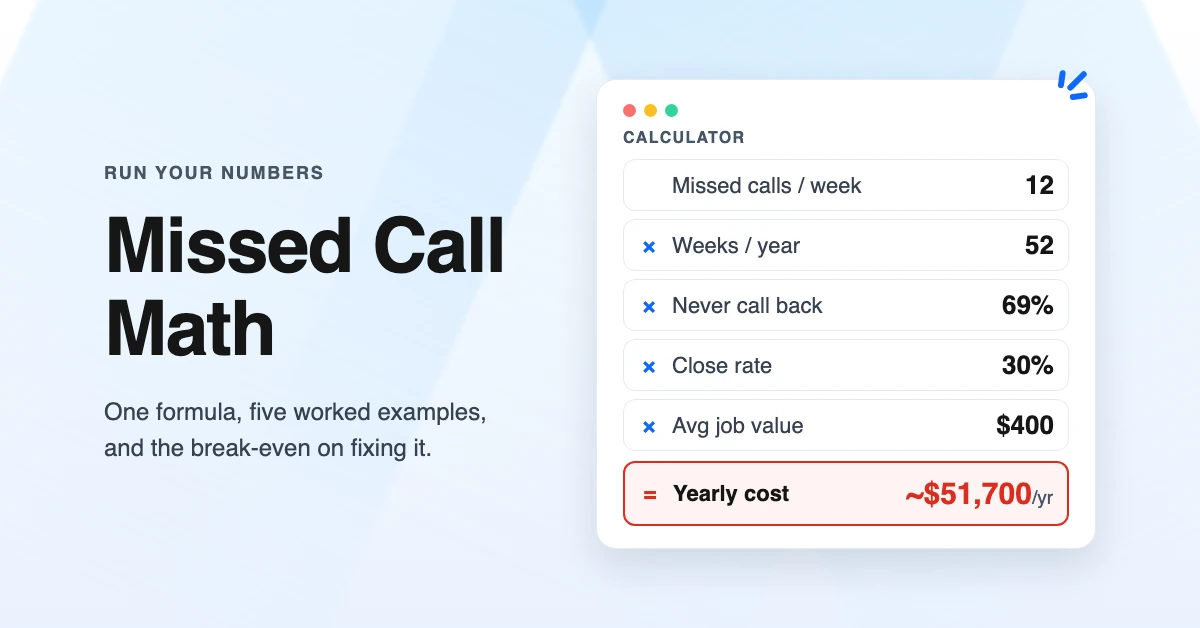
The Cost of Missed Calls: Calculator and Worked Examples
Calculate the cost of missed calls for your business with a simple formula, five worked examples by industry, and the break-even point for fixing it.
