How to Switch Business Phone Providers (No Downtime)
Nobody stays with a phone provider for ten years out of loyalty. Businesses stay because the number feels like a hostage: it's on the trucks, the website, the Google listing, and saved in the phone of every customer who might call back. Here's what providers won't rush to tell you: you can switch business phone providers, keep every number you own, and never miss a call while it happens.
Marcus runs a six-person plumbing company. His number is on two van wraps, five hundred fridge magnets, and a Google Business Profile with six years of reviews behind it. He's been fed up with his provider for two of those years. He stayed anyway, because a plumber whose phone goes dark for even a morning hands his emergency calls to the next name on Google. Sound familiar?
That fear is doing more work for your provider than their product is. The switching process is built so your number keeps working on the old system until the second the new one takes over. You just have to run the steps in the right order.
TL;DR:
- You can switch business phone providers with zero downtime: your number stays live with the old provider until the port completes, then flips to the new one in an instant.
- FCC rules guarantee your right to take your number with you, and your old provider can't refuse a valid port request, even if you owe them money.
- Most business number ports finish in 5-10 business days. The FCC requires simple, single-line ports to complete within one business day.
- Paperwork mismatches cause most delays, so pull your Customer Service Record from your current provider before you start.
- Never cancel your old service until the port is confirmed complete. Canceling early is how numbers actually get lost.
Why switching feels riskier than it is
The risk of losing your number in a properly run switch is close to zero. Porting works in parallel: your old provider keeps answering calls on the number until the moment your new provider takes over, so there's no gap where callers hit dead air.
That's not a courtesy. It's the law. According to the FCC, your current provider must release your number when a valid port request comes in from your new one. They can't refuse because you owe them money, and they can't refuse because you're mid-contract. (You might still owe an early termination fee on the way out, but that's a billing dispute. The number goes with you either way.)
Honestly? We think the fear of a dead phone line is the most effective retention tool a mediocre provider has. They don't need to earn your renewal if you're too nervous to leave. Once you know the number belongs to your business, not to them, the decision changes shape completely.
So why does switching still have a scary reputation? Because businesses run the steps out of order, usually by canceling the old service too soon. More on that in a minute.
How long does it take to switch business phone providers?
Most business phone number ports complete in 5 to 10 business days. The FCC requires simple ports, meaning a single number with no extra services attached, to finish within one business day. Multi-line accounts, toll-free numbers, and ports leaving large legacy carriers can stretch to two weeks or more.
Three things set your actual timeline:
- The type of number. A single VoIP or mobile number moves fast. A block of landline numbers wired into an old on-premise system moves slowly, and toll-free numbers follow their own process with an extra registration step.
- How quickly your old carrier responds. The receiving provider submits the request, but the losing carrier controls the pace of approval.
- Whether your paperwork matches their records. Clean paperwork sails through. One mismatched field sends the whole request back to the start of the line.
We can't tell you which end of the range your old carrier will land on. Some release numbers within hours, others use every last day of the window, and carriers don't publish their internal timelines, so even providers who file ports every week can't always predict which carrier will do what. Budget two weeks, and treat anything faster as a bonus.
The good news: none of that waiting affects your callers. The number rings on the old system for the entire wait.
Seven steps to switch business phone providers without downtime
The whole zero-downtime method fits in one sentence: build and test the new system completely while the old one still answers your calls, and only then move the number. Here's the full sequence.
- Pick your new provider and confirm your numbers can port. Before signing anything, give the new provider every number you own and ask them to check portability. Ask what porting costs (some providers charge per number, others port your first number free), whether texting is supported on ported numbers, and who handles the paperwork. If cost is what's pushing you to move, run the math in our business phone system cost guide first so you're switching to the right pricing model, not just a different logo.
- Pull your records from your current provider. Request your Customer Service Record (CSR), a recent bill, your account number, and a port-out PIN if the carrier uses one. The CSR shows exactly how your business name and service address appear in their system, and that exact spelling is what the next step depends on.
- Complete the Letter of Authorization exactly as those records read. The LOA is the document that authorizes the transfer. Copy the business name, address, and account number from the CSR character for character. "Riverside Plumbing LLC" and "Riverside Plumbing, L.L.C." are different companies as far as a porting system is concerned.
- Build the new system on temporary numbers. Set up call routing, business hours, voicemail greetings, and your team's devices on the new platform, and run test calls until the setup behaves the way you designed it.
- Forward your old numbers to the new system and go live early. Once the setup looks right, turn on call forwarding from each old number to its temporary number on the new platform, then submit the port. Now real customer calls flow through the new system while the number technically still lives with the old provider, so your team is testing the whole product on live traffic, not rehearsing. Two things to confirm with the old provider first: what forwarding costs on your plan, and that the forwarding change won't interfere with the pending port.
- Keep the old service active until the port completes. Don't cancel, don't drop lines, and don't downgrade the plan to save a few dollars during the transition. A canceled account can release your number back into the carrier's pool, and that's the one scenario where a number genuinely gets lost.
- Treat cutover day as a formality, then verify and cancel. With forwarding already live, the switch itself is an anticlimax: the number's routing flips on the scheduled date, usually within a couple of hours, and many providers let you schedule it after business hours or in your quietest window. Place an inbound test call, check your outbound caller ID, and send a test text. Once ported calls flow correctly for a day or two, export call recordings, voicemails, and call history from the old portal, then cancel the old account and stop the autopay.
The forwarding move in step five is what turns the port into a non-event. By the time the number actually moves, the new system has been answering your real calls for days, and cutover is just the day the detour gets removed.
Step four is where the manual version of this plan used to stall: a technician to wire test lines, another visit to change a greeting, a week gone before the first test call. On a cloud system it's an afternoon. The faster way is the Quick Start page in dialnote, which walks the whole build on one screen during the 10-day free trial: claim a temporary number, make a test call, set business hours, and invite the team, with each task tracked as you complete it.
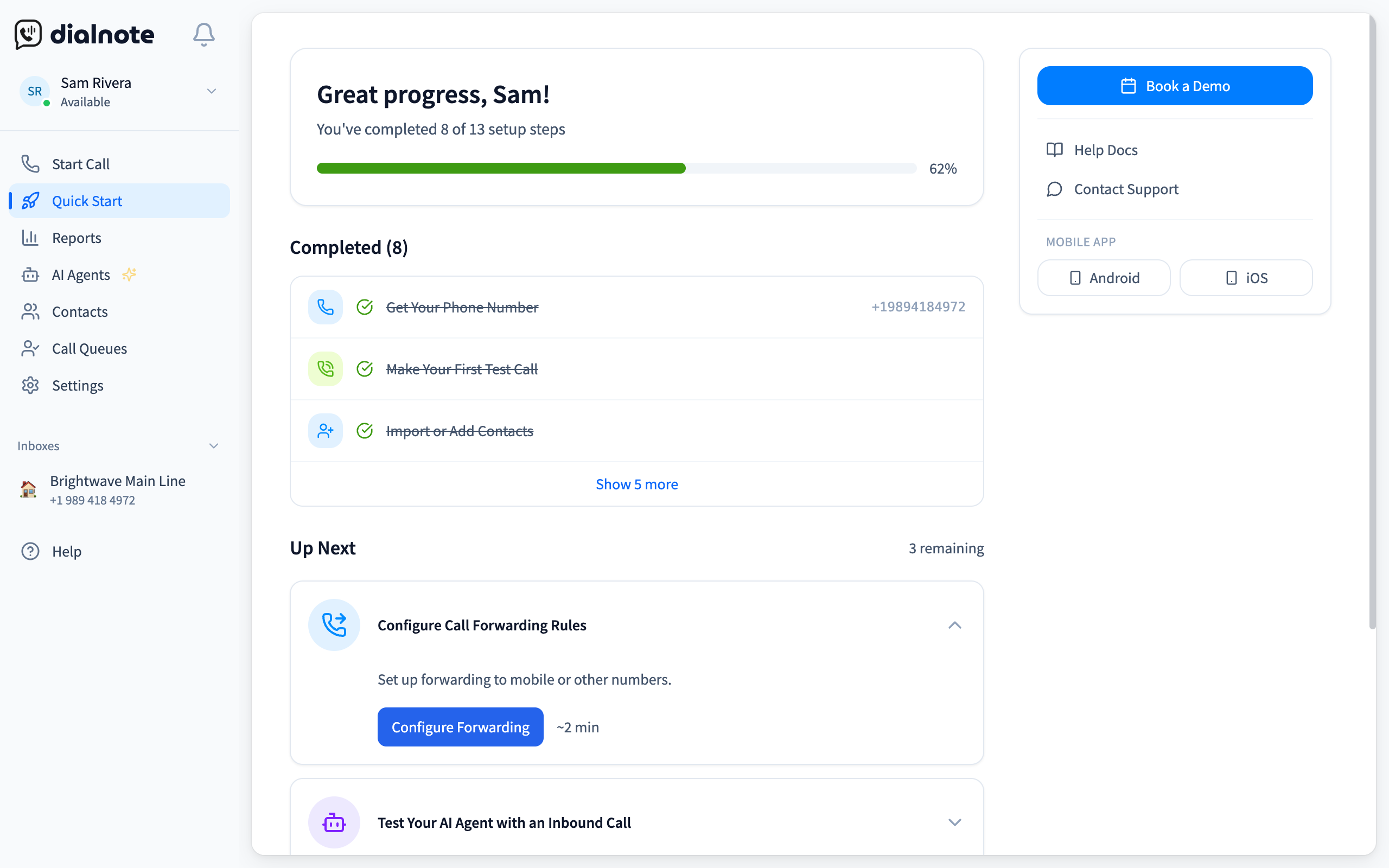
Read that screen as your port-readiness checklist. Anything still open (the after-hours path, a teammate who hasn't installed the app, a greeting nobody recorded) gets fixed now, while the old line still answers. Submit the port in step five only when the list looks boring.
Build the new system before you move the number
10-day free trial, no credit card. Your first number port is free.
Why do port requests get rejected?
Nearly every rejected port is a records mismatch: something on the request doesn't exactly match what your old provider has on file. Nobody at the carrier is judging your application. A system is comparing text fields, and any difference counts as a fail.
So what actually trips businesses up? Ask anyone who files ports for a living and you'll hear the same short list. It's the list every porting desk checks first:
- Business name written differently on the LOA than on the account (abbreviations, punctuation, a missing "Inc").
- Billing address used where the service address should be, which bites anyone who moved offices without updating the carrier.
- Wrong account number, often because the bill shows an invoice number more prominently than the account number.
- A missing port-out PIN on carriers that require one.
- Pending orders on the old account, like an address change or plan change still mid-process, which freezes the number until it clears.
A rejection isn't a denial. Fix the one mismatched field, resubmit, and the port moves again. It usually costs you a few days, not weeks, and it's exactly why step two of the process is pulling the CSR before you fill out anything.
What the port doesn't carry over
A port moves your phone number and nothing else. Voicemails, call recordings, call history, routing rules, and text conversations all stay behind on the old system, so they need their own moving plan.
Handle these before you close the old account:
- Export call recordings and voicemails. If you keep recordings for disputes or compliance reasons, download them while you still have portal access.
- Save your call history. Most providers export it as a CSV. Even if you never open it, it's cheap insurance.
- Rebuild your call flows on purpose. Don't photocopy the old routing. If after-hours calls went to a voicemail nobody checked, this is the moment to send them somewhere useful instead.
- Plan for texting registration, not just texting. SMS is provisioned separately from voice, so confirm your new provider enables it on the ported number. And if you send automated business texts, the carrier registration behind them (A2P) doesn't move between providers: you'll register again through the new one, and approval plus number linking can take days to a couple of weeks. Start that before cutover so texting doesn't lag behind calls.
- Train the team before cutover day. The most common source of "downtime" after a switch isn't the port at all. It's a teammate who doesn't know how to transfer a call on the new system.
That last point deserves its own sentence: the port is a technical event, but the switch is a team event. Give people a week on the new system before it goes live and the go-live becomes boring, which is the goal.
How dialnote handles the switch
dialnote runs the exact playbook this guide describes, with the paperwork handled for you. Porting your first number to dialnote is free, and porting is available in the US and Canada: US ports run automatically with your carrier, while Canadian and toll-free ports our team files by hand. Either way you watch the same status timeline, and your number stays live on your old system until the switch.
You can start a port during the 10-day free trial, no credit card required, which means the new system is fully built and tested before you've paid anything. And because plans are flat-rate, $19 to $199 per month for the whole account rather than per seat, the switch often pays for itself in the first invoice.
Switch on your schedule, not your provider's
The number is yours. The FCC guarantees it moves with you, the parallel-run process keeps it live while it moves, and the only real failure mode, canceling the old service early, is entirely within your control.
Marcus finally made the switch last month. The port took six business days, his techs took real calls through the new mobile app the whole time thanks to forwarding, and the five hundred fridge magnets never knew anything changed. The number that felt like a hostage turned out to be the easiest part of the move.
If your provider is counting on your fear to keep you, call the bluff: set the new system up next to the old one, and move your number when you've seen it work.
Frequently asked questions
Yes. FCC rules give you the right to port your number to a new provider, and your current provider can't refuse a valid request, even if you owe money. The number stays active on your old service until the transfer completes.
Most business number ports finish in 5-10 business days. The FCC requires simple single-line ports to complete within one business day, while multi-line and toll-free ports can take two weeks. Your phone keeps working the whole time.
No. Porting runs in parallel: your old provider keeps handling calls until the moment the number flips to the new system. Downtime only happens when businesses cancel their old service before the port is confirmed complete.
Almost always a records mismatch: the business name, address, account number, or PIN on the request doesn't exactly match your old provider's file. Pull your Customer Service Record, fix the field, and resubmit.
Porting your first number to dialnote is free, and porting is available in the US and Canada. US ports run automatically with your carrier, toll-free and Canadian ports are filed by our team, and you can start a port during the 10-day free trial.

Written by
Akhilesh Betanamudi
Co-Founder, SmartReach.io
Akhilesh Betanamudi is a technology entrepreneur and engineer with over 12 years of experience in hardware engineering, SaaS, and business communications. As Co-Founder of SmartReach.io - a sales engagement platform for startups and enterprises, he h...
Akhilesh Betanamudi is a technology entrepreneur and engineer with over 12 years of experience in hardware engineering, SaaS, and business communications. As Co-Founder of SmartReach.io - a sales engagement platform for startups and enterprises, he h...
Related Articles
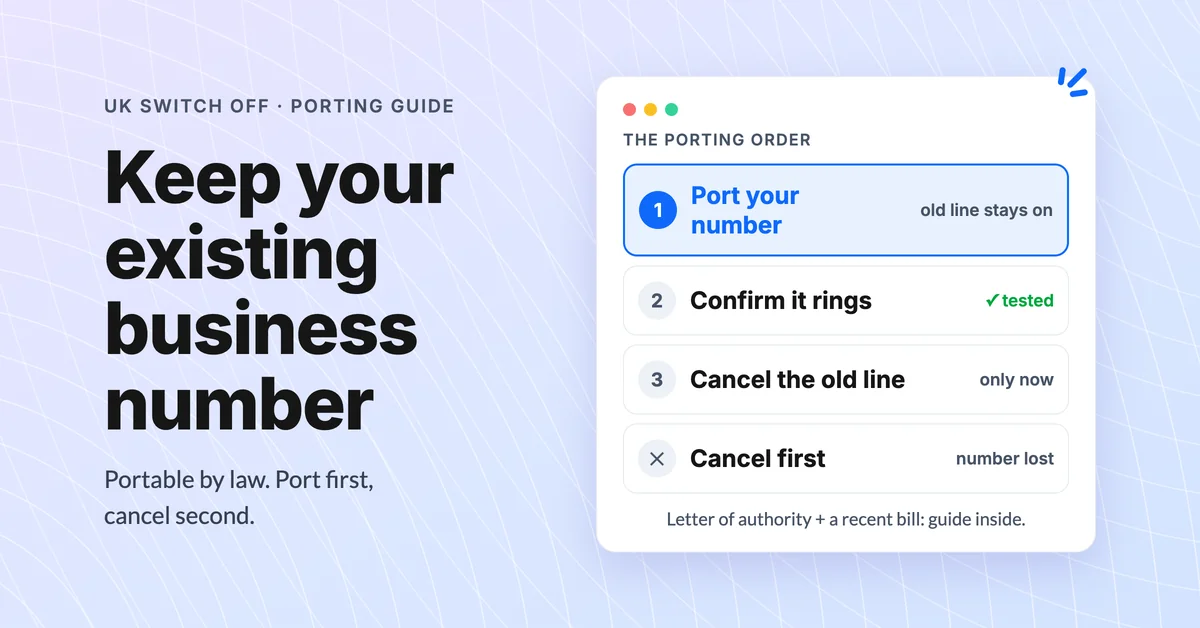
UK Landline Switch Off: Don't Lose Your Business Number
Don't lose your business number in the UK landline switch off: Ofcom porting rights, the port-first rule, and 5 steps to move it safely before 2027.
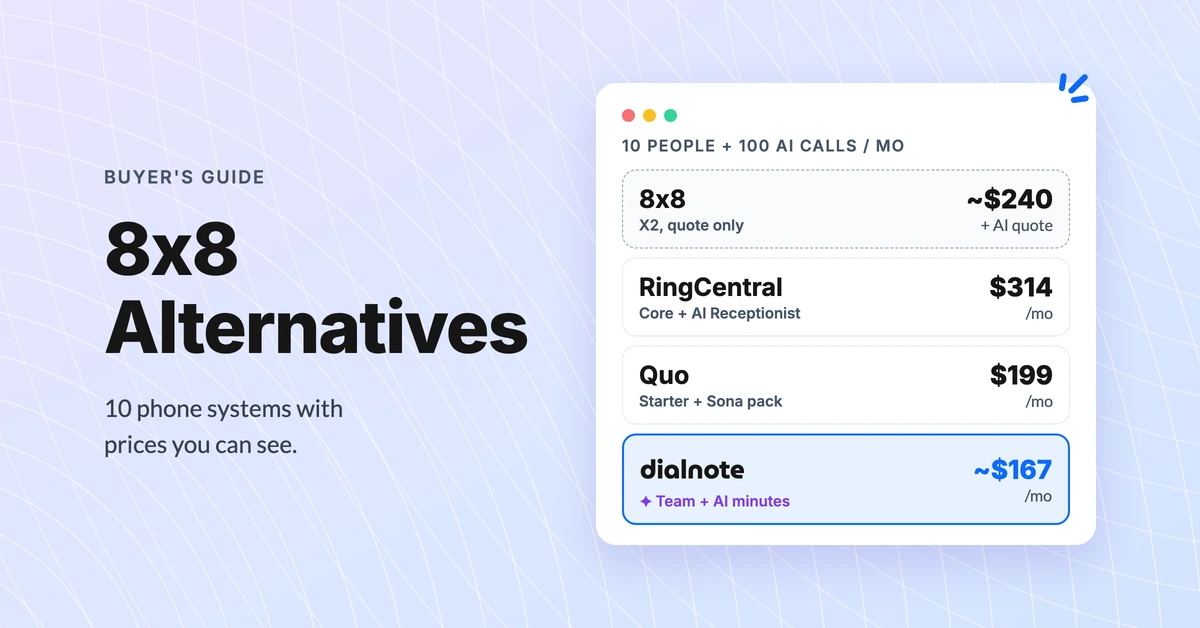
8x8 Alternatives: 10 Phone Systems With Public Prices
Compare 10 8x8 alternatives on real 10-person cost with AI answering. 8x8 quotes its price on a sales call; these publish theirs (October 2026).
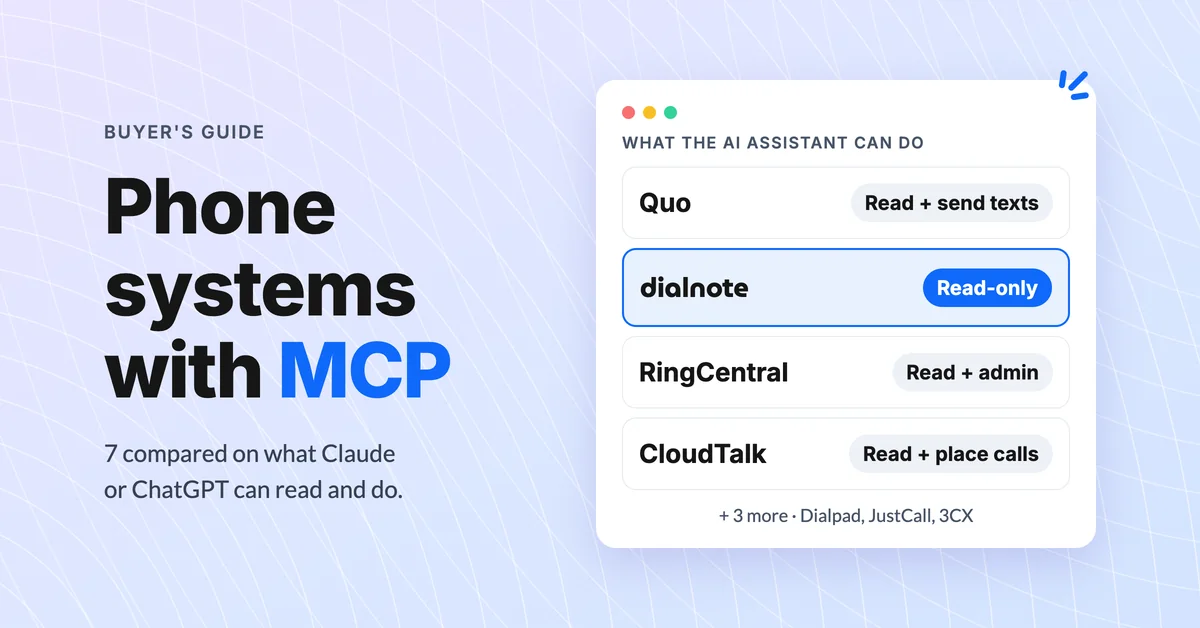
Phone Systems With an MCP Server: 7 Compared (2026)
Compare 7 business phone systems with an MCP server for Claude and ChatGPT: read vs write access, setup, and the real cost for a 10-person team.
