IA de Voz vs Chatbots: Cuándo Usar Cada Una
Un cliente llama a tu línea de soporte. Está frustrado. Su pago falló y necesita arreglarlo ya.
¿Quiere escribir su problema en una ventana de chat? ¿O quiere hablar con alguien (aunque sea una IA) que pueda escuchar la urgencia en su voz?
Esa es la pregunta central detrás del debate de IA de voz vs chatbot. ¿Y la verdad? La mayoría de los negocios está eligiendo mal.
En breve:
- La elección entre IA de voz y chatbot se reduce a dónde y cómo te contactan los clientes: los chatbots ganan para preguntas en pantalla, de baja urgencia y con mucha información, mientras que la IA de voz gana para los momentos por teléfono, de alto estrés y sobre la marcha.
- Los chatbots son más baratos de construir y operar (sin costos de telefonía ni de voz), pero la IA de voz suele rendir más cuando lo que de verdad te cuesta dinero son las llamadas perdidas o una fila telefónica saturada.
- La mayoría de los negocios termina necesitando ambos. Usa el chat para descubrir y autoservicio, y la voz para las llamadas de alta intención o alta urgencia.
- La configuración más inteligente comparte el contexto entre canales, así un cliente que empieza en el chat y pasa a una llamada nunca tiene que repetir lo que dijo.
La Diferencia Real No Es Solo Texto Vs Voz
Stan maneja las operaciones de una agencia de seguros de 40 personas. El año pasado, su equipo lanzó un chatbot para el soporte al cliente. Manejaba bien las preguntas frecuentes. Dudas de pólizas, estado de pagos, cosas básicas.
Pero esto es lo que salió mal: cuando los clientes llamaban por temas urgentes (reclamos negados, errores de pago, cancelaciones de póliza), abrían el widget de chat y de inmediato empezaban a escribir en mayúsculas. El bot no podía leer la frustración. No podía escuchar el pánico. Solo seguía sirviendo enlaces de preguntas frecuentes.
El equipo de Stan terminó con un promedio de 2 estrellas en su soporte por chat. La línea telefónica, atendida por tres representantes con demasiado trabajo, tenía 4.5 estrellas.
El chatbot no era malo. Solo era el equivocado para esas situaciones.
IA De Voz Vs Chatbot: ¿Cuál Es La Diferencia?
La diferencia principal es el canal. Un chatbot se basa en texto y vive en un widget de chat, así que los usuarios escriben y leen respuestas. La IA de voz funciona por llamadas telefónicas, y usa reconocimiento de voz y texto a voz para escuchar y responder hablando. Ambos son IA conversacional, pero encajan en momentos muy distintos.
Este es el desglose completo:
Los chatbots se basan en texto. Viven en widgets de chat en sitios web, WhatsApp, Facebook Messenger. Los usuarios escriben, el bot responde con texto. Algunos usan reglas simples ("si el cliente dice X, responde Y"), otros usan IA para entender el contexto.
La IA de voz (también llamada bots de voz o asistentes de voz) funciona a través de llamadas telefónicas o apps con voz. Los usuarios hablan, y el sistema usa reconocimiento de voz, procesamiento de lenguaje natural y texto a voz para sostener una conversación real.
Ambos caen bajo la "IA conversacional", pero resuelven problemas distintos.
Cuándo Ganan Los Chatbots (Y Seguido Lo Hacen)
Sáltate la IA de voz si la mayoría de tus interacciones con clientes se ven así:
Solicitudes Con Mucha Información
Rastreo de pedidos. Documentos de póliza. Instrucciones paso a paso. Cualquier cosa donde el cliente necesita ver enlaces, botones o texto detallado.
Un chatbot puede decir: "Aquí está el estado de tu pedido" y mostrar una línea de tiempo visual. Un bot de voz tiene que describirlo, lo que toma más tiempo y es más difícil de seguir.
Preguntas De Baja Urgencia Y Alto Volumen
"¿Cuál es su horario?" "¿Cómo restablezco mi contraseña?" "¿Dónde está mi número de rastreo?"
Estas preguntas no necesitan un toque humano. Un chatbot bien hecho maneja miles de ellas sin despeinarse, y sin ocupar las líneas telefónicas.
Clientes Que Ya Están En Pantalla
Piensa en e-commerce, SaaS o cualquier negocio donde los clientes ya están navegando tu sitio web. Están en una pantalla. El chat es natural. Pedirles que llamen se siente como un estorbo.
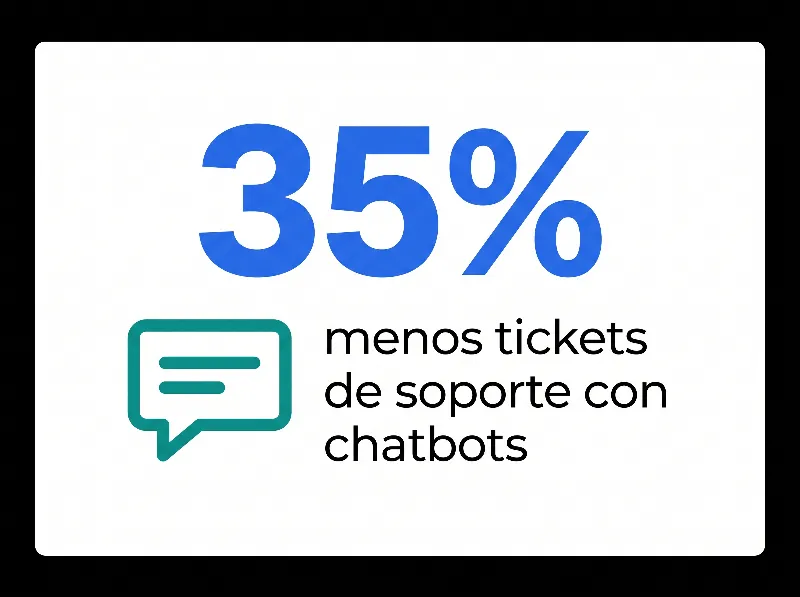
Hemos visto empresas de SaaS bajar el volumen de tickets de soporte en un 35% con un buen chatbot. Ese es un impacto real.
Cuando Los Detalles Importan Más Que La Velocidad
Comparaciones complejas de productos. Solución técnica de problemas con capturas de pantalla. Preguntas legales o de cumplimiento donde quieres un registro escrito.
El texto crea un registro. La voz no (a menos que la transcribas, lo que suma costo y complejidad).
¿Cuándo Deberías Usar IA De Voz En Lugar De Un Chatbot?
Usa IA de voz en lugar de un chatbot cuando los clientes están llamando, la urgencia es alta o no pueden ver una pantalla. Los momentos por teléfono, de alto estrés y sobre la marcha favorecen el habla por encima de escribir. La IA de voz puede saludar a quien llama, verificar su identidad y resolver problemas simples antes de que un humano conteste.
Ahora dale la vuelta. La IA de voz brilla cuando:
El Cliente Ya Está Llamando
Esto suena obvio, pero se pasa por alto. Si alguien levanta el teléfono y marca tu número, quiere hablar. Hacerlo buscar un widget de chat rompe la experiencia.
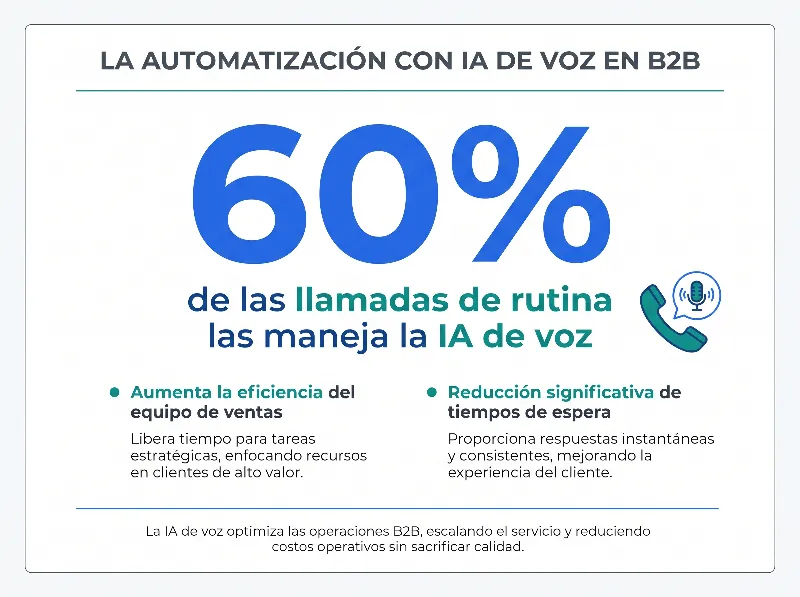
La IA de voz puede saludar a quien llama, verificar su identidad, manejar el enrutamiento y resolver problemas básicos, todo antes de que un humano conteste. Una empresa de telecomunicaciones reportó desviar el 60% de las llamadas de rutina con bots de voz.
La Urgencia Es Alta
Pagos fallidos. Cuentas bloqueadas. Vuelos cancelados. Preguntas médicas.
Cuando el estrés es alto, la gente no quiere escribir. Quiere hablar. Y quiere sentirse escuchada, aunque "escuchada" signifique una muy buena voz con IA.
La investigación lo respalda: las interacciones habladas muestran mayor eficiencia percibida, menor esfuerzo mental y mayor satisfacción frente al texto en las tareas urgentes.
Los Usuarios Están En Movimiento
Manejando. Caminando. Con las manos ocupadas. Sin poder ver una pantalla.
La voz es la única opción. Por eso la IA de voz domina en logística, servicio en campo y salud: industrias donde los trabajadores necesitan información pero no pueden parar a escribir.
La Accesibilidad Es Una Prioridad
No todos pueden escribir con facilidad. Problemas de visión, dificultades motrices o simplemente no sentirse cómodo con las interfaces de texto: la voz abre tu soporte a un público más amplio.
¿Cuánto Cuesta La IA De Voz Frente A Un Chatbot?
Los chatbots son más baratos que la IA de voz de construir y operar, sobre todo porque se saltan la telefonía y el procesamiento de voz, así que uno básico puede salir en vivo en un fin de semana. La IA de voz cuesta más al inicio por el reconocimiento de voz, el procesamiento de lenguaje y la integración telefónica. Pero más barato no siempre es mejor valor: la opción correcta es la herramienta que arregla el problema que te cuesta dinero.
Esa es la parte que la gente pasa por alto.
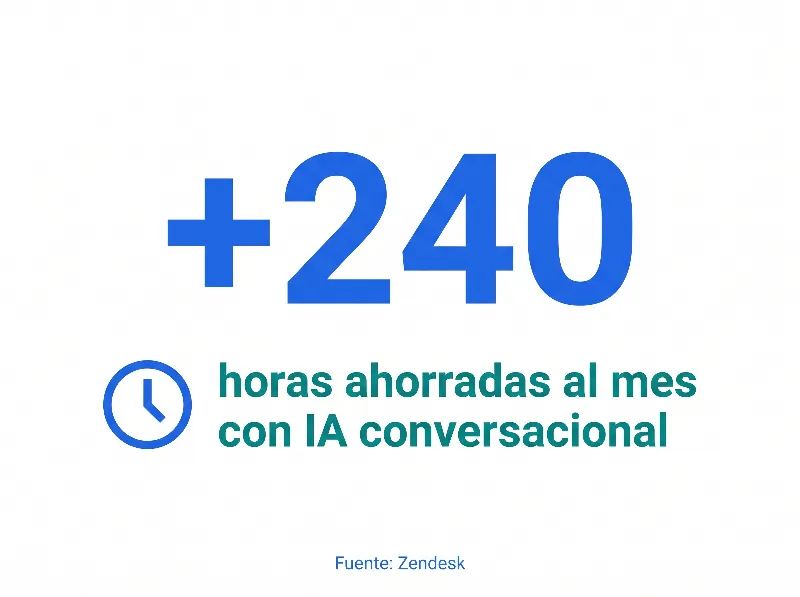
Los datos de Zendesk muestran que los equipos que manejan 20,000 solicitudes de soporte al mes ahorran más de 240 horas con chatbots. La IA de voz puede igualarlo, sobre todo si tu fila telefónica actual es un cuello de botella.
La verdadera pregunta no es "¿cuál es más barato?" Es "¿cuál resuelve el problema que de verdad te cuesta dinero?"
Si las llamadas perdidas son tu dolor, una herramienta de IA de voz de $500 al mes que capta el 80% de los prospectos fuera de horario podría tener un retorno de 10x. Si tu equipo de soporte se ahoga en preguntas repetitivas del sitio web, un chatbot se paga más rápido.
Lo Que No Recomendamos
Elegir uno e ignorar el otro.
La mayoría de los negocios termina necesitando ambos. El truco es saber cuál usar primero, y dónde encaja cada uno.
No construyas un bot de voz solo porque suena impresionante. Hemos visto empresas gastar seis cifras en IA de voz para problemas que un chatbot de $50 al mes podría resolver.
No asumas que los chatbots pueden con todo. Si tus clientes llaman primero y chatean después, encuéntralos donde están.
No fuerces cambios de canal. Nada frustra más a los clientes que un "por favor visita nuestro sitio web para chatear" cuando ya están al teléfono.
El Enfoque Híbrido (Lo Que Hacen Los Equipos Inteligentes)
Esto es lo que de verdad funciona:
Chat para descubrir y autoservicio. ¿Los visitantes del sitio tienen preguntas? El chatbot las atrapa. ¿Comparaciones de productos? Chatbot. ¿Solución básica de problemas? Chatbot.
Voz para los momentos de alta intención o alto estrés. ¿Temas urgentes? La IA de voz contesta el teléfono. ¿Llamadas fuera de horario? IA de voz. ¿Clientes que llaman específicamente a tu número? IA de voz.
Contexto compartido entre canales. Esta es la parte difícil. Cuando un cliente empieza en el chat y pasa a la voz, la IA de voz (o el agente humano) debería ver todo el historial del chat. Nadie quiere repetir lo que ya dijo.
El sistema telefónico con IA de dialnote maneja esto al conectar tu sistema telefónico con tus datos de chat y CRM, así que ya sea que alguien llame o chatee, tu equipo ve el panorama completo. Los planes empiezan desde $19/mes fijos, con una prueba gratis de 10 días y sin tarjeta de crédito.
Marco De Decisión: 5 Preguntas Que Hacerte
¿Todavía no sabes cuál elegir primero? Responde estas:
-
¿Dónde empiezan la mayoría de las interacciones con clientes? Sitio web → inclínate por el chatbot. Teléfono → inclínate por la IA de voz.
-
¿Cuál es el nivel de urgencia típico? Baja urgencia → chatbot. Alta urgencia → IA de voz.
-
¿Los clientes necesitan información visual? Enlaces, imágenes, documentos → chatbot. Respuestas simples → cualquiera sirve.
-
¿Los clientes están sobre la marcha? Móvil, manejando, manos libres → IA de voz.
-
¿Cuál es tu cuello de botella actual? Líneas telefónicas saturadas → IA de voz. Correos y tickets desbordados → chatbot.
Ejemplos Del Mundo Real
Agencia de seguros (la situación de Stan): Empezó con un chatbot para las preguntas de pólizas, agregó IA de voz para reclamos y soporte urgente. La satisfacción del cliente saltó de 2 estrellas a 4.2 estrellas en el canal telefónico.
Marca de e-commerce: El chatbot maneja el 80% de las preguntas de "¿dónde está mi pedido?". La IA de voz se reserva para los clientes VIP y las devoluciones de alto valor. Los costos de soporte bajaron un 28%.
Clínica de salud: La IA de voz maneja el agendado de citas y los resurtidos de recetas (los pacientes llaman). El chatbot maneja las preguntas del portal del paciente (los usuarios ya iniciaron sesión en línea). Cada canal adaptado a donde los pacientes participan de forma natural. (Si estás en el sector salud, mira cómo una recepcionista con IA ayuda a crecer a las clínicas y qué necesita el sistema telefónico de tu consultorio para la HIPAA.)
Firma de contabilidad: La IA de voz maneja los picos de llamadas de la temporada de impuestos, responde preguntas sobre los documentos requeridos y agenda consultas. Durante los meses pico, maneja de 3 a 5 veces el volumen normal de llamadas sin sumar personal.
Qué Sigue Para La IA De Voz Y Los Chatbots
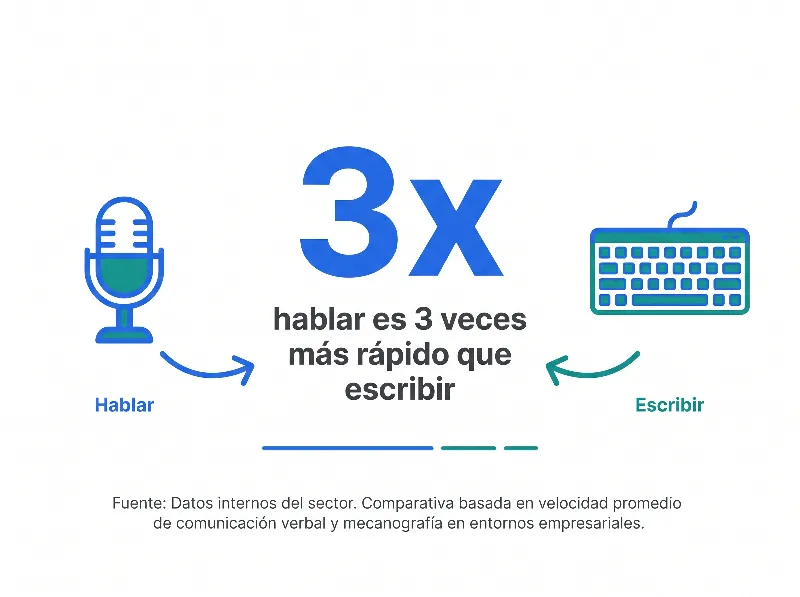
Hablar es tres veces más rápido que escribir. Ese dato está impulsando un cambio hacia la voz, sobre todo conforme las voces con IA se vuelven más difíciles de distinguir de las humanas.
Una parte cada vez mayor de las interacciones con clientes ahora involucra IA conversacional de alguna forma. Las empresas que encuentren el balance correcto tendrán una ventaja seria.
Pero balance es la palabra clave. La meta no es elegir un ganador entre IA de voz vs chatbot. Es usar cada uno donde de verdad ayuda.
A tus clientes no les importa tu stack tecnológico. Les importa obtener respuestas rápido, en el canal que les sea más cómodo.
Construye para eso, y la pregunta de IA de voz vs chatbot se responde sola.
¿Listo para ver cómo la IA de voz puede trabajar junto a tus herramientas de chat actuales? Empieza una prueba gratis de dialnote y prueba el manejo de llamadas con IA con las llamadas reales de tus clientes.

Escrito por
Lancelot Dsouza
Chief Marketing Officer, SmartReach.io
Lancelot Dsouza is the Chief Marketing Officer at SmartReach.io, where he built the Marketing, Sales, and Customer Success verticals from the ground up. With over 25 years of experience spanning digital marketing, business development, and strategic...
Lancelot Dsouza is the Chief Marketing Officer at SmartReach.io, where he built the Marketing, Sales, and Customer Success verticals from the ground up. With over 25 years of experience spanning digital marketing, business development, and strategic...
Artículos relacionados
Asistentes de Voz con IA Para Pequeñas Empresas
Descubre cómo los asistentes de voz con IA para pequeñas empresas contestan llamadas 24/7, bajan costos y captan los prospectos que se te escapan.
¿Por Qué Necesitas Una Recepcionista IA en E-commerce?
Descubre cómo una recepcionista con IA para e-commerce contesta llamadas, rastrea pedidos y capta ventas 24/7 sin sumar personal a tu equipo.
IA en la Comunicación Empresarial: Guía Práctica
Descubre cómo la IA en la comunicación empresarial transcribe llamadas, contesta el teléfono y transfiere prospectos para que tu equipo cierre más rápido.