How to reduce customer wait times on support calls
Your line rings. The caller waits. Thirty seconds pass, then a minute, and the hold music keeps looping. By the time an agent picks up, that customer is already annoyed. Learning how to reduce customer wait times is one of the fastest ways to keep them from hanging up and calling a competitor instead.
Here's the thing: long hold times aren't really a staffing problem. They're a design problem. Fix the design and you can cut wait times without hiring a single extra agent. Sound doable?
TL;DR:
- To reduce customer wait times, route each call by intent so people reach the right agent on the first try.
- Offer a callback so callers keep their place in line without holding.
- Let self-service handle simple tasks like balances, payments, and order status.
- Aim for an average wait under 60 seconds, with 80% of calls answered in 20 seconds.
- Staff for your real call peaks, then track average wait time, abandonment rate, and first call resolution.
What makes callers hang up?
Callers hang up when the hold feels longer than the problem is worth. Most people give a support line about a minute before frustration wins.
According to Zendesk's Customer Experience Trends research, more than half of customers will switch to a competitor after a single bad service experience. A long, silent hold is exactly that kind of experience. The caller isn't just waiting. They're deciding whether you're worth the wait.
And the cost stacks up quietly. Every abandoned call is a lost sale, a missed renewal, or a support ticket that later turns into a one-star review. In the queues we've watched, drop-offs spike hard once hold time crosses that one-minute mark. So the real goal isn't fancy tech. It's getting the right person on the line before patience runs out.
How much do long hold times really cost?
More than one lost call. Every abandoned caller walks off with revenue, adds review risk, and often calls back later, which makes tomorrow's queue longer too.
Run the math on your own line. Count last week's abandoned calls. Say it's 15. If a third of those were new customers ready to book or buy, that's 5 lost sales in a week, roughly 260 a year. Multiply that by your average order value and the number gets uncomfortable fast.
Would you notice 260 quiet losses a year? Probably not, because abandoned calls don't file complaints. They just show up as a slow quarter and a competitor who somehow seems busier than you.
The hidden cost is repeat traffic. A caller who bails at minute two usually tries again after lunch, so one unanswered question turns into two or three queue slots. Cut the first wait and you shrink the echo along with it.
What's a good average wait time for support calls?
Under 60 seconds is a solid target for a small support team. The classic call center service level, answering 80% of calls within 20 seconds, is stricter and worth chasing once your routing is clean.
Context matters, though. Someone calling about a flooded kitchen has zero patience. Someone calling to change a subscription plan will give you a bit more room. Set your bar around what your callers are feeling, not around an industry chart.
One more trap: averages lie. Your monthly average can sit at a comfortable 45 seconds while Monday mornings run past four minutes. Check your busiest hour separately, because that's the wait your unhappiest customers actually lived through.
How to reduce customer wait times without hiring more agents
You reduce customer wait times by sending each caller to the right place faster, giving them a way out of the hold queue, and letting them handle the simple stuff on their own. Do those three things and your agents field fewer calls, each one better targeted.
Here's how each piece works.
Route calls by intent, not button presses
Old phone menus route on button presses: press 1 for sales, 2 for support. Smart routing reads what the caller actually needs and sends them straight to someone who can help.
Good routing looks at:
- Caller intent - what the person actually wants
- Agent skills - who solves this type of issue fastest
- Customer history - whether they've called before
- Live queue load - which lines are shortest right now
Match a billing question to a billing expert and you skip the transfer dance. Fewer transfers mean shorter waits for everyone standing behind them in line. It also cuts the "let me put you through to another team" moment that makes callers groan.
Give callers a callback option
Nobody likes hold music. A callback lets the caller keep their spot in line, hang up, and get a ring back when it's their turn.
The flow is simple:
- The caller reaches a busy queue.
- The system offers: "Press 1 and we'll call you back without losing your place."
- The caller hangs up and gets on with their day.
- An agent rings them back once the queue clears.
Abandonment drops because people aren't staring at a clock. Agents feel calmer too, since callers pick up in a much better mood. It's one of those changes that helps both sides at once, which is rare.
We're not 100% sure why, but callers who take a callback often sound happier than callers who held for the same amount of time. Our best guess: giving people their time back reads as respect.
Let customers help themselves
Plenty of callers would rather not talk to anyone at all. Give them a quick way to handle simple tasks and they'll take it every time.
Common self-service wins:
- Check an account balance
- Make a payment
- Update contact details
- Track an order or shipment
- Book or move an appointment
Maria runs support for a 12-person e-commerce team. Her lines used to jam every afternoon with "where's my order?" calls. She added an order-status option to the phone menu plus a short FAQ page. Within a month, those calls dropped by roughly a third, and her agents finally had room to breathe. For the calls that land after hours, an after-hours answering service picks up once your team logs off.
Does self-service really cut call volume?
Yes, for simple and repetitive questions. When people can solve a problem in seconds without waiting, many never join the queue at all.
According to Gartner, most customers try to solve problems on their own before they ever reach out to a live agent. That means every clear FAQ, status page, and menu option quietly shrinks your queue. The catch is keeping self-service genuinely easy. A clunky menu that traps people is worse than no menu at all, so test it on a real customer before you roll it out.
Staff for your real call peaks
Long waits often come down to bad timing, not too few people. Look at your call data and staff around the actual rush instead of a flat schedule.
Your history usually shows clear patterns:
- Time-of-day spikes, like Monday mornings and the lunch hour
- Day-of-week trends
- Seasonal swings
- Surges right after a marketing push or product launch
Stan runs ops for a 15-person support team. His old schedule was pure gut feel: same coverage every hour, every day. Then he pulled 90 days of call data, and the pattern was embarrassing.
Monday from 9 to 11 a.m. carried nearly a third of the week's volume while Thursday afternoons sat idle. He shifted two agents, added a part-timer for Monday mornings, and watched average wait fall by half in a month. Zero new headcount.
Once you can see the peaks, you can cover them: more agents during the rush, part-timers for surge hours, and cross-trained staff who jump between call types. A call analytics dashboard makes these patterns obvious instead of leaving you to guess from memory. Guessing is how you end up overstaffed on a quiet Tuesday and drowning on Monday.
Solve it on the first call
First call resolution, or FCR, measures how often a caller's issue gets fully settled in one contact. Raise it and repeat calls fall, which shortens the queue for everyone behind them.
Every call that ends in "let me transfer you" or "we'll call you back" adds wait time for the next person in line. According to SQM Group, every 1% gain in first call resolution lowers a contact center's operating costs by about 1%. Fewer repeat calls today means a shorter queue tomorrow.
The customer effort research published in Harvard Business Review points the same way: customers punish high-effort service (transfers, repeat calls, starting over with a new agent) far harder than they reward a delightful one.
Two things move FCR the most:
- Give agents authority. Let them issue small refunds or apply a discount without hunting for a supervisor.
- Give agents context. Pull up the caller's history and past issues before the person even says hello.
When an agent opens a call already knowing who's calling and why, the whole thing wraps faster. Callers notice, too. Nobody wants to repeat their account number to the third person in a row.
Which mistakes make wait times worse?
The big four: phone menus built around your departments, silent holds, flat staffing, and fast answers that end in two transfers. Each one quietly adds seconds callers can feel.
- Menus shaped like your org chart. Callers don't know which team owns their problem, so they guess wrong, land in the wrong queue, and start over. Build options around caller problems instead.
- Silence on hold. No wait estimate, no place in line, nothing. Callers assume they've been forgotten and bail earlier than the actual wait deserves.
- Chasing speed to the wrong person. Answering in ten seconds and then transferring twice is slower than a 30-second wait for the right agent. Measure resolution, not just pickup speed.
- Treating every hour the same. A flat schedule guarantees you're overstaffed at 3 p.m. and buried at 9 a.m. Your call data already knows your peaks; use it.
- Writing off after-hours calls. Voicemail left overnight becomes Monday morning's backlog. Capture those callers when they ring and the week starts lighter.
Fix even two of these and you'll reduce customer wait times before you spend a dollar on new tools.
Where AI changes the math
AI answering takes the hold queue away for a big share of calls. Instead of waiting for a human, the caller talks to an assistant that picks up on the first ring, understands plain language, and routes them with no "press 1" tree at all.
That's the approach dialnote takes. It's a cloud-based VoIP phone system with built-in AI that answers, routes, and summarizes calls for small and mid-sized teams. It runs entirely online, so there's no hardware to rack and no on-site PBX to babysit.
The AI can also gather details up front, like an account number or the reason for the call, so a human agent starts with context instead of a cold "how can I help you?" After the call, the summary and those details sync to your CRM on their own, which saves agents the note-typing minutes between calls.
Honestly? Most self-service phone menus are overrated. They're built around the company's org chart, not the caller's problem. An AI that understands a plain-English request beats a five-layer menu every single time. That's the part worth spending money on.
Metrics that show it's working
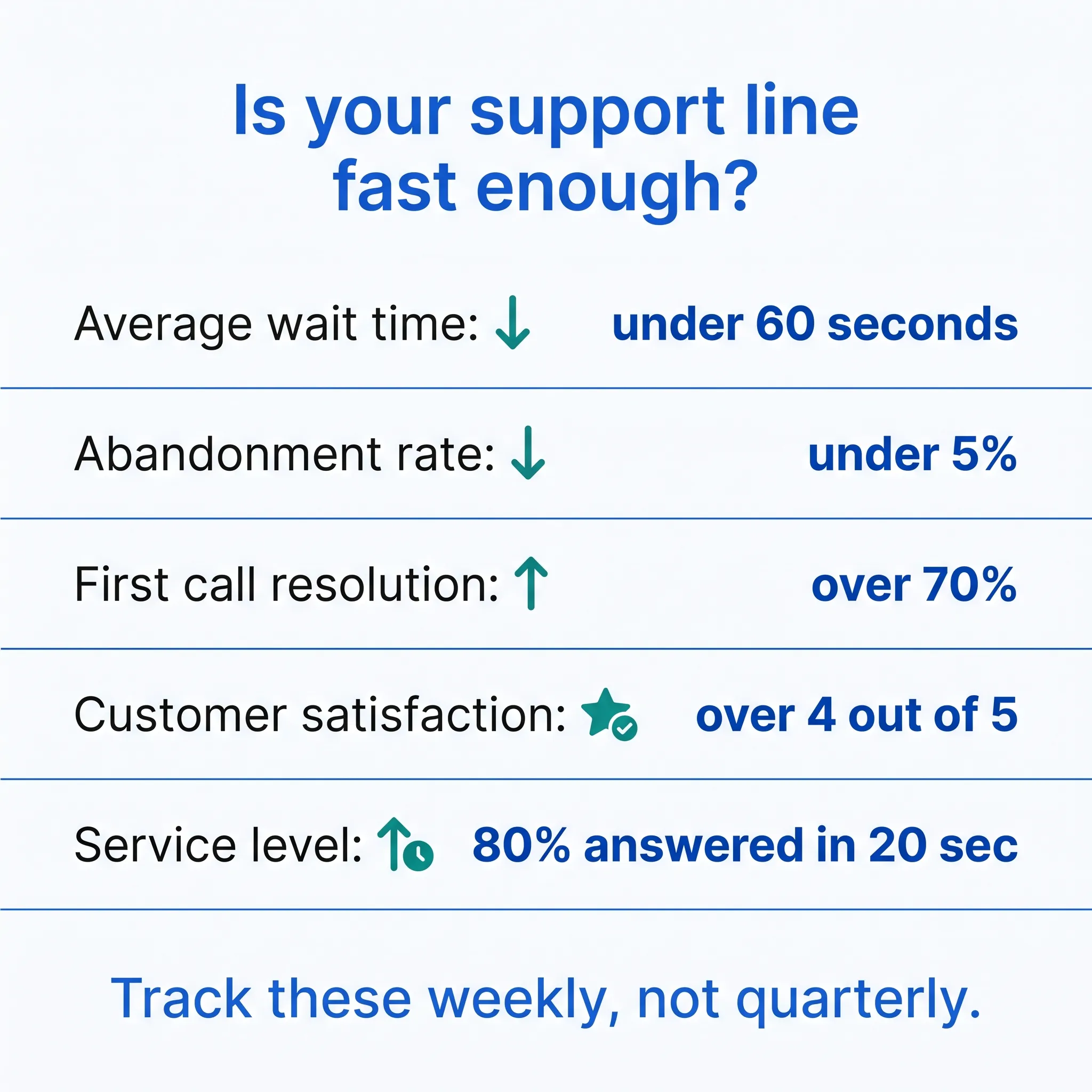
Five numbers tell the story: average wait time, abandonment rate, first call resolution, customer satisfaction, and service level. Watch them weekly and you'll spot trouble while it's still cheap to fix.
| Metric | Target | Why it matters |
|---|---|---|
| Average wait time | Under 60 seconds | The main thing callers feel |
| Abandonment rate | Under 5% | Shows how many give up |
| First call resolution | Over 70% | Fewer repeat calls |
| Customer satisfaction | Over 4 out of 5 | The overall experience |
| Service level | 80% answered in 20 sec | A common industry goal |
Small drifts are easy to fix before they pile up into a stack of angry callers. On that note, a solid script for angry callers keeps the tough conversations from dragging your averages down.
Quick wins you can try this week
Don't wait for a big system overhaul. A few small moves cut wait times right away:
- Trim your phone menu. Put the most-used options first and drop the rest.
- Turn on callbacks. Most modern systems support them out of the box.
- Publish a simple FAQ. Even one page deflects a surprising number of calls.
- Cross-train two agents. More flexibility means shorter queues on busy lines.
From there, work up to the bigger moves: intent-based routing, deeper call analytics, and AI answering for overflow traffic. Which of these could you switch on before Friday?
Reduce wait times with dialnote
Reducing customer wait times comes down to answering faster and routing smarter, and that's exactly what dialnote is built for. Its AI receptionist answers instantly, smart routing sends each caller to the person who can actually help, and call reports show you where the bottlenecks hide. CRM integrations with HubSpot, Salesforce, and Pipedrive hand agents the caller's history the moment they connect.
See how cloud call centre software can shrink your queues, then put it to the test with a 10-day free trial, no credit card required.
Frequently asked questions
Most long waits come from design, not headcount: deep phone menus, calls routed to the wrong person, flat staffing that ignores peak hours, and repeat calls from issues that weren't solved the first time.
Under 5% is a healthy target for most support lines. If more than one caller in ten hangs up before reaching an agent, your queue design needs work. Track it weekly so small drifts don't pile up into angry customers.
Yes. When callers can keep their place in line without holding, far fewer hang up. They also tend to start the conversation in a better mood, which makes the call itself shorter and easier on your agents.
Often none extra. Pull 60 to 90 days of call data, find your real peaks, and shift coverage to match them. Cross-training two agents and adding part-time surge cover usually beats hiring another full-timer.
Yes. An AI receptionist picks up on the first ring, asks what the caller needs, collects details like an account number, and routes the call or books a meeting. Your team steps in for the complex conversations.

Written by
Lancelot Dsouza
Chief Marketing Officer, SmartReach.io
Lancelot Dsouza is the Chief Marketing Officer at SmartReach.io, where he built the Marketing, Sales, and Customer Success verticals from the ground up. With over 25 years of experience spanning digital marketing, business development, and strategic...
Lancelot Dsouza is the Chief Marketing Officer at SmartReach.io, where he built the Marketing, Sales, and Customer Success verticals from the ground up. With over 25 years of experience spanning digital marketing, business development, and strategic...
Related Articles

How to improve customer call experience
Learn how to improve customer call experience with faster routing, shorter hold times, and simple steps that turn phone calls into loyal customers.

VoIP Phone System for Customer Support: dialnote
See how dialnote's VoIP phone system helps support teams handle more queries with AI agents, smart routing, call queues, and 50+ integrations.

How to Use Your Call Analytics Dashboard Like a Pro
Master your call analytics dashboard with this practical guide. Learn which metrics matter, how to spot trends, and turn data into better team results.