¿Es Legal el Software de Grabación de Llamadas?
Grabar las llamadas de tu negocio puede salvarte de cargos en disputa, afinar las habilidades telefónicas de tu equipo y darte un registro confiable de cada conversación con un cliente. El software de grabación de llamadas para pequeños negocios ya no es solo un lujo. Pero también puede meterte en una demanda si no sigues las reglas.
Esa es la parte que la mayoría de los dueños de pequeños negocios se pierde. Instalan software de grabación de llamadas, activan el interruptor y asumen que están cubiertos. ¿El problema? Las leyes de grabación de llamadas varían muchísimo según dónde estén ubicados tú y quien te llama.
Stan maneja las operaciones de ventas de un equipo de 15 personas con base en Texas. Configuró la grabación automática de llamadas a través de su sistema VoIP el trimestre pasado. Todo funcionó de maravilla por tres meses. Luego un cliente en California presentó una queja. Texas es un estado de consentimiento de una parte, pero California requiere que todas las partes estén de acuerdo antes de que grabes. El equipo de Stan nunca pidió permiso en esas llamadas.
Ese solo descuido le costó a su empresa $12,000 en honorarios legales y una relación con el cliente dañada.
Hacer bien la grabación de llamadas de negocio no se trata solo de elegir la herramienta correcta. Se trata de conocer las reglas legales que rigen cada llamada que haces o recibes. Esta guía te lleva por las leyes de consentimiento, los requisitos estado por estado, las mejores prácticas de configuración y qué buscar de verdad al elegir un software de grabación de llamadas que te mantenga en cumplimiento y productivo.
En breve:
- Que el software de grabación de llamadas para pequeños negocios sea legal depende de tu estado: 38 estados más D.C. permiten el consentimiento de una parte, mientras que 13 estados requieren el consentimiento de todas las partes (dos partes) antes de que grabes.
- Si atiendes clientes en más de un estado, sigue la regla más estricta y obtén el consentimiento de todos. Los tribunales esperan que uses por defecto el consentimiento de todas las partes.
- Grabar sin el consentimiento adecuado puede traer demandas civiles, cargos penales y multas de unos pocos miles de dólares hasta seis cifras, según el estado.
- La configuración más segura es un anuncio automático antes de la llamada como "Esta llamada se está grabando con fines de calidad y capacitación", más una política de grabación escrita que tu equipo siga.
- Busca software con almacenamiento en la nube cifrado, controles de retención, transcripción que puedas buscar y acceso por rol, no solo un botón básico de grabar.
Por qué los pequeños negocios graban más llamadas que nunca
Los pequeños negocios solían dejar la grabación de llamadas a los grandes centros de llamadas con cientos de agentes. Eso cambió rápido.
Los sistemas telefónicos en la nube han hecho la grabación integrada y accesible. Ya no necesitas hardware caro ni un equipo de TI dedicado. La mayoría de las plataformas VoIP modernas incluye la grabación de llamadas como función estándar, incluso en los planes básicos.
Pero lo accesible no es el único motor. Esto es lo que empuja a los pequeños negocios hacia la grabación:
Capacitación y coaching. Las personas nuevas aprenden más rápido cuando pueden escuchar conversaciones reales. Una llamada grabada de tu mejor representante enseña más que cualquier manual de capacitación.
Resolución de disputas. "Yo nunca acepté ese precio." Todos hemos oído a un cliente o proveedor afirmar que dijo algo distinto de lo que en realidad pasó. Una grabación resuelve eso al instante.
Control de calidad. No puedes mejorar lo que no puedes medir. Según Gartner, la tecnología de centro de contacto (incluyendo la grabación de llamadas) evoluciona rápido, con la analítica con IA volviéndose una parte central de cómo los negocios siguen y mejoran las interacciones con los clientes.
Cumplimiento y responsabilidad. En industrias reguladas como la salud, las finanzas y los seguros, conservar los registros de llamadas no es opcional. Es un requisito. Incluso fuera de las industrias reguladas, tener un registro de los acuerdos verbales protege a tu negocio de las situaciones de "él dijo, ella dijo" que pueden arrastrarse por semanas.
Mejora de la experiencia del cliente. Escuchar las llamadas grabadas revela patrones que de otro modo nunca captarías. Quizá los clientes siguen preguntando lo mismo sobre tu política de devoluciones. Quizá tu música de espera hace que la gente cuelgue después de 45 segundos. No lo sabrás hasta que escuches.
La combinación de bajo costo, configuración fácil y alto valor ha hecho de la grabación de llamadas una de las funciones de más rápido crecimiento en los sistemas telefónicos de los pequeños negocios. Pero aquí está la parte que no recibe suficiente atención: grabar llamadas trae responsabilidades legales reales. Y esas responsabilidades son más complejas de lo que la mayoría de los dueños de negocio cree.
Consentimiento de una vs dos partes: lo que de verdad dice la ley
Antes de grabar una sola llamada, necesitas entender dos términos: consentimiento de una parte y consentimiento de dos partes (a veces llamado consentimiento de todas las partes).
El consentimiento de una parte significa que solo una persona en la llamada necesita saber de la grabación y estar de acuerdo con ella. Esa persona puedes ser tú. Si estás en la llamada y decides grabarla, eso es legal en los estados de consentimiento de una parte, aunque la otra persona no tenga idea.
El consentimiento de dos partes (o de todas las partes) significa que cada persona en la llamada debe saber de la grabación y estar de acuerdo con ella antes de que empiece. Si incluso una persona se opone o no se le avisa, estás violando la ley.
Según la encuesta de 50 estados de Justia, 38 estados más Washington, D.C. siguen las reglas de consentimiento de una parte. Los estados restantes requieren el consentimiento de todas las partes.
A nivel federal, la Ley de Privacidad de las Comunicaciones Electrónicas (ECPA) fija una base de consentimiento de una parte. Pero aquí está la parte importante: los estados pueden fijar reglas más estrictas. Y muchos lo hacen.
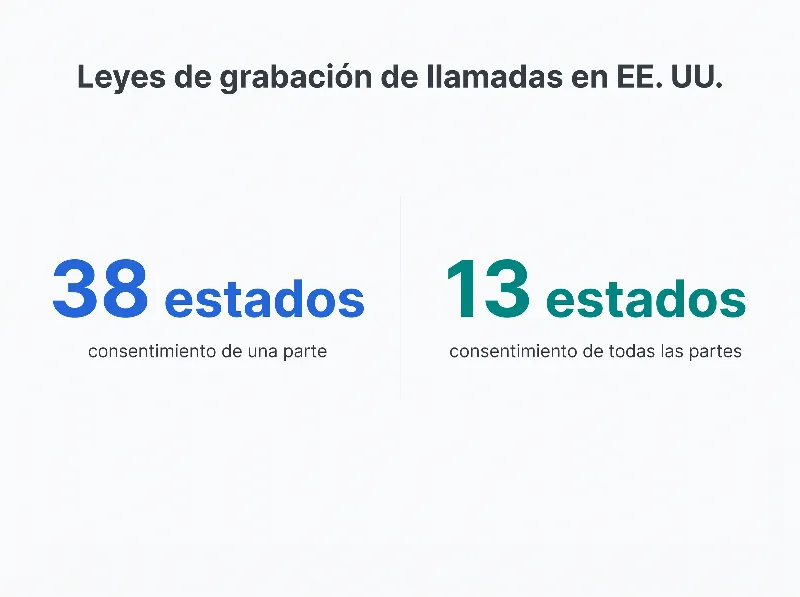
Los datos no dejan del todo claro con qué frecuencia los pequeños negocios de verdad enfrentan demandas por grabación indebida de llamadas. Pero las sanciones son lo bastante serias como para que no quieras averiguarlo a las malas. Las violaciones pueden llevar a demandas civiles, cargos penales y multas que van de unos pocos miles de dólares a seis cifras según el estado.
¿Por qué importa esto para tu pequeño negocio? Porque si atiendes clientes en varios estados (y la mayoría de los negocios lo hace), no puedes solo seguir las reglas de tu estado natal. Más sobre eso en un momento.
Leyes de grabación de llamadas por estado: una referencia rápida
Aquí va un desglose de qué estados requieren el consentimiento de todas las partes frente al de una parte. Si tu estado no está en la lista de todas las partes de abajo, sigue las reglas de consentimiento de una parte.
Estados de consentimiento de todas las partes (dos partes):
| Estado | Detalles clave |
|---|---|
| California | Todas las partes deben consentir; las violaciones son penales |
| Connecticut | Todas las partes en persona; una parte por teléfono con algunas excepciones |
| Delaware | Todas las partes deben consentir |
| Florida | Todas las partes deben consentir; aplican sanciones penales |
| Illinois | Todas las partes deben consentir (estatuto de escucha secreta) |
| Maryland | Todas las partes deben consentir |
| Massachusetts | Todas las partes deben consentir; la aplicación más estricta del país |
| Montana | Todas las partes deben consentir |
| Nevada | Una parte por teléfono, todas las partes en persona (varía según la interpretación) |
| New Hampshire | Todas las partes deben consentir |
| Oregon | Todas las partes para comunicaciones en persona y electrónicas |
| Pennsylvania | Todas las partes deben consentir; sanciones penales |
| Washington | Todas las partes deben consentir |
Cualquier otro estado sigue las reglas de consentimiento de una parte, o sea que solo necesitas el acuerdo de un participante (que puede ser el tuyo).
Unos cuantos estados tienen matices que vale la pena notar. Nevada trata las llamadas telefónicas y las conversaciones en persona de forma distinta. Connecticut tiene excepciones para ciertas llamadas de negocio. Y algunos estados están actualizando activamente sus leyes de grabación, así que conviene revisar los estatutos vigentes con regularidad.
Para la referencia más al día, la guía estado por estado de Rev es un recurso sólido que se mantiene actualizado con los cambios legales.
Base federal: La ECPA permite el consentimiento de una parte a nivel federal. Pero la ley estatal siempre tiene prioridad cuando es más estricta. Si estás en California, el consentimiento federal de una parte no te ayuda: aplica la regla de todas las partes de California.
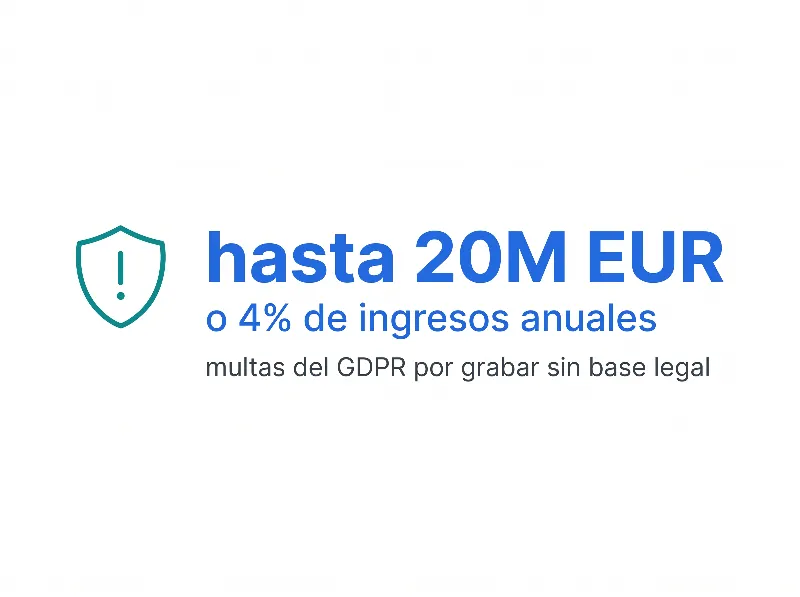
Llamadas internacionales: Si tu negocio maneja llamadas con clientes o socios en la UE, el GDPR agrega otra capa. Según el análisis de las reglas de grabación de audio del GDPR de IAPP, necesitarás una base legal para grabar, un aviso de privacidad claro y una política definida de retención de datos. Las violaciones del GDPR pueden resultar en multas de hasta 20 millones de euros o el 4% de los ingresos globales anuales, según GDPR Local, lo que sea mayor.
¿Qué pasa cuando grabas llamadas entre estados?
Aquí es donde las cosas se complican para los pequeños negocios que atienden clientes más allá de su área local.
Digamos que tu oficina está en Georgia (consentimiento de una parte). Un cliente llama desde California (consentimiento de todas las partes). ¿Cuál ley aplica?
La mayoría de los expertos legales y los tribunales dicen que deberías seguir el estándar más estricto. Si cualquiera de las partes está en un estado de consentimiento de todas las partes, obtén el consentimiento de todos. Ese es el enfoque más seguro y el que te mantiene fuera de problemas.
Así se ve en la práctica:
- Tu equipo hace llamadas de salida a prospectos por todo el país. Algunos de esos prospectos están en California, Florida o Pennsylvania. Necesitas el consentimiento de ambos lados para esas llamadas.
- Un cliente en Massachusetts llama a tu número gratuito. Massachusetts es un estado de consentimiento de todas las partes. Necesitas avisarle antes de que empiece la grabación.
- Estás organizando una llamada en conferencia con participantes en varios estados. Si cualquier participante está en un estado de consentimiento de todas las partes, todos necesitan saber de la grabación.
¿La solución más simple? Trata cada llamada como si estuviera regida por el consentimiento de todas las partes. Esto significa:
- Reproducir un mensaje automático al inicio de cada llamada: "Esta llamada puede ser grabada con fines de calidad y capacitación."
- Obtener confirmación verbal si tu industria lo requiere.
- Darles a quienes llaman la opción de rechazar si prefieren no ser grabados.
Es más cauteloso de lo que técnicamente se requiere para las llamadas en los estados de consentimiento de una parte. Pero es consistente, fácil de aplicar y te protege sin importar quién llame ni desde dónde.
Algunos dueños de negocio se resisten a esto. Les preocupa que el aviso de grabación espante a quienes llaman. En realidad, la mayoría de la gente escucha estos mensajes decenas de veces a la semana al llamar a bancos, aseguradoras y proveedores de servicios. Es tan común ahora que quienes llaman apenas lo notan.
También hay un ángulo de confianza que vale la pena considerar. Cuando le dices a alguien que estás grabando, en realidad señala profesionalismo. Dice: "Nos importan la precisión y la responsabilidad." Los clientes que tratan con negocios que graban las llamadas a menudo se sienten más seguros de que sus inquietudes se tomarán en serio y se les dará el seguimiento adecuado.
Una cosa más que tener en mente: incluso si operas en un estado de consentimiento de una parte y tu cliente también está en uno, tener un aviso de grabación en el registro te protege por si las leyes cambian o una disputa llega a un tribunal. Los jueces tienden a ver con buenos ojos a los negocios que fueron transparentes sobre la grabación desde el principio.
Cinco pasos para configurar una grabación de llamadas que cumpla la ley
Configurar la grabación de llamadas no es difícil. Configurarla de forma legal requiere un poco más de reflexión. Aquí va un enfoque paso a paso que funciona para la mayoría de los pequeños negocios.
Paso 1: Conoce tus obligaciones legales.
Empieza por identificar en qué estados están tus clientes. Si solo atiendes clientes locales en un estado de consentimiento de una parte, tus requisitos son más simples. Si atiendes clientes entre estados (y la mayoría de los negocios lo hace), usa por defecto los protocolos de consentimiento de todas las partes.
Para negocios con clientes en la UE, las reglas del GDPR agregan otra capa. Necesitarás una base legal para grabar, un aviso de privacidad claro y una política de retención de datos. Planea esto de frente en lugar de correr a cumplir después.
Paso 2: Crea una política de grabación de llamadas.
Escribe una política interna simple que cubra:
- Qué llamadas se graban (todas, solo las de ventas, solo las de soporte)
- Cómo se almacenan las grabaciones y por cuánto tiempo
- Quién tiene acceso a las grabaciones
- Cómo se obtiene y documenta el consentimiento
Esto no necesita ser un documento legal de 20 páginas. Una o dos páginas suelen ser suficientes para un pequeño negocio. Pero tenerlo por escrito te protege y le da a tu equipo pautas claras. También hace mucho más rápida la incorporación de las personas nuevas, ya que pueden leer la política el primer día en lugar de armar las reglas a partir de conversaciones sueltas.
Si estás en una industria regulada, pasa la política por tu asesor legal antes de ponerla en marcha. Una revisión rápida ahora puede ahorrarte una conversación mucho más cara después.
Paso 3: Configura los avisos automáticos de consentimiento.
La mayoría del software de grabación de llamadas de negocio te deja agregar un anuncio antes de la llamada. Úsalo. Un mensaje simple como "Esta llamada se está grabando con fines de calidad y capacitación" reproducido antes de que empiece la conversación cubre tus requisitos de consentimiento en la mayoría de las situaciones.
Para las llamadas de salida, entrena a tu equipo para mencionar la grabación al inicio: "Para que lo sepas, esta llamada se graba para nuestros registros. ¿Estás de acuerdo?"
Paso 4: Configura tus ajustes de grabación.
Elige qué se graba según tu política del Paso 2. Las opciones suelen incluir:
- Grabar todas las llamadas de forma automática
- Grabar solo las de entrada o solo las de salida
- Dejar que los agentes inicien y detengan la grabación a mano
- Pausar la grabación durante información delicada (como números de tarjeta de crédito)
La grabación automática con el anuncio antes de la llamada es el enfoque más confiable. La grabación manual introduce error humano, y alguien eventualmente olvidará presionar el botón en una llamada importante.
Paso 5: Configura los controles de almacenamiento y acceso.
Las grabaciones ocupan espacio y contienen información delicada. Asegúrate de:
- Almacenar las grabaciones en un almacenamiento en la nube cifrado
- Fijar periodos de retención (90 días es común; algunas industrias requieren más)
- Limitar el acceso a gerentes y personal autorizado
- Tener un proceso para borrar las grabaciones cuando termina el periodo de retención
Según Atlantech Online, el almacenamiento seguro y el acceso controlado son tan importantes como obtener el consentimiento. Una grabación que se filtra o a la que acceden personas no autorizadas crea todo un nuevo conjunto de problemas legales.
¿Qué debes buscar en un software de grabación de llamadas para pequeños negocios?
No todo el software de grabación de llamadas para pequeños negocios está construido igual. Algunas herramientas graban llamadas. Y ya. Otras te dan grabaciones que puedes buscar, transcripción, analítica y funciones de cumplimiento que de verdad hacen que valga la pena grabar.
Esto es lo que más importa:
Grabación automática con herramientas de consentimiento. Tu software debería soportar anuncios antes de la llamada y grabación automática para que tu equipo no tenga que acordarse de presionar un botón cada vez. Busca mensajes de saludo personalizables que digan con claridad que la llamada se está grabando.
Almacenamiento en la nube con cifrado. Las grabaciones deberían guardarse de forma segura en la nube, no en un disco duro local que podría fallar o ser robado. El cifrado en reposo y en tránsito es el estándar mínimo que deberías aceptar.
Transcripciones que puedes buscar. Grabar una llamada es útil. ¿Poder buscar entre cientos de llamadas una palabra o frase específica? Ahí es donde aparece el verdadero valor. La transcripción con IA convierte el audio en texto que puedes buscar y consultar meses después.
Analítica y perspectivas de llamadas. Un buen software de grabación de llamadas va más allá de solo capturar audio. Te da datos sobre el volumen, la duración, los resultados y los patrones de las llamadas. Puedes detectar tendencias, identificar oportunidades de coaching y medir qué funciona en tu equipo.
Integración con tus herramientas actuales. Tu software de grabación de llamadas debería funcionar con tu CRM, tu mesa de ayuda o tus herramientas de gestión de proyectos. Si las grabaciones viven en un silo que nadie revisa, tu equipo no las usará.
Gestión de retención. Necesitas la capacidad de fijar horarios de borrado automático y manejar el almacenamiento. Esto es especialmente importante para el cumplimiento del GDPR y para mantener tus costos bajo control a medida que las grabaciones se acumulan.
Permisos de usuario y controles de acceso. No todos en tu equipo deberían tener acceso a cada grabación. Los permisos por rol te dejan controlar quién puede escuchar, descargar o borrar las grabaciones.
¿Con honestidad? La mayoría de las funciones de grabación de llamadas metidas en los planes VoIP de remate no valen mucho. Si tu software no puede decirte quién consintió y cuándo, o si tira las grabaciones a una carpeta sin búsqueda ni organización, vas a dejar de usarlo en un mes. Y estarás a una queja de un dolor de cabeza de cumplimiento.
¿Vale la pena grabar cada llamada? Para la mayoría de los pequeños negocios, sí. Solo las perspectivas de capacitación justifican el costo. Pero el verdadero valor aparece cuando tu software de grabación es parte de un sistema de comunicación más grande, no una idea de último minuto que pegaste aparte.
Errores de grabación de llamadas que le cuestan dinero real a los negocios
Los pequeños negocios cometen los mismos errores de grabación de llamadas una y otra vez. Estos son los que causan más daño.
Error 1: No avisarles a quienes llaman.
Este es el error más común y más peligroso. Algunos negocios configuran la grabación y simplemente empiezan a capturar llamadas sin decírselo a nadie. En un estado de consentimiento de todas las partes, eso es ilegal. Incluso en los estados de consentimiento de una parte, es una mala práctica que daña la confianza en el momento en que alguien se entera.
Error 2: Usar un lenguaje de consentimiento vago o ausente.
"Esta llamada puede ser monitoreada" no es lo mismo que "Esta llamada se está grabando". Sé específico. El lenguaje vago crea zonas grises legales en las que no quieres estar parado cuando un regulador toque la puerta.
Error 3: Olvidarse de las llamadas entre estados.
Tu equipo está en Ohio. Tu cliente está en Florida. Ohio es de consentimiento de una parte. Florida es de todas las partes. Si tu sistema no toma esto en cuenta, estás violando la ley de Florida cada vez que grabas las llamadas de ese cliente sin obtener primero el acuerdo de todos.
Error 4: Sin política de retención.
Grabar llamadas y guardarlas para siempre crea un riesgo innecesario. Entre más tiempo conserves las grabaciones, más datos eres responsable de proteger. Fija periodos de retención claros y respétalos. Si no necesitas una grabación después de 90 días, bórrala.
Error 5: Dejar que todos accedan a las grabaciones.
Las grabaciones de llamadas pueden contener información delicada del cliente: datos de pago, datos personales y discusiones confidenciales de negocio. Si cada empleado puede acceder a cada grabación, estás creando una filtración de datos que está por pasar.
Error 6: Grabar sin un propósito de negocio.
"Grabamos todo por si acaso" no es una gran justificación, sobre todo si estás sujeto al GDPR o a leyes estatales de privacidad. Sabe por qué grabas y documenta ese propósito en tu política interna. Los propósitos válidos incluyen el aseguramiento de la calidad, la capacitación, la resolución de disputas y el cumplimiento regulatorio. Si no puedes señalar una razón específica para una grabación, probablemente no deberías tenerla.
Error 7: Ignorar las peticiones de quien llama para dejar de grabar.
Si quien llama dice "no quiero ser grabado", tu equipo necesita un protocolo claro. ¿Pueden apagar la grabación a mitad de la llamada? ¿Transfieren a una línea sin grabación? ¿O terminan la llamada? No tener una respuesta a esta pregunta antes de que surja es un error que crea situaciones incómodas y posible exposición legal.
Error 8: No capacitar a tu equipo.
Tu equipo maneja las llamadas. Necesitan entender la política de grabación, los requisitos de consentimiento y qué hacer si quien llama pide no ser grabado. ¿Por qué tantos pequeños negocios se saltan este paso? Usualmente porque asumen que la tecnología maneja todo. No lo hace. Tu gente necesita conocer las reglas tan bien como tu software.
Incluso una sesión de capacitación de 30 minutos que cubra tu política de grabación, los guiones de consentimiento y los procedimientos de derivación puede evitar errores caros. Corre esto durante la incorporación de las personas nuevas y como repaso anual para el personal actual. Es una pequeña inversión de tiempo que se paga sola la primera vez que evita un problema de cumplimiento.
Cómo dialnote hace la grabación de llamadas de negocio simple y en cumplimiento
La mayoría de los pequeños negocios quiere que la grabación de llamadas simplemente funcione. Sin configuración compleja, sin adivinanzas de cumplimiento, sin dolores de cabeza de TI. Para eso justamente está hecho dialnote.
El sistema de llamadas de dialnote incluye grabación de llamadas integrada con avisos de consentimiento automáticos. Cuando entra o sale una llamada, tu saludo personalizado se reproduce primero, avisándole a quien llama que la conversación se está grabando. Sin pasos manuales. Sin avisos olvidados.
Esto es lo que distingue a dialnote para la grabación de llamadas de negocio:
Grabación automática con controles inteligentes. Graba todas las llamadas por defecto, o fija reglas para números, equipos o tipos de llamada específicos. Pausa la grabación cuando aparece información delicada. Es lo bastante flexible como para coincidir con la política que hayas configurado.
Transcripción y búsqueda con IA. Cada llamada grabada se transcribe de forma automática. Busca en todas tus llamadas palabras clave, frases o temas específicos. Si una disputa con un cliente surge seis meses después, puedes encontrar la conversación exacta en segundos.
Analítica de llamadas integrada. La analítica y perspectivas de llamadas de dialnote te muestran los patrones de llamada, el tiempo de conversación y los resultados de un vistazo. Detectarás qué representantes necesitan coaching y qué guiones de llamada rinden mejor, todo sacado de tus datos de llamadas grabadas.
Almacenamiento seguro en la nube con controles de retención. Las grabaciones están cifradas y almacenadas en la nube. Fija periodos de retención para borrar las grabaciones de forma automática después de 30, 60, 90 días, o el plazo que tus requisitos de cumplimiento necesiten. Siempre tienes el control de qué se almacena y por cuánto tiempo.
Funciona con todo tu sistema telefónico. La grabación de llamadas se integra con el agente de voz IA de dialnote para el manejo automático de llamadas y con las funciones de gestión de llamadas para la transferencia y el IVR. Combina la grabación con la transferencia inteligente para que las llamadas lleguen al equipo correcto antes de que la grabación siquiera empiece.
Configuración simple, sin TI requerido. No necesitas un equipo técnico para empezar. Las funciones de grabación de dialnote se configuran a través de un panel directo. Enciende la grabación, personaliza tu mensaje de consentimiento, fija tu política de retención, y estás en vivo.
Listo para el cumplimiento desde el primer día. dialnote está diseñado con el cumplimiento de la grabación de llamadas de negocio en mente. Los anuncios de consentimiento automáticos, el almacenamiento cifrado, los controles de retención y el acceso por rol vienen todos integrados, no son complementos por los que pagas extra.
Para los pequeños negocios que quieren una grabación de llamadas que cumpla la ley, que puedas buscar y que sea de verdad útil sin una curva de aprendizaje pronunciada, dialnote cumple con todo. Compruébalo tú mismo con una mirada a los planes y precios de dialnote.
Empieza a grabar llamadas de la forma correcta
El software de grabación de llamadas para pequeños negocios es una de las inversiones más inteligentes que puedes hacer para la capacitación, la resolución de disputas y el control de calidad. Pero la parte "inteligente" solo aplica cuando lo haces de forma legal.
Conoce las reglas de consentimiento de tu estado. Usa por defecto el consentimiento de todas las partes si atiendes clientes entre estados. Configura avisos automáticos para que tu equipo no tenga que pensarlo. Y elige software que te dé más que solo una grabación: algo con transcripción, búsqueda, analítica y herramientas de cumplimiento adecuadas.
Los negocios que hacen bien la grabación de llamadas no solo se protegen de problemas legales. Construyen mejores equipos, resuelven disputas más rápido y convierten cada llamada telefónica en una oportunidad de aprendizaje.
¿Recuerdas a Stan del inicio de esta guía? Después de su susto de cumplimiento en California, cambió a un sistema telefónico con anuncios de consentimiento automáticos y reglas de grabación conscientes del estado. Su equipo no ha tenido un solo problema de cumplimiento desde entonces. Y las grabaciones que han reunido han recortado el tiempo de arranque de las personas nuevas en tres semanas.
Esa es la verdadera diferencia entre grabar llamadas y hacerlo bien.
Preguntas frecuentes
Sí, pero depende de tu estado. En 38 estados más D.C., solo necesitas el consentimiento de una persona (consentimiento de una parte). En 13 estados, todos en la llamada deben estar de acuerdo antes de grabar. Lo más seguro es siempre avisarles a quienes llaman de frente.
El consentimiento de una parte significa que solo una persona en la llamada necesita saber de la grabación. El de dos partes (todas las partes) significa que cada persona debe estar de acuerdo antes de que empiece la grabación. Tu estado determina cuál regla aplica.
Si manejas llamadas de clientes con regularidad, sí. La grabación de llamadas ayuda con la capacitación, la resolución de disputas, el control de calidad y el cumplimiento. La mayoría de los sistemas VoIP modernos la incluye como función integrada.
Podrías enfrentar demandas civiles, cargos penales y multas. Las sanciones varían por estado pero pueden ir de unos pocos miles de dólares a seis cifras. Estados como California y Florida tratan las violaciones como delitos penales.
La mayoría de los pequeños negocios conserva las grabaciones por 90 días. Tu periodo de retención depende de tu industria y tus requisitos de cumplimiento. Fija horarios de borrado automático y no conserves las grabaciones más tiempo del necesario.

Escrito por
Upasana Sahu
Senior Digital Marketing Specialist, SmartReach.io
Upasana Sahu is a Senior Digital Marketing Specialist at SmartReach.io with over 10 years of experience in content marketing, SEO, and digital strategy. She manages end-to-end blog operations, from content creation and on-page/off-page SEO to traffic...
Upasana Sahu is a Senior Digital Marketing Specialist at SmartReach.io with over 10 years of experience in content marketing, SEO, and digital strategy. She manages end-to-end blog operations, from content creation and on-page/off-page SEO to traffic...
Artículos relacionados

Mejores Sistemas VoIP para Pequeños Negocios
Compara los 9 mejores sistemas VoIP para pequeños negocios en 2026, con precios reales para 10 usuarios incluyendo agentes IA, IVR y números.

Los Mejores Sistemas Telefónicos para Empresas
Compara los 10 mejores sistemas telefónicos para empresas. Encuentra la solución VoIP ideal para tu equipo, presupuesto y funciones sin pagar de más.

Alternativas a Google Voice: 7 opciones para empresas
Compara 7 alternativas a Google Voice hechas para empresas: funciones de IA, IVR multinivel, sincronización con CRM y costos reales por usuario.